Shopify Theme Costs Explained for Beginners
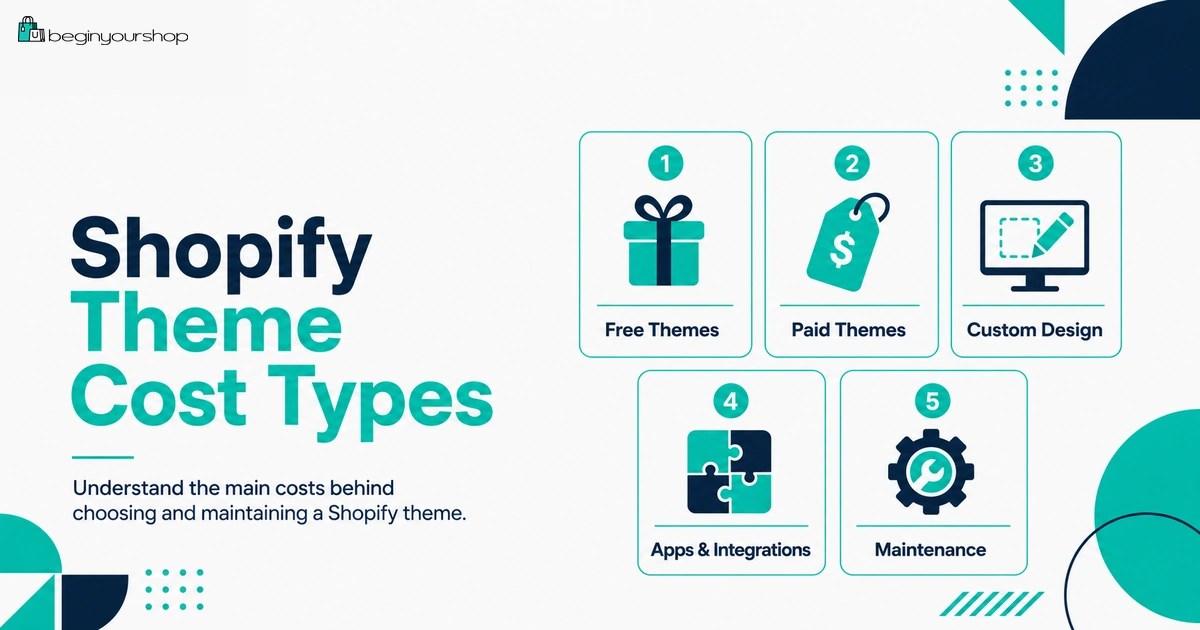
Shopify theme costs can be confusing for beginners because a theme is not the same as a Shopify plan, an app, a domain, or custom design work. Some Shopify themes are free, paid themes are usually purchased separately, and custom design or development can add extra cost beyond the theme price.
This beginner-friendly article explains Shopify theme costs, free vs paid themes, what paid themes usually include, when a paid theme is worth considering, why beginners should often start with a free theme, what support and update rules to check, and how to avoid wasting money on the wrong theme.
A Shopify theme controls how your online store looks and how many storefront sections, layouts, and design options you can use without custom code. For beginners, choosing a theme can feel like one of the most important decisions in the whole store setup process.
It is important, but it is also easy to overthink.
A theme will not fix weak products, poor product images, unclear shipping, no traffic plan, bad pricing, or missing trust signals. A paid theme can make store building easier in some cases, but it does not automatically create sales. A free theme can be enough for many new stores, especially while you are still testing products and learning what customers care about.
The best beginner approach is usually simple: start with a free Shopify theme if it supports your product type, test it with real product content, and only buy a paid theme when it solves a specific problem that affects layout, merchandising, product presentation, conversion, or app cost.
This guide explains Shopify theme costs in practical terms so you know what you are paying for, what to check before buying, and when a paid theme is actually worth considering.
Last checked: September 4, 2026. Shopify theme prices, refund policy, support rules, theme update behavior, licensing rules, free theme availability, and Shopify Theme Store listings can change. Always confirm the current theme price, support terms, documentation, refund policy, and license rules on the Shopify Theme Store and Shopify Help Center before buying a theme.

Quick Answer
Shopify themes can be free or paid. Free themes are developed by Shopify and can be a strong starting point for many beginners. Paid themes from the Shopify Theme Store are developed by third-party designers, usually purchased before you publish them, and are final sale and non-refundable. You can try a paid theme before buying, customize it in preview, and buy it later if it fits your store. Beginners should usually start with a free theme unless a paid theme solves a clear product, layout, merchandising, or app-replacement problem.
Best beginner move
Start with a free Shopify theme and test it with real products before buying anything.
Paid theme warning
Paid theme purchases from the Shopify Theme Store are generally final sale and non-refundable.
Worth paying when
A paid theme removes real limitations in product pages, catalog browsing, content layout, or built-in features.
What Is a Shopify Theme?
A Shopify theme is the design and layout system for your online store. It controls how your storefront pages look and how customers browse your products.
A theme affects:
- Homepage layout
- Product page layout
- Collection page layout
- Cart experience
- Menu and footer structure
- Mobile layout
- Typography and colors
- Page sections and blocks
- Product media display
- Store speed and code quality
- How apps display on the storefront
A theme is not the same as a Shopify plan. Your Shopify plan gives you access to the platform. Your theme controls the storefront experience. Apps add extra functionality. Custom design or development changes the store beyond normal theme settings.
Theme decision rule
Choose a theme based on how well it presents your products and supports your store structure, not only because its demo looks attractive.
Main Shopify Theme Cost Types
Theme cost is not always just one number. A beginner should understand all possible theme-related costs.
| Cost type | What it means | Beginner note |
|---|---|---|
| Free theme | A theme developed by Shopify that you can add without buying a paid theme. | Often enough for a new store. |
| Paid theme | A theme from the Shopify Theme Store developed by a third-party theme designer. | Usually a separate purchase and generally non-refundable. |
| Custom design | Design work to make your store look more unique or polished. | Can cost more than the theme itself. |
| Custom development | Code work to change theme behavior or add custom features. | Can affect update complexity. |
| Theme apps | Apps used because the theme does not include a feature you need. | Recurring app costs can make a “cheap” setup expensive. |
| Maintenance | Theme updates, code cleanup, app compatibility checks, and redesign work. | Often ignored by beginners. |
The real cost of a theme is not only the purchase price. It is the theme price plus the apps, custom work, maintenance, and opportunity cost that come with it.
Free Shopify Themes
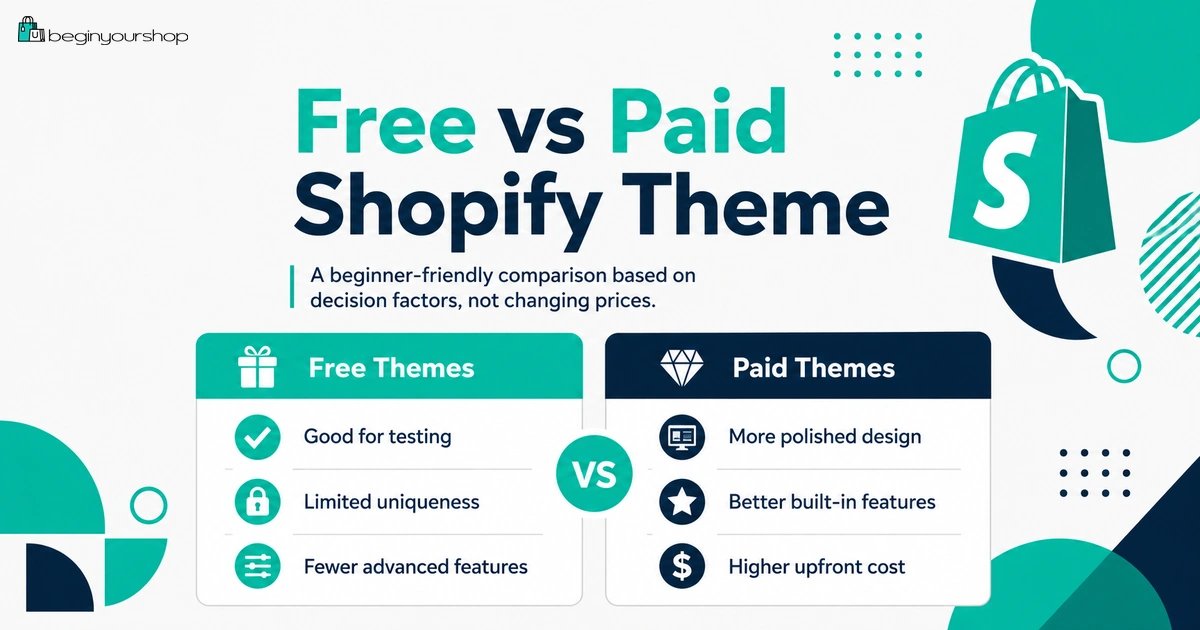
Free Shopify themes are developed by Shopify and can be added from the Shopify admin or the Shopify Theme Store.
For many beginners, a free theme is the right starting point. It lets you build a real store, test product pages, create collections, review mobile layout, and learn Shopify without spending money on a theme too early.
Free themes are often enough if:
- You are launching your first store.
- You have a simple product catalog.
- You do not need unusual layouts.
- You are still validating product demand.
- You want to keep startup costs low.
- You are not sure which design direction will convert.
- You need to learn Shopify before customizing deeply.
What to test with a free theme
- Product page clarity
- Product image display
- Variant selector usability
- Add-to-cart visibility
- Collection browsing
- Homepage messaging
- Mobile navigation
- Footer links and policy access
- Cart and checkout path
Do not reject a free theme just because it feels less premium. A clear, fast, simple free theme can outperform a paid theme that is poorly configured.
Paid Shopify Themes
Paid themes from the Shopify Theme Store are developed by third-party theme designers. They can offer more built-in sections, merchandising options, homepage layouts, product page layouts, collection features, and design flexibility than a basic free theme.
A paid theme may include more options for:
- Product media galleries
- Quick view
- Color swatches
- Mega menus
- Advanced collection filtering
- Promotional banners
- Trust badges
- Countdowns or urgency sections
- Product tabs
- Before-and-after layouts
- Lookbooks
- Editorial content sections
- Video sections
- More homepage templates
These features can be valuable if they replace paid apps or help your products sell more clearly. But they are not valuable if you do not need them.
Paid theme decision rule
Buy a paid theme because it solves a specific store problem, not because the demo looks beautiful.
Examples of specific problems:
- Your product images need a better gallery layout.
- Your catalog needs stronger filters or mega menu navigation.
- Your product type needs more detailed product page sections.
- Your brand needs editorial storytelling sections.
- A paid theme can replace several paid apps.
- Your current theme makes mobile shopping awkward.
Try Before You Buy
One of the most important Shopify theme cost protections is the ability to try a paid theme before buying it.
Shopify explains that paid themes need to be purchased before you can publish them to your online store, but you can try a paid theme before buying. Shopify also says you can preview how a paid theme displays with your products, brand colors, and style, and that changes you make in the theme editor are saved if you later purchase the theme.
What to do during a paid theme trial
- Add real products.
- Use real product images.
- Test the product page layout.
- Test collection pages.
- Check mobile navigation.
- Try homepage sections.
- Review cart behavior.
- Check language and text editing.
- Review theme settings.
- Compare it with your current free theme.
Do not test only the demo
A paid theme demo can look excellent because the demo uses carefully prepared images, products, copy, and layout. Your real store may look different. Always test the theme with your actual products and images before buying.
Theme Refund Policy
Paid themes require extra caution because theme purchases from the Shopify Theme Store are final sale and non-refundable. Shopify explains that when you purchase a theme, you immediately gain full access to the theme’s source code, and Shopify cannot revoke that access after purchase.
Before buying a paid theme, check:
- Does it fit your product type?
- Does it work with your real images?
- Does it support the product page layout you need?
- Does it support your catalog size?
- Does it work well on mobile?
- Does it include features you would otherwise need apps for?
- Does the documentation answer setup questions?
- What support does the theme developer provide?
- Are there recent reviews mentioning bugs or support issues?
- Will you need custom code after buying?
Because the purchase is generally non-refundable, do not buy a paid theme casually.
Theme Support and Customization Help
Support depends on who made the theme.
Shopify says free themes from Shopify may be supported by Shopify Support. For merchants on the Basic plan or higher, Shopify says you can use up to 60 minutes of complimentary design support, tracked in 15-minute increments, for eligible small changes.
For paid themes, support is provided by the third-party theme developer. Shopify also notes that third-party theme developers do not provide customizations, and if you need help customizing a paid theme, you can hire a Shopify Partner.
Support categories to understand
| Need | Who may help | Beginner note |
|---|---|---|
| Free Shopify theme basic support | Shopify Support, depending on eligibility and request type. | Useful for small supported changes. |
| Paid theme documentation | Theme developer documentation. | Read before buying. |
| Paid theme support | Third-party theme developer. | Usually helps with theme issues, not custom work. |
| Custom design or code changes | Shopify Partner, developer, or agency. | Can cost more than the theme itself. |
Before buying a theme, confirm whether you can use it without custom work. If you need a developer immediately after purchase, the real cost is higher than the theme price.
Theme Updates and Licensing
Theme updates and licensing are important long-term cost factors.
Shopify says that if you install a free or paid theme from the Shopify Theme Store, then when an updated version is released, you can add the updated version to your draft themes for free. Shopify also says updates are not supported for third-party themes purchased from outside the Shopify Theme Store.
Shopify also explains that themes purchased from the Shopify Theme Store are licensed only to the store where they were originally bought.
Why updates matter
Theme updates can include:
- Bug fixes
- Security fixes
- Compatibility updates
- New sections
- New settings
- Improvements for Shopify platform changes
- Performance improvements
Why licensing matters
If you buy a theme for one store, do not assume you can use it on another store without buying it again or following Shopify’s transfer process. Licensing rules affect cost if you run multiple stores, create test stores, or rebuild a store later.
Customization warning
Heavy code edits can make updates more difficult. If you heavily customize a theme, you may need a developer to help with future updates or to reapply custom changes.
Themes Outside the Shopify Theme Store
You may see Shopify themes sold outside the official Shopify Theme Store. They can sometimes look cheaper, but they may carry extra risk.
Shopify strongly recommends that merchants do not install themes from outside the Shopify Theme Store. Shopify also explains that automatic updates are not supported for uploaded themes, and if a theme was purchased outside the Shopify Theme Store, you need to contact the designer for updates.
Possible risks of outside themes
- No standard Shopify Theme Store update process
- Unknown code quality
- Security concerns
- Compatibility issues
- Limited support
- Slower performance
- App conflicts
- Harder theme maintenance
- Licensing uncertainty
A cheaper outside theme can become more expensive if it requires developer cleanup, causes app conflicts, or cannot receive normal updates.
Custom Design and Development Costs
A theme purchase is not the same as a custom website project. A paid theme gives you a design framework and settings, but it does not include unlimited custom design or development.
Custom work may include:
- Custom homepage sections
- Custom product page layouts
- Custom collection templates
- Custom cart behavior
- Custom icons or graphics
- Custom filtering or merchandising logic
- Checkout-related customization where supported
- Theme code cleanup
- Speed optimization
- App integration adjustments
When custom work is worth it
Custom work may be worth it when:
- You have proven products.
- You have traffic and conversion data.
- A layout limitation is hurting sales.
- A custom section can replace ongoing app costs.
- Your product type needs unusual presentation.
- Your brand has clear design requirements.
When custom work is too early
Custom work may be too early when:
- You have no sales.
- You are still changing product direction.
- You do not know what customers respond to.
- You are customizing to feel busy rather than solving a conversion problem.
- A free theme can already support your launch.
For most beginners, custom design should follow business validation, not come before it.
Theme Features vs App Costs
A paid theme can sometimes save money by replacing several paid apps. This is one of the strongest reasons to consider paying for a theme.
A theme can sometimes replace apps for:
- Product tabs
- Size charts
- Color swatches
- Sticky add-to-cart buttons
- Promo banners
- Mega menus
- Trust badges
- Lookbooks
- Quick view
- Countdown sections
- FAQ sections
- Before-and-after layouts
Theme vs app decision
| Question | Theme feature may be better when... | App may be better when... |
|---|---|---|
| Is the feature mostly visual? | The theme includes it cleanly and it fits your layout. | The theme cannot support it at all. |
| Is the feature business-critical? | The theme handles it reliably without extra complexity. | You need advanced logic, automation, or backend workflows. |
| Will it cost monthly? | A paid theme can replace several recurring app costs. | The app produces measurable revenue or operational value. |
| Will it affect speed? | Built-in theme feature may be lighter than multiple apps. | The app is well-built and necessary. |
Do not buy a paid theme only for a long feature list. Buy it if the features replace tools you genuinely need.
When a Paid Theme Is Worth It
A paid theme can be worth it when it directly supports your product type, reduces app dependency, or improves customer experience.
A paid theme may be worth buying if:
- You have proven product demand.
- Your free theme limits product presentation.
- Your catalog needs stronger filtering or navigation.
- You need better product media layouts.
- You need built-in features that would otherwise require paid apps.
- You have enough products or content to use the theme properly.
- The theme works well with your real images and copy.
- The theme improves mobile shopping experience.
- You have reviewed documentation and support quality.
- You understand that the purchase is generally non-refundable.
Good examples
- A fashion store needing strong collection filters, swatches, and image-heavy layouts
- A beauty brand needing rich product storytelling and before-and-after sections
- A large catalog store needing mega menus and advanced browsing
- A premium brand needing editorial layouts and flexible sections
- A store replacing several monthly visual merchandising apps with theme features
The theme should match the business, not just your personal taste.
When a Free Theme Is Enough
A free theme is often enough for early-stage stores. Many beginners should not buy a theme before they have real products, a clear product strategy, and at least a basic launch plan.
A free theme is usually enough if:
- You are launching your first Shopify store.
- You have a small catalog.
- You are still validating demand.
- Your product pages look clear enough.
- You do not need advanced filters or mega menus.
- You do not need unusual product layouts.
- You want to reduce startup costs.
- You are still learning Shopify.
- You plan to improve design after real feedback.
Free theme launch standard
A free theme is enough if customers can:
- Understand what you sell
- View product images clearly
- Read product information easily
- Select variants
- Add to cart
- Find shipping and return information
- Contact you
- Use the store on mobile
- Complete checkout
Do not delay launch only because you have not purchased a paid theme.
Theme Cost Decision Checklist
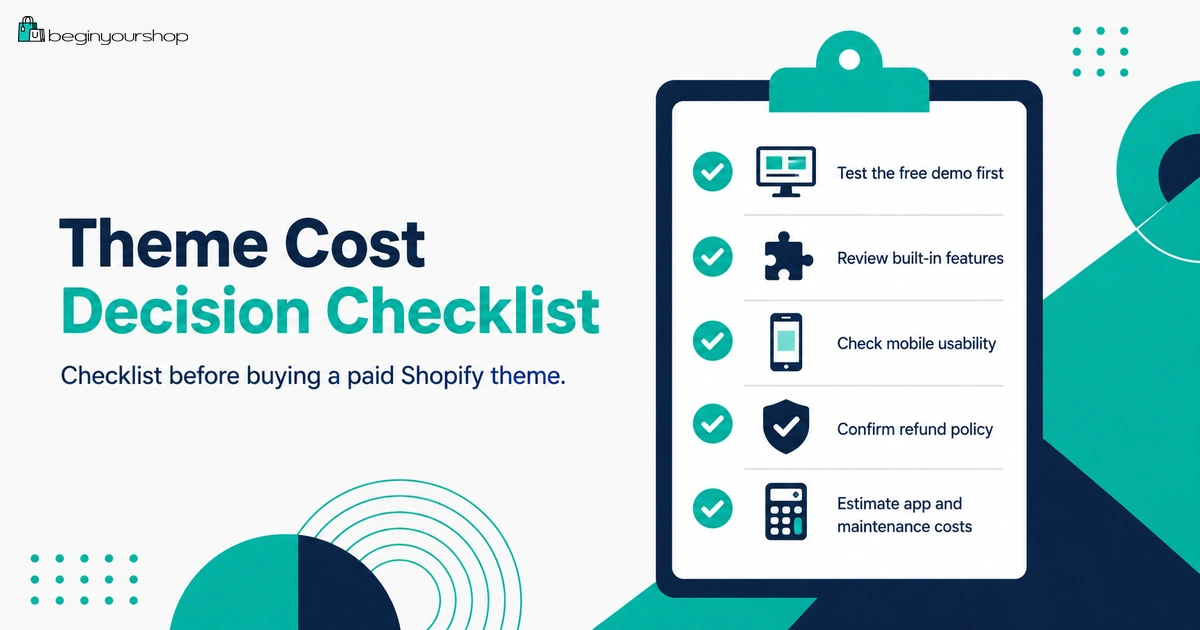
Use this checklist before buying a paid Shopify theme.
| Question | Ready? |
|---|---|
| I tested the theme with real products and images. | Yes / No |
| I compared the paid theme against a free Shopify theme. | Yes / No |
| I know which specific problem the paid theme solves. | Yes / No |
| The theme improves product pages, collections, mobile layout, or merchandising in a meaningful way. | Yes / No |
| The theme can replace one or more paid apps I would otherwise need. | Yes / No |
| I reviewed the theme documentation. | Yes / No |
| I understand what support the theme developer provides. | Yes / No |
| I understand theme purchases are generally final sale and non-refundable. | Yes / No |
| I understand licensing rules if I use multiple stores. | Yes / No |
| I know whether custom design or development will be needed after purchase. | Yes / No |
If most answers are “yes,” a paid theme may be worth considering. If most answers are “no,” stay with a free theme or continue testing before buying.
Common Shopify Theme Cost Mistakes
Mistake 1: Buying a theme before adding real products
You cannot judge a theme properly with demo content only. Test it with your real products, images, and descriptions.
Mistake 2: Thinking a paid theme creates sales
A paid theme can improve presentation, but it does not create demand, traffic, trust, pricing, or product-market fit.
Mistake 3: Ignoring the refund policy
Paid theme purchases from the Shopify Theme Store are generally final sale and non-refundable. Try before buying.
Mistake 4: Buying a theme for features you will not use
A feature list is not value unless the features help your store.
Mistake 5: Forgetting support and documentation
A theme with poor documentation can cost time or developer money later.
Mistake 6: Installing themes from risky sources
Themes outside the Shopify Theme Store can create update, support, security, licensing, and compatibility risks.
Mistake 7: Over-customizing too early
Heavy customization before product validation can waste money and make updates harder.
FAQ
Are Shopify themes free?
Some Shopify themes are free. Shopify offers free themes developed by Shopify, and the Shopify Theme Store also includes paid themes developed by third-party designers.
Do I need a paid Shopify theme?
Not usually at the beginning. Many beginners should start with a free theme and buy a paid theme only when it solves a specific product, layout, merchandising, or app-replacement problem.
Can I try a paid Shopify theme before buying?
Yes. Shopify lets you try a paid theme before buying. You can preview it with your products, brand colors, and style, and customizations can be saved if you later purchase the theme.
Can I publish a paid theme before buying it?
No. Shopify says paid themes need to be purchased before you can publish them to your online store.
Are Shopify paid themes refundable?
Shopify says theme purchases from the Shopify Theme Store are final sale and non-refundable, because purchasing gives immediate access to the theme’s source code.
Who supports paid Shopify themes?
Paid themes are supported by the third-party theme developer. Theme developers generally support theme issues, but they do not provide customizations. For custom work, you may need a Shopify Partner or developer.
Who supports free Shopify themes?
Free themes from Shopify can receive support from Shopify Support. Shopify says merchants on Basic or higher can use up to 60 minutes of complimentary design support for eligible small changes.
Do Shopify themes get free updates?
Shopify says themes installed from the Shopify Theme Store can receive updated versions that you can add to your draft themes for free. Themes purchased outside the Shopify Theme Store do not use the same standard update process.
Can I use one paid Shopify theme on multiple stores?
Shopify says themes purchased from the Shopify Theme Store are licensed only to the store where they were originally bought. If you use multiple stores, review Shopify’s licensing and transfer rules before assuming one purchase covers all stores.
Should I buy a theme during the Shopify free trial?
Most beginners should avoid buying a paid theme during the free trial unless they are already confident it solves a real need. Shopify also recommends choosing a free theme during the free trial if you want to avoid theme charges.
Final Thoughts
Shopify theme costs are not only about free versus paid. The real decision is whether the theme supports your products, customer experience, store structure, mobile layout, and business stage.
For many beginners, a free Shopify theme is enough to launch, test products, and learn what customers need. A paid theme becomes worth considering when it solves a real limitation, improves product presentation, reduces app costs, or supports a more complex catalog or brand experience.
Before buying, try the theme with real products, review documentation, check support, compare it with a free theme, and remember that paid theme purchases are generally final sale and non-refundable.
Start lean, test with real content, and pay for a theme only when it supports a clear business need.
Next recommended guide: How to Choose a Shopify Theme