Shopify App Costs Explained for Beginners
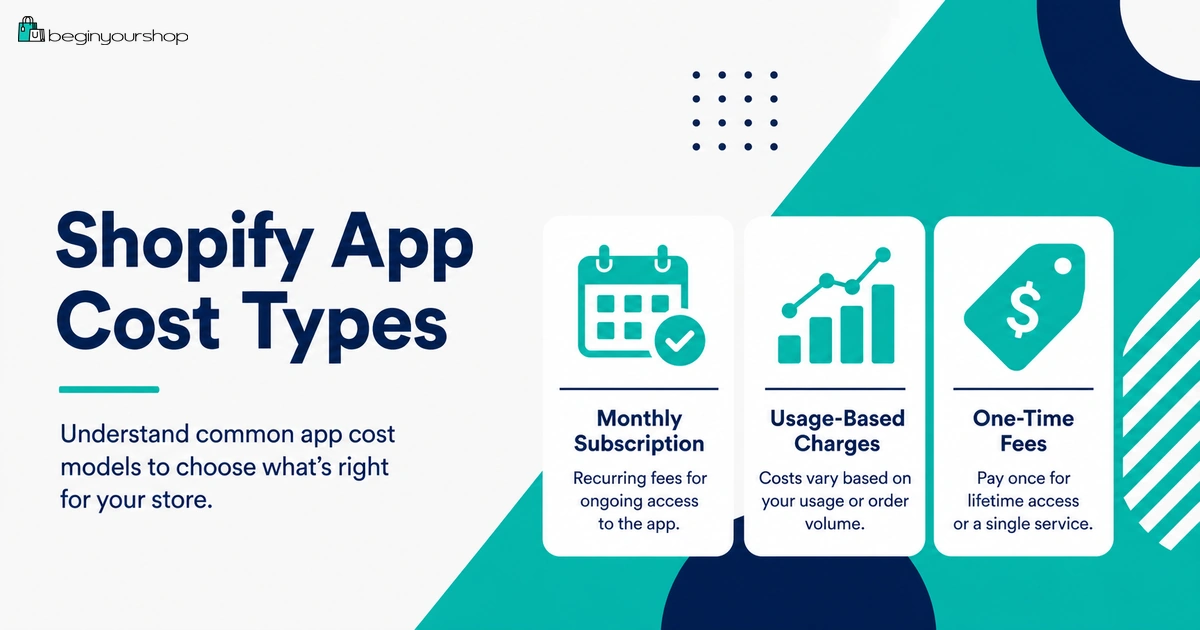
Shopify app costs can make a store more expensive than beginners expect. Apps can be free, paid monthly, usage-based, one-time purchases, or billed outside Shopify, and their billing cycles might not match your Shopify subscription billing cycle.
This beginner-friendly article explains Shopify app costs, how app subscriptions and usage charges work, what happens when you uninstall an app, how app free trials differ from Shopify’s free trial, how to avoid app cost surprises, and which apps beginners should delay until the store has real traffic or sales.
Shopify apps can be useful, but they can also become one of the easiest ways for beginners to overspend.
When you first build a Shopify store, every app can look helpful. You might see apps for reviews, popups, subscriptions, upsells, email marketing, SEO, image optimization, loyalty programs, currency conversion, product options, dropshipping, print-on-demand, page building, translation, analytics, shipping, and more.
Some apps are worth installing early because they support the business model. Others are better delayed until the store has traffic, customers, or specific operational needs. The problem is that many beginners install apps before they understand what each app costs, how billing works, whether the app has usage fees, whether the app charges outside Shopify, or what happens when they uninstall it.
This guide explains Shopify app costs in practical beginner language so you can build a leaner store and avoid surprise charges.
Last checked: August 28, 2026. Shopify app billing rules, app pricing models, free trials, usage charges, uninstall behavior, refund handling, app credits, and external billing practices can change. Always review the app listing, app billing screen, Shopify Billing, and the app developer’s terms before installing a paid app.

Quick Answer
Shopify apps can cost money in several ways: recurring monthly subscriptions, usage-based charges, one-time app charges, or external charges billed outside Shopify. Some apps are free or have free plans, and many paid apps offer a free trial. Before installing an app, check its pricing model, billing cycle, usage limits, permissions, uninstall steps, refund policy, and whether the app charges through Shopify or directly through the developer.
Best beginner rule
Install an app only when it solves a real business problem that Shopify or your theme cannot already solve.
Main cost risk
Several small app subscriptions can quietly become a large monthly cost before the store has sales.
Before uninstalling
Review billing, export important data, check theme code removal, and cancel any external subscription if needed.
Why Shopify App Costs Matter
App costs matter because they can change your store’s real monthly budget. A beginner might choose a low Shopify plan and then install five or six paid apps, making the total monthly cost much higher than expected.
Apps can also add complexity. They can affect storefront speed, theme code, checkout behavior, analytics, customer data, email capture, product pages, shipping settings, inventory workflows, and customer experience.
App costs are not only about money
Before installing an app, consider:
- Monthly subscription cost
- Usage-based charges
- One-time setup cost
- External billing outside Shopify
- Permissions requested by the app
- Impact on store speed
- Compatibility with your theme
- Data export and uninstall behavior
- Support quality
- Whether Shopify or your theme already does the same thing
A good app can save time or increase revenue. A poorly chosen app can create cost, clutter, and maintenance work.
Common Shopify App Pricing Models
Shopify apps can use several pricing models. You should understand the model before you click install or approve charges.
| Pricing model | How it works | Beginner risk |
|---|---|---|
| Free app | The app has no listed paid charge. | May still have limitations, upsells, data permissions, or external service requirements. |
| Free plan | The app has a free tier with paid upgrades. | The free plan may become limiting as your store grows. |
| Free trial | You can test the paid app for a limited period before charges begin. | You might forget to uninstall before the trial ends or misunderstand the billing cycle. |
| Recurring subscription | You pay a fixed amount every billing cycle. | Multiple small subscriptions can add up quickly. |
| Usage-based charge | You pay based on usage, such as orders, interactions, subscribers, messages, translations, or page views. | Costs can grow as usage grows, sometimes faster than expected. |
| One-time charge | You pay once for a feature, service, or action. | May be separate from your regular Shopify subscription bill. |
| External billing | The app developer bills you outside Shopify. | Uninstalling inside Shopify might not cancel external charges. |
The safest approach is to read the pricing section on the Shopify App Store listing and review any charge approval screen carefully before using the app.
Free Apps and Free Plans
Some Shopify apps are free, and many paid apps include a free plan. Shopify says most Shopify-created apps are free, and many paid apps offer a free basic plan or a free trial period.
Free apps can be useful for:
- Basic Shopify-supported features
- Simple admin tools
- Basic integrations
- Small stores with low usage
- Testing whether an app category is useful
Free does not always mean no tradeoff
Before installing a free app, still check:
- What permissions the app requests
- Whether the free plan has limits
- Whether paid upgrades are likely later
- Whether the app adds storefront code
- Whether the app affects performance
- Whether the app has support and documentation
- Whether the app stores data you might need later
A free app is not automatically a good app. It should still solve a real problem.
App Free Trials
An app free trial is different from Shopify’s free trial. Your Shopify store can be in a free trial, and an app can also have its own free trial or free plan.
These timelines do not always match. The app’s free trial, the app’s billing cycle, and the Shopify subscription billing cycle can all be different.
Before starting an app free trial, check:
- How long the app trial lasts
- What happens when the trial ends
- Which plan you are testing
- Whether usage charges can apply
- Whether you need to uninstall to stop Shopify-billed charges
- Whether there are external charges outside Shopify
- Whether you can export data before uninstalling
Good app trial practice
When you start a paid app trial, write down:
- Install date
- Trial end date
- Plan name
- Monthly price
- Usage charge rules
- Decision deadline
- Uninstall steps
This prevents “I forgot I installed it” charges.
Recurring App Subscription Charges
Recurring subscription charges are one of the most common app cost types. They are fixed-rate plans that continue every billing period unless you change or uninstall the app according to the app and Shopify billing rules.
Shopify says app subscriptions and app usage are billed as part of Shopify’s 30-day subscription billing period, but apps also have their own separate 30-day billing cycle. This can affect when charges appear on your Shopify bill.
Recurring app charges are common for:
- Email marketing apps
- Subscription product apps
- Review apps
- Page builder apps
- Loyalty apps
- Upsell apps
- Shipping apps
- SEO apps
- Translation apps
- Analytics apps
Recurring charge checklist
- What is the monthly cost?
- Does the app charge every 30 days?
- Does the price change by order volume, subscribers, or features?
- Does the app require a higher plan later?
- Does uninstalling stop future billing cycles?
- Could a pending charge still appear after uninstalling?
Recurring apps can be worthwhile, but each one should earn its place in your store budget.
Usage-Based App Charges
Usage-based app charges vary based on how much you use the app or its services. Shopify gives the example of an app charging based on the number of customer interactions.
Usage charges might be based on:
- Orders processed
- Messages sent
- Email subscribers
- Customer interactions
- Page views
- Product imports
- Translations
- Shipping labels or rate calculations
- AI-generated content
- Storage or bandwidth
Shopify says app usage charges are tied to each app’s 30-day billing cycle, and because an app cycle can differ from Shopify’s billing cycle, usage charges from one app cycle might be distributed across two different Shopify subscription bills.
Why usage charges need attention
Usage-based apps can be attractive because they scale with activity. But they can also surprise beginners if traffic, order volume, subscribers, or message volume grows faster than expected.
Before using a usage-based app, ask:
- What action creates a charge?
- Is there a monthly minimum?
- Is there a usage cap or spending limit?
- What happens when the cap is reached?
- Can you set or increase spending limits?
- How often are usage charges added to your bill?
- Can you export usage reports?
Usage-based pricing can be fair, but only if you understand what drives the charge.
One-Time App Charges
Some apps charge one-time fees for specific services or features. Shopify says one-time app charges are payments for specific services or features provided by an app, such as transferring data from one platform to another, and are billed separately from your regular Shopify subscription.
One-time charges may apply to:
- Migration services
- Data transfer
- One-time setup tasks
- Custom configuration
- Premium feature unlocks
- Theme-related service actions
- Bulk optimization tasks
Before approving a one-time charge
- Confirm exactly what service is included.
- Confirm whether it is truly one-time.
- Confirm whether recurring charges also exist.
- Confirm refund rules.
- Keep a record of the approval and invoice.
One-time charges can be reasonable, but they should be tied to a clear deliverable.
App Billing Cycles vs Shopify Billing Cycles
Shopify app billing can feel confusing because app billing cycles and Shopify billing cycles can differ.
Shopify explains that Shopify invoices merchants every 30 days for the monthly Shopify subscription, while app subscriptions are billed on an independent 30-day billing cycle. The app charge is included on your Shopify bill, but the dates covered by the app charge might not match the Shopify subscription dates exactly.
What this means in practice
- An app charge might appear on a later bill than you expect.
- Usage charges might be spread across different Shopify bills.
- Uninstalling an app might stop future billing but not remove a pending charge.
- App upgrade and downgrade timing can affect credits or prorated charges.
- Plan changes can trigger outstanding app charges sooner.
Beginner habit
Review Shopify Billing at least once per month. Check:
- Current charges
- Past bills
- Recurring app subscriptions
- Usage charges
- One-time charges
- External billing outside Shopify
Do not wait until the bill looks high to understand your app stack.
Apps That Charge Outside Shopify
Some third-party apps charge outside Shopify. Shopify says external charges are not displayed on your Shopify bill, and uninstalling the app from your Shopify admin does not cancel external charges.
External charges can happen through:
- The app developer’s own billing system
- A separate SaaS subscription
- A connected service account
- A payment card entered on the app’s website
- An agency or partner service
Before installing an externally billed app
- Confirm where billing happens.
- Save login information for the external account.
- Read cancellation rules.
- Check whether uninstalling in Shopify is enough.
- Check support contact details.
- Keep a record of the plan and billing date.
External billing is not necessarily bad, but it must be tracked separately.
What Happens When You Uninstall an App?
Uninstalling an app can stop future Shopify-billed recurring charges, but it might not erase every cost or every effect.
Shopify says uninstalling a paid app cancels future recurring charges, but you might still be billed for the current billing cycle. Shopify also says uninstalling an app stops future billing cycles, but it might not remove a pending charge that has already been generated for an upcoming invoice.
Before uninstalling an app, check:
- Is there a pending app charge?
- Does the app have an external subscription?
- Does the app require extra uninstall steps?
- Does it leave theme code that must be removed manually?
- Does it manage inventory at an app location?
- Do you need to export data first?
- Will automations or workflows stop working?
- Will settings be restored if you reinstall?
App uninstall risks
| Risk | Why it matters |
|---|---|
| Pending charge remains | A charge already generated for the upcoming invoice may still appear. |
| External billing continues | External subscriptions must be canceled directly with the provider. |
| Theme code remains | Some apps add code that is not automatically removed. |
| Data is lost | Some app data may not be recoverable after uninstalling. |
| Workflow breaks | Automations or store features depending on the app can stop working. |
Uninstalling is not always just a click. Treat paid and operational apps carefully.
Refunds, Credits, and Disputes
App refunds are often misunderstood. Shopify says refunds for third-party app charges are managed by the app developer, not Shopify, even if the charge appears on your Shopify bill. Shopify also says it cannot guarantee refunds for third-party app charges because refund decisions are at the app developer’s discretion.
If you want to dispute an app charge
Shopify’s guidance generally points merchants to contact the app developer for refunds. Before contacting the developer, collect:
- App name
- Date installed
- Date uninstalled if applicable
- Charge amount
- Charge date
- Invoice number
- Reason for refund request
- Any screenshots or support messages
Application credits
Shopify says application credits might be issued if you downgrade a paid app mid-cycle or meet other conditions. These credits can appear on your Shopify subscription bill and can be used for future app-related charges.
Credits are not the same as a cash refund. Check the app and Shopify billing details carefully.
Which Apps Beginners Might Need
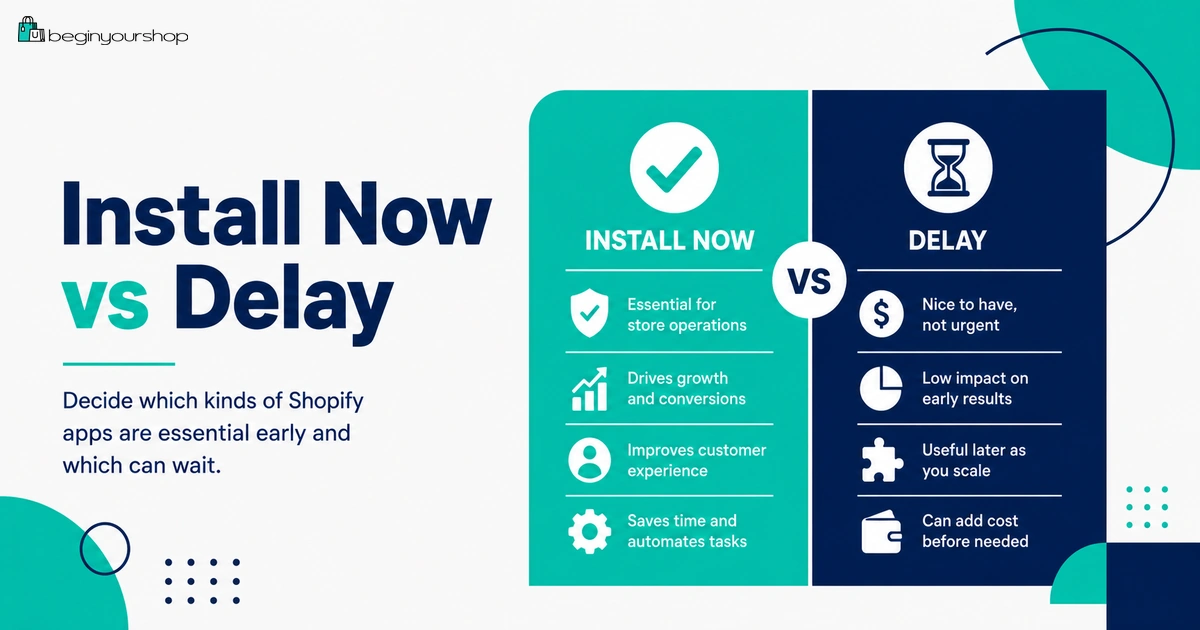
Some apps are worth considering early if they directly support your business model.
Apps that may be necessary early
- Print-on-demand app: Needed if your products are created and fulfilled by a print-on-demand supplier.
- Dropshipping supplier app: Needed if product import, inventory syncing, or fulfillment depends on a supplier app.
- Digital product delivery app: Needed if you sell files, templates, courses, or digital downloads.
- Product options app: Needed if Shopify’s native variants cannot support your customization requirements.
- Subscription app: Needed if your product model depends on recurring orders.
- Booking or appointment app: Needed if you sell services that require time slots.
- Shipping or fulfillment app: Needed if your shipping workflow cannot be handled by Shopify’s built-in tools.
The key phrase is “needed if.” Do not install these just because they are popular. Install them because your store cannot operate correctly without them.
Apps Beginners Should Usually Delay
Many apps become useful later, but not at the beginning.
Usually delay these until you have traffic or sales
- Advanced upsell apps
- Cross-sell apps
- Loyalty programs
- Referral programs
- Heatmap tools
- A/B testing tools
- Advanced analytics dashboards
- Multiple popup apps
- Complex personalization apps
- Advanced review automation
- Reward points systems
- Affiliate program software
Why delay them?
These tools usually need traffic or customers to be useful. If your store has no visitors, no orders, and no product-market signal, optimization tools can become expensive decoration.
First build the store. Then get traffic. Then use apps to solve proven problems.
How to Control Shopify App Costs
The best way to control app costs is to create an app budget and review it regularly.
1. Use an app approval rule
Before installing any app, ask:
- What problem does this app solve?
- Is this problem real right now?
- Can Shopify or my theme already do this?
- Will this app help revenue, operations, or customer experience?
- What will it cost now and later?
- What happens if I uninstall it?
2. Create a monthly app budget
Example beginner app budget categories:
| Category | Beginner approach |
|---|---|
| Required business model apps | Allow if the store cannot operate without them. |
| Trust and conversion apps | Use sparingly and only after product pages are clear. |
| Marketing apps | Install after you know your first traffic channel. |
| Optimization apps | Delay until you have enough data to optimize. |
| Nice-to-have apps | Delay until the store has revenue. |
3. Review apps every month
Each month, ask:
- Did this app contribute to sales or operations?
- Is usage growing faster than expected?
- Is there a cheaper plan?
- Can I replace it with a theme feature?
- Can I remove it without harming the store?
- Does it still justify its cost?
4. Avoid duplicate apps
Beginners sometimes install multiple apps for similar tasks, such as two popup apps, two review apps, or several analytics apps. Duplicate apps create clutter, slow the store, and increase costs.
5. Keep an app inventory
Maintain a simple list:
- App name
- Purpose
- Monthly cost
- Usage charges
- Billing method
- Install date
- Trial end date
- Owner or login
- Uninstall notes
A simple spreadsheet can prevent a surprising bill.
Shopify App Cost Checklist
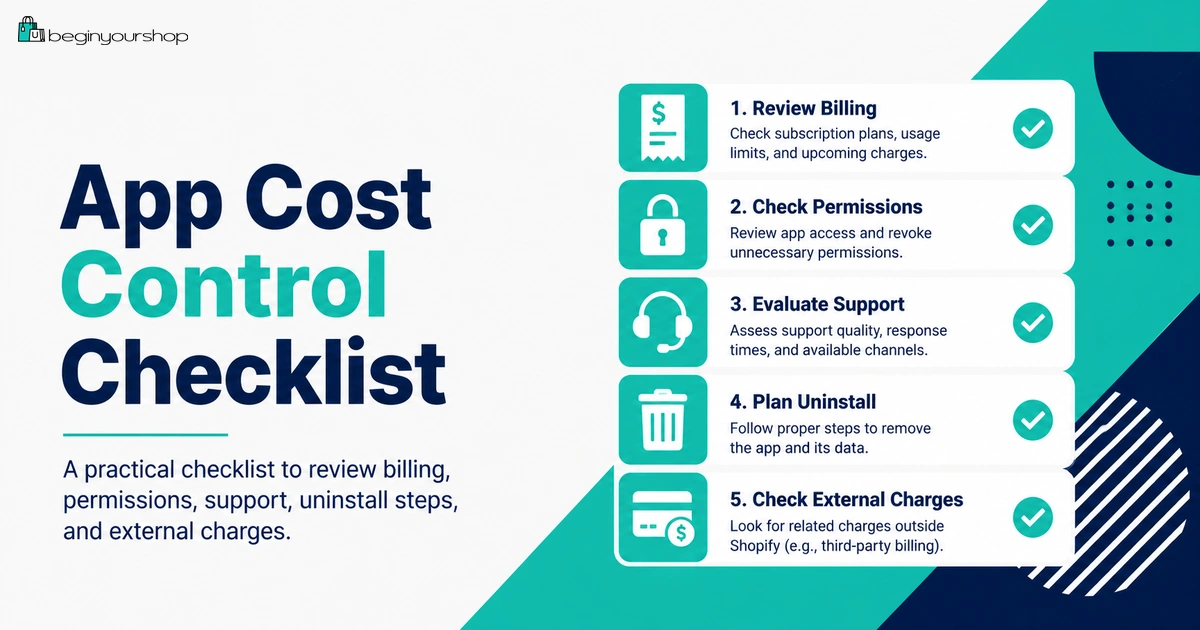
Use this checklist before installing a Shopify app.
| Question | Ready? |
|---|---|
| I know the exact problem this app solves. | Yes / No |
| I checked whether Shopify or my theme already solves this problem. | Yes / No |
| I reviewed the app’s pricing model. | Yes / No |
| I checked whether the app has recurring, usage-based, one-time, or external charges. | Yes / No |
| I understand when the free trial ends, if there is one. | Yes / No |
| I checked the app permissions. | Yes / No |
| I reviewed support, documentation, and recent reviews. | Yes / No |
| I understand uninstall steps and whether data should be exported first. | Yes / No |
| I checked whether external billing needs separate cancellation. | Yes / No |
| I added the app to my monthly app cost tracker. | Yes / No |
Common Shopify App Cost Mistakes
Mistake 1: Installing apps before defining the problem
Do not install an app because it sounds useful. Install it because it solves a specific problem your store has now.
Mistake 2: Ignoring usage charges
A low monthly price can still become expensive if usage grows.
Mistake 3: Forgetting app trial end dates
Track free trials so you can make a decision before charges start.
Mistake 4: Assuming uninstalling removes every charge
Uninstalling can stop future recurring charges, but pending charges and external subscriptions may still need attention.
Mistake 5: Not checking external billing
If an app charges outside Shopify, uninstalling inside Shopify might not cancel that external subscription.
Mistake 6: Keeping apps that no longer matter
Review your app stack every month. Remove apps that do not support revenue, operations, or customer experience.
Mistake 7: Using apps to avoid fixing weak fundamentals
An upsell app will not fix weak product pages. An SEO app will not replace useful content. A popup app will not solve poor positioning.
FAQ
How much do Shopify apps cost?
Shopify app costs vary. Apps can be free, have free plans, offer free trials, charge recurring monthly fees, charge usage-based fees, charge one-time fees, or charge externally outside Shopify.
Are Shopify apps billed through Shopify?
Many apps are billed through Shopify and appear on your Shopify bill, but some third-party apps charge outside Shopify. External charges do not appear on your Shopify bill and must be canceled with the app developer or external service.
What are Shopify app subscription charges?
App subscription charges are recurring fees for using an app, such as a monthly subscription. They are usually included in your regular Shopify subscription bill.
What are usage-based app charges?
Usage-based app charges vary based on how much you use the app or its services, such as customer interactions, messages, orders, page views, imports, translations, or similar usage metrics.
What are one-time app charges?
One-time app charges are single payments for a specific service or feature, such as data migration or a one-time setup action. Shopify says these are billed separately from your regular Shopify subscription.
Do app billing cycles match my Shopify billing cycle?
Not always. Shopify says apps can have their own separate 30-day billing cycles, which can affect when app charges appear on your Shopify bill.
What happens when I uninstall a paid Shopify app?
Uninstalling a paid app cancels future recurring charges, but you might still be billed for the current billing cycle or a pending charge already generated for your upcoming invoice. You also need to cancel any external subscription separately if the app bills outside Shopify.
Can Shopify refund app charges?
Shopify says refunds for third-party app charges are managed by the app developer, not Shopify. Refund decisions are at the developer’s discretion.
Should beginners install many Shopify apps?
No. Beginners should install only apps that are necessary for their business model or immediate store operations. Delay advanced marketing, upsell, loyalty, referral, heatmap, and testing apps until the store has traffic or sales.
How can I reduce Shopify app costs?
Use free built-in Shopify and theme features when possible, install only necessary apps, track trial end dates, review usage charges, avoid duplicate apps, cancel external subscriptions, and audit your app stack every month.
Final Thoughts
Shopify apps can be valuable, but they should not be installed casually.
For beginners, the goal is to keep the store lean. Start with Shopify’s built-in features and your theme’s built-in sections. Add apps only when they solve a real problem that affects the business model, operations, customer experience, or revenue.
Before installing any app, check the pricing model, billing cycle, usage charges, free trial terms, permissions, support quality, uninstall behavior, and whether billing happens through Shopify or outside Shopify.
A careful app strategy keeps your store simpler, cheaper, faster, and easier to manage.
Next recommended guide: Shopify Apps for Beginners