Shopify Free Trial Explained for Beginners
If you are thinking about starting an online store, Shopify’s free trial is one of the easiest ways to test the platform before paying for a full subscription.
The trial lets you explore Shopify, build your store, add products, customize your theme, and understand how the platform works before you fully commit. For many beginners, this is the best way to learn whether Shopify is the right ecommerce platform for their business idea.
As of 2026, Shopify’s official offer commonly includes a short free trial, followed by a promotional period where eligible users can continue for a low monthly price. Shopify currently advertises a free trial and a $1/month promotional offer for the first 3 months on its official pages. However, trial details and promotional offers can change based on region, account eligibility, signup timing, and Shopify’s current terms.
This guide explains how the Shopify free trial works, what you can do during the trial, what happens after the trial ends, and how to use your trial period wisely.

What Is the Shopify Free Trial?
The Shopify free trial is a temporary trial period that allows new users to create a Shopify account and start building an online store before choosing a regular paid plan.
During the trial, you can access the Shopify admin, explore store settings, add products, test themes, create collections, and prepare your store for launch.
The main purpose of the trial is simple: it gives you time to understand Shopify before deciding whether to continue with a paid plan.
This is useful if you are still asking questions like:
- Is Shopify easy enough for beginners?
- Can I build a store without coding?
- How much does Shopify really cost?
- What does the Shopify admin look like?
- Can I add products and customize my store before paying?
- Is Shopify better for my business than WooCommerce, Wix, Etsy, or Squarespace?
The free trial is not just a discount. It is a testing period. The best way to use it is to build as much of your store as possible before choosing a plan.
How Long Is the Shopify Free Trial?
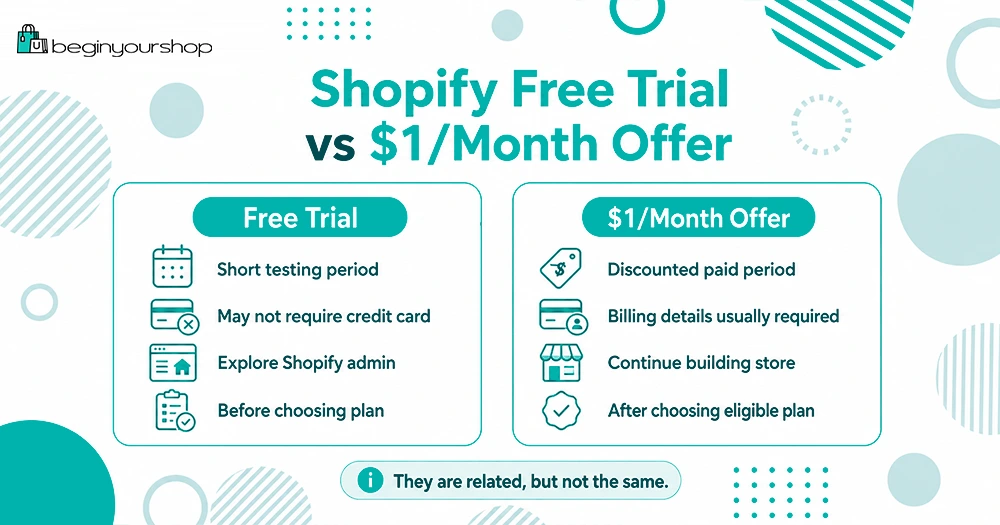
Shopify currently promotes a free trial that lets new users try Shopify before selecting a paid plan. On Shopify’s official free trial page, Shopify states that users can try Shopify free for 3 days without a credit card.
After the free trial period, Shopify may offer an introductory promotion, such as $1/month for 3 months, depending on eligibility and the current offer available at signup.
Because Shopify promotions can change, you should always confirm the exact terms shown on Shopify’s official signup page before creating your account.
In practical terms, beginners should think of the offer in two stages:
- A short free trial to explore Shopify.
- A discounted introductory period after choosing an eligible plan.
This gives beginners enough time to test Shopify, build a store, and decide whether to continue.
Is Shopify Really $1 per Month?
Shopify currently advertises a promotional offer where eligible users can start for free and then continue for $1/month for 3 months. This offer is usually designed for new merchants who are starting a new Shopify store.
However, it is important to understand what “$1/month” means.
The $1/month offer usually refers to the Shopify subscription fee during the promotional period. It does not necessarily mean your entire business will cost only $1/month.
You may still have other costs, such as:
- A custom domain name
- Paid Shopify apps
- Premium themes
- Transaction or payment processing fees
- Email marketing tools
- Product samples
- Inventory
- Shipping supplies
- Advertising costs
For a brand-new store, you can keep your early costs low by using a free Shopify theme, avoiding unnecessary apps, and focusing on the basics first.
The $1/month promotion can be a very affordable way to start, but it should not be treated as your complete business budget.
Do You Need a Credit Card for the Shopify Free Trial?
Shopify’s official free trial page states that you can try Shopify free for 3 days with no credit card required.
This means you can usually create an account and begin exploring Shopify without entering payment details immediately.
However, if you decide to continue after the free trial or activate a paid plan, you should expect to provide billing information. You may also need to select a plan before your store can fully go live and accept real orders.
For beginners, this is a good thing. You can test Shopify first, then decide whether it is worth continuing.
What Can You Do During the Shopify Trial?
The Shopify trial gives you access to many of the tools you need to build your store.
During the trial, you can usually:
- Create your Shopify account
- Access the Shopify admin
- Add products
- Create product collections
- Customize your store theme
- Set up basic pages
- Explore Shopify settings
- Configure payment options
- Review shipping settings
- Install and test apps
- Preview your storefront
- Prepare your store for launch
This is enough for most beginners to understand how Shopify works.
You do not need to wait until you have a perfect business idea. The trial period can help you test your idea, learn the platform, and decide whether you want to move forward.
What Can’t You Fully Do During the Trial?
The Shopify trial is powerful, but it does have limits.
In most cases, you will need to choose a paid plan before you can fully launch your store and start selling to customers. Until then, your store may not be fully public, and checkout may not be fully available for real transactions.
This is why many beginners make the same mistake: they start the trial, customize the homepage, add one or two products, and then stop.
A better approach is to treat the trial like a launch preparation window.
Use the trial to get your store ready. Then, if you are comfortable with Shopify, choose a plan and move toward launch.
How to Start a Shopify Free Trial
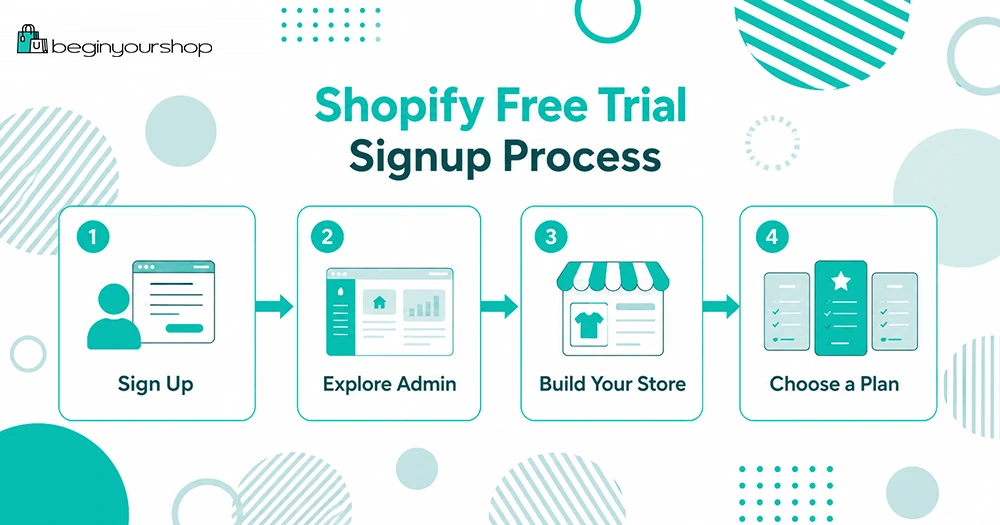
Starting a Shopify trial is straightforward.
Here is the beginner-friendly process:
Step 1: Go to Shopify’s Trial Page
Start from Shopify’s official trial page or a trusted partner link.
Before signing up, check the offer shown on the signup page. Make sure you understand the free trial length, any promotional price, and what happens after the promotional period.
Step 2: Create Your Account
Shopify will ask you to create an account. You may need to enter basic information such as your email address and store details.
You do not need to have everything perfect at this stage. Your store name, product direction, and settings can usually be adjusted later.
Step 3: Answer Shopify’s Setup Questions
Shopify may ask questions about your business, such as whether you are already selling, what type of products you plan to sell, and where you want to sell.
These questions help Shopify customize the setup experience. If you are still unsure, answer as accurately as you can and continue.
Step 4: Enter the Shopify Admin
After creating your account, you will enter the Shopify admin.
This is where you manage your store. From the admin, you can add products, customize your theme, set up payments, configure shipping, manage orders, install apps, and update settings.
For beginners, the Shopify admin is one of the most important things to explore during the trial.
Step 5: Add Your First Product
Your first product does not have to be perfect. The goal is to understand how product pages work.
Add a product title, description, price, images, and basic product details.
A strong product page usually includes:
- A clear product name
- High-quality images
- A simple description
- Benefits and key features
- Price
- Shipping or delivery information
- Trust-building details
Even if you are not ready to sell, adding a sample product helps you understand the Shopify workflow.
Step 6: Choose and Customize a Theme
Shopify themes control the design of your online store.
Beginners can start with a free Shopify theme. You do not need a paid theme at the beginning unless you have a specific design requirement.
Focus on clarity before advanced design. A simple store that is easy to understand is usually better than a complicated store with too many sections.
During the trial, customize:
- Homepage sections
- Logo
- Colors
- Fonts
- Product page layout
- Navigation menu
- Footer links
Your goal is to make the store look trustworthy, not perfect.
Step 7: Create Basic Store Pages
Before launching, your store should have basic pages that help build trust.
At minimum, consider creating:
- About page
- Contact page
- Shipping policy
- Return policy
- Privacy policy
- Terms of service
These pages help customers understand who you are and how your store works.
They are also useful for building credibility with payment providers, advertising platforms, and search engines.
Step 8: Review Payments and Shipping
Payments and shipping are two areas beginners often ignore until the end.
During your Shopify trial, spend time reviewing:
- Payment provider options
- Shopify Payments availability
- PayPal options
- Shipping zones
- Shipping rates
- Tax settings
- Checkout settings
You do not need to finalize everything immediately, but you should understand what needs to be configured before launch.
Step 9: Decide Whether to Choose a Paid Plan
After using the trial, decide whether Shopify is right for you.
Before choosing a plan, ask yourself:
- Do I understand the Shopify admin?
- Can I add and manage products?
- Do I like the available themes?
- Can I set up payments and shipping?
- Does Shopify fit my business model?
- Am I ready to keep building this store?
If the answer is yes, you can choose a Shopify plan and continue building.
If the answer is no, you can cancel or let the trial expire before committing.
What Happens When the Shopify Trial Ends?
When your free trial ends, you will usually need to choose a paid plan to continue using Shopify actively.
If you do not select a plan, your store may become frozen. This means you may not be able to continue editing or operating the store until you choose a plan.
Your store data may still be retained for a period of time, but you should not rely on a trial account as long-term storage. If you are serious about your store, make a decision before the trial ends.
If you decide Shopify is not right for you, review Shopify’s cancellation instructions and make sure you do not continue into a paid plan unintentionally.
Which Shopify Plan Should Beginners Choose?
Most beginners should start with Shopify’s entry-level plan unless they already know they need advanced features.
For many new stores, the Basic plan is enough to begin.
A beginner usually does not need the most advanced Shopify plan on day one. It is better to start simple, launch your store, learn from real visitors, and upgrade later if your business grows.
You may want to compare plans based on:
- Monthly cost
- Staff accounts
- Reporting features
- Shipping features
- Transaction fees
- International selling needs
- Inventory locations
- Business growth stage
If you are still unsure, read our full Shopify pricing guide before choosing a plan.
Read our Shopify pricing guide
How to Use the Shopify Trial Wisely
The biggest mistake beginners make is treating the trial as “extra time” instead of a focused setup period.
You should use your trial with a clear plan.
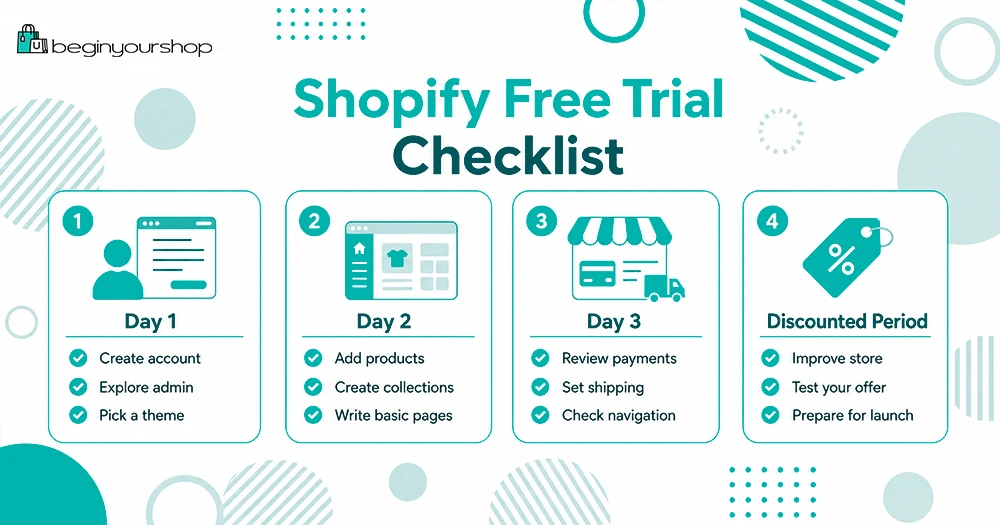
Here is a simple trial checklist:
- Day 1: Create your account, explore the admin, and choose a theme.
- Day 2: Add products, create collections, and write basic store pages.
- Day 3: Review payments, shipping, navigation, and launch readiness.
- Discounted period: Continue improving your store, test your offer, and prepare for real traffic.
If you qualify for a discounted introductory period, use it to build momentum. Do not spend three months changing colors and fonts. Focus on creating a store that can actually sell.
Common Shopify Trial Mistakes
Mistake 1: Waiting Too Long to Start Building
Some people create a trial account and then do nothing for several days.
The trial starts when you sign up, not when you begin working on your store. If you are going to start a trial, make sure you have time to use it.
Mistake 2: Spending Too Much Time on the Logo
A logo matters, but it should not stop you from building your store.
You can start with a simple text logo and improve branding later.
Mistake 3: Installing Too Many Apps
Apps can be useful, but too many apps can slow down your store, increase costs, and make setup more confusing.
Beginners should only install apps they truly need.
Mistake 4: Ignoring Product Pages
Your product pages are more important than your homepage.
A beautiful homepage will not help much if your product pages are unclear, incomplete, or untrustworthy.
Mistake 5: Not Reviewing Total Costs
The Shopify subscription is only one part of your cost.
Before launching, consider domains, apps, themes, payment fees, marketing, products, and shipping.
Mistake 6: Choosing a Plan Without Understanding Your Needs
Do not choose the most expensive plan just because it seems more professional.
Start with the plan that fits your current stage. You can upgrade later.
Is Shopify Good for Beginners?
Yes, Shopify is one of the most beginner-friendly ecommerce platforms because it is hosted, structured, and designed specifically for online selling.
You do not need to manage web hosting, install ecommerce software, or maintain your own checkout system. Shopify gives you a built-in admin, store builder, checkout, payment options, theme system, app ecosystem, and order management tools.
That does not mean Shopify does everything for you.
You still need to choose products, write descriptions, upload images, set prices, configure shipping, create policies, and market your store.
Shopify makes the technical side easier. It does not remove the business work.
Is the Shopify Free Trial Worth It?
The Shopify free trial is worth using if you are serious about testing an ecommerce idea.
It is especially useful if:
- You are new to ecommerce.
- You want to build a store without coding.
- You want to compare Shopify with other platforms.
- You want to understand Shopify pricing before committing.
- You need a simple way to test a product idea.
- You want to prepare your store before paying full price.
The trial is less useful if you are not ready to take action. If you do not have time to explore the admin, add products, and test the setup process, you may waste the trial period.
Before starting, set aside time to work on your store.
Shopify Free Trial FAQ
Does Shopify still have a free trial?
Yes. Shopify currently promotes a free trial for new users. Trial length and promotional pricing can change, so always check Shopify’s official signup page for the latest terms before creating your account.
Is Shopify free for 3 months?
Shopify’s current promotion may include a discounted introductory period, such as $1/month for 3 months, after the initial free trial. This is not the same as being completely free for 3 months.
Can I sell during the Shopify free trial?
You can build and prepare your store during the trial. To fully launch and accept real customer orders, you will usually need to choose a paid plan and complete your payment setup.
Do I need a credit card to start the Shopify free trial?
Shopify’s official free trial page currently says no credit card is required to start the free trial. However, payment details may be required if you choose a paid plan after the trial.
What happens if I cancel during the trial?
If you decide not to continue and have not selected a paid plan, your account may be frozen after the trial ends. Review Shopify’s cancellation and billing settings inside your account if you are unsure.
Which Shopify plan is best for beginners?
Most beginners should start with the lowest plan that supports their needs. For many new stores, the Basic plan is enough at the beginning. You can upgrade later as your business grows.
Can I change my Shopify store name later?
You can usually change parts of your store branding later, including your displayed store name. However, your original Shopify subdomain may be harder to change, so choose carefully when creating your account.
Can I use a custom domain during the trial?
You can explore domain settings during the trial. If you want a professional store, you should eventually use a custom domain instead of relying only on the default Shopify subdomain.
Should I start with a free theme?
Yes. Most beginners should start with a free Shopify theme. A free theme is usually enough to launch a clean and professional-looking store.
Should I use paid apps during the trial?
Be careful with paid apps. Some apps may create charges after the trial or billing period. Only install apps that are necessary for your store.
Final Thoughts
The Shopify free trial is a useful starting point for beginners who want to test Shopify before paying for a full subscription.
Use the trial to explore the admin, add products, customize your theme, create basic pages, and understand how Shopify works. If you qualify for a discounted introductory offer, use that time to prepare your store carefully and move toward launch.
The most important thing is not just getting the trial. It is using the trial well.
If you are ready to start building your store, you can begin with Shopify’s trial and follow a step-by-step setup process.
Next recommended guide: How to Start a Shopify Store
- Hits: 804