Shopify for Beginners
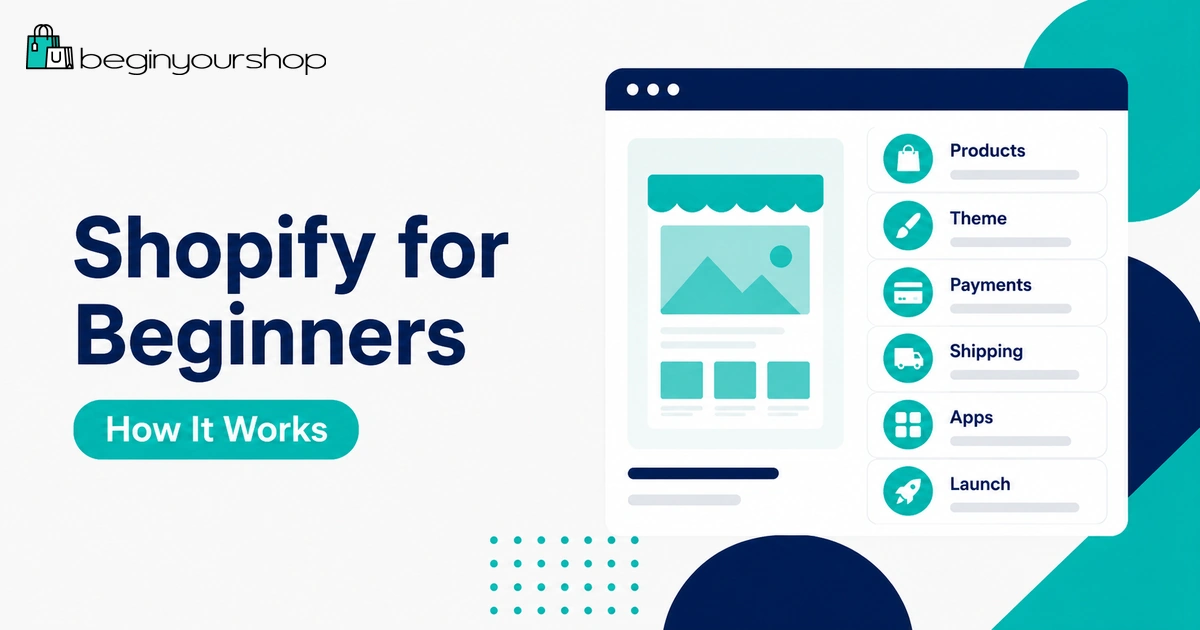
Shopify can be a practical starting point for beginners who want to build an online store without managing hosting, installing ecommerce software, or coding a checkout system from scratch. It gives you tools for products, themes, payments, shipping, orders, apps, and launch preparation in one hosted platform.
This beginner guide explains what Shopify is, how it works, who it is best for, what it costs, what you can sell, and what to set up before launching your first store.
Shopify can be a practical starting point for beginners who want to build an online store without managing hosting, installing ecommerce software, or coding a checkout system from scratch. It gives you tools for products, themes, payments, shipping, orders, apps, and launch preparation in one hosted platform.
This beginner guide explains what Shopify is, how it works, who it is best for, what it costs, what you can sell, and what to set up before launching your first store.
Shopify is one of the most popular ecommerce platforms for beginners because it removes many of the technical steps that normally make online selling difficult. You do not need to install WordPress, manage ecommerce hosting, configure your own checkout software, or build store pages from scratch with code.
Instead, Shopify gives you a hosted admin where you can add products, choose a theme, set up payments, configure shipping, connect a domain, manage orders, install apps, and prepare your store for launch.
That does not mean Shopify does everything for you. You still need a clear product idea, strong product pages, trustworthy policies, payment setup, shipping rules, customer support, and a plan for getting traffic. Shopify gives you the tools, but you still need to build the business.
This guide explains Shopify for beginners in plain English so you can understand the platform before starting your free trial, choosing a plan, or launching your first store.
Last checked: May 9, 2026. Shopify features, pricing, free trial offers, plan names, and availability can change. Always confirm current details on Shopify’s official website before choosing a plan or starting a store.

Quick Answer
Shopify is a hosted ecommerce platform that helps beginners build an online store, list products, accept payments, manage orders, customize a storefront, and launch without managing their own ecommerce infrastructure.
Best for
Beginners who want to start a product-focused online store with a guided ecommerce platform.
Main advantage
Shopify handles hosting, checkout infrastructure, store admin tools, and ecommerce workflows in one system.
Main trade-off
You pay for a subscription and may also pay for apps, themes, payment processing, and marketing tools.
For most beginners, Shopify is a strong choice if the goal is to build a real online store rather than only a simple website or marketplace listing.
What Is Shopify?
Shopify is an ecommerce platform that lets individuals and businesses create online stores. It includes the main tools needed to sell products online: product pages, storefront themes, checkout, payment options, inventory management, orders, customer records, shipping settings, analytics, apps, and sales channels.
Shopify is a hosted platform. This means the technical foundation of your store is managed by Shopify. You do not need to buy separate ecommerce hosting or install ecommerce software manually.
For a beginner, this matters because it reduces technical friction. Instead of spending your first week learning servers, plugins, and checkout configuration, you can focus on products, store design, payment setup, shipping rules, and launch preparation.
How Shopify Works
Shopify works by giving you a central admin area where you manage your store. Your customers see the storefront, while you manage the business from behind the scenes.
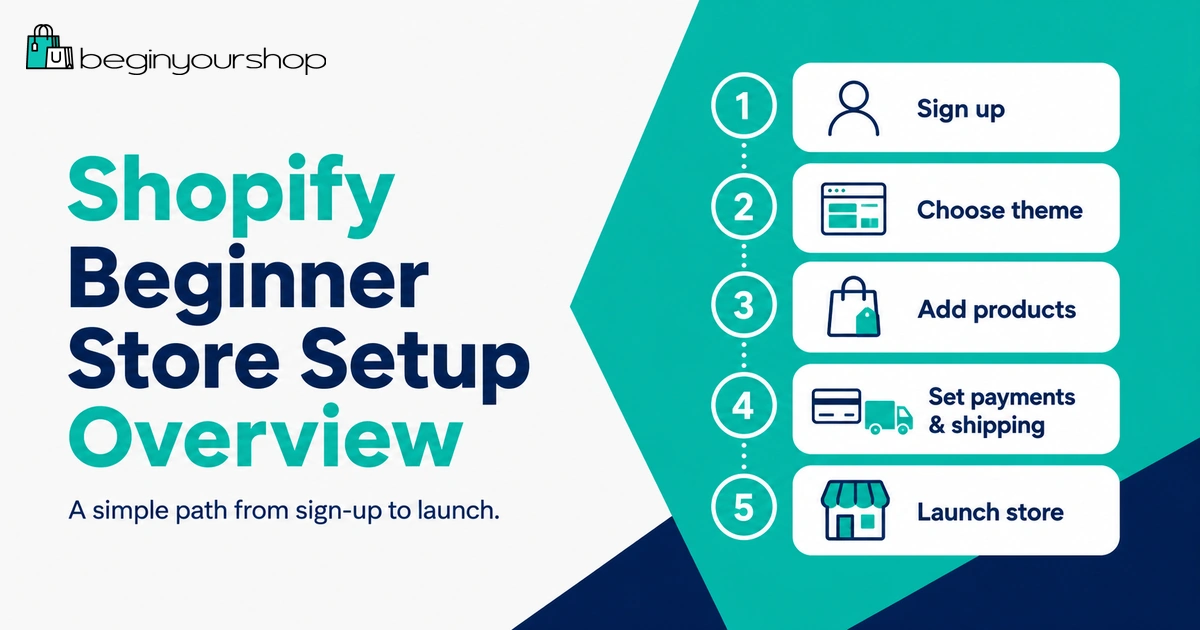
A typical Shopify workflow looks like this:
- Create a Shopify account.
- Add your first products.
- Choose and customize a theme.
- Create key store pages and policies.
- Set up payments.
- Set up shipping and delivery rules.
- Connect a custom domain.
- Test checkout and order notifications.
- Choose a plan and launch the store.
Shopify gives you the store-building system, but you still decide what to sell, how to price it, how to present it, how to ship it, and how to attract customers.
Beginner takeaway: Shopify makes the technical setup easier, but it does not replace product research, customer understanding, marketing, fulfillment, or customer service.
Who Shopify Is Best For
Shopify is best for beginners who want to build a store around products and transactions. It is not just a website builder; it is an ecommerce system.
Shopify can be a good fit for:
- First-time online store owners
- Small businesses moving into ecommerce
- Creators selling products
- Product brands
- Handmade product sellers who want their own store
- Dropshipping stores
- Print-on-demand stores
- Digital product sellers
- Retailers who also sell online
- Businesses that want to grow beyond a marketplace
Who might not need Shopify?
Shopify may not be the best first choice if you only need a simple portfolio, a basic blog, a service website with no product sales, or a marketplace listing page. In those cases, a general website builder or marketplace may be enough.
Shopify is strongest when selling products is central to the site.
What Can You Sell on Shopify?
Shopify can support many product types and business models, but you still need to follow Shopify’s rules, payment provider rules, and applicable laws.
Common product types include:
- Physical products: Clothing, accessories, beauty products, home goods, equipment, packaged goods, and more.
- Digital products: Templates, downloads, files, guides, or digital resources, often with an app or delivery setup.
- Print-on-demand products: Items printed and fulfilled after purchase through a provider.
- Dropshipping products: Products shipped directly from suppliers to customers.
- Handmade products: Items made by you or your business.
- Subscriptions: Recurring product or service models, usually requiring subscription tools or apps.
- Services and bookings: Possible with the right setup, though Shopify is primarily product-focused.
Some products may be restricted by Shopify, payment providers, shipping carriers, local laws, or advertising platforms. Always check whether your product category is allowed before building the store around it.
How Much Does Shopify Cost?
Shopify is not free long term. It may offer a free trial or introductory promotion, but running a real Shopify store normally requires a paid plan.
Your total Shopify cost can include:
- Shopify plan subscription
- Payment processing fees
- Third-party transaction fees if using certain third-party payment providers
- Domain name
- Paid apps
- Premium themes
- Email marketing tools
- Product samples or inventory
- Shipping and fulfillment costs
- Packaging
- Marketing and advertising
Most beginners should avoid overspending early. Start with the lowest plan that fits your needs, use a free theme if possible, and install only the apps you actually need.
For a full breakdown, read our guide: Shopify Pricing Explained.
How the Shopify Free Trial Fits In
The Shopify free trial is useful because it lets you explore the platform before committing to a paid plan. During the trial, you can test the admin, add products, customize a theme, review settings, and decide whether Shopify fits your store idea.
Do not use the trial only to browse theme colors. Use it to answer practical questions:
- Can I add my products clearly?
- Does the theme fit my product type?
- Can I set up payments in my country?
- Can I configure shipping rules properly?
- Do I understand the checkout flow?
- What plan will I need after the trial?
Trial terms and introductory offers can change. Before signing up, check the current offer shown on Shopify’s official signup page.
For more details, read: Shopify Free Trial Explained for Beginners.
Understanding the Shopify Admin
The Shopify admin is where you control your store. This is the backend that store owners use to manage products, orders, customers, content, analytics, apps, and settings.
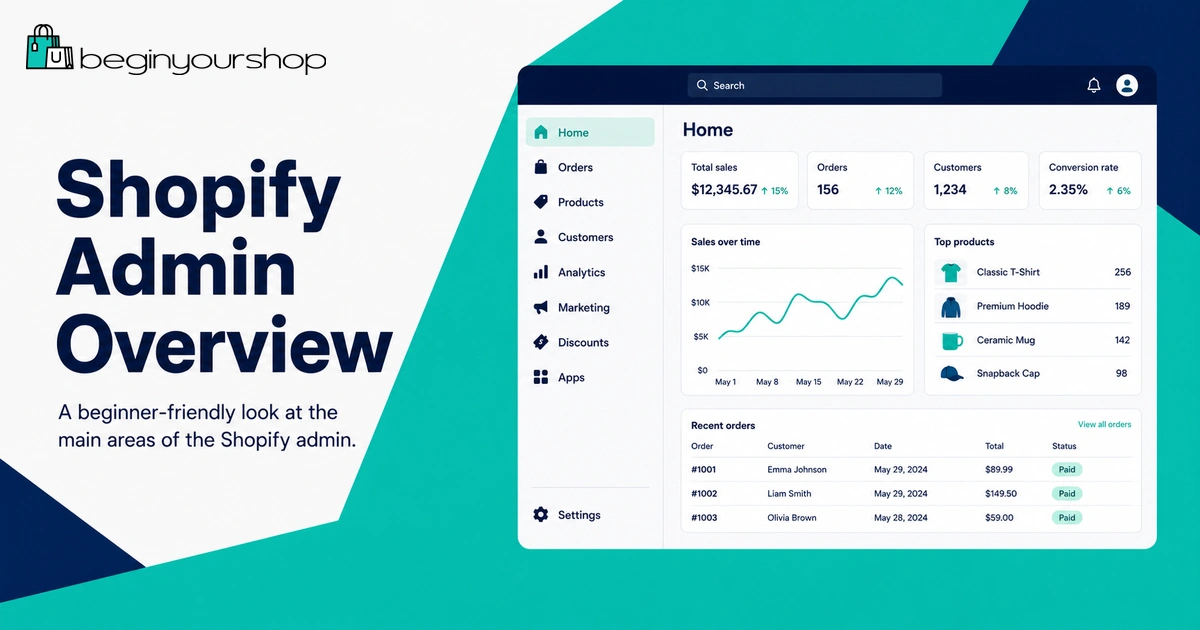
Beginners should become familiar with these areas:
| Admin area | What it is used for |
|---|---|
| Products | Add product titles, descriptions, images, prices, variants, inventory, and SEO details. |
| Orders | View and manage customer orders after launch. |
| Customers | View customer profiles, contact details, and purchase history where applicable. |
| Online Store | Manage themes, pages, navigation, blog posts, and storefront preferences. |
| Analytics | Review store performance, sessions, conversion rate, sales, and reports depending on plan. |
| Marketing | Access marketing tools, campaign integrations, and related features. |
| Apps | Install tools that extend Shopify’s functionality. |
| Settings | Configure payments, shipping, taxes, domains, policies, notifications, markets, and store details. |
At first, the admin may feel like a lot. Focus on the areas that matter before launch: products, online store, payments, shipping, taxes, domains, policies, and checkout testing.
Storefront, Themes, and Design
Your Shopify theme controls how your storefront looks and how customers browse your products.
Shopify stores start with a theme, and you can use a free theme or choose a paid theme from the Shopify Theme Store. Beginners should usually start with a free theme unless they have a clear reason to buy a paid one.
A good beginner theme should be:
- Clean and easy to browse
- Mobile-friendly
- Suitable for your product type
- Easy to customize
- Fast enough for a small store
- Clear on product pages and collection pages
Do not judge a theme only by its demo. Demos usually use perfect photos and polished copy. Test the theme with your real products, images, and descriptions.
Products, Collections, and Inventory
Products are the foundation of your Shopify store. A product page should tell customers what the product is, why it matters, what is included, how it works, and what they should expect after purchase.
For each important product, include:
- Clear product title
- Helpful product description
- Good images or mockups
- Accurate pricing
- Variants such as size, color, or material when needed
- Inventory settings if you track stock
- Shipping weight if relevant
- Search engine title and meta description
Collections help organize products. For example, a store might use collections such as “Best Sellers,” “New Arrivals,” “Gift Sets,” “Accessories,” or “Digital Templates.”
Beginners should keep product organization simple. Too many categories too early can make the store harder to understand.
Payments and Checkout
Before customers can buy from your store, you need a payment setup.
Shopify Payments is Shopify’s built-in payment solution in supported countries and regions. It can help you accept cards and other supported payment methods directly through Shopify. If Shopify Payments is not available or not suitable for your business, you may be able to use a third-party payment provider.
Payment setup may require accurate personal, business, banking, tax, and identity information depending on your country and provider.
Before launch, confirm:
- Your payment provider is active.
- Your business information is accurate.
- You understand payment processing fees.
- You know whether third-party transaction fees apply.
- Your checkout has been tested.
- Order confirmation emails work.
Important: Do not use fake information in payment settings. Payment providers may verify identity, business details, address, and bank information.
Shipping, Taxes, and Policies
Shipping and policies are easy to overlook, but they affect trust and conversion.
Shipping
If you sell physical products, you need to decide where you ship, how much shipping costs, whether you offer free shipping, how long processing takes, which carriers or fulfillment methods you use, and how returns are handled.
Keep shipping simple at the beginning. Flat-rate shipping, free shipping over a threshold, or region-based rates can be easier to manage than complicated shipping rules.
Taxes
Tax requirements depend on your business location, customer locations, product type, and legal structure. Shopify has tax settings, but you are still responsible for understanding your obligations.
If you are unsure, speak with a qualified tax professional.
Policies
Before launch, create basic store policies:
- Shipping Policy
- Return and Refund Policy
- Privacy Policy
- Terms of Service
- Contact information
Clear policies help customers understand what to expect before they buy.
Shopify Apps
Shopify apps let you extend your store with extra features. Apps can help with reviews, email marketing, bundles, subscriptions, product filters, SEO, shipping, dropshipping, print-on-demand, analytics, customer service, and more.
Apps are useful, but beginners often install too many. This can increase costs, slow decision-making, and make the store harder to manage.
Before installing an app, ask:
- Does this solve a real problem right now?
- Will it add a monthly cost?
- Does my theme already include this feature?
- Can I remove it later?
- Does it affect storefront speed or checkout experience?
Start with fewer apps. Add more only when your store needs them.
SEO and Marketing
Shopify helps you build a store, but it does not automatically bring customers. You need a marketing plan.
SEO basics
For beginners, Shopify SEO starts with clear product pages, collection pages, page titles, meta descriptions, image alt text, internal links, and useful content.
Important SEO basics include:
- Use clear product names.
- Write helpful product descriptions.
- Organize products into logical collections.
- Add alt text to meaningful images.
- Write unique title tags and meta descriptions for important pages.
- Create useful content that answers customer questions.
- Make sure your site is mobile-friendly.
Marketing channels
Common Shopify marketing channels include Google search, blog content, social media, email marketing, paid ads, influencer marketing, affiliate or referral programs, and marketplaces or sales channels.
Beginners should not try every channel at once. Choose one or two channels that fit your product and audience.
Beginner Shopify Launch Checklist
Before you launch your Shopify store, review the basics carefully.
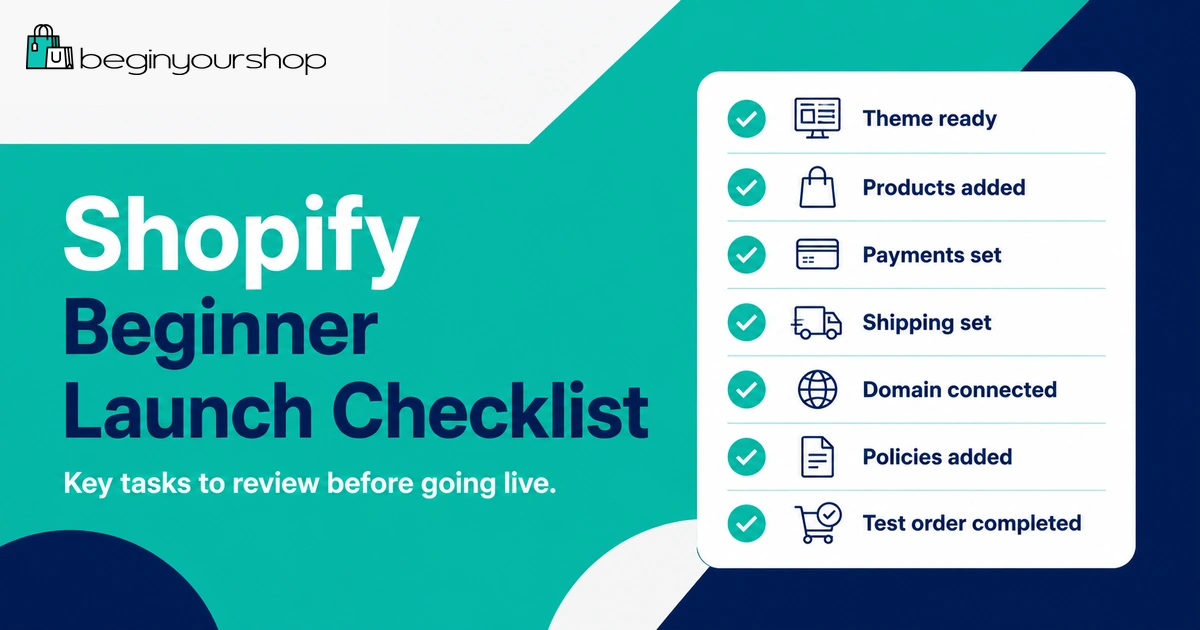
| Area | What to check |
|---|---|
| Products | Titles, descriptions, images, prices, variants, inventory, and shipping details are correct. |
| Theme | Homepage, product pages, collection pages, navigation, and footer look clear on desktop and mobile. |
| Payments | Payment provider is active and checkout has been tested. |
| Shipping | Shipping rates, zones, delivery expectations, and fulfillment rules are clear. |
| Policies | Shipping, returns, privacy, terms, and contact information are published. |
| Domain | Custom domain is connected and set as primary if you use one. |
| Testing | Test orders, email notifications, discounts, links, forms, and mobile checkout before launch. |
For a step-by-step setup process, read: How to Start a Shopify Store.
Common Beginner Mistakes
Mistake 1: Starting without a clear product focus
A store with too many unrelated products is hard to explain and hard to market. Start focused.
Mistake 2: Spending too much time on design
Design matters, but product pages, trust, payments, shipping, and checkout matter more before launch.
Mistake 3: Installing too many apps
Apps can become expensive and complicated. Install only what you need.
Mistake 4: Ignoring product descriptions
Weak product pages reduce trust. Explain what the product is, who it is for, and why it is useful.
Mistake 5: Not testing checkout
Always test checkout, shipping rates, discounts, and order confirmation emails before launch.
Mistake 6: Assuming Shopify brings traffic automatically
Shopify gives you a store platform, not guaranteed customers. You still need marketing.
Shopify for Beginners FAQ
Is Shopify good for beginners?
Yes. Shopify is beginner-friendly because it includes hosting, store design tools, product management, checkout, payments, orders, and many ecommerce features in one platform. Beginners still need to learn product setup, pricing, shipping, policies, and marketing.
Can I use Shopify without coding?
Yes. Most beginners can build a basic Shopify store without writing code. You can choose a theme, customize sections, add products, set up payments, and launch using Shopify’s admin and theme editor. Advanced customization may require code or professional help.
How long does it take to learn Shopify?
You can learn the basics in a few days, but building a trustworthy store usually takes longer. Product pages, photos, policies, shipping, payment setup, testing, and marketing all take time.
How much does Shopify cost for beginners?
Shopify costs depend on your plan, region, billing cycle, payment fees, apps, theme, domain, and business expenses. Most beginners should start with the lowest plan that fits their needs and avoid unnecessary apps early.
Does Shopify have a free trial?
Shopify usually offers a free trial or introductory promotion for new users, but terms can change by region, time, and eligibility. Always check the current offer on Shopify’s official signup page.
Can I sell on Shopify without inventory?
Yes. Some business models, such as print-on-demand, dropshipping, and digital products, can work without traditional inventory. You still need reliable fulfillment, clear product information, and realistic customer expectations.
Is Shopify better than Etsy for beginners?
Shopify is better if you want your own branded store. Etsy can be easier for marketplace discovery, especially for handmade, vintage, personalized, or creative products. Some sellers use both.
Is Shopify better than WooCommerce?
Shopify is usually easier for beginners because it is hosted and ecommerce-focused. WooCommerce can be better for WordPress users who want more control and are comfortable managing hosting, plugins, and maintenance.
Do I need a business license to use Shopify?
This depends on your location, products, business structure, and local rules. Shopify lets you create a store, but legal, tax, and business registration requirements are your responsibility.
What should I do first in Shopify?
Start by adding your first product, choosing a simple theme, setting up store basics, reviewing payments, and checking shipping settings. Do not spend all your time changing colors before the core store setup works.
Final Thoughts
Shopify is a strong platform for beginners who want to build an online store without managing technical ecommerce infrastructure. It gives you the tools to create a storefront, add products, accept payments, manage orders, and prepare for launch.
But Shopify is still only the platform. A successful store needs clear products, good product pages, trustworthy policies, payment setup, shipping rules, testing, customer support, and marketing.
If you are new, start simple. Use the trial to learn the admin, add real products, test a clean theme, understand pricing, and plan your launch steps before adding advanced tools.
Next recommended guide: How to Start a Shopify Store