How to Choose a Shopify Theme
Choosing a Shopify theme is one of the most important early design decisions for your store. The right theme should fit your product type, catalog size, brand style, mobile shoppers, product page needs, navigation structure, and budget without forcing you to rely on too many apps or custom code.
This beginner-friendly guide explains how to choose a Shopify theme, when to use a free theme, when a paid theme may be worth it, what features to check before publishing, and which mistakes to avoid before launching your store.
Choosing a Shopify theme is one of the most important early design decisions for your store. The right theme should fit your product type, catalog size, brand style, mobile shoppers, product page needs, navigation structure, and budget without forcing you to rely on too many apps or custom code.
This beginner-friendly guide explains how to choose a Shopify theme, when to use a free theme, when a paid theme may be worth it, what features to check before publishing, and which mistakes to avoid before launching your store.
A Shopify theme controls the look, structure, and shopping experience of your online store. It affects your homepage, product pages, collection pages, cart experience, navigation, typography, colors, image layouts, sections, and many parts of the customer journey.
For beginners, the biggest mistake is choosing a theme only because the demo looks beautiful. Theme demos often use professional photography, perfect product collections, polished copy, and ideal brand assets. Your real store may feel very different once you add your own products, photos, descriptions, navigation, and policies.
The best Shopify theme is not always the most expensive theme or the most visually dramatic theme. It is the theme that helps your customers understand your products, browse easily, trust your store, and reach checkout with minimal friction.
This guide explains how to choose a Shopify theme step by step, with practical criteria for beginners.
Last checked: May 11, 2026. Shopify theme features, Theme Store filters, free themes, paid themes, theme editor capabilities, and theme pricing can change. Always confirm current details inside the Shopify Theme Store and Shopify Help Center before choosing or purchasing a theme.

Quick Answer
Most beginners should start with a clean free Shopify theme unless they have a specific reason to buy a paid theme. A paid theme can be worth it if it gives you features you genuinely need, such as stronger product page layouts, better filtering, advanced navigation, promotional sections, quick view, color swatches, lookbooks, or better support for a larger catalog.
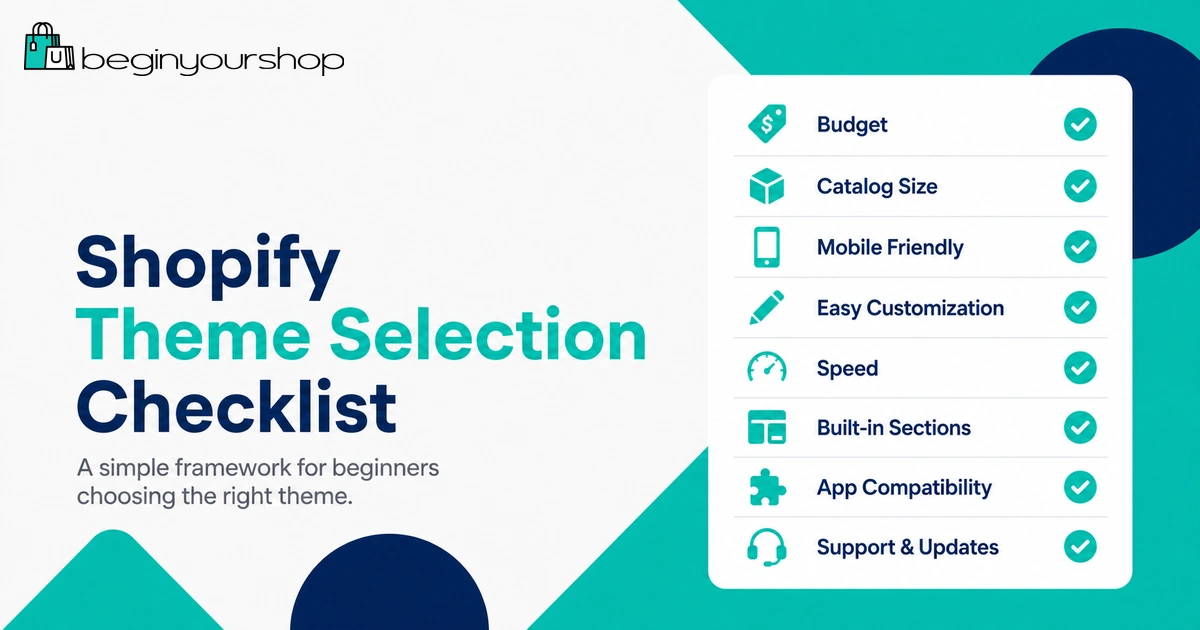
Best beginner choice
Start with a free theme if your catalog is small and your layout needs are simple.
Best paid-theme reason
Pay for a theme when it replaces real app or custom design needs, not just because the demo looks good.
Best selection rule
Choose the theme that makes your real products easiest to browse, understand, and buy.
A simple theme that makes buying easy is usually better than a complicated theme that looks impressive but confuses customers.
What Is a Shopify Theme?
A Shopify theme is the design and layout system for your online store. It controls how your storefront appears to customers and how different page types are presented.
Your theme can affect:
- Homepage sections
- Product page layout
- Collection page layout
- Cart drawer or cart page
- Navigation and menus
- Header and footer
- Typography and colors
- Image display
- Promotional banners
- Search and filtering behavior
- Mobile layout
- App block placement
Shopify themes are not only decoration. They shape how customers move through your store.
Why Your Theme Choice Matters
Your theme affects more than how your store looks. It can affect customer trust, browsing clarity, product discovery, mobile usability, conversion, and how much extra work you need before launch.
A good theme helps customers:
- Understand what your store sells quickly.
- Browse products without confusion.
- Compare product options easily.
- Find shipping, returns, size, or product details.
- Add products to cart without friction.
- Use the store comfortably on mobile.
A poor theme fit can create problems even if the theme itself is high quality. For example, a theme designed for large fashion catalogs may feel too heavy for a one-product store. A minimalist portfolio-style theme may not have enough browsing tools for a store with hundreds of products.
Free vs Paid Shopify Themes
The Shopify Theme Store includes free themes developed by Shopify and paid themes developed by third-party theme developers. Both can be valid choices.
When a free Shopify theme makes sense
A free theme is usually enough when:
- You are launching your first store.
- Your product catalog is small.
- You do not need advanced navigation or filtering.
- You want to keep startup costs low.
- You are still validating your product idea.
- You do not yet know which design features you truly need.
Free Shopify themes can be a strong starting point because they are designed for Shopify, usually follow current theme architecture, and give beginners a lower-risk way to launch.
When a paid Shopify theme may be worth it
A paid theme may be worth considering when it solves a real store problem, such as:
- You need more advanced product page layouts.
- You need stronger collection filtering or merchandising features.
- You want built-in promotional sections that reduce app dependence.
- You need better support for a larger catalog.
- You sell visually rich products that need lookbooks or editorial sections.
- You want specific features such as color swatches, quick view, size charts, countdowns, or mega menus.
- You have already validated your store idea and want a more polished storefront.
Do not buy a paid theme just because it looks more professional in the demo. Buy it because its actual features fit your products and store structure.
Beginner rule: Start free unless you can name the specific feature, layout, or business reason that makes a paid theme worth the cost.
Start with Your Store Type
The right theme depends heavily on what you sell. A store selling one hero product needs a different layout from a fashion store, a beauty brand, a food brand, or a large accessories catalog.
| Store type | Theme features to prioritize |
|---|---|
| One-product store | Strong homepage storytelling, product sections, testimonials, FAQ, sticky add-to-cart, simple navigation. |
| Small catalog | Clean product grid, simple collections, clear product pages, flexible homepage sections. |
| Fashion or apparel | Variant swatches, size guide support, strong imagery, collection filtering, lookbook sections. |
| Beauty or skincare | Ingredient sections, routine bundles, before/after content, reviews, product education blocks. |
| Food or beverage | Storytelling sections, product details, subscription support, bundle-friendly layouts, clear shipping messaging. |
| Large catalog | Mega menu, filters, sorting, search, collection navigation, product comparison, strong mobile browsing. |
| Digital products | Clear product benefits, file or access details, FAQ sections, trust messaging, simple checkout path. |
Before browsing themes, write down your store type and your top three customer needs. This helps prevent choosing a theme based only on visuals.
Match the Theme to Your Catalog Size
Catalog size is one of the most practical theme selection filters.
Small catalog themes
If you have one to ten products, you may not need advanced filtering, large menus, or complicated collection structures. You need clear storytelling, strong product pages, and simple navigation.
A smaller store should prioritize:
- Homepage product storytelling
- Clear product benefits
- Simple collection pages
- Strong product images
- FAQ and trust sections
- Easy checkout path
Medium catalog themes
If you have dozens of products, customers need better ways to browse. Collection organization starts to matter more.
Prioritize:
- Collection filters
- Sorting options
- Product cards with useful information
- Navigation by product type
- Search visibility
- Mobile collection usability
Large catalog themes
If you have hundreds of products, the theme must support discovery. A beautiful homepage will not matter if customers cannot find the right product.
Prioritize:
- Mega menus
- Advanced filtering
- Search and predictive search
- Collection organization
- Product comparison where relevant
- Fast mobile browsing
- Clear product badges and availability labels
Do not choose a large-catalog theme for a tiny catalog unless you can simplify it. It may create empty sections and unnecessary complexity.
Check Product Page Features
Your product page is often more important than your homepage. Customers need enough information to make a confident buying decision.
When testing a theme, review the product page carefully.
Product page features to check
- Image gallery layout
- Video support if needed
- Variant selector style
- Color swatches
- Size chart support
- Inventory or stock messaging
- Shipping and returns blocks
- Collapsible tabs or accordions
- FAQ blocks
- Related products
- Recently viewed products
- Sticky add-to-cart
- Trust badges or payment icons
- Review app compatibility
Not every store needs every feature. The key is to identify which features help your specific customer decide.
Example: apparel store
An apparel store may need size charts, color swatches, strong image galleries, model images, product recommendations, and return policy visibility.
Example: digital product store
A digital product store may need clear deliverable details, FAQ sections, preview images, trust messaging, and simple purchase instructions. It probably does not need complex shipping blocks.
Example: beauty store
A beauty store may need ingredient sections, usage instructions, routine bundles, comparison blocks, before/after content, reviews, and subscription or bundle support.
Review Navigation, Search, and Filtering
Navigation becomes more important as your catalog grows.
Navigation checklist
- Does the header support your desired menu structure?
- Does the theme support dropdown menus or mega menus if needed?
- Can customers reach important collections quickly?
- Is search easy to find?
- Does the mobile menu feel clean and usable?
- Does the footer support trust and policy links?
Filtering checklist
If you have more than a small product catalog, filtering can become important.
Check whether the theme works well with filters such as:
- Price
- Availability
- Size
- Color
- Product type
- Material
- Brand
- Use case
- Rating
For a large catalog, weak filtering can reduce conversion because customers cannot narrow down choices.
Test the Mobile Experience
Many customers browse stores from phones. A theme that looks good on desktop but feels awkward on mobile is risky.
When previewing a theme, test mobile behavior carefully:
- Homepage hero text and image cropping
- Mobile menu
- Announcement bar
- Product image gallery
- Variant selectors
- Add-to-cart button
- Product description sections
- Collection filters
- Search
- Cart drawer or cart page
- Footer links
Mobile design should be clear, not just beautiful. Customers should be able to browse, select options, add to cart, and reach checkout without fighting the layout.
Mobile theme rule
If the mobile product page is hard to use, do not choose the theme just because the desktop demo looks good.
Use Shopify Theme Store Filters
The Shopify Theme Store includes search and filtering options that help you narrow themes by catalog size, industry, price, and features.
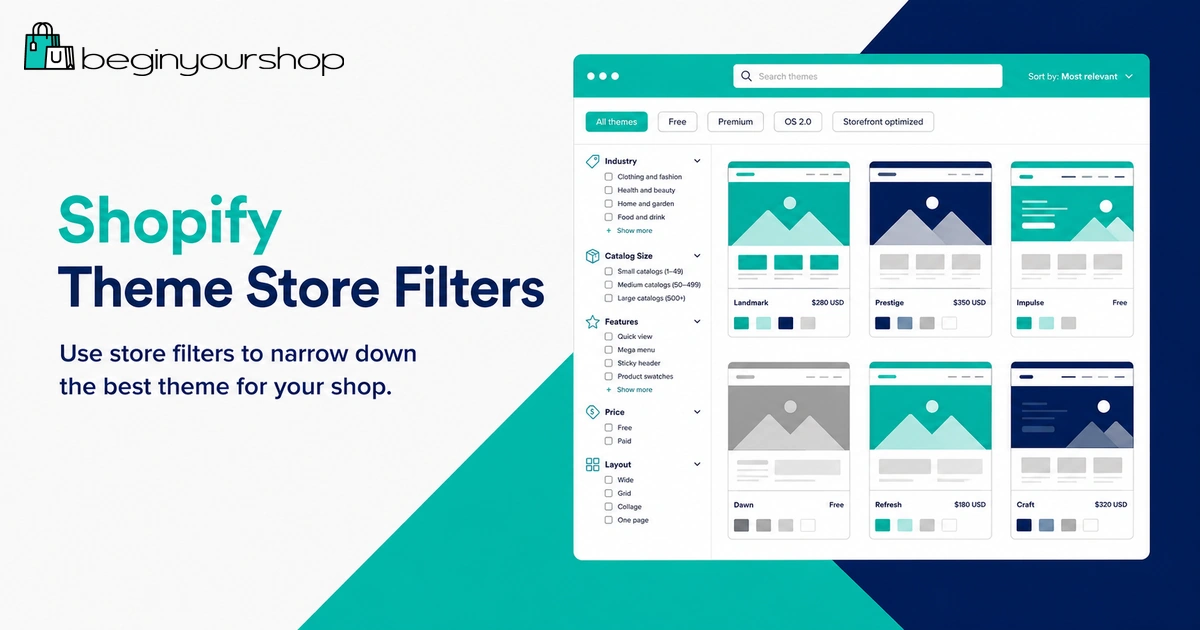
Useful filters may include:
- Free or paid
- Industry
- Catalog size
- Specific features
- Layout style
- Product discovery tools
- Promotional features
Do not browse themes randomly. Use filters based on your store type and catalog size.
Recommended beginner process
- Choose your store type.
- Estimate your catalog size.
- List must-have features.
- Filter themes by price and catalog size.
- Open only themes that match your real needs.
- Preview the product page, collection page, cart, and mobile layout.
- Test with your own products before publishing or buying where possible.
Shopify allows merchants to try themes from the Theme Store before committing to a paid theme. Use that preview stage seriously. A theme should be judged with your products, not only the demo products.
Customization and Theme Editor
After choosing a theme, you can customize it in Shopify’s theme editor. The theme editor lets you adjust store content, layout, typography, colors, sections, blocks, and theme settings depending on the theme.
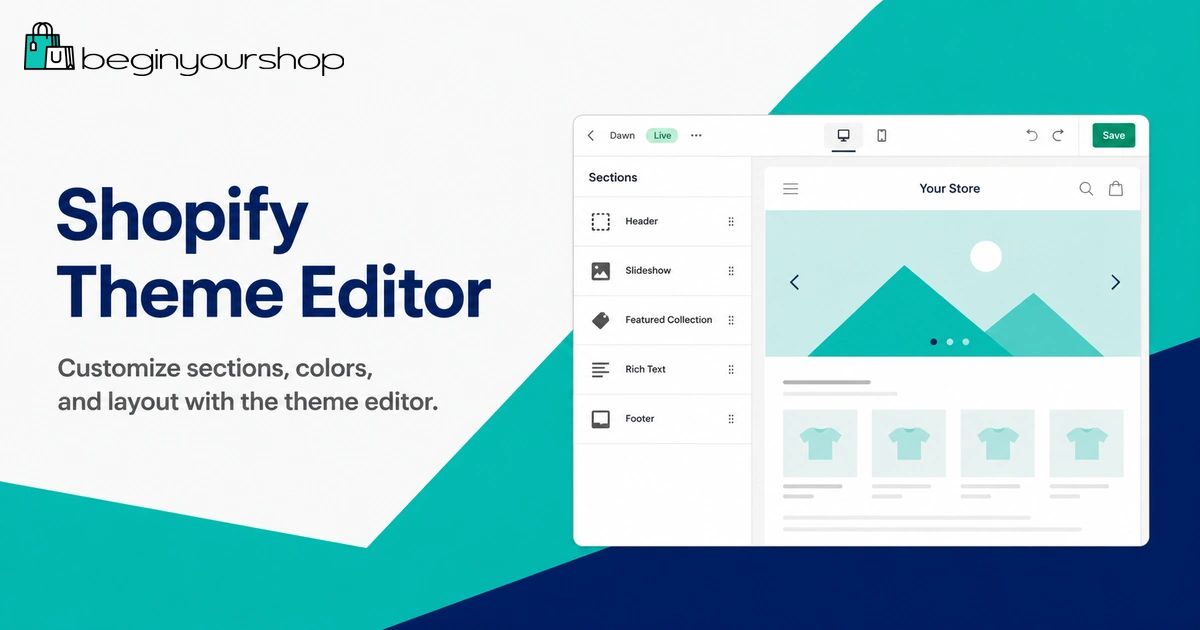
Beginners should check how much they can customize without code.
Customization checklist
- Can you change colors and typography easily?
- Can you add, remove, and reorder homepage sections?
- Can you customize product page templates?
- Can you create different templates for different product types?
- Can you add sections to pages you need?
- Can you place app blocks where needed?
- Can you adjust announcement bars, header, and footer?
- Can you create landing pages without heavy custom code?
If a theme requires custom code for every small change, it may not be ideal for a beginner.
Apps, Performance, and Speed
A theme should help reduce unnecessary app dependence. If you choose a theme that lacks basic features you need, you may end up installing many apps to fill gaps.
Before choosing a theme, ask:
- Does the theme already include the feature I need?
- Would I need a paid app to add this feature?
- Will multiple apps add extra monthly cost?
- Will app widgets make the design inconsistent?
- Will app scripts affect page speed?
Some paid themes can be worth it if they include features that would otherwise require multiple paid apps. But do not assume more features always means a better theme. Unused features can make setup more complicated.
Performance checklist
Theme speed depends on theme code, images, apps, scripts, fonts, videos, and how you build pages. When testing a theme, keep performance in mind:
- Avoid oversized images.
- Use videos carefully.
- Do not install unnecessary apps.
- Keep homepage sections focused.
- Avoid too many popups and scripts.
- Test the live store after customization, not only the demo.
A fast, clear store is usually better than a visually heavy store with too many effects.
Support, Documentation, and Updates
Theme support matters, especially if you buy a paid theme.
Before choosing a theme, review:
- Theme developer reputation
- Documentation quality
- Support policy
- Update history
- Theme reviews
- Compatibility with current Shopify features
- Whether the theme is from the official Shopify Theme Store
The official Shopify Theme Store can include both free themes developed by Shopify and paid themes developed by third-party designers. Paid themes can be excellent, but support responsibilities and documentation may vary by developer.
Duplicate before major changes
Before making major theme changes, duplicate your theme. A duplicate gives you a backup version you can return to if changes break the layout or create unexpected problems.
Theme Decision Framework
Use this decision framework before choosing a Shopify theme.
| Question | Why it matters |
|---|---|
| Does the theme fit my product type? | A theme for apparel may not be ideal for digital products, food, beauty, or one-product stores. |
| Does it fit my catalog size? | Large catalogs need stronger navigation and filtering than small catalogs. |
| Does the product page answer customer questions? | Product pages directly affect buying confidence. |
| Is the mobile experience strong? | Many customers browse and buy on phones. |
| Can I customize it without code? | Beginners need practical editing control inside the theme editor. |
| Does it reduce app needs? | Built-in useful features can reduce monthly app costs. |
| Is support and documentation strong? | You need help when setup questions or theme issues appear. |
| Can I afford it without hurting launch budget? | A theme should not consume money needed for products, photos, marketing, or operations. |
Recommended Theme Priorities by Store Type
The table below summarizes what different beginner stores should prioritize.
| Store type | Recommended priority | Theme features to avoid overvaluing |
|---|---|---|
| First simple store | Free theme, clear product pages, mobile clarity, simple navigation | Complex animations, large menus, excessive promotional sections |
| One-product store | Storytelling homepage, product education, FAQ, reviews, sticky CTA | Large catalog filters and heavy collection tools |
| Fashion store | Swatches, size guide, image galleries, filters, lookbook sections | Minimal product pages with weak variant display |
| Beauty store | Ingredient blocks, routine education, reviews, bundles, before/after content | Theme demos that rely only on lifestyle imagery |
| Large catalog | Mega menu, search, filters, sorting, product badges, collection structure | Overly minimalist themes with weak discovery tools |
| Digital product store | Clear deliverable details, FAQ, trust blocks, simple checkout path | Shipping-heavy features and complex physical-product sections |
What to Test Before Publishing a Theme
Before making a theme live, test it like a customer.
Theme publishing checklist
- Homepage clearly explains what you sell.
- Main menu works.
- Footer links work.
- Product pages show images, variants, prices, and add-to-cart clearly.
- Collection pages are easy to browse.
- Cart works correctly.
- Mobile layout looks clean.
- Images are not stretched, cropped badly, or blurry.
- Text is readable on mobile.
- Buttons are easy to tap.
- Policy and contact links are easy to find.
- Installed apps display correctly.
- Checkout path has been tested.
Do not publish a theme just because the homepage looks ready. Test the complete shopping path.
Common Shopify Theme Mistakes
Mistake 1: Choosing based only on the demo
Demos use ideal content. Test the theme with your real product images, descriptions, and navigation before deciding.
Mistake 2: Buying a paid theme too early
A paid theme can be worth it, but beginners should not spend money before knowing what features they need.
Mistake 3: Ignoring mobile
A theme that looks impressive on desktop may not work well on mobile. Always test mobile product pages and checkout flow.
Mistake 4: Choosing a theme that does not fit catalog size
A large-catalog theme can feel bloated for a small store. A minimalist theme can be weak for a large catalog.
Mistake 5: Installing apps to fix every theme gap
If your theme needs many apps just to support basic store needs, it may not be the right theme.
Mistake 6: Overcustomizing before launch
Too much customization can delay launch. Focus on clarity, trust, product pages, and checkout first.
Mistake 7: Not duplicating before changes
Always duplicate your theme before major changes. A backup helps you recover from layout mistakes.
How to Choose a Shopify Theme FAQ
What is the best Shopify theme for beginners?
The best Shopify theme for beginners is usually a clean free theme that fits the store’s product type and catalog size. Beginners should prioritize mobile usability, clear product pages, simple navigation, and easy customization.
Should I use a free or paid Shopify theme?
Use a free Shopify theme if you are launching your first store and your needs are simple. Consider a paid theme when it provides specific features you need and helps reduce app dependence or custom development.
Are paid Shopify themes worth it?
Paid Shopify themes can be worth it if they include features that support your store’s real needs, such as better product pages, advanced filtering, mega menus, promotional sections, swatches, or editorial layouts. They are not automatically worth it just because the demo looks polished.
Can I try a paid Shopify theme before buying?
Shopify lets you try paid themes from the Shopify Theme Store before purchasing. You need to buy the paid theme before publishing it to your live store.
Can I change my Shopify theme later?
Yes. You can add, customize, and publish a different theme later. However, switching themes can require work because sections, templates, app blocks, image layouts, and customizations may not transfer perfectly.
Will changing themes hurt my SEO?
Changing themes does not automatically hurt SEO, but it can create issues if important content, internal links, headings, metadata, structured data, or page speed are affected. Review key pages after switching themes.
How many Shopify themes should I test?
Start by shortlisting three to five themes that fit your store type and catalog size. Testing too many themes can waste time. Focus on the product page, collection page, mobile experience, and customization options.
What theme features matter most for a small store?
Small stores should prioritize clear product pages, simple navigation, strong mobile layout, homepage storytelling, trust sections, and easy customization. They usually do not need complex filters or mega menus.
What theme features matter most for a large catalog?
Large catalogs need strong navigation, search, filtering, sorting, collection pages, product cards, product badges, and mobile browsing. Product discovery matters more as catalog size grows.
Should I customize the theme code?
Beginners should avoid code changes unless necessary. Use the theme editor first. If you need custom code, duplicate the theme before making changes and consider hiring a qualified Shopify developer.
Final Thoughts
Choosing a Shopify theme is not about finding the prettiest demo. It is about finding the theme that fits your products, customers, catalog size, budget, and launch plan.
Most beginners should start with a clean free theme, test it with real products, and upgrade only when a paid theme solves a clear problem.
Before choosing, review product pages, mobile design, navigation, filtering, customization options, app needs, support, documentation, and total cost. A theme should make your store easier to use, not harder to manage.
Next recommended guide: Shopify Launch Checklist