Shopify Mistakes to Avoid
Many Shopify beginners do not fail because Shopify is too difficult. They struggle because they launch with unclear products, weak product pages, confusing navigation, untested checkout, missing shipping rules, poor policies, too many apps, or no traffic plan.
This beginner-friendly guide explains the most common Shopify mistakes to avoid before and after launch, including product setup, pricing, themes, apps, payments, shipping, SEO, trust, analytics, and marketing mistakes that can make a new store harder to grow.
Shopify makes it easier to build an online store, but it does not make every store successful automatically. A beginner can create a Shopify account, choose a theme, add a few products, and publish a storefront quickly. That speed is useful, but it can also create rushed decisions.
The most common Shopify mistakes are usually not advanced technical mistakes. They are basic business and setup mistakes: unclear product positioning, weak product pages, missing trust signals, untested checkout, poor shipping setup, too many apps, and no realistic plan for getting traffic.
This guide focuses on practical mistakes beginners can avoid before launching their first Shopify store. You do not need to build a perfect store from the beginning, but you should avoid the problems that directly block trust, checkout, fulfillment, and growth.
Last checked: May 11, 2026. Shopify settings, payment workflows, shipping tools, app behavior, theme features, and launch recommendations can change. Always confirm current setup instructions in your Shopify admin and Shopify’s official Help Center before launching or changing store settings.

Quick Answer
The biggest Shopify mistakes beginners should avoid are launching without a clear product focus, publishing weak product pages, skipping checkout testing, misconfiguring shipping or payments, installing too many apps, using a theme that does not fit the store, ignoring mobile users, and expecting Shopify to bring traffic automatically.
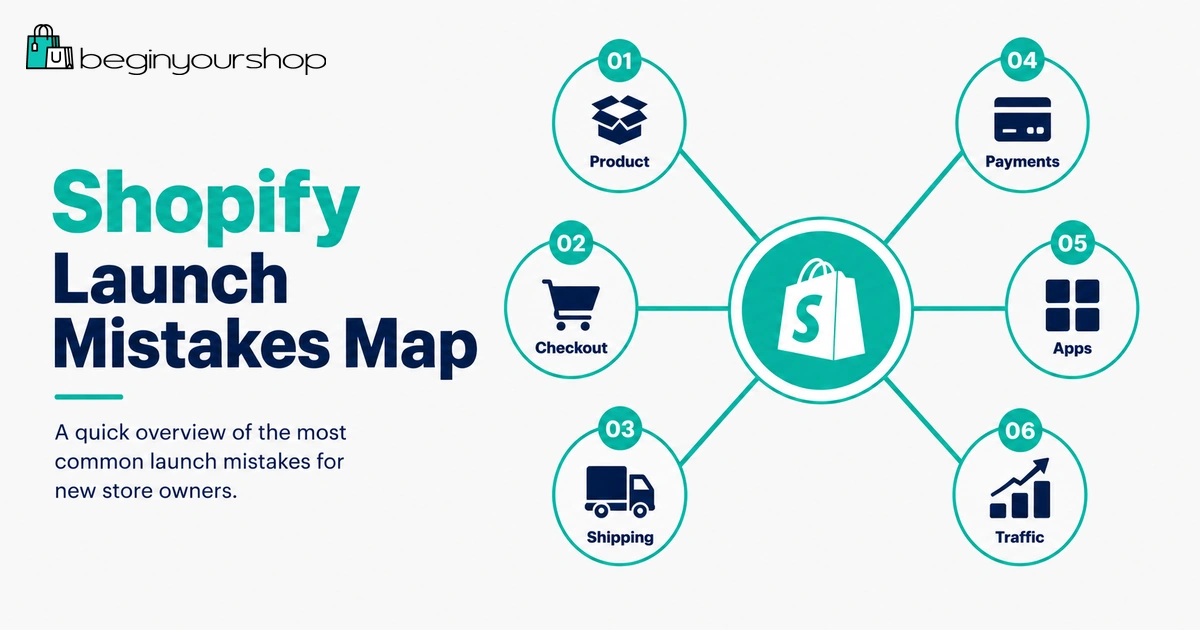
Most dangerous mistake
Launching without testing checkout, shipping rates, payments, order notifications, inventory behavior, and taxes.
Most common mistake
Spending too much time on design while product pages, shipping, policies, and trust signals remain weak.
Best prevention rule
Before launch, make sure a customer can understand, trust, buy, and receive the product without confusion.
1. Starting Without a Clear Product Focus
One of the most common Shopify mistakes is starting with a scattered product catalog. Beginners often add unrelated products because they want more chances to sell something. The result is usually a store that feels generic, confusing, and hard to market.
A focused store is easier to explain. It is also easier to design, write, organize, and promote.
What this mistake looks like
- The homepage does not clearly explain what the store sells.
- The catalog includes many unrelated products.
- Collections feel random or inconsistent.
- Product descriptions use generic supplier language.
- The store has no obvious audience.
How to avoid it
Before building the store, define:
- Who the store is for
- What product category you are starting with
- What problem, use case, or desire the products address
- Why customers should buy from this store instead of a larger marketplace
Simple positioning formula
“This store helps [specific customer] find [specific product type] for [specific use case or outcome].”
You can expand later. At launch, clarity matters more than a huge catalog.
2. Choosing Products Without Understanding the Customer
Shopify gives you the tools to sell, but it does not tell you what people want to buy. A common mistake is choosing products only because they look popular, have high margins, or appear in a trend list.
Product selection should start with customer understanding.
Questions to answer before adding products
- Who is the buyer?
- What problem or desire does the product address?
- What alternatives does the buyer already have?
- What makes this product believable and useful?
- What questions would a customer ask before buying?
- What objections would stop the purchase?
- How will you reach this customer?
Bad product selection signs
- You cannot explain who the product is for.
- You only chose the product because it has a high margin.
- You have not checked shipping times or supplier reliability.
- You cannot write a useful product description without copying another site.
- You do not know where your first visitors will come from.
Good product selection makes every other part of the store easier.
3. Writing Weak Product Pages
Product pages are where buying decisions happen. A weak product page can make even a good product look untrustworthy.
Beginners often write short, vague descriptions such as “high quality,” “perfect gift,” or “must-have item.” That does not answer customer questions.
A strong product page should explain:
- What the product is
- Who it is for
- What is included
- What size, material, format, or specification matters
- How to use it
- How to choose the right variant
- When and how it ships
- Whether it can be returned
- Why the customer should trust the product
Product page checklist
| Product page area | What to check |
|---|---|
| Title | Clear, specific, and easy to understand. |
| Description | Explains benefits, details, usage, and expectations. |
| Images | Shows product clearly, including details, scale, and variants. |
| Price | Correct and consistent with positioning. |
| Variants | Size, color, material, style, or quantity options are accurate. |
| Shipping | Customers can find delivery expectations. |
| Returns | Return rules are clear or linked. |
| Trust | Reviews, guarantees, materials, policies, or support details are visible where appropriate. |
Do not treat product pages as placeholders. They are sales pages.
4. Using Poor Product Images
Customers cannot touch products online. Images carry much of the trust and decision-making burden.
Poor images can make a store feel unreliable even if the product is good.
Common image mistakes
- Using blurry images
- Using inconsistent image sizes and backgrounds
- Showing only one angle
- Not showing scale
- Not showing product details
- Using misleading mockups
- Not assigning images to variants
- Uploading oversized images that slow pages
- Forgetting meaningful alt text
How to improve product images
For most products, use a mix of:
- Main product image
- Detail image
- Angle image
- Scale image
- Lifestyle image
- Variant image
- Packaging or included-items image where relevant
Great product images do not always require a large budget. They require clarity, consistency, and honesty.
5. Picking the Wrong Theme
Beginners often choose a Shopify theme because the demo looks beautiful. But theme demos use professional images, polished copy, and ideal products. Your real store may look very different once your own content is added.
The right theme should fit your product type, catalog size, image quality, navigation needs, and mobile experience.
Theme mismatch examples
- A one-product store using a large-catalog theme with unnecessary menus.
- A large catalog using a minimalist theme with weak filtering.
- A fashion store using a theme with poor variant and size display.
- A technical product store using a theme with no room for product education.
- A mobile-heavy store using a theme that looks good only on desktop.
How to avoid this mistake
Before choosing a theme, review:
- Product page layout
- Collection page layout
- Mobile menu
- Variant display
- Image gallery
- Header and footer
- Filtering and search
- Theme support and documentation
- How much you can customize without code
Most beginners should start with a clean free theme unless a paid theme solves a specific problem.
6. Installing Too Many Apps
Shopify apps are useful, but beginners often install too many too early. Every app can add cost, complexity, scripts, widgets, permissions, and potential conflicts.
A store with too many apps can become slower, harder to manage, and more expensive than expected.
Common app overload signs
- You have several popups, widgets, or banners competing for attention.
- Monthly app costs are growing before sales are consistent.
- You do not remember why some apps were installed.
- Apps overlap in function.
- The theme has layout issues after app installation.
- Mobile pages feel crowded or slow.
Better app rule
Install an app only when it solves a clear problem:
- Customers cannot order correctly without it.
- You cannot fulfill orders correctly without it.
- It saves meaningful operational time.
- It supports a real marketing or retention plan.
- It replaces a more expensive or more complex solution.
For a first launch, a lean store is usually better than a crowded store full of tools you do not yet understand.
7. Not Testing Checkout
This is one of the most dangerous Shopify mistakes. A store can look finished, but if checkout fails, shipping rates do not appear, taxes are wrong, or order emails do not send, the store is not ready.
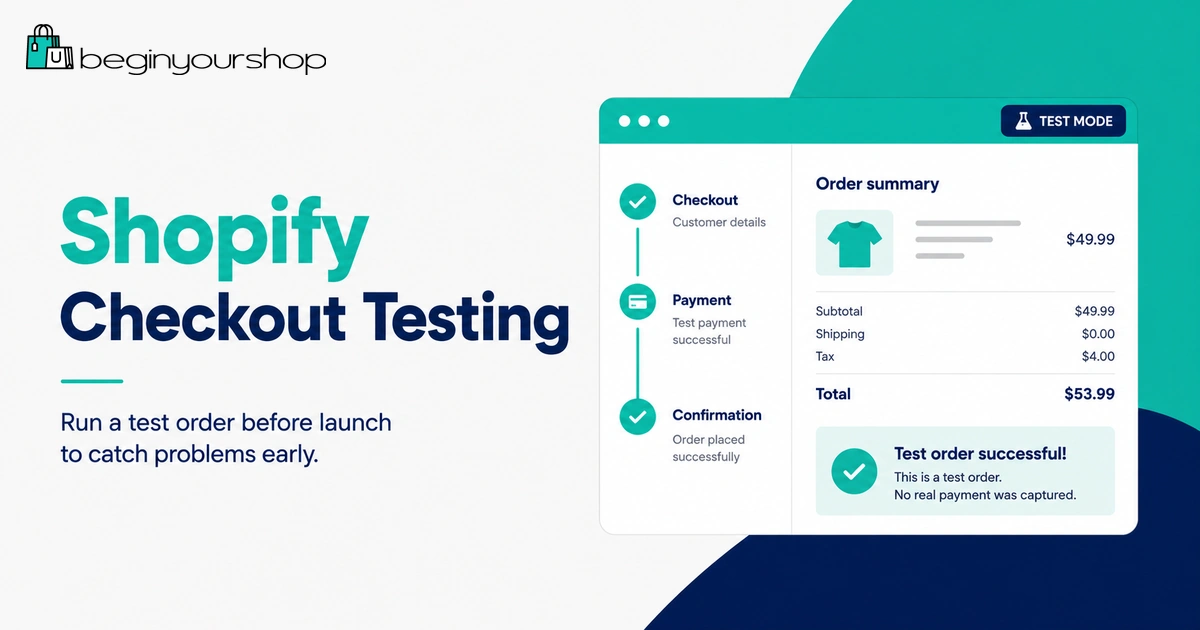
Shopify recommends placing at least one test order during setup or whenever payment settings change.
What a test order helps check
- Checkout process
- Payment settings
- Order processing
- Inventory behavior
- Shipping rates
- Email notifications
- Tax behavior
- Discount codes
- Mobile checkout experience
Checkout testing checklist
- Add a product to cart.
- Select variants.
- Apply a discount code if used.
- Enter a valid shipping address.
- Confirm shipping rates appear.
- Proceed through checkout.
- Complete the order using an appropriate test method.
- Review the order in Shopify admin.
- Check customer emails.
- Confirm inventory changes.
- Cancel, refund, or archive the test order as appropriate.
Do not wait until your first real customer discovers the problem.
8. Setting Up Shipping Incorrectly
Shipping mistakes can block checkout or create unexpected losses. If shipping rates are missing, customers may be unable to complete the order. If rates are too low, you may lose money on fulfillment. If policies are unclear, customers may become frustrated.
Common shipping mistakes
- Not setting shipping zones
- Forgetting product weights
- Using incorrect package dimensions
- Not testing rates at checkout
- Offering free shipping without calculating margin
- Not explaining processing times
- Not clarifying international shipping, duties, or restrictions
- Using multiple shipping profiles without understanding rate combinations
Shipping checklist
- Confirm where you ship.
- Set shipping zones.
- Add shipping rates.
- Confirm physical products are marked correctly.
- Add accurate product weights where needed.
- Review package settings.
- Test checkout with different addresses.
- Publish a clear shipping policy.
Shopify’s shipping documentation recommends testing rates after setup so you can verify what customers can choose at checkout.
9. Ignoring Payments and Payouts
Payment setup is not just turning on a button. You need to understand payment provider eligibility, card rates, third-party transaction fees, test mode, payout timing, chargebacks, and required business information.
Common payment mistakes
- Assuming Shopify Payments is available everywhere.
- Entering inaccurate personal or business information.
- Not completing verification.
- Leaving payment test mode on.
- Not understanding payout timing.
- Ignoring chargeback risk.
- Using a third-party provider without understanding extra transaction fees.
Payment setup checklist
- Choose an eligible payment provider.
- Use accurate business and banking details.
- Complete identity or business verification if required.
- Review processing fees.
- Review third-party transaction fees if using outside providers.
- Test payment setup before launch.
- Turn off test mode before accepting real orders.
- Review payout schedule and cash flow.
Do not treat payments as an afterthought. If payments are not correctly configured, the store cannot operate reliably.
10. Publishing Missing or Generic Policies
Policy pages help customers understand expectations before buying. Missing or vague policies reduce trust and can create support problems.
At minimum, a Shopify store should usually have clear pages for shipping, returns, refunds, privacy, terms, and contact information.
Policy mistakes to avoid
- Using generic policy text that does not match your actual store.
- Not linking policies in the footer.
- Forgetting shipping timelines.
- Not explaining return eligibility.
- Not stating who pays return shipping.
- Not explaining digital product refund rules if selling digital goods.
- Not providing clear contact information.
Policy checklist
| Page | What it should clarify |
|---|---|
| Shipping Policy | Processing time, delivery estimates, shipping regions, tracking, delays, international rules. |
| Return and Refund Policy | Return window, eligible items, condition requirements, refund timing, exchanges, return shipping. |
| Privacy Policy | How customer information is collected, used, stored, and shared. |
| Terms of Service | General rules for using the site and buying from the store. |
| Contact Page | How customers can reach support and when they should expect a response. |
Policy templates can be useful starting points, but they should be reviewed and adjusted for your actual business.
11. Forgetting Mobile Experience
Many Shopify visitors browse from mobile devices. A store that looks good on desktop but feels awkward on mobile can lose sales.
Mobile mistakes
- Hero text is cropped or hard to read.
- Images are too large or poorly cropped.
- Menu is confusing.
- Variant selectors are hard to tap.
- Add-to-cart button is buried.
- Popups cover product content.
- Cart drawer overlaps other elements.
- Checkout path feels slow or cluttered.
Mobile testing checklist
- Open the homepage on a phone.
- Use the mobile menu.
- Open a collection page.
- Filter or sort products if available.
- Open a product page.
- Select a variant.
- Add to cart.
- Open cart.
- Go to checkout.
- Check footer links and contact page.
If mobile users cannot browse and buy easily, fix that before investing more in traffic.
12. Ignoring SEO Basics
Beginners often think Shopify SEO means installing an SEO app. Apps can help with audits or workflow, but SEO starts with clear pages and structure.
Common SEO mistakes
- Leaving product descriptions thin or duplicated.
- Not editing page titles and meta descriptions.
- Using vague collection names.
- Ignoring collection descriptions.
- Not using descriptive image alt text.
- Creating too many thin pages.
- Changing URLs repeatedly.
- Not redirecting deleted products.
- Not linking related pages internally.
Basic SEO checklist
- Use clear product titles.
- Write unique product descriptions.
- Add useful collection descriptions.
- Edit important search engine listings.
- Use readable URL handles.
- Add alt text to meaningful images.
- Link blog posts to relevant products and collections.
- Submit your sitemap to Google Search Console after launch.
Shopify automatically handles some technical foundations, such as sitemap generation and canonical tags, but your content still matters.
13. Launching Without a Traffic Plan
Shopify gives you a store, not automatic customers. A common beginner mistake is launching the store and waiting for sales without a realistic traffic plan.
Possible traffic channels
- SEO
- Blog content
- Social media
- Short-form video
- Email marketing
- Paid ads
- Influencer partnerships
- Affiliate or referral programs
- Marketplaces
- Offline promotion
Do not try every channel at once. Choose one or two channels that fit your product and audience.
Beginner traffic plan example
| Store type | Good first traffic channels |
|---|---|
| Visual product brand | Instagram, TikTok, Pinterest, influencer seeding. |
| Problem-solving product | SEO content, comparison pages, YouTube, search ads. |
| Handmade or creative products | Instagram, Pinterest, Etsy as a channel, email list. |
| Consumable products | Email, subscriptions, content, paid social, sampling. |
| Digital products | Content marketing, YouTube, newsletters, communities, SEO. |
A store without traffic is only a finished website. You need a plan to bring qualified visitors.
14. Not Reviewing Analytics
After launch, beginners often make changes based on feelings instead of data. Analytics help you see what visitors are actually doing.
Metrics to monitor early
- Sessions
- Traffic sources
- Top landing pages
- Product page views
- Add-to-cart rate
- Reached checkout
- Conversion rate
- Abandoned checkouts
- Average order value
- Returning customer rate over time
How to use early analytics
Use analytics to ask better questions:
- Are visitors reaching product pages?
- Are they adding products to cart?
- Are they abandoning checkout?
- Which traffic source brings the best visitors?
- Which products receive views but no purchases?
- Do mobile users behave differently from desktop users?
Do not overreact to very small numbers. Early data is useful, but patterns need enough traffic to mean something.
15. Hiding Trust Information
New stores need to work harder to earn trust. If visitors cannot find contact details, policies, product information, or brand explanation, they may hesitate before buying.
Trust signals beginners can add
- Clear About page
- Contact page
- Shipping policy
- Return and refund policy
- FAQ section
- Real product photos
- Legitimate customer reviews when available
- Secure checkout
- Clear product details
- Order confirmation and support expectations
Do not use fake urgency, fake reviews, or unsupported claims. Trust should be earned, not manufactured.
16. Discounting Too Early or Too Often
Discounts can help conversion, but beginners sometimes rely on discounts before understanding product value, customer objections, or margin.
Discount mistakes
- Running constant sales with no reason.
- Offering discounts that erase profit.
- Training customers to wait for promotions.
- Using compare-at prices that are not real.
- Discounting instead of improving product pages.
Better approach
Before discounting, improve:
- Product descriptions
- Images
- Shipping clarity
- Trust signals
- Bundle value
- FAQ content
- Email capture
Use discounts intentionally, not as a default fix for unclear value.
17. Ignoring Customer Support
Customer support begins before the first order. If customers have questions and cannot reach you, they may not buy.
Support mistakes
- No contact page.
- Contact form does not work.
- Support email is unmonitored.
- Policies do not answer common questions.
- Customers do not know response time.
- Order emails are confusing.
Support setup checklist
- Create a contact page.
- Test the contact form.
- Use a monitored email inbox.
- Add common questions to product pages or FAQ.
- Review notification emails.
- Set realistic response expectations.
Support is part of conversion. A store that feels reachable is easier to trust.
18. Not Preparing for Fulfillment
Getting an order is only the beginning. You still need to fulfill it correctly.
Fulfillment mistakes
- Not knowing who ships the product.
- Not checking supplier processing times.
- Not having packaging ready.
- Not understanding label costs.
- Not knowing how tracking is sent.
- Not testing the fulfillment workflow.
- Not planning for returns or exchanges.
Fulfillment checklist
- Know where inventory is stored.
- Confirm fulfillment location settings.
- Review packaging needs.
- Know how labels are purchased.
- Review tracking and notification flow.
- Test order processing.
- Prepare return handling rules.
A smooth fulfillment process protects customer experience after the sale.
19. Launching Too Late Because of Perfectionism
Some beginners make the opposite mistake: they never launch because the store is never perfect enough.
Perfectionism can delay learning. A store improves faster when real visitors interact with it.
What must be ready before launch
- Products are clear and accurate.
- Checkout works.
- Payments are active.
- Shipping rates work.
- Policies are published.
- Contact method works.
- Mobile experience is usable.
- Analytics are available.
What can improve after launch
- Homepage refinements
- More blog content
- Better product photography
- More reviews
- Email automations
- Advanced upsells
- More landing pages
- Conversion testing
Launch when the store is clear, functional, and trustworthy. Improve after real feedback.
20. Treating Shopify as the Business Instead of the Tool
Shopify is the platform. The business is your product, customer, offer, operations, marketing, and support.
Beginners sometimes spend too much time changing themes, testing apps, and editing settings while ignoring the actual business model.
Questions that matter more than settings
- Who is the customer?
- Why would they buy this product?
- How will they discover the store?
- Why should they trust the store?
- Can the product be delivered reliably?
- Can the store make a profit after costs?
- How will you bring customers back?
Use Shopify to support the business. Do not confuse platform setup with business strategy.
Shopify Mistakes Prevention Checklist
Use this checklist before launch.
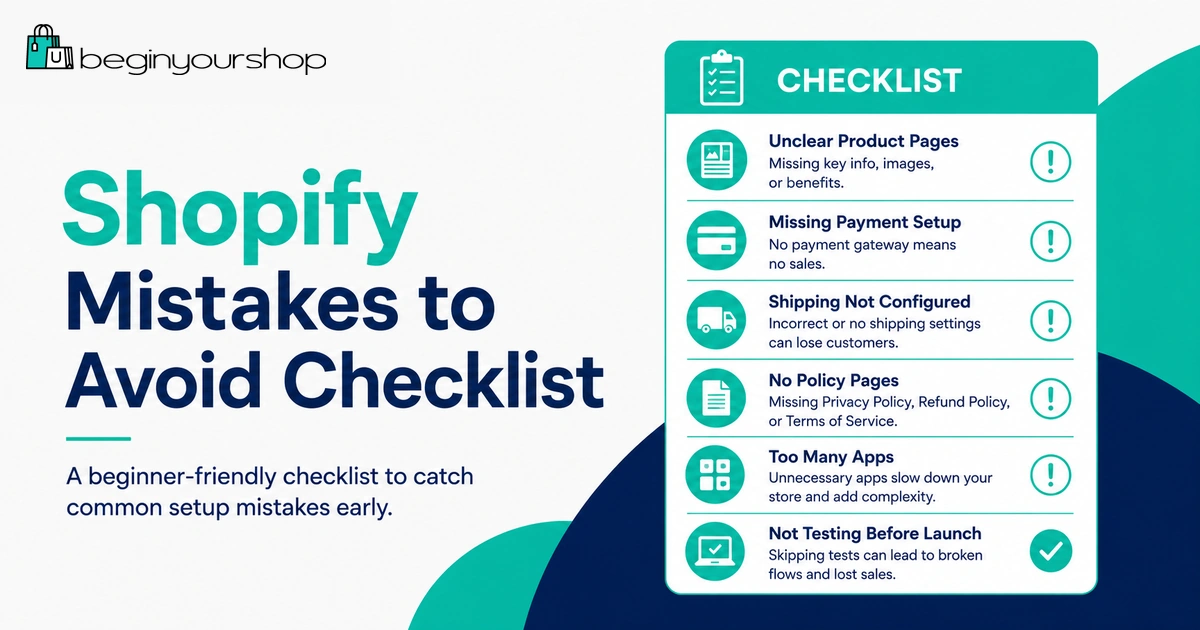
| Area | Question to answer |
|---|---|
| Product focus | Can a new visitor quickly understand what the store sells and who it is for? |
| Product pages | Do important products have clear descriptions, images, variants, prices, and shipping expectations? |
| Theme | Does the theme fit the product type, catalog size, and mobile experience? |
| Apps | Is every installed app necessary and configured? |
| Checkout | Have you placed a test order or tested checkout flow? |
| Shipping | Do shipping zones, rates, weights, policies, and fulfillment settings work? |
| Payments | Is the payment provider active, verified, tested, and ready for real orders? |
| Policies | Are shipping, return, refund, privacy, terms, and contact pages published? |
| Mobile | Can a mobile visitor browse, add to cart, and reach checkout easily? |
| Traffic | Do you know which channel will bring your first visitors? |
First-Week Fixes After Launch
After launching, use the first week to identify and fix the most important issues.
| Day | Focus | Action |
|---|---|---|
| Day 1 | Checkout and payments | Confirm checkout works and real payment settings are correct. |
| Day 2 | Shipping | Test shipping rates for common customer locations. |
| Day 3 | Product pages | Improve unclear descriptions, images, variants, and FAQs. |
| Day 4 | Mobile | Review mobile menu, product page, cart, and checkout experience. |
| Day 5 | Trust | Check policies, contact page, About page, and support inbox. |
| Day 6 | Analytics | Review traffic sources, product views, add-to-cart behavior, and checkout drop-off. |
| Day 7 | Traffic | Choose one traffic channel to improve next week. |
Shopify Mistakes to Avoid FAQ
What is the biggest mistake beginners make on Shopify?
The biggest mistake is launching a store that looks designed but is not operationally ready. Checkout, payments, shipping, taxes, policies, product pages, mobile layout, and customer support need to work before real traffic arrives.
Do beginners need lots of Shopify apps?
No. Most beginners should start with only essential apps. Install apps only when they solve a real product, fulfillment, marketing, support, or operational problem.
Should I launch with a free Shopify theme?
Most beginners can start with a free Shopify theme if the catalog is simple and the theme fits the product type. A paid theme can be worth it if it solves a specific design or feature need.
Why is checkout testing important?
Checkout testing helps confirm that checkout, payment settings, order processing, inventory, shipping, email notifications, and taxes work as expected before customers place real orders.
What shipping mistakes should I avoid?
Avoid missing shipping zones, incorrect product weights, unclear processing times, untested rates, unrealistic free shipping, and policies that do not match your actual fulfillment process.
Can I launch my Shopify store without SEO?
You can launch without advanced SEO, but you should still handle basics such as clear product titles, unique descriptions, collection organization, page titles, meta descriptions, image alt text, and internal links.
Does Shopify bring traffic automatically?
No. Shopify provides the ecommerce platform, but you need a traffic plan through SEO, content, social media, ads, email, partnerships, marketplaces, or other channels.
How many products should I launch with?
There is no fixed number. A focused store with a few strong product pages is usually better than a large catalog of incomplete or unrelated products.
Should I use discounts to get my first sales?
Discounts can help, but they should not cover weak product pages, poor images, unclear shipping, or lack of trust. Make sure the store communicates value before relying on discounts.
How do I know if my Shopify store is ready to launch?
Your store is ready when customers can understand the offer, browse products, trust the business, complete checkout, receive clear order communication, and contact support if needed.
Final Thoughts
Most Shopify mistakes are avoidable with a careful launch process. You do not need a perfect store, but you do need a store that is clear, trustworthy, functional, and ready for real customers.
Focus on product clarity, strong product pages, good images, a suitable theme, a lean app setup, tested checkout, correct shipping, working payments, clear policies, mobile usability, SEO basics, and a realistic traffic plan.
Shopify gives you the platform. Your job is to build a store that customers understand, trust, and can actually buy from.
Next recommended guide: Shopify Launch Checklist