Shopify Payments Fees Explained for Beginners
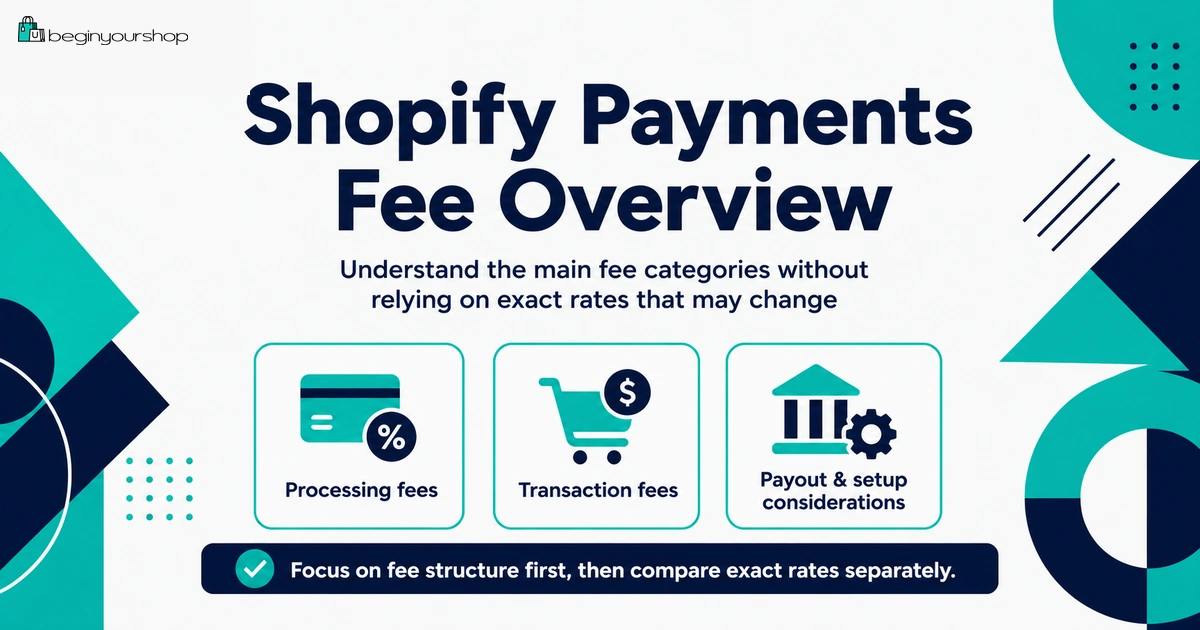
Shopify Payments can make payment setup simpler for beginners, but it does not mean payments are free. You still need to understand credit card rates, payment processing fees, payouts, refunds, chargebacks, currency conversion, eligibility, and how Shopify Payments differs from third-party payment providers.
This beginner-friendly article explains Shopify Payments fees in plain language, including what fees can apply, what third-party transaction fees Shopify Payments can help you avoid, when other payment methods may still matter, and how to review your real payment costs before launching your Shopify store.
Shopify Payments is often one of the first payment options beginners see when setting up a Shopify store. It is built into Shopify, it can simplify payment setup, and it can help you avoid many third-party transaction fees when it is available and suitable for your business.
But Shopify Payments is not “free payments.” When a customer pays by credit card or another supported payment method, payment processing fees can still apply. Depending on your country, card type, currency, payout currency, refund behavior, chargebacks, and payment method mix, your real payment costs can vary.
For beginners, the important part is to separate these ideas:
- Shopify Payments: Shopify’s integrated payment processor in supported countries and regions.
- Credit card rates: The fees charged to process customer card payments.
- Third-party transaction fees: Additional Shopify fees that can apply when using outside payment providers.
- Payouts: The money sent to your bank account after payments are processed.
- Chargebacks and refunds: Post-payment events that can affect your real costs.
This guide explains Shopify Payments fees from a beginner’s perspective so you can understand what you might pay, what you might avoid, and what to check before accepting real orders.
Last checked: August 21, 2026. Shopify Payments availability, country requirements, card rates, payout timing, chargeback fees, third-party transaction fee rules, currency conversion fees, and refund behavior can change. Always confirm current details in Shopify’s official Help Center and in your Shopify admin before making payment setup decisions.

Quick Answer
Shopify Payments can help beginners simplify payment setup and avoid third-party transaction fees on orders processed through Shopify Payments. However, payment processing fees such as credit card rates still apply. Your real cost can also depend on your Shopify plan, country, card type, international payments, currency conversion, refunds, chargebacks, payout rules, and whether Shopify Payments is available and suitable for your business.
What Shopify Payments helps with
It keeps payment setup inside Shopify and can remove many extra third-party transaction fees.
What still costs money
Credit card rates, international card costs, currency conversion, chargebacks, and other payment-related costs can still apply.
Best beginner rule
Check your country, plan, card rates, payout rules, and refund behavior before accepting real orders.
What Is Shopify Payments?
Shopify Payments is Shopify’s integrated payment processor. When it is available in your country and your business is eligible, it lets you accept customer payments without setting up a separate third-party payment provider as your main processor.
In practical terms, Shopify Payments can make payment setup easier because you manage more of the payment workflow inside Shopify.
Shopify Payments can help you:
- Accept major credit and debit cards
- Use Shop Pay where available
- View payouts inside Shopify
- Manage payment details from Shopify admin
- Avoid many third-party transaction fees
- Reduce dependency on separate payment provider dashboards
- Offer a more integrated checkout experience
Shopify Payments is not available to everyone
Shopify Payments is available only in supported countries and regions, and your business type must be eligible. If Shopify Payments is unavailable in your country or cannot support your business category, Shopify says you need to choose another payment gateway.
This means your first payment setup question should be simple: is Shopify Payments available and suitable for my store?
Main Shopify Payments Fee Types
Beginners often use one word, “fees,” for several different costs. For Shopify Payments, separate the main fee types.
| Fee or cost type | What it means | Beginner note |
|---|---|---|
| Shopify plan subscription | The recurring fee for your Shopify plan. | Separate from payment processing fees. |
| Credit card rate | The rate charged to process customer card payments. | Varies by plan, country, card type, and transaction type. |
| Third-party transaction fee | A Shopify fee that can apply when using external payment providers. | Shopify Payments can help avoid many of these fees. |
| Currency conversion fee | A fee that can apply when payment currency and payout or store currency differ. | Important for international selling. |
| Chargeback fee | A fee related to customer payment disputes. | Rules and amounts vary by country. |
| Refund fee behavior | Some fees may not be returned after refunds. | Important for margin planning. |
Do not judge Shopify Payments only by whether there are “no third-party transaction fees.” You also need to understand processing fees and other payment-related costs.
Credit Card Rates
Credit card rates are the payment processing fees charged when customers pay by card through Shopify Payments.
Shopify says that if you use Shopify Payments as your payment provider, Shopify charges a fee to let you accept major credit cards such as Visa and Mastercard. Shopify also says credit card rates vary depending on the plan you choose and can differ between online and in-person transactions.
Credit card rates can vary by:
- Shopify plan
- Country or region
- Card type
- Domestic or international card
- Online or in-person payment
- Manually entered card payments
- Payment method
- Currency and cross-border context
Beginner mistake
The common mistake is thinking Shopify Payments has no fees. More accurately: Shopify Payments can help you avoid many third-party transaction fees, but credit card processing fees still apply.
Third-Party Transaction Fees
Third-party transaction fees are different from credit card rates.
Shopify says that when you use Shopify Payments as your processor, there are no third-party transaction fees for orders. Shopify also says there are no third-party transaction fees for orders processed through Shopify Payments, Shop Pay, Shop Pay Installments, PayPal Express, and manual payment methods such as cash, cash on delivery, and bank transfers.
Why this matters
If you use a third-party payment provider instead of Shopify Payments, you may pay:
- The provider’s own processing fees
- Shopify’s third-party transaction fees
That means a third-party provider can be more expensive than it looks at first. You need to compare the full cost, not just the provider’s advertised rate.
When third-party transaction fees can still matter
- Shopify Payments is not available in your country.
- Your business type is not eligible for Shopify Payments.
- You choose another provider for local payment methods.
- You need a specific payment provider for your market.
- Your store uses certain payment methods or store credit/gift card scenarios that have separate rules.
For many beginners, Shopify Payments is worth reviewing first because it can simplify both operations and fee structure.
Shop Pay, PayPal, and Manual Payments
Shopify Payments can work alongside other payment methods, but you need to understand how each method affects fees.
Shop Pay
Shop Pay is Shopify’s accelerated checkout. If you use Shopify Payments, Shop Pay can be part of the integrated payment experience. Payment processing fees can still apply depending on the payment method and current Shopify rules.
PayPal Express
Shopify’s Shopify Payments documentation says you are not charged third-party transaction fees for orders processed through PayPal Express when using Shopify Payments in the relevant setup. PayPal can still have its own fees and rules, so check PayPal and Shopify details before launch.
Manual payment methods
Manual payment methods can include:
- Cash
- Cash on delivery
- Bank transfers
- Checks
- Manual payment arrangements
Manual payment methods can avoid some transaction fee scenarios, but they can create operational work. You need a reliable process for confirming payment, fulfilling orders, handling cancellations, and communicating with customers.
Currency Conversion and International Cards
International selling can add payment complexity.
Shopify’s fees documentation says Shopify Payments charges a fee for processing each payment, with the rate varying based on card type and location. It also notes that currency conversion fees can apply when payments involve a currency conversion, and that currency conversion fees and credit card fees are not returned when you issue a refund.
Currency and international factors to check
- Store currency
- Customer payment currency
- Payout currency
- Whether currency conversion applies
- Domestic vs international card rate differences
- Cross-border payment methods
- Refund fee behavior
- Chargeback currency behavior
Beginner note
If you sell only domestically at first, currency conversion may be less important. If you sell internationally, payment and currency costs can affect your margins more than expected.
Payouts and Payout Fees
A payout is the money Shopify sends to your bank account after customer payments are processed and any relevant fees, holds, refunds, chargebacks, or adjustments are considered.
Shopify’s payout documentation explains that the time between payment capture and when a payout is sent depends on the country where your store is based. Shopify also provides a way to view payout fees from the Shopify Payments payout page.
Payout details to understand
- Payout schedule
- Minimum payout amount, if applicable in your country
- Payout currency
- Bank account requirements
- Payment processing fees shown in payout reports
- Refunds and adjustments
- Chargebacks and disputes
- Account verification holds or reviews
Beginner habit
After your first real sales, review your payout reports carefully. Your payout amount is not always the same as your order total because processing fees, refunds, chargebacks, and adjustments can affect it.
Refunds and Returned Fees
Refunds can affect your real payment cost.
Shopify’s pricing overview says credit card transaction fees are not returned when you issue a refund. Shopify’s international fees documentation also says currency conversion fees and credit card fees are not returned when you issue a refund.
Why refunds matter for beginners
If a customer pays, you may incur processing fees. If you later refund the order, some fees might not be returned. That means refunds can reduce your net margin even when you return the customer’s money.
Reduce avoidable refunds by improving:
- Product descriptions
- Product photos
- Size charts
- Shipping timelines
- Return policy clarity
- Product compatibility details
- Customer support before purchase
Payment fees are one reason clear product information matters. Good product pages can reduce misunderstandings that lead to refunds.
Chargebacks and Inquiries
A chargeback happens when a customer disputes a payment with their bank or card issuer. Chargebacks can create costs, lost revenue, evidence work, and account risk.
Shopify’s chargeback documentation says chargeback fees vary by country when using Shopify Payments. It also explains that chargeback amounts can be deducted from future payouts, depending on the country and situation.
Common chargeback reasons
- Customer does not recognize the charge.
- Customer says the product was not received.
- Customer says the product was not as described.
- Customer claims the transaction was unauthorized.
- Customer is unhappy with refund handling.
Ways to reduce chargeback risk
- Use clear store and billing names.
- Provide order confirmation emails.
- Use tracking for shipped products.
- Respond to customer support quickly.
- Write clear shipping and refund policies.
- Keep fulfillment records.
- Use accurate product descriptions.
- Review fraud analysis and suspicious orders.
Chargeback management is part of payment cost management. It is not only a customer service issue.
Eligibility and Supported Countries
Shopify Payments is not available everywhere, and not every business type is eligible.
Shopify’s supported countries documentation says each country page provides information about bank account requirements, business verification requirements, accepted payment methods, and payout details. It also says that if your country is not listed, or if Shopify Payments does not support your business category, then you need to use a third-party payment provider.
Before choosing Shopify Payments, check:
- Is your country or region supported?
- Is your business category supported?
- Do you meet bank account requirements?
- What identity or business verification is required?
- Which payment methods are accepted in your country?
- What payout timing applies?
- Are there country-specific rules or restrictions?
Do not use inaccurate setup information
Payment providers can request identity, business, tax, address, and banking verification. Using inaccurate information can cause payout holds, account review, or payment disruption.
Testing Shopify Payments
Before accepting real orders, you should test checkout and payment flow.
Shopify’s testing documentation says you can test Shopify Payments only after choosing a paid plan. Shopify also says you can place a test order by using Shopify Payments test mode if you use Shopify Payments.
What to test
- Successful payment
- Declined payment scenario if useful
- Shipping rates at checkout
- Taxes
- Discount codes
- Order confirmation emails
- Inventory behavior
- Fulfillment workflow
- Refund workflow
Important launch warning
If test mode is active, real payments are not captured. Before launching publicly, turn off test mode and confirm that your payment provider is ready for real transactions.
Shopify Payments vs Third-Party Providers
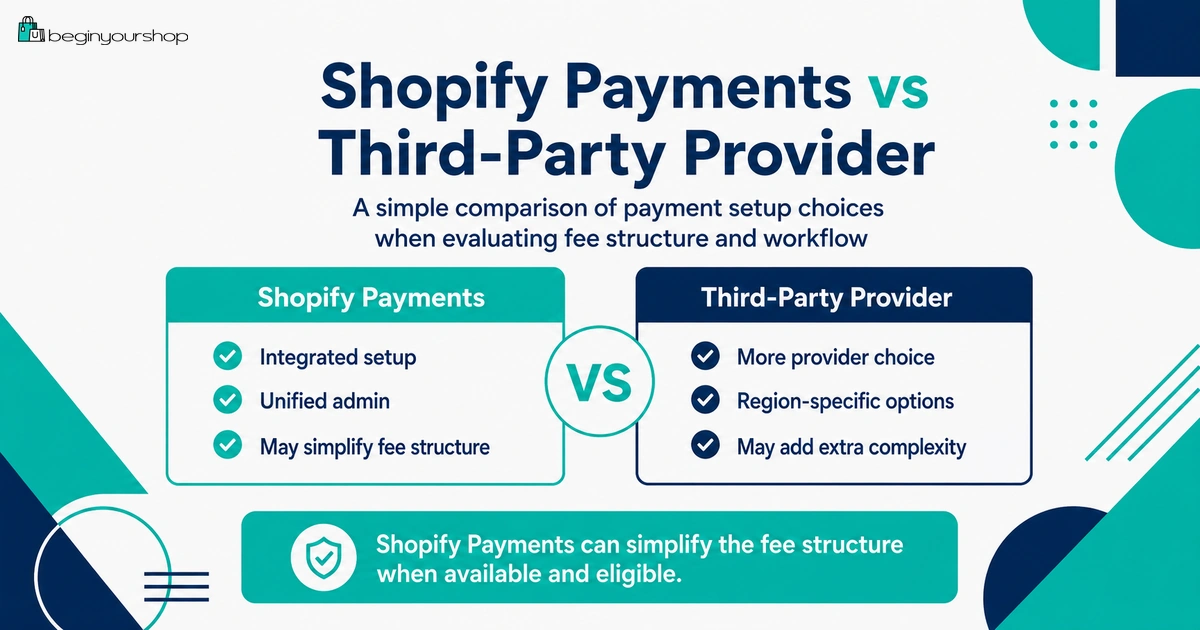
Shopify Payments is often the simplest starting point when it is available and suitable. But third-party providers can still be necessary or useful in some cases.
| Question | Shopify Payments | Third-party payment provider |
|---|---|---|
| Setup | Managed inside Shopify admin. | Requires provider account and Shopify integration. |
| Third-party transaction fees | Generally avoided for Shopify Payments orders. | Can apply in addition to provider processing fees. |
| Availability | Only in supported countries and eligible business categories. | Depends on provider availability and your business type. |
| Local payment methods | Depends on Shopify Payments country support. | May be useful if customers expect a specific local method. |
| Payouts | Visible in Shopify admin. | Managed partly or fully through the provider dashboard. |
| Best beginner fit | Usually worth reviewing first if available and eligible. | Useful when Shopify Payments is unavailable, unsuitable, or missing needed methods. |
Choose Shopify Payments if:
- It is available in your country.
- Your business type is eligible.
- Its supported payment methods fit your customers.
- You want an integrated setup.
- You want to avoid many third-party transaction fees.
Consider a third-party provider if:
- Shopify Payments is unavailable in your country.
- Your business category is not supported.
- You need a specific local payment method.
- You already have a payment provider relationship.
- Your market expects a provider Shopify Payments does not support.
Compare real costs before choosing. A provider can look cheaper at first and become more expensive once Shopify third-party transaction fees and provider fees are both included.
Beginner Fee Examples
These examples are simplified. They explain the logic, not exact Shopify rates.
Example 1: Domestic card payment with Shopify Payments
A customer pays with a domestic credit card through Shopify Payments.
- Shopify subscription fee applies according to your plan.
- Shopify Payments credit card rate applies.
- No additional third-party transaction fee applies for the Shopify Payments order.
Example 2: International card payment
A customer pays with an international card.
- Shopify subscription fee applies.
- Payment processing fees apply.
- International card or cross-border costs may apply depending on region and setup.
- Currency conversion may apply if payment and payout currencies differ.
Example 3: Third-party provider instead of Shopify Payments
A store uses an external payment provider instead of Shopify Payments.
- Shopify subscription fee applies.
- The third-party provider charges its own processing fees.
- Shopify third-party transaction fees can apply.
Example 4: Refund after payment
A customer pays by card and later receives a refund.
- The customer receives the refund according to your refund process.
- Some processing or currency conversion fees may not be returned.
- Your net margin can be affected even after refunding the sale.
Shopify Payments Fee Checklist
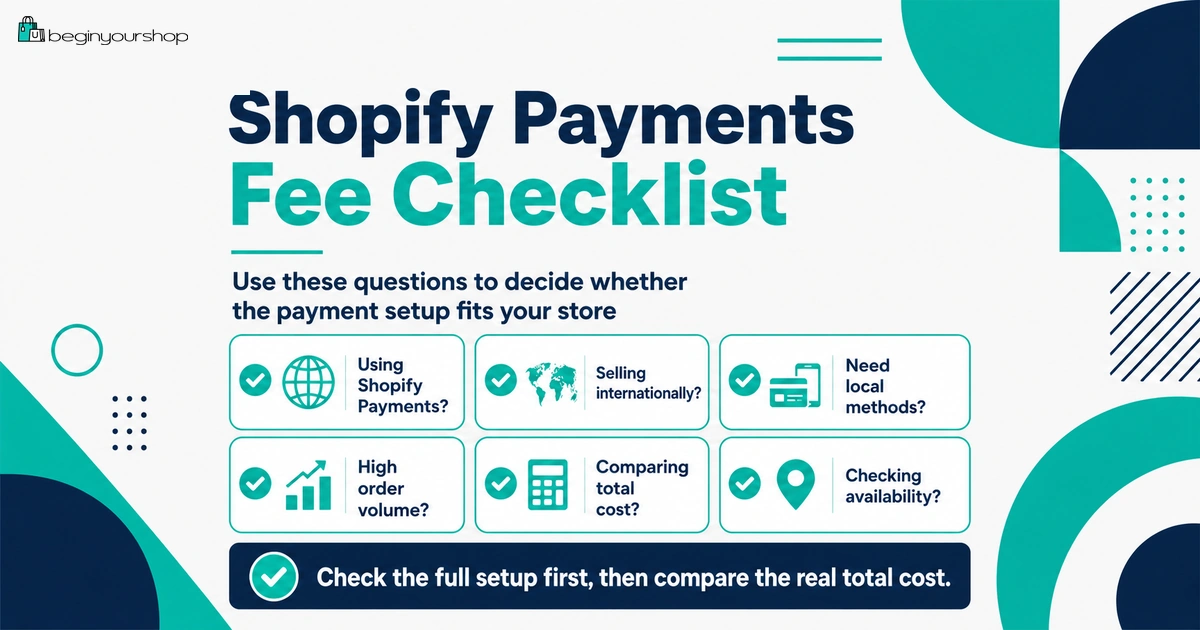
Use this checklist before launching payments.
| Question | Ready? |
|---|---|
| I checked whether Shopify Payments is available in my country or region. | Yes / No |
| I checked whether my business category is eligible. | Yes / No |
| I reviewed credit card rates for my Shopify plan and country. | Yes / No |
| I understand that Shopify Payments does not mean payment processing is free. | Yes / No |
| I understand when third-party transaction fees can be avoided or applied. | Yes / No |
| I reviewed PayPal, Shop Pay, and manual payment method rules. | Yes / No |
| I reviewed currency conversion and international card considerations. | Yes / No |
| I understand payout timing and payout reporting. | Yes / No |
| I understand refund and chargeback fee behavior. | Yes / No |
| I tested Shopify Payments after choosing a paid plan and before launch. | Yes / No |
Common Shopify Payments Fee Mistakes
Mistake 1: Thinking Shopify Payments means no fees
Shopify Payments can help you avoid third-party transaction fees, but payment processing fees still apply.
Mistake 2: Ignoring country and eligibility requirements
Shopify Payments is not available everywhere, and not every business type is supported.
Mistake 3: Comparing providers without including all fees
When comparing a third-party provider, include the provider’s fees plus Shopify’s third-party transaction fees if they apply.
Mistake 4: Forgetting refund fee behavior
Some fees may not be returned after refunds. Build this into your margin planning.
Mistake 5: Ignoring international card and currency costs
International selling can add card, currency, and payout complexity.
Mistake 6: Launching without a test order
After choosing a paid plan, test the checkout and payment flow before accepting real customer orders.
Mistake 7: Not reviewing payouts
Your order total and payout amount can differ because fees, adjustments, refunds, and chargebacks can affect payouts.
FAQ
Does Shopify Payments have fees?
Yes. Shopify Payments can have credit card or payment processing fees. Shopify says there are no monthly fees, hidden fees, or setup fees for Shopify Payments aside from credit card rates and your Shopify subscription plan fees.
Does Shopify Payments remove transaction fees?
Shopify says that when you use Shopify Payments as your processor, there are no third-party transaction fees for orders processed through Shopify Payments. Payment processing fees still apply.
Are credit card fees the same as transaction fees?
No. Credit card fees are payment processing fees. Third-party transaction fees are separate Shopify fees that can apply when using external payment providers or certain payment methods.
Is Shopify Payments available in every country?
No. Shopify Payments is available only in supported countries and regions. If your country is not supported or your business category is not eligible, you need to use a third-party payment provider.
Can I use PayPal with Shopify Payments?
Yes, many stores use PayPal alongside Shopify Payments. Shopify’s documentation says PayPal Express orders are not charged third-party transaction fees when using Shopify Payments in the relevant setup, but PayPal can still have its own fees and rules.
Can I use a third-party payment provider instead of Shopify Payments?
Yes. If Shopify Payments is unavailable, unsuitable, or missing a payment method your customers need, you can use third-party payment providers. However, Shopify third-party transaction fees and provider processing fees can apply.
Are Shopify Payments fees refunded when I refund an order?
Shopify says credit card transaction fees are not returned when you issue a refund. Currency conversion fees can also be non-returned in relevant scenarios.
Does Shopify Payments have chargeback fees?
Chargeback fees can vary by country when using Shopify Payments. Review Shopify’s chargeback documentation for your country and payment setup.
When can I test Shopify Payments?
Shopify says you can test Shopify Payments only after choosing a paid plan. Use test mode before launching real checkout.
Should beginners use Shopify Payments?
Beginners should review Shopify Payments first if it is available and their business is eligible. It is often simpler than managing a separate payment provider and can help avoid many third-party transaction fees.
Final Thoughts
Shopify Payments is often a strong first payment option for beginners, but it is not the same as free payment processing.
The main advantage is simplicity and the ability to avoid many third-party transaction fees when Shopify Payments is available and suitable for your store. The main cost to understand is payment processing, especially credit card rates, international card costs, currency conversion, refund behavior, chargebacks, and payout details.
Before launching, confirm eligibility, review country-specific rates and requirements, test checkout after choosing a paid plan, and build payment costs into your pricing and margins.
A clear payment setup helps protect your store from surprise costs, payout confusion, and checkout problems.
Next recommended guide: Shopify Payments Explained