Shopify Transaction Fees Explained for Beginners
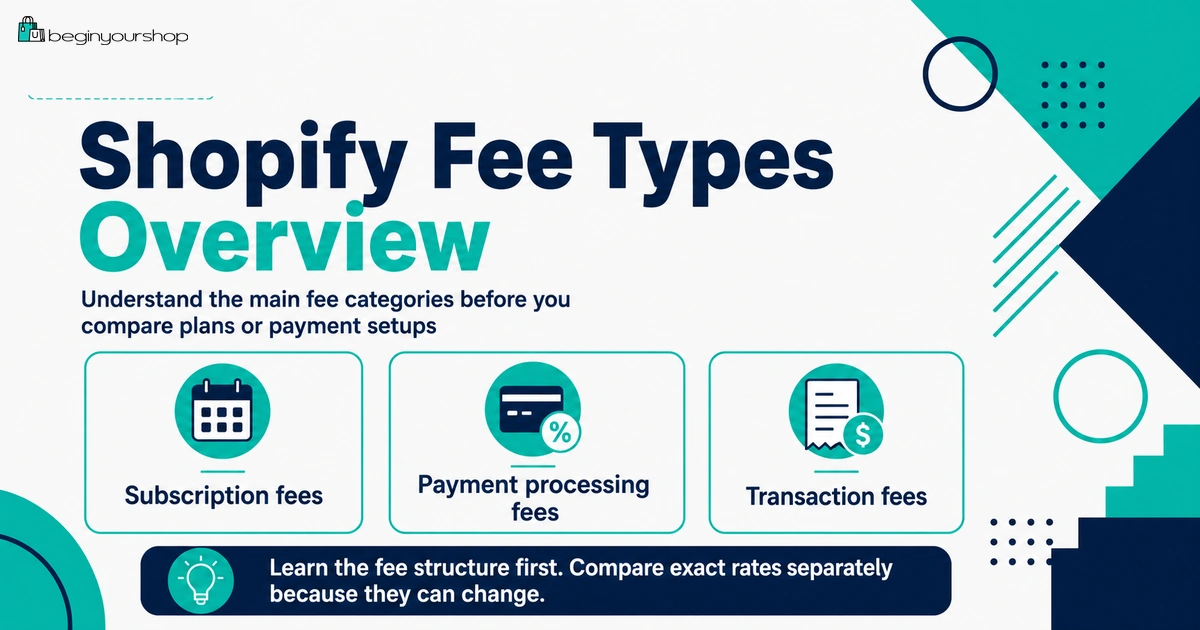
Shopify transaction fees can be confusing because beginners often mix together three different costs: your Shopify plan subscription, payment processing fees, and third-party transaction fees. They are related, but they are not the same.
This beginner-friendly article explains Shopify transaction fees, when third-party transaction fees apply, how Shopify Payments changes the fee structure, how payment processing fees work, why fees vary by plan and region, and how to think about fees before choosing a Shopify plan or payment provider.
Shopify pricing can feel simple at first: choose a plan, pay the monthly subscription, and start building your store. But once you look more closely, you will see other cost terms such as credit card rates, payment processing fees, third-party transaction fees, app charges, and billing cycles.
For beginners, the most confusing part is usually Shopify transaction fees.
The confusion often comes from using one word, “fees,” to describe several different costs. Your Shopify plan subscription is one type of cost. Payment processing fees are another. Third-party transaction fees are another. App charges, domain costs, shipping label costs, and currency conversion fees can also appear depending on your setup.
This article focuses on Shopify transaction fees in plain language, especially the difference between payment processing fees and third-party transaction fees.
Last checked: August 14, 2026. Shopify plan names, pricing, credit card rates, third-party transaction fee rules, Shopify Payments availability, PayPal treatment, store credit and gift card rules, and Plus fee rules can change. Always confirm current details on Shopify’s official pricing page and in your Shopify admin before making payment or plan decisions.

Quick Answer
Shopify transaction fees usually refer to third-party transaction fees that can apply when you use an external payment provider instead of Shopify Payments, or in certain cases when an order includes store credit or gift cards. Payment processing fees are different: they are the fees charged to process card or digital payments. If you use Shopify Payments as your payment processor, Shopify says there are no third-party transaction fees for orders processed through Shopify Payments, though credit card rates still apply.
Subscription fee
The recurring fee for your Shopify plan. This is separate from payment and transaction fees.
Processing fee
The cost of processing a customer’s payment, such as a card payment or digital wallet payment.
Third-party transaction fee
A Shopify fee that can apply when using external payment providers or certain other payment methods.
The Three Main Shopify Cost Types
Before looking at transaction fees, separate the main cost categories.
| Cost type | What it means | Beginner example |
|---|---|---|
| Shopify subscription fee | The recurring plan fee for using Shopify. | You pay for Basic, Grow, Advanced, Starter, Retail, or Plus depending on your plan. |
| Payment processing fee | The cost of processing customer payments. | A customer pays by credit card, and a card processing rate applies. |
| Third-party transaction fee | A Shopify fee that can apply when using external payment providers or certain payment methods. | You use a third-party payment provider instead of Shopify Payments, and Shopify applies a plan-based transaction fee. |
The most important beginner lesson is this:
Payment processing fees and third-party transaction fees are not the same thing. A store can avoid many third-party transaction fees by using Shopify Payments where available, but card processing fees can still apply.
1. Shopify Subscription Fees
Your Shopify subscription fee is the recurring fee you pay for your Shopify plan. It is separate from transaction fees and payment processing fees.
Shopify’s pricing and billing documentation explains that Basic, Grow, and Advanced plans can include multiple rates and fees, such as monthly price, credit card rates, and third-party transaction fees.
Subscription fees depend on:
- Your Shopify plan
- Your billing cycle
- Your location and billing currency
- Whether you choose monthly or annual billing
- Any promotional pricing available to your account
Subscription fee mistake
Beginners often compare only the monthly subscription price and ignore payment processing, third-party transaction fees, apps, domain, product costs, shipping, and marketing. That can make a store seem cheaper than it really is.
When choosing a Shopify plan, compare total operating cost, not just the monthly plan price.
2. Payment Processing Fees
Payment processing fees are charged when customers pay by card or another payment method that requires processing.
If you use Shopify Payments, Shopify charges a credit card rate for accepting major credit cards such as Visa and Mastercard. Shopify’s documentation explains that credit card rates vary depending on the plan you choose and can differ between online and in-person transactions.
Payment processing fees can vary by:
- Shopify plan
- Country or region
- Currency
- Online vs in-person transaction
- Domestic vs international card
- Card type
- Payment method
- Whether you use Shopify Payments or another provider
Key beginner point
Even when Shopify says there are no third-party transaction fees for Shopify Payments orders, that does not mean payment processing is free. It means you avoid the additional third-party transaction fee, but the credit card or payment processing rate can still apply.
3. Third-Party Transaction Fees
Third-party transaction fees are Shopify fees that can apply when Shopify provides the secure checkout platform and integrates with external payment providers.
Shopify’s documentation says third-party transaction fees vary by the Shopify plan you choose and can be charged when you use a third-party payment provider to accept customer payments. It also says stores created on or after May 12, 2025 can be charged third-party transaction fees on the amount paid using store credit or gift cards.
Third-party transaction fees are separate from:
- Your monthly Shopify subscription
- Credit card processing fees
- Fees charged by your third-party payment provider
- App charges
- Domain charges
- Shipping label charges
Why this matters
If you use an external payment provider, you may pay:
- The external provider’s own payment processing fees
- Shopify’s third-party transaction fees
This can make a third-party provider more expensive than it first appears, especially if your store has meaningful sales volume.
How Shopify Payments Changes Transaction Fees
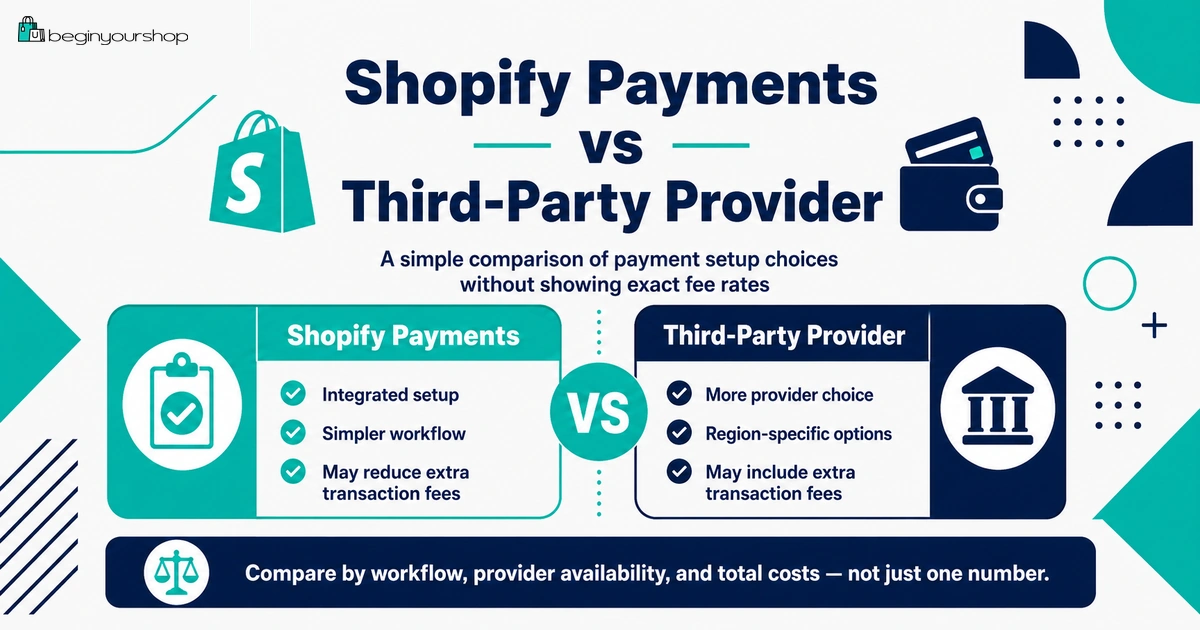
Shopify Payments can simplify the fee structure if it is available and suitable for your business.
Shopify says that when you use Shopify Payments as your processor, there are no third-party transaction fees for orders. Shopify’s Shopify Payments documentation also says you are not charged third-party transaction fees for orders processed through Shopify Payments, Shop Pay, Shop Pay Installments, PayPal Express, and manual payment methods such as cash, cash on delivery, and bank transfers.
Advantages of Shopify Payments
- Set up payment processing directly in Shopify admin
- Customers can pay without leaving your online store
- Payouts can be viewed from Shopify admin
- No extra third-party transaction fees for Shopify Payments orders
- Less need to manage a separate payment provider account
Important limitations
- Shopify Payments is available only in supported countries and regions.
- Your business type must be eligible.
- You still pay the applicable credit card or payment processing rates.
- You may need identity, business, tax, and banking verification.
- Some payment methods or special cases can have separate rules.
Beginner takeaway: Shopify Payments can help avoid many third-party transaction fees, but it does not make payment processing free.
Using Third-Party Payment Providers
If Shopify Payments is not available in your country, your business is not eligible, or you prefer a different payment setup, you can use a third-party payment provider that integrates with Shopify.
Shopify’s third-party payment provider documentation says that if you are not using Shopify Payments and want to accept credit cards, you can choose from many credit card payment providers for your Shopify store. It also explains that Shopify supports direct providers, where customers complete purchases on your store, and external providers, where customers complete purchases on a checkout page hosted outside your store.
Direct provider vs external provider
| Provider type | Checkout experience | Beginner note |
|---|---|---|
| Direct provider | Customers complete purchase directly on your online store. | Usually feels more seamless for customers. |
| External provider | Customers complete purchase on a checkout page hosted outside your store. | May be acceptable in some markets but can feel less seamless. |
What to check before using a third-party provider
- Is the provider available in your country?
- Does it support your business type?
- Does it support your customers’ preferred payment methods?
- What processing fees does the provider charge?
- Will Shopify third-party transaction fees apply?
- How fast are payouts?
- What fraud, chargeback, and refund rules apply?
- Does checkout happen on your store or outside your store?
Do not choose a payment provider only because it is familiar. Compare the full cost and customer experience.
PayPal and Manual Payment Methods
PayPal and manual payment methods can be confusing because their treatment may depend on your Shopify Payments setup and current Shopify rules.
Shopify’s pricing overview says that if you are eligible for Shopify Payments and set up another payment method such as PayPal in addition to Shopify Payments, you can do so without extra third-party transaction fees. Shopify’s third-party payment provider documentation also says that when Shopify Payments is activated, PayPal and manual payments are excluded from third-party transaction fees.
Manual payment methods can include:
- Cash
- Cash on delivery
- Bank transfers
- Manual payment arrangements
Shopify’s third-party transaction fee documentation says transaction fees do not apply for POS orders or manual payment methods, including cash on delivery, bank deposits, checks, test orders, and draft orders marked as paid or pending.
Beginner warning
Manual payments can reduce some transaction-fee complexity, but they can create operational complexity. You need a clear process for confirming payments, fulfilling orders, handling cancellations, and communicating with customers.
Gift Cards and Store Credit
Gift cards and store credit have special rules.
Shopify’s documentation says that for Shopify stores created on or after May 12, 2025, orders that include store credit or gift cards as a payment method are charged third-party transaction fees on the amount paid using store credit or gift cards. It also says those store credit and gift card transaction fees do not apply to Shopify stores created before May 12, 2025.
Example logic
If a customer pays an order partly by credit card and partly with store credit, Shopify’s documentation indicates the third-party transaction fee can apply only to the portion paid using store credit or gift cards, depending on your store creation date and plan rules.
Why this matters
If your store uses store credit, gift cards, loyalty credit, or customer account credit heavily, you should understand the current rules in your Shopify admin and Shopify documentation before launching those features.
How Shopify Calculates Third-Party Transaction Fees
Shopify provides a formula for calculating third-party transaction fees over a 30-day period:
[(cost of products - discounts) + tax + shipping charges] × rate
The rate varies depending on your Shopify pricing plan. This means the fee is not calculated only on the product subtotal before discounts. It can include tax and shipping charges according to Shopify’s formula.
What this means for beginners
- Discounts can reduce the fee base.
- Shipping charges can be included in the fee calculation.
- Tax can be included in the fee calculation.
- The rate depends on your plan.
- The result can differ from what beginners expect if they only look at product price.
Because fee rules can change and vary by region, use this formula as a conceptual guide and confirm actual fee rates from Shopify’s pricing page and your Shopify admin.
Why Transaction Fees Vary by Plan
Shopify says third-party transaction fees vary depending on the plan you choose. In general, higher-tier plans can have lower credit card rates and transaction fees than lower-tier plans, although exact rates depend on location, plan, payment setup, and current Shopify pricing.
Plan choice can affect:
- Monthly subscription cost
- Credit card rates
- Third-party transaction fee rates
- Staff accounts
- Reports
- Shipping features
- International commerce features
When a higher plan can make sense
A higher plan may make sense when fee savings plus feature value exceed the higher monthly subscription cost.
For example, if your store has high order volume, lower card rates or transaction fees may matter enough to justify an upgrade. But if your store has no sales yet, choosing a higher plan only for fee savings usually does not make sense.
What Happens When You Refund an Order?
Refunds are another area beginners often misunderstand.
Shopify’s pricing overview says credit card transaction fees are not returned when you issue a refund. Shopify’s third-party transaction fee documentation also says third-party transaction fees are not returned to you when you issue an order refund.
Why this matters
Refunds can affect your real margin. If you refund a customer, you may not recover all fees that were charged on the original transaction.
Build refunds into your planning
- Write a clear return and refund policy.
- Track refund reasons.
- Reduce avoidable returns with better product descriptions and images.
- Use accurate sizing, dimensions, compatibility, and product details.
- Calculate how refunds affect your margins.
A refund policy is not only a legal or trust document. It affects your cost structure.
Where to See Fees in Shopify
Shopify says you can view a breakdown of third-party transaction fees from your Shopify admin by going to Settings > Billing and opening the relevant bill in the Past bills section. If a bill includes transaction fees, Shopify displays the total fees for orders within specific date ranges.
Places to review fees
- Shopify pricing page
- Shopify admin billing section
- Past bills
- Payment provider settings
- Shopify Payments payout reports
- Third-party payment provider dashboard
- Finance reports
Beginner habit
Review your first few Shopify bills carefully. Do not assume the subscription price is the only thing you are being charged for.
Beginner Fee Examples
The following examples are simplified and do not use real Shopify rates. They are meant to explain the logic, not calculate your exact bill.
Example 1: Store using Shopify Payments
A customer pays by credit card through Shopify Payments.
- Shopify subscription fee: applies according to your plan.
- Payment processing fee: applies according to your Shopify Payments rate.
- Third-party transaction fee: generally does not apply for Shopify Payments orders.
Example 2: Store using a third-party payment provider
A customer pays through an external payment provider instead of Shopify Payments.
- Shopify subscription fee: applies according to your plan.
- Third-party provider processing fee: charged by the provider.
- Shopify third-party transaction fee: can apply according to your plan.
Example 3: Store using Shopify Payments plus PayPal
A store has Shopify Payments activated and also offers PayPal Express.
- Shopify subscription fee: applies according to your plan.
- Payment processing fee: applies based on the payment method/provider.
- Third-party transaction fee: Shopify documentation says PayPal Express is excluded when Shopify Payments is used in the relevant supported setup.
Example 4: Store credit or gift card payment
A customer uses store credit or a gift card for part of an order.
- Shopify subscription fee: applies according to your plan.
- Payment processing fee: depends on the rest of the payment method.
- Third-party transaction fee: can apply to the amount paid using store credit or gift cards for stores created on or after May 12, 2025, according to Shopify’s documentation.
How to Reduce Fee Surprises
You may not be able to eliminate every fee, but you can avoid surprises.
1. Check Shopify Payments availability first
If Shopify Payments is available and your business is eligible, review it before choosing another provider. It can simplify checkout and reduce third-party transaction fee exposure.
2. Compare full provider cost
When comparing payment providers, include both the provider’s own processing fees and Shopify’s third-party transaction fees.
3. Review your plan economics
Higher plans can have lower rates, but they also cost more monthly. Upgrade only when the math or features justify it.
4. Review your bills
Look at Shopify Billing and your payment provider reports. Make sure you understand what each charge means.
5. Plan for refunds
Because some fees are not returned when you refund an order, write product pages and policies that reduce avoidable refunds.
6. Avoid unnecessary payment methods
Offering many payment methods can help customers, but each method should be understood. Do not add payment methods without checking cost and operational impact.
Shopify Transaction Fee Checklist
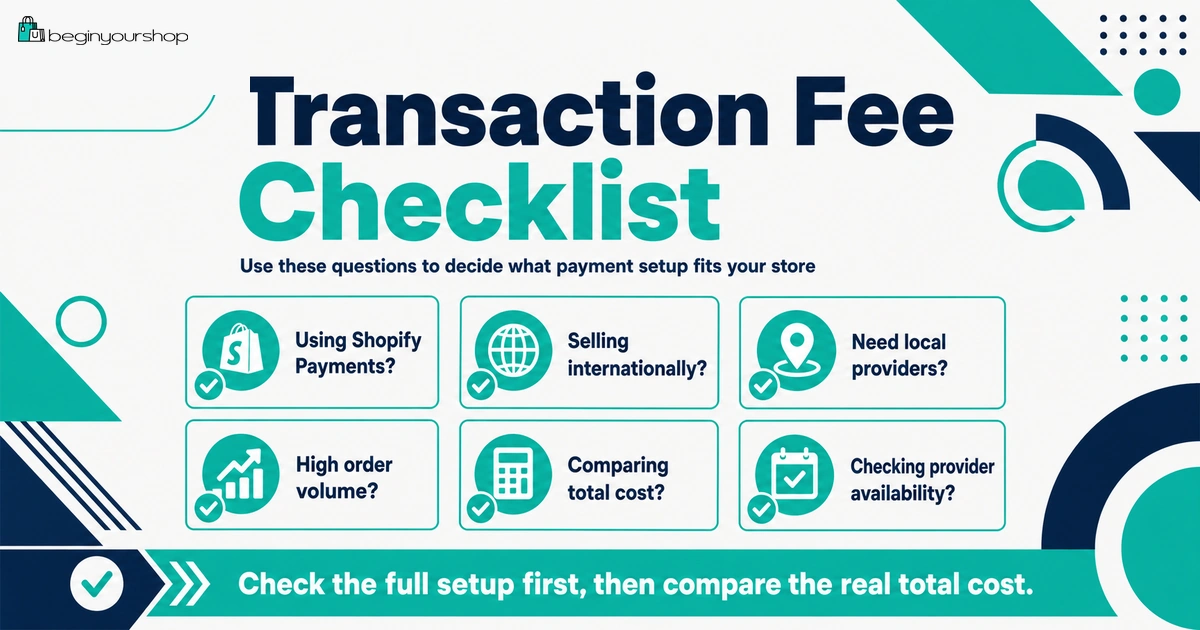
Use this checklist before choosing a payment setup.
| Question | Ready? |
|---|---|
| I understand the difference between subscription fees, payment processing fees, and third-party transaction fees. | Yes / No |
| I checked whether Shopify Payments is available in my country or region. | Yes / No |
| I checked whether my business is eligible for Shopify Payments. | Yes / No |
| I reviewed credit card rates for the plan I am considering. | Yes / No |
| I reviewed third-party transaction fees for the plan I am considering. | Yes / No |
| I understand the fees charged by any third-party payment provider I plan to use. | Yes / No |
| I understand how PayPal and manual payments are treated in my setup. | Yes / No |
| I understand the current gift card and store credit fee rules for my store. | Yes / No |
| I understand that some fees may not be returned after refunds. | Yes / No |
| I know where to review fees in Shopify Billing and payment reports. | Yes / No |
Common Shopify Transaction Fee Mistakes
Mistake 1: Thinking Shopify Payments means no fees at all
Shopify Payments can remove many third-party transaction fees, but payment processing fees still apply.
Mistake 2: Ignoring third-party provider fees
If you use an external provider, include both Shopify’s third-party transaction fee and the provider’s processing fee.
Mistake 3: Choosing a plan only by monthly subscription price
A lower monthly plan can have higher rates. The best plan depends on your sales volume and operational needs.
Mistake 4: Not understanding refund fee behavior
Some fees are not returned when you refund an order. Build this into your margin and policy planning.
Mistake 5: Not checking PayPal, gift card, and store credit rules
These payment methods can have specific rules depending on Shopify Payments, store creation date, and plan.
Mistake 6: Not reviewing bills
Many beginners do not look closely at their Shopify bills. Review your first bills until every charge category is clear.
FAQ
What are Shopify transaction fees?
Shopify transaction fees usually refer to third-party transaction fees that can apply when using external payment providers or certain payment methods. They are separate from payment processing fees and monthly plan fees.
Are Shopify transaction fees the same as payment processing fees?
No. Payment processing fees are the cost of processing customer payments. Third-party transaction fees are Shopify fees that can apply when using external payment providers or certain payment methods.
Do I pay transaction fees if I use Shopify Payments?
Shopify says that when you use Shopify Payments as your processor, there are no third-party transaction fees for orders processed through Shopify Payments. Credit card or payment processing fees can still apply.
Do third-party payment providers create extra fees?
They can. If you use a third-party payment provider, Shopify can charge third-party transaction fees, and the payment provider can also charge its own processing fees.
Does Shopify charge fees on PayPal?
Shopify documentation says that when Shopify Payments is activated, PayPal and manual payments are excluded from third-party transaction fees in the relevant setup. Always check your Shopify admin and current Shopify documentation for your region.
Are manual payment methods charged transaction fees?
Shopify says transaction fees do not apply for POS orders or manual payment methods such as cash on delivery, bank deposits, checks, test orders, and draft orders marked as paid or pending.
Do transaction fees apply to gift cards or store credit?
For Shopify stores created on or after May 12, 2025, Shopify says orders that include store credit or gift cards as a payment method are charged third-party transaction fees on the amount paid using store credit or gift cards. The rule does not apply to stores created before that date.
Are transaction fees refunded when I refund an order?
Shopify says third-party transaction fees are not returned when you issue an order refund. Shopify also says credit card transaction fees are not returned when you issue a refund.
How do I calculate third-party transaction fees?
Shopify provides this formula: [(cost of products - discounts) + tax + shipping charges] × rate. The rate varies depending on your pricing plan.
Where can I see Shopify transaction fees?
Shopify says you can view third-party transaction fee breakdowns from Shopify admin by going to Settings > Billing and opening the relevant past bill.
Final Thoughts
Shopify transaction fees are not as mysterious once you separate the cost types.
Your Shopify subscription is the recurring plan cost. Payment processing fees are the cost of processing customer payments. Third-party transaction fees are Shopify fees that can apply when using external payment providers or certain payment methods.
For many beginners, the most important decision is whether Shopify Payments is available and suitable. If it is, it can simplify payment setup and avoid many third-party transaction fees, though card processing fees still apply. If you need a third-party provider, compare the full cost carefully before launching.
Do not choose a payment setup blindly. Review fees by plan, provider, region, and payment method. Then build those costs into your pricing, margins, refund policy, and plan selection.
Next recommended guide: Shopify Pricing Explained