Shopify Tax Costs Explained for Beginners
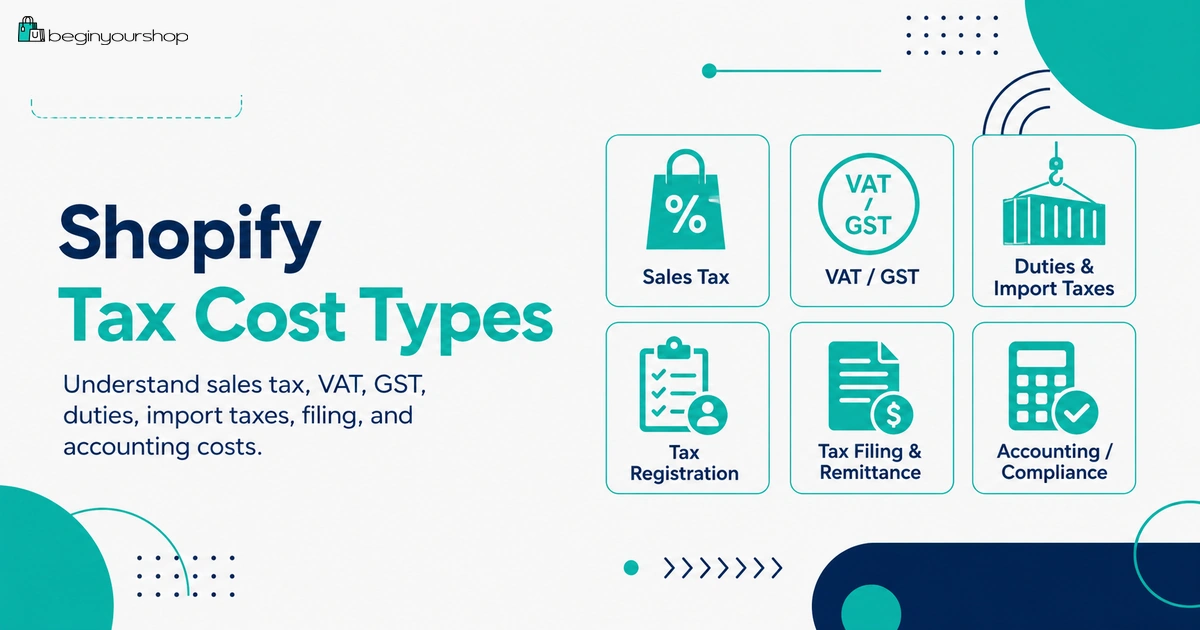
Shopify taxes can be confusing for beginners because tax is not just one cost. You need to understand sales tax, VAT, GST, duties, import taxes, product taxability, tax registration, tax reports, accounting costs, possible Shopify Tax fees, and whether your store must collect, file, and remit taxes in different regions.
This beginner-friendly article explains Shopify tax costs, what Shopify can calculate, what you are still responsible for, when Shopify Tax can help, how tax differs from shipping and payment fees, and what to check before launching a Shopify store.
Taxes are one of the easiest Shopify setup areas to underestimate. Many beginners focus on the Shopify plan, apps, theme, domain, and shipping costs, but forget that tax compliance can also affect store setup, pricing, checkout, accounting, and cash flow.
Shopify can help calculate many common taxes, but Shopify is not a substitute for a tax professional. Depending on where your business is located and where your customers are located, you may need to collect sales tax, VAT, GST, duties, import taxes, or other regional taxes. You may also need to register with tax authorities, file returns, remit collected tax, keep records, and update your settings when your business expands.
For beginners, the most important concept is simple:
Tax collected from customers is usually not your revenue. It is money you may need to report and remit to the relevant tax authority.
This guide explains Shopify tax costs from a beginner’s perspective. It is not tax, legal, or accounting advice. Use it as a practical overview, then confirm your exact obligations with a qualified tax professional or local tax authority.
Last checked: September 25, 2026. Shopify Tax availability, pricing, tax calculation rules, filing options, duties and import tax settings, tax reports, country-specific tax rules, and plan requirements can change. Always confirm current details in Shopify’s official Help Center, your Shopify admin, and with a qualified tax professional before making tax decisions.

Quick Answer
Shopify tax costs can include sales tax, VAT, GST, duties, import taxes, tax registration costs, accounting or filing fees, tax app costs, and possible Shopify Tax fees depending on your region and sales level. Shopify can help calculate many common taxes and provide tax reports, but you are still responsible for confirming where you need to collect tax, registering where required, filing returns, and remitting taxes unless you use a qualifying automated filing service.
Tax collected
Money collected from customers that may need to be reported and remitted, not treated as normal profit.
Your responsibility
Determine where you are liable, register where required, file returns, and remit tax correctly.
Best beginner rule
Do not launch tax settings blindly. Review your regions, product taxability, shipping tax, and reporting process first.
What Shopify Tax Costs Mean
When beginners ask about Shopify tax costs, they often mean several different things at once.
Tax cost can mean:
- The tax amount customers pay at checkout
- The tax amount you must remit to a tax authority
- The cost of registering for tax collection
- The cost of hiring an accountant or tax professional
- The cost of tax filing software or a tax app
- The cost of Shopify Tax or another tax calculation service
- The cost of mistakes, penalties, late filings, or incorrect collection
- The effect of tax-inclusive pricing on margin
- Duties and import tax costs for international orders
These are not all the same. A tax amount charged to a customer is not necessarily your cost if it is collected and remitted correctly. But tax compliance can still create real business costs through software, professional help, registration, filing, and operational work.
Tax is different from normal fees
| Item | What it is | Beginner note |
|---|---|---|
| Shopify subscription | Your platform plan fee. | A business expense paid to Shopify. |
| Payment processing fee | Fee for processing card or digital payments. | A cost that reduces order margin. |
| Shipping label cost | What you pay to ship an order. | A fulfillment cost. |
| Sales tax / VAT / GST collected | Tax charged to the customer where required. | Usually money to report and remit, not normal revenue. |
| Tax compliance cost | Accounting, filing, registration, app, or software costs. | A business expense related to tax compliance. |
Main Tax Types Beginners Should Know
Tax terminology differs by country and region. Beginners do not need to master every rule immediately, but they should understand the main categories.
| Tax type | Common regions | Basic idea |
|---|---|---|
| Sales tax | United States and some other jurisdictions | Tax collected on taxable sales where your business has tax liability. |
| VAT | European Union, United Kingdom, and many other countries | Value-added tax charged at different stages of sale depending on rules and registration. |
| GST | Canada, Australia, New Zealand, Singapore, and other regions | Goods and services tax applied according to local rules. |
| Duties | International shipments | Import duties charged when goods cross borders. |
| Import taxes | International shipments | Taxes charged by the destination country on imported goods. |
| Local fees | Specific cities, states, provinces, or regions | Additional regional charges that can apply in certain places. |
The exact rules depend on your business location, customer location, product type, sales volume, inventory locations, marketplace sales, and local law.
What Shopify Can and Cannot Do
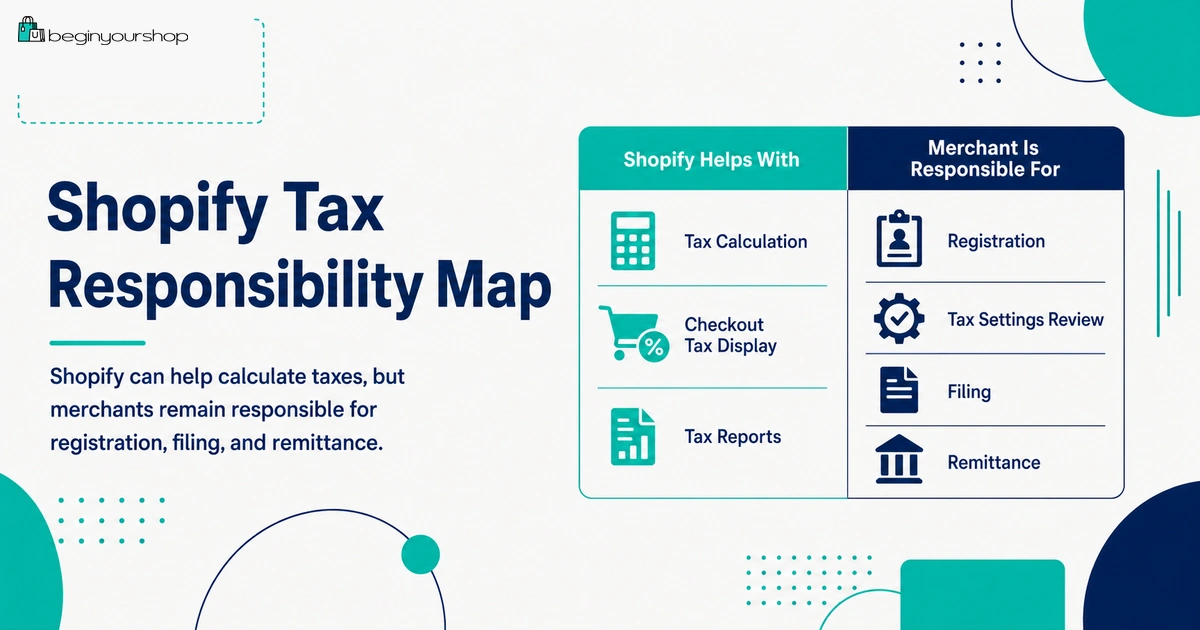
Shopify can help with many tax setup and calculation tasks, but it does not remove your responsibility as the merchant.
Shopify can help with:
- Tax calculation settings
- Default tax rates in many regions
- Shopify Tax calculations where available
- Product tax categories
- Tax overrides where needed
- Tax reports
- Duty and import tax settings in supported setups
- Tax-inclusive or tax-exclusive pricing display in some contexts
- Automated filing where available and enabled
You are still responsible for:
- Knowing where you are required to collect tax
- Registering with tax authorities where required
- Confirming product taxability
- Setting tax settings correctly
- Reviewing tax reports
- Filing returns
- Remitting taxes
- Keeping records
- Consulting tax professionals when needed
Shopify’s Help Center repeatedly states that tax is your responsibility and recommends consulting tax authorities or a tax professional for your specific situation.
Sales Tax
Sales tax is especially important for stores selling in the United States. The rules can vary by state, product type, local jurisdiction, sales volume, and whether your business has nexus in a state.
Sales tax questions to answer
- Where is your business located?
- Where do you store inventory?
- Where do you ship products?
- Where do you have physical presence?
- Where have your sales reached economic nexus thresholds?
- Which products are taxable?
- Are shipping charges taxable in any states where you collect tax?
- Do marketplace facilitator rules affect any sales channels?
- How often do you need to file returns?
Tax liability and nexus
In the United States, tax liability is often connected to nexus. Nexus can come from physical presence, sales volume, transaction count, inventory location, employees, or other state-specific rules.
Shopify Tax can provide tax liability insights in the United States, but those insights are not a substitute for advice from a tax authority or tax professional.
Beginner warning
Do not collect sales tax in a state simply because you can toggle a setting. In many places, you should register before collecting tax. Collecting tax without understanding registration and filing obligations can create accounting problems.
VAT and GST
VAT and GST rules vary widely by country. A store selling in the European Union, United Kingdom, Canada, Australia, New Zealand, or other regions may need to understand registration thresholds, product taxability, digital goods rules, tax-inclusive pricing expectations, and filing requirements.
VAT/GST questions to answer
- Where is your business established?
- Where are your customers located?
- Do you sell physical products, digital products, or services?
- Do you need to register for VAT or GST?
- Do you need to show prices including tax?
- Do you need tax invoices?
- Do you sell B2B, B2C, or both?
- Do you need to validate customer tax IDs?
- Do marketplace or platform rules apply?
Tax-inclusive pricing
In some markets, customers expect prices to include tax. In other markets, tax is added at checkout. This affects how prices appear and how you calculate margin.
If a product price includes tax, then the tax portion may need to be backed out of the price. That can reduce your net revenue compared with a tax-exclusive price at the same displayed amount.
Duties and Import Taxes
Duties and import taxes are especially important for international shipping.
If you ship internationally, the customer may owe duties, import taxes, brokerage fees, or other charges when the package arrives. If those charges are not communicated clearly, customers can be surprised, refuse delivery, or ask for refunds.
Two common international approaches
| Approach | Meaning | Customer experience |
|---|---|---|
| Customer pays on delivery | Duties and taxes are collected by the carrier or customs process after checkout. | Lower checkout cost, but possible surprise charges later. |
| Collect duties and import taxes at checkout | Eligible stores calculate and collect duties and import taxes during checkout. | More transparent checkout, but setup and fees must be understood. |
Duties and import tax cost considerations
- Product HS codes
- Country of origin
- Destination country
- Product value
- Shipping value
- De minimis thresholds
- Customer responsibility for fees
- DDP versus DAP shipping terms
- Carrier support
- Transaction fees for duty and import tax calculation where applicable
International selling can increase revenue opportunity, but it can also increase tax and shipping complexity. Many beginners should start with one primary market before offering broad international shipping.
Shopify Tax
Shopify Tax is Shopify’s tax calculation service for supported regions. Shopify describes Shopify Tax as offering a higher level of sales tax compliance with less upkeep for merchants selling to customers in the United States, European Union, and United Kingdom.
Shopify Tax can help with:
- Sales tax liability insights in supported contexts
- Rooftop-level tax calculation accuracy in the United States
- Product tax categories
- Tax reports
- Customer exemption management in supported contexts
- Automated filing where available and enabled
Shopify Tax pricing
Shopify Tax has its own pricing rules. Shopify’s pricing documentation says stores selling to the United States, European Union, and United Kingdom can use Shopify Tax without charge until a certain global sales threshold is reached each calendar year in the store’s local currency. After applicable thresholds, fees can apply according to the region, plan, and Shopify’s current pricing rules.
Beginner takeaway
Do not assume tax calculation is always free forever. Review Shopify Tax pricing for your country, sales volume, Shopify plan, and tax setup.
Manual Tax Settings
Some merchants use manual tax settings instead of Shopify Tax or another tax service. Manual settings can work in certain situations, but they require more responsibility and maintenance.
Manual tax settings may require you to:
- Know exact tax rates
- Update rates when laws change
- Create overrides for special products or regions
- Understand tax on shipping
- Review reports carefully
- Confirm settings with a tax professional
Shopify’s manual tax documentation notes that when you use Manual Tax, taxes on shipping are not automatically calculated, and automatic shipping tax calculation is only available with Basic Tax or Shopify Tax.
Beginner warning
Manual tax settings can be risky if you do not understand the jurisdictions, product types, and shipping tax rules involved. Use them only when you know what you are doing or have professional support.
Tax-Inclusive vs Tax-Exclusive Prices
Tax-inclusive pricing means tax is included in the displayed price. Tax-exclusive pricing means tax is added at checkout.
Example
- Tax-exclusive: Product price is $100, and tax is added at checkout.
- Tax-inclusive: Product price is $100, and part of that $100 is treated as tax.
Why this affects margin
If a price includes tax, your net revenue before tax can be lower than the displayed price. If you forget this, you may overestimate profit.
Questions to ask
- Do customers in my target market expect tax-inclusive prices?
- Does my Shopify setup include or exclude tax in product prices?
- Do I need to show tax separately at checkout or on invoices?
- How does tax-inclusive pricing affect margin?
- Do discounts apply before tax calculation?
Tax-inclusive pricing is common in some regions and unusual in others. Choose based on your target market and legal requirements.
Product Taxability and Categories
Not every product is taxed the same way. Product taxability can depend on product type, destination, local rules, exemptions, and whether a product is physical, digital, food, clothing, medical, educational, or another regulated category.
Product taxability can vary for:
- Clothing
- Food and groceries
- Digital products
- Books
- Supplements
- Medical products
- Children’s products
- Services
- Bundles
- Shipping charges
Why categories matter
Shopify Tax can use product categories to improve tax calculations in supported regions. Incorrect product categories can lead to incorrect tax treatment.
Before launch, review your product categories, especially if you sell products that are often taxed differently by jurisdiction.
Tax on Shipping
Shipping tax is easy to overlook. Some jurisdictions tax shipping charges; others do not; and rules can depend on whether shipping is separately stated, whether products are taxable, and which tax service you use.
Shipping tax questions
- Is shipping taxable where I collect tax?
- Does the answer change by state, country, or region?
- Does the answer change if shipping is included in the product price?
- Does my tax service calculate shipping tax automatically?
- Do manual tax settings require extra setup for shipping tax?
Shopify’s manual tax documentation states that automatic shipping tax calculation is only available with Basic Tax or Shopify Tax, not Manual Tax. This is an important setup detail for merchants using manual settings.
Tax Reports and Filing Costs
Shopify provides tax reports that can help you file and remit taxes or provide information to your accountant.
Reports are not the same as filing. Unless you use an applicable automated filing service, you still need to file and remit according to your tax authority’s rules.
Tax-related costs can include:
- Bookkeeping
- Accounting software
- Tax professional fees
- Filing service fees
- State or country registration fees
- Tax app subscriptions
- Professional review of tax settings
- Time spent reconciling reports
- Penalties or interest if filing is late or incorrect
Tax reporting habit
Do not wait until filing day to review tax reports. Check reports early, especially after your first orders, after expanding to new regions, after changing tax settings, or after adding new product categories.
Tax Apps and Professional Costs
Some stores need tax apps or third-party tax services. This is more likely if your business sells in many jurisdictions, has complex product taxability, sells internationally, sells B2B, handles exemptions, or needs automated filing.
You may need extra tax help if:
- You sell in many states, provinces, or countries.
- You sell tax-sensitive product categories.
- You sell both B2C and B2B.
- You have tax-exempt customers.
- You need VAT invoices.
- You sell digital goods across borders.
- You need automated filing.
- You use multiple sales channels.
- You ship internationally and need duties/import tax setup.
- You are unsure where you have tax liability.
Professional costs can be worth it
Tax setup mistakes can be more expensive than getting professional advice early. A short consultation with a tax professional can help you avoid collecting tax incorrectly, missing registration requirements, or filing late.
Beginner Shopify Tax Strategy
A beginner tax strategy should be simple, accurate, and reviewable.
Step 1: Define your selling regions
Start with where you will actually sell. Do not open worldwide shipping and selling before understanding tax, shipping, duties, and returns.
Step 2: Identify your business location and inventory locations
Your business address and fulfillment locations can affect tax liability and tax rate calculation.
Step 3: Identify product taxability
Review whether your products are normally taxable, exempt, reduced-rate, or special-category items in your target regions.
Step 4: Register where required
If you are required to collect tax in a region, confirm whether registration is required before collecting.
Step 5: Configure Shopify tax settings
Use Shopify Tax, Basic Tax, Manual Tax, or a third-party tax service based on your region and complexity.
Step 6: Test checkout
Place test orders using different addresses, product types, shipping rates, discounts, and regions.
Step 7: Review reports early
After real orders, review tax reports and confirm the numbers make sense before filing deadlines arrive.
Shopify Tax Cost Checklist
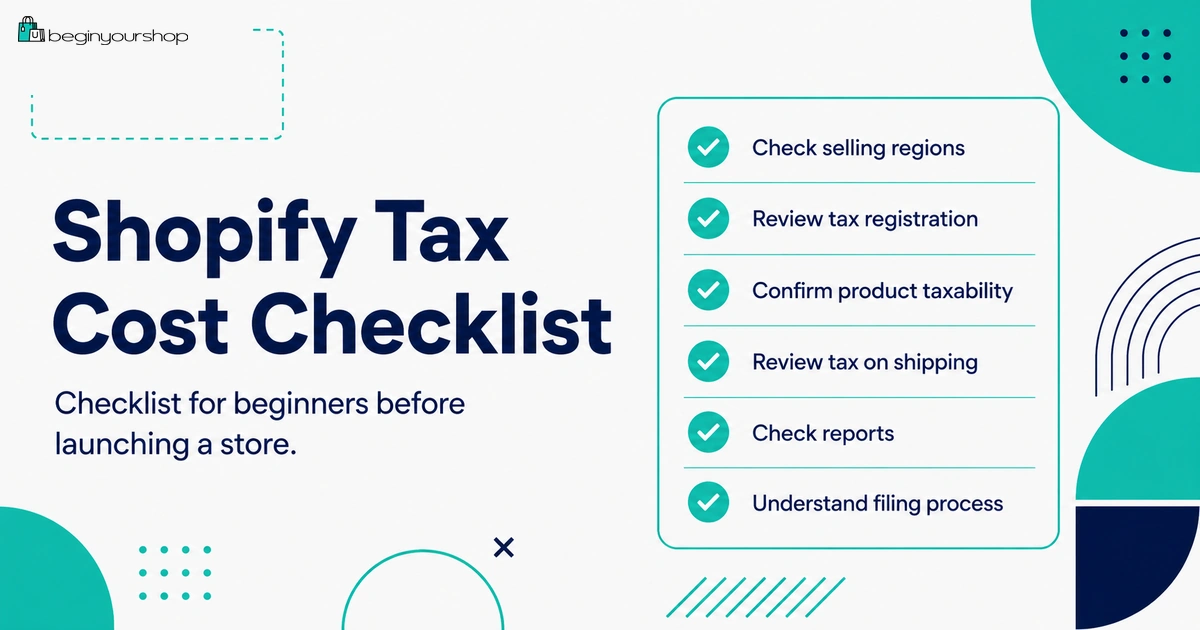
Use this checklist before launching tax collection on your Shopify store.
| Question | Ready? |
|---|---|
| I know where my business is located and where inventory is fulfilled from. | Yes / No |
| I know which countries, states, provinces, or regions I plan to sell to first. | Yes / No |
| I checked whether I need to register before collecting tax. | Yes / No |
| I reviewed whether my products are taxable, exempt, or special-category items. | Yes / No |
| I reviewed whether prices should include tax or exclude tax for my target market. | Yes / No |
| I checked whether shipping is taxable where I collect tax. | Yes / No |
| I know whether I will use Shopify Tax, Basic Tax, Manual Tax, or a third-party tax service. | Yes / No |
| I reviewed possible Shopify Tax, app, accounting, or filing costs. | Yes / No |
| I tested checkout tax calculation with realistic customer addresses. | Yes / No |
| I know how I will file and remit taxes after collecting them. | Yes / No |
Common Shopify Tax Cost Mistakes
Mistake 1: Treating collected tax as revenue
Tax collected from customers usually needs to be reported and remitted. Do not treat it as normal store income.
Mistake 2: Assuming Shopify files taxes automatically
Shopify does not file or remit your taxes unless you use an applicable automated filing service. Tax reporting and remittance are still your responsibility.
Mistake 3: Collecting tax without understanding registration
In many places, you should register before collecting tax. Confirm with a tax authority or professional.
Mistake 4: Ignoring product taxability
Some products are taxed differently by region. Incorrect product categories can create incorrect tax calculations.
Mistake 5: Forgetting tax on shipping
Shipping charges can be taxable in some jurisdictions. Manual tax settings may require extra attention.
Mistake 6: Ignoring international duties and import taxes
International customers can be surprised by charges on delivery if duties and import taxes are not explained clearly.
Mistake 7: Not reviewing tax reports until filing day
Review tax reports early so you can identify setup problems before filing deadlines.
Mistake 8: Expanding to too many regions too fast
Each new region can add tax, shipping, returns, and support complexity. Expand deliberately.
FAQ
Does Shopify automatically collect taxes?
Shopify can help calculate and collect taxes when tax settings are configured correctly, but you need to determine where you are required to collect tax and configure your store accordingly.
Does Shopify file and remit taxes for me?
Shopify says it does not remit or file your taxes unless you use Shopify Tax and set up automated filing. Otherwise, you are responsible for filing and remitting taxes.
Is Shopify Tax free?
Shopify Tax can be used without charge until certain sales thresholds are reached in supported regions, according to Shopify’s current pricing documentation. Fees can apply after applicable thresholds or in specific circumstances, so check Shopify’s current Shopify Tax pricing page.
What is the difference between sales tax and VAT?
Sales tax is commonly used in the United States and is typically collected on taxable sales where you have tax liability. VAT is used in many other regions and is a value-added tax with different registration, pricing, and reporting rules.
Do I need to register before collecting tax?
In many regions, yes. Requirements vary by jurisdiction. Confirm with a tax authority or qualified tax professional before collecting tax.
Is tax included in Shopify product prices?
It depends on your settings and market. Some regions use tax-inclusive pricing, while others commonly add tax at checkout. Review your tax-inclusive and tax-exclusive price settings carefully.
Is shipping taxable on Shopify?
Shipping can be taxable in some jurisdictions. Shopify’s manual tax documentation notes that automatic shipping tax calculation is only available with Basic Tax or Shopify Tax, not Manual Tax.
Do international customers pay duties and import taxes?
They might. Duties and import taxes depend on destination country, product type, value, shipping terms, and your checkout setup. You can either let customers pay on delivery in many situations or collect duties and import taxes at checkout in supported setups.
Do I need a tax app?
Not always. Many beginner stores can start with Shopify’s built-in tax tools. You may need a tax app or professional service if you sell in many jurisdictions, sell complex product categories, need automated filing, sell B2B, or have international tax complexity.
What should I do before launching tax collection?
Identify where you sell, where you have tax liability, whether you need registration, whether your products are taxable, whether shipping is taxable, which tax service you will use, how prices display tax, and how you will file and remit collected taxes.
Final Thoughts
Shopify taxes are not just a checkout setting. They affect pricing, compliance, accounting, customer experience, international shipping, and cash flow.
Shopify can calculate many taxes and provide useful reports, but you are still responsible for knowing where you need to collect, registering where required, confirming product taxability, filing returns, and remitting taxes unless you use an applicable automated filing service.
For beginners, the best approach is to start with a focused selling region, keep product categories accurate, test checkout tax calculations, understand whether shipping is taxable, review tax reports early, and get professional advice before your store becomes complex.
Tax setup is not the most exciting part of launching a Shopify store, but getting it right early can prevent expensive problems later.
Next recommended guide: Shopify Pricing Explained