Shopify POS Costs Explained for Beginners
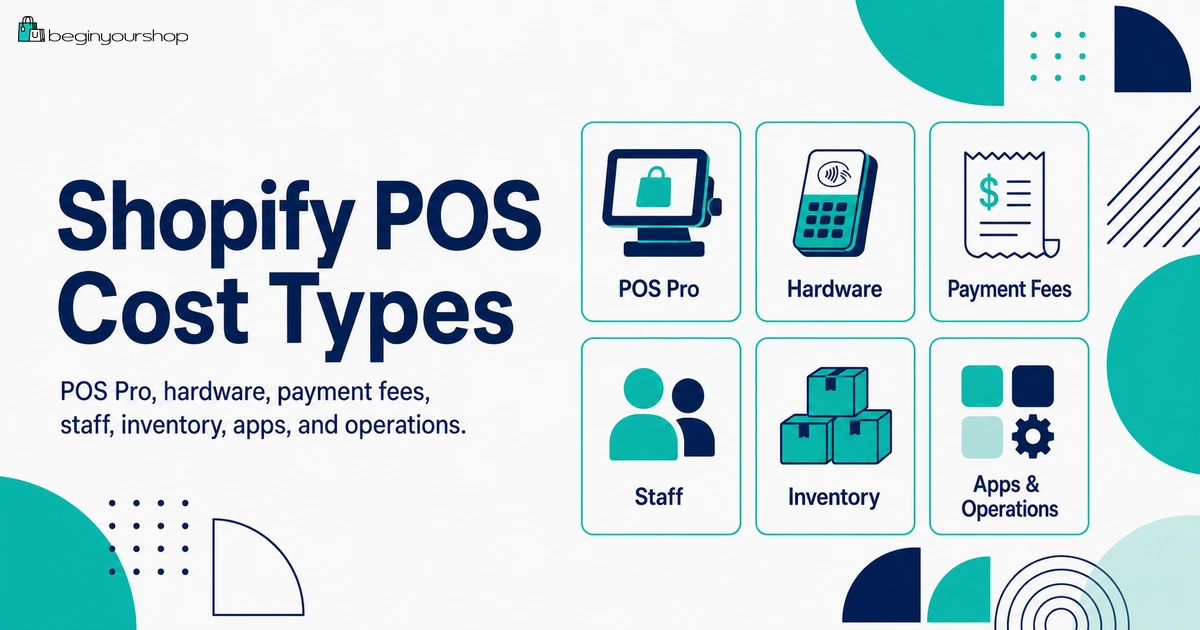
Shopify POS costs can include more than a Shopify plan. If you sell in person, you may need to consider POS Lite versus POS Pro, monthly POS Pro location fees, card reader or terminal hardware, receipt printers, barcode scanners, cash drawers, device stands, in-person payment rates, staff access, retail apps, inventory workflows, and hardware support.
This beginner-friendly article explains Shopify POS costs, who needs POS Lite or POS Pro, what hardware might be required, how in-person payment fees differ from online payments, and how beginners can start selling in person without overbuying retail tools too early.
Shopify is often discussed as an online store platform, but many merchants also sell in person. You might sell at markets, pop-up shops, events, trade shows, physical retail stores, pickup locations, or permanent shops. Shopify POS is the point-of-sale system that helps you sell products face-to-face while keeping orders, customers, and inventory connected to your Shopify store.
For beginners, Shopify POS costs can be confusing because the cost is not just one subscription. Some in-person selling features are included with paid Shopify plans, while Shopify POS Pro is an add-on for stores that need more advanced retail features. Hardware can also add cost, especially if you need card readers, tablets, stands, receipt printers, barcode scanners, cash drawers, or label printers.
The most important beginner concept is this:
Shopify POS cost depends on how seriously you sell in person. A weekend pop-up needs a different setup from a permanent retail store with staff, inventory controls, returns, exchanges, and multiple locations.
This guide explains Shopify POS costs in practical language so you can decide what you actually need and avoid buying retail tools too early.
Last checked: October 9, 2026. Shopify POS pricing, POS Pro features, POS Pro location fees, Shopify Plus POS inclusions, hardware availability, card reader support, in-person payment rates, and retail plan details can change. Always confirm current details on Shopify’s official pricing page, Shopify Help Center, and your Shopify admin before choosing a POS setup or buying hardware.

Quick Answer
Shopify POS costs can include your Shopify plan, POS Pro add-on fees per retail location, hardware such as card readers and receipt printers, in-person payment processing fees, retail staff access, inventory tools, shipping or pickup workflows, POS apps, and support or training time. Beginners who only sell occasionally in person can often start with the in-person selling features included in a paid Shopify plan. POS Pro is more relevant for permanent retail locations, larger teams, inventory workflows, exchanges, staff permissions, and advanced retail operations.
Occasional selling
Markets, events, and pop-ups may only need a compatible device, basic POS features, and a card reader.
Serious retail
Permanent stores usually need POS Pro, staff controls, better inventory workflows, and more hardware.
Best beginner rule
Buy only the POS features and hardware needed for the way you sell in person right now.
What Shopify POS Costs Mean
Shopify POS cost is not one single line item. It can involve software, payments, hardware, staffing, inventory, apps, and retail operations.
Main Shopify POS cost areas
| Cost area | What it includes | Beginner note |
|---|---|---|
| Shopify plan | Your main Shopify subscription plan. | Paid Shopify plans include in-person selling features. |
| POS Pro add-on | Advanced POS subscription billed per retail location where POS Pro is used. | Useful for serious retail, not always needed for pop-ups. |
| Hardware | Card readers, tablets, stands, receipt printers, cash drawers, barcode scanners, label printers, and accessories. | Hardware needs depend on how you accept payments and manage checkout. |
| Payment fees | In-person card rates and payment processing costs. | In-person rates can differ from online rates. |
| Staff | POS staff access, permissions, PINs, and retail roles. | More important for teams than solo sellers. |
| Inventory and locations | Stock control, transfers, locations, counts, and inventory tracking. | Retail complexity increases when stock moves between online and offline locations. |
| Apps and services | Retail apps, subscriptions, subscriptions sold in store, loyalty, returns, accounting, and reporting tools. | Install only when the store has a real need. |
| Operational costs | Training, setup time, receipts, packaging, cash handling, returns, exchanges, and support. | These costs are easy to overlook. |
A simple pop-up setup might have low POS costs. A full retail store can have a much larger cost base because hardware, staff, inventory, and reporting needs increase.
Shopify POS Lite vs POS Pro
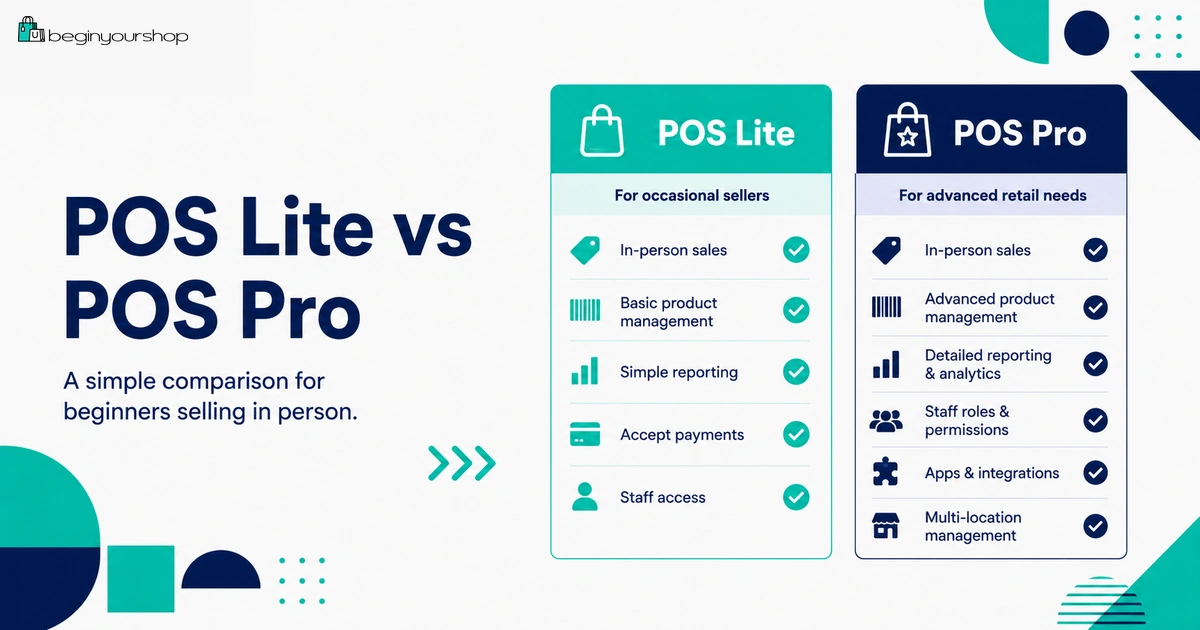
Shopify POS has two main feature levels for in-person selling: the in-person selling features included with paid Shopify plans, often described as POS Lite, and Shopify POS Pro, which is a paid add-on for more advanced retail features.
Shopify’s Help Center explains that Shopify POS has two feature sets: in-person selling features available to all paid Shopify subscription plans at no extra cost, and Shopify POS Pro, which is a subscription add-on available to any Shopify plan for an additional monthly cost per POS location.
POS Lite is usually enough if:
- You sell occasionally at markets or pop-ups.
- You are a solo seller.
- You do not need advanced staff permissions.
- You do not need complex inventory workflows.
- You do not need advanced exchanges or retail analytics.
- You want a simple way to accept in-person orders.
POS Pro is more relevant if:
- You run a permanent retail store.
- You have multiple retail staff members.
- You need advanced inventory controls.
- You need stronger staff permissions.
- You need more detailed retail reporting.
- You need exchanges, returns, and retail workflows to be smoother.
- You sell in multiple locations.
Do not choose POS Pro just because it sounds more professional. Choose it because your in-person selling workflow needs the extra features.
In-Person Selling Features Included with Paid Plans
Paid Shopify plans include in-person selling features that can support simple retail workflows. For many beginners, this is enough to start testing in-person sales without adding a POS Pro subscription immediately.
Included POS features can support:
- Taking in-person orders
- Accepting supported payment methods
- Syncing inventory between Shopify and POS
- Adding customers to orders
- Viewing basic customer information
- Using discounts
- Sending receipts
- Tracking orders in Shopify
Good beginner use cases
- Weekend craft fair
- Farmers market stand
- Trade show booth
- Small pop-up shop
- Occasional local pickup checkout
- Creator merchandise table
If your in-person selling is occasional and simple, start with the included features before adding extra cost.
Shopify POS Pro Costs
Shopify POS Pro is a paid add-on that unlocks more advanced retail features. Shopify says POS Pro is available to any Shopify plan for an additional monthly cost per POS location, and you can add POS Pro to specific locations where advanced features are required.
POS Pro may be worth paying for when you need:
- Advanced staff permissions
- Retail staff management
- More advanced inventory management
- Stronger retail reporting
- Exchanges and returns workflows
- Saved carts
- Purchase order workflows
- Stock adjustments and retail inventory controls
- Local pickup or omnichannel workflows
- Multiple retail locations
Per-location cost matters
Because POS Pro is billed per retail location where it is used, the cost can grow as you add stores or activate POS Pro at more locations.
For example, a merchant with one retail location has a different POS Pro cost structure from a merchant with five retail locations. The per-location model means you should activate POS Pro only where the advanced retail features are actually needed.
POS Pro decision rule
Use POS Pro when retail operations need it. Do not use POS Pro only because you are selling in person once or twice.
Shopify Retail Plan
Shopify also offers a Retail plan in some contexts. Shopify’s Retail plan documentation says it offers all the features of the Starter plan along with multiple Shopify POS app features, and includes one Shopify POS Pro location.
This can be relevant for businesses that are primarily focused on in-person retail rather than building a full online store first.
Retail plan may be relevant if:
- Your business is mainly in-person retail.
- You need POS Pro for one location.
- You do not need a full online store in the same way a Basic plan store does.
- You want a plan more focused on POS operations.
- Your retail workflow matters more than content or ecommerce site building.
Review carefully before choosing
Before choosing the Retail plan, compare it with Basic plus POS Pro and other Shopify plans. The right choice depends on whether you need a full online store, how many retail locations you have, and which POS features you actually need.
Shopify Plus and POS Pro
Shopify Plus has special POS considerations. Shopify’s POS subscription documentation says the first 20 POS Pro locations are included in all Shopify Plus plans. Shopify also notes that if you have more than 20 locations using POS Pro and use Shopify Payments to process at least one retail transaction per month at any retail location, then the POS Pro cost can be waived for all retail locations up to the maximum number of locations for the Plus plan.
Plus POS inclusion may matter if:
- You operate many retail locations.
- You are already evaluating Shopify Plus.
- You need POS Pro broadly across stores.
- You have high-volume retail and online operations.
- You want centralized commerce across multiple locations.
Beginners usually do not need Plus for POS
Most beginners should not choose Shopify Plus just for POS. Plus is an enterprise-level plan. If you are selling at one pop-up or one small retail location, compare standard Shopify plans and POS Pro first.
Shopify POS Hardware Costs
Hardware can become one of the most visible Shopify POS costs. The hardware you need depends on your checkout style, payment methods, customer expectations, and store environment.
Shopify’s POS hardware documentation includes hardware categories such as card readers, device stands, barcode scanners, cash drawers, receipt printers, barcode printers, POS accessories, mPOP, and Shopify POS Hub. Shopify also says that merchants in countries with a Shopify hardware store can buy supported hardware from it; merchants outside those countries can use supported model numbers and purchase hardware from verified third-party retailers.
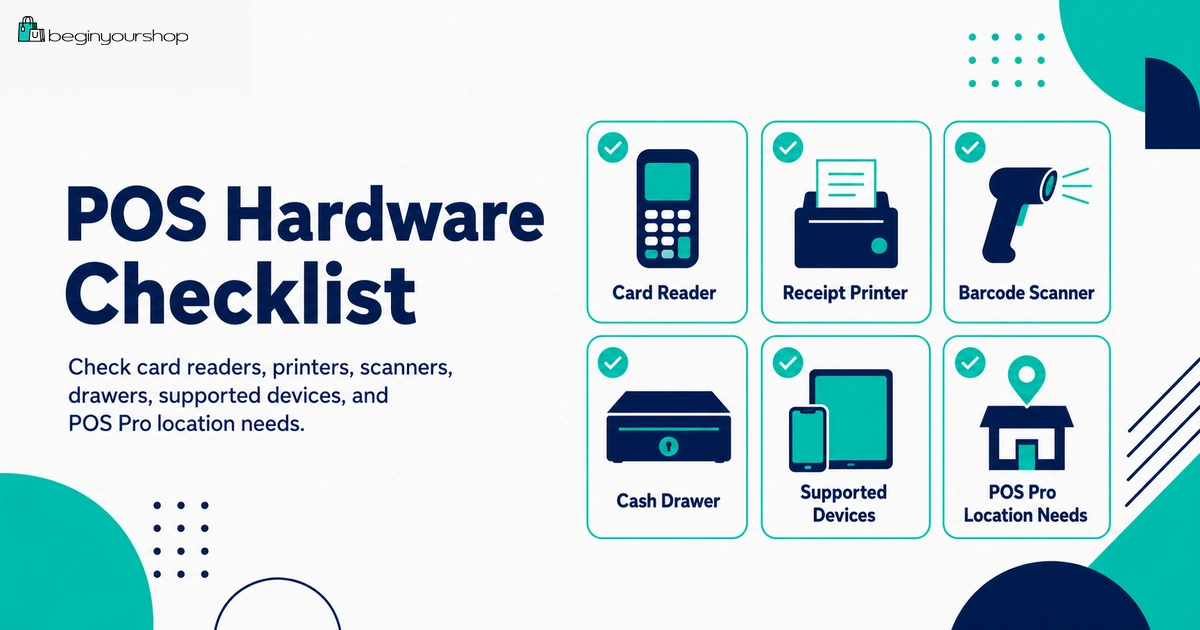
Common POS hardware
| Hardware | What it does | Who may need it |
|---|---|---|
| Compatible phone or tablet | Runs the Shopify POS app. | Almost every POS setup. |
| Card reader or terminal | Accepts in-person card and contactless payments. | Most merchants accepting card payments. |
| Device stand | Holds a tablet at checkout. | Permanent retail counters and pop-ups. |
| Receipt printer | Prints paper receipts. | Stores where customers expect printed receipts. |
| Cash drawer | Stores cash securely. | Merchants accepting cash payments. |
| Barcode scanner | Scans products into the cart quickly. | Stores with many SKUs or fast checkout needs. |
| Barcode label printer | Prints product barcodes or labels. | Retail stores needing barcode-based inventory and checkout. |
| POS Hub | Connects supported USB peripherals. | Countertop setups with multiple peripherals. |
Hardware cost rule
Buy hardware in stages. A first pop-up might only need a phone or tablet and a card reader. A permanent store may need a full counter setup with receipt printer, barcode scanner, cash drawer, stand, and accessories.
Hardware questions before buying
- Is the hardware supported in your country?
- Does your store use Shopify Payments?
- Do you need printed receipts or are email receipts enough?
- Do you accept cash?
- How many SKUs do you sell in person?
- How fast must checkout be?
- Will the setup be mobile or fixed at a counter?
- Do you need barcode labels?
- Do you need one setup or multiple locations?
In-Person Payment Fees
In-person payment fees are another part of POS cost. Shopify’s pricing overview explains that credit card fees vary for online and in-person transactions using Shopify POS because the security and risk profile differs between online and in-person payments.
If you use Shopify Payments with Shopify POS and supported card readers, you can process in-person card payments. Shopify also states that when you use Shopify Payments, you are not charged third-party transaction fees for orders processed through Shopify Payments, while payment processing rates still apply.
In-person payment fee considerations
- Shopify plan
- Country or region
- Card type
- Contactless, chip, swipe, or manually entered card
- Shopify Payments eligibility
- Third-party or external terminal use
- Refunds and chargebacks
- Cash and manual payment handling
Manual card entry warning
Manually entered card transactions can be treated differently from tapped, inserted, or swiped card transactions. They can have different risk and fee behavior. Use manual entry only when appropriate and understand the cost and fraud implications.
Staff and Permission Costs
Retail staff can create both software and operational costs. POS Pro becomes more valuable when you have staff members who need controlled access and defined permissions.
Staff-related POS needs can include:
- Staff PINs
- Different permission levels
- Cash tracking
- Register shifts
- Manager approvals
- Returns and exchanges permissions
- Discount permissions
- Sales attribution
- Staff performance visibility
When staff costs matter
If you are the only person selling, staff tools may not matter much. If employees or seasonal workers handle checkout, returns, discounts, and cash, then better staff controls can reduce mistakes and risk.
Do not think only about software price. Also consider training time, onboarding, store procedures, cash handling, and support.
Inventory and Location Costs
Selling in person adds inventory complexity. You may have stock for your online store, stock at a retail location, stock at a market, stock in a warehouse, or stock in transit between locations.
Inventory costs and workflow needs can include:
- Stock counts
- Inventory transfers
- Barcode labels
- Receiving inventory
- Purchase orders
- Low-stock alerts
- Stock adjustments
- Separate location inventory
- Shrinkage, theft, or damage
- Staff errors
When inventory tools matter
If you sell a few products at occasional events, simple inventory tracking may be enough. If you operate a retail store with many SKUs, staff, deliveries, and stock transfers, POS Pro and better hardware can become more valuable.
POS Apps, Subscriptions, and Services
Some POS-related workflows may require apps or additional services.
Possible POS-related app costs
- Loyalty programs
- Subscriptions sold in store
- Appointment booking
- Advanced returns
- Staff scheduling
- Accounting integrations
- Inventory forecasting
- Advanced reporting
- Local delivery tools
- Gift card tools
- Customer display tools
Shopify’s POS subscription product documentation notes that selling subscription products in store with Shopify POS requires the Shopify Subscriptions app or a compatible third-party subscription app, and there are considerations around setup and policies.
App cost warning
Do not add retail apps until you know your process. Apps can charge recurring, usage-based, or external fees. Start with Shopify’s built-in POS tools, then add apps only for proven operational needs.
Pop-Up Selling vs Permanent Retail
The right POS budget depends heavily on whether you are selling occasionally or operating a permanent store.
| Business type | Likely POS setup | Cost mindset |
|---|---|---|
| One-time event | Phone or tablet, POS app, card reader, simple inventory prep. | Keep setup minimal. |
| Recurring market or pop-up | Card reader, device stand, portable receipt option, basic inventory workflow. | Invest in reliability and speed. |
| Small retail shop | POS Pro may be useful, plus receipt printer, cash drawer, scanner, staff tools. | Balance customer experience with retail control. |
| Multi-location retail | POS Pro across required locations, staff permissions, inventory transfers, advanced reporting, hardware per location. | Plan per-location costs carefully. |
| Enterprise retail | Shopify Plus, POS Pro locations, advanced integrations, retail operations, APIs, and support. | Evaluate total operating cost, not only POS fees. |
Beginner recommendation
Start with the smallest POS setup that can process orders reliably. Upgrade when real retail volume, staff needs, or workflow complexity justify it.
Beginner POS Budget Examples
These examples are simplified and do not include exact prices because Shopify plan costs, hardware prices, card rates, and regional availability can change.
Example 1: Weekend pop-up seller
- Paid Shopify plan
- Included in-person selling features
- Compatible phone or tablet
- Supported card reader or payment method
- Simple product list and inventory count
- Email receipts instead of printed receipts
This is often the leanest setup. POS Pro may not be needed unless the pop-up becomes frequent or operationally complex.
Example 2: Small permanent retail store
- Paid Shopify plan
- POS Pro at the retail location if advanced features are needed
- Tablet and stand
- Card reader or terminal
- Receipt printer
- Cash drawer if accepting cash
- Barcode scanner if SKUs are numerous
- Staff permissions and training
This setup costs more but can improve checkout speed, staff control, and inventory accuracy.
Example 3: Retail brand with multiple locations
- Shopify plan or Shopify Plus evaluation
- POS Pro at locations requiring advanced retail features
- Hardware for each location
- Staff permissions and roles
- Inventory transfers and stock counts
- Retail reporting
- Accounting and operations integrations
At this stage, POS cost should be evaluated as part of a full retail operations budget.
How to Control Shopify POS Costs
1. Match POS features to real selling behavior
Occasional in-person selling does not require the same setup as a permanent retail store.
2. Buy hardware in stages
Start with essential hardware. Add receipt printers, barcode scanners, cash drawers, and label printers only when they improve operations enough to justify the cost.
3. Activate POS Pro only where needed
If POS Pro is billed per location, activate it only at locations that need advanced retail workflows.
4. Compare in-person payment rates
Review rates in your Shopify admin and understand how in-person, online, and manually entered payments differ.
5. Use simple workflows first
Do not add loyalty, subscriptions, advanced inventory apps, or custom retail integrations before basic selling works.
6. Review retail performance
Track retail sales, average order value, staff performance, inventory accuracy, returns, and payment fees to see whether the POS setup is paying for itself.
Shopify POS Cost Checklist
Use this checklist before choosing Shopify POS hardware or POS Pro.
| Question | Ready? |
|---|---|
| I know whether I sell occasionally, regularly, or from a permanent retail location. | Yes / No |
| I know whether included in-person selling features are enough or POS Pro is needed. | Yes / No |
| I checked the current POS Pro cost per location in Shopify pricing or admin. | Yes / No |
| I know which retail locations actually need POS Pro. | Yes / No |
| I checked supported hardware for my country or region. | Yes / No |
| I know whether I need a card reader, terminal, receipt printer, cash drawer, barcode scanner, or label printer. | Yes / No |
| I checked in-person payment rates and how they differ from online rates. | Yes / No |
| I know whether I accept cash and need cash drawer procedures. | Yes / No |
| I know whether staff permissions, PINs, and roles are needed. | Yes / No |
| I tested POS checkout before selling to real customers. | Yes / No |
Common Shopify POS Cost Mistakes
Mistake 1: Buying too much hardware too early
A first event may not require a full retail counter setup. Start with essentials and upgrade after real selling needs appear.
Mistake 2: Choosing POS Pro without needing advanced retail features
POS Pro can be valuable, but occasional in-person sellers may not need it.
Mistake 3: Forgetting POS Pro is location-based
If POS Pro is billed per location, costs increase when you activate it across multiple locations.
Mistake 4: Ignoring in-person payment rates
In-person rates can differ from online rates. Check your current rates in Shopify admin.
Mistake 5: Not checking hardware availability
Supported Shopify POS hardware can vary by region. Confirm compatibility before buying.
Mistake 6: Underestimating staff training
POS software and hardware still require staff procedures for checkout, returns, discounts, cash handling, and inventory.
Mistake 7: Not testing before an event
Test card payments, receipts, discounts, taxes, inventory, refunds, and device connections before selling in person.
Mistake 8: Adding retail apps too soon
Start with built-in tools. Add loyalty, subscriptions, or advanced inventory apps only when the need is real.
FAQ
Does Shopify POS cost extra?
Some in-person selling features are included with paid Shopify plans at no extra cost. Shopify POS Pro is a paid add-on available for an additional monthly cost per POS location.
What is Shopify POS Pro?
Shopify POS Pro is the advanced POS subscription for merchants who need stronger retail features such as staff tools, inventory workflows, returns and exchanges, reporting, and multi-location retail operations.
Do beginners need Shopify POS Pro?
Not always. Beginners who sell occasionally at pop-ups, markets, or events may be able to start with the in-person selling features included in a paid Shopify plan. POS Pro is more useful for serious retail operations.
Is POS Pro charged per store or per location?
Shopify describes POS Pro as an add-on available for an additional monthly cost per POS location. Activate it only at locations that need the advanced features.
Does Shopify Plus include POS Pro?
Shopify’s POS subscription documentation says the first 20 POS Pro locations are included in all Shopify Plus plans, with additional waiver rules for certain Plus merchants using Shopify Payments for retail transactions.
What hardware do I need for Shopify POS?
At minimum, you need a compatible device to run Shopify POS and a way to accept payment. Depending on your setup, you may also need a card reader or terminal, device stand, receipt printer, cash drawer, barcode scanner, label printer, or POS Hub.
Can I use Shopify POS without a receipt printer?
Many small setups can use digital receipts instead of printed receipts, depending on customer expectations and local requirements. Permanent retail stores may still prefer receipt printers.
Do in-person payment fees differ from online payment fees?
Yes. Shopify says credit card fees vary between online and in-person transactions using Shopify POS because the security and risk profile differs.
Can I use external hardware with Shopify POS?
Shopify supports specific hardware models and categories. If you are outside a country with a Shopify hardware store, Shopify says you can refer to supported model numbers and purchase from verified third-party retailers.
What is the cheapest Shopify POS setup for beginners?
The leanest setup is usually a paid Shopify plan with included in-person selling features, a compatible phone or tablet, and a supported card reader or payment method. Add POS Pro and extra hardware only when your in-person selling workflow needs them.
Final Thoughts
Shopify POS costs depend on how you sell in person. A small weekend event and a permanent retail store are not the same business problem.
For occasional selling, start lean with included in-person selling features, a compatible device, and only the hardware needed to accept payments reliably. For serious retail, POS Pro, staff permissions, inventory workflows, reporting, receipt printers, scanners, and cash drawers can become worth the cost.
The best POS setup is not the most expensive one. It is the setup that lets you sell smoothly, track inventory accuratel