Shopify Hidden Costs Explained for Beginners
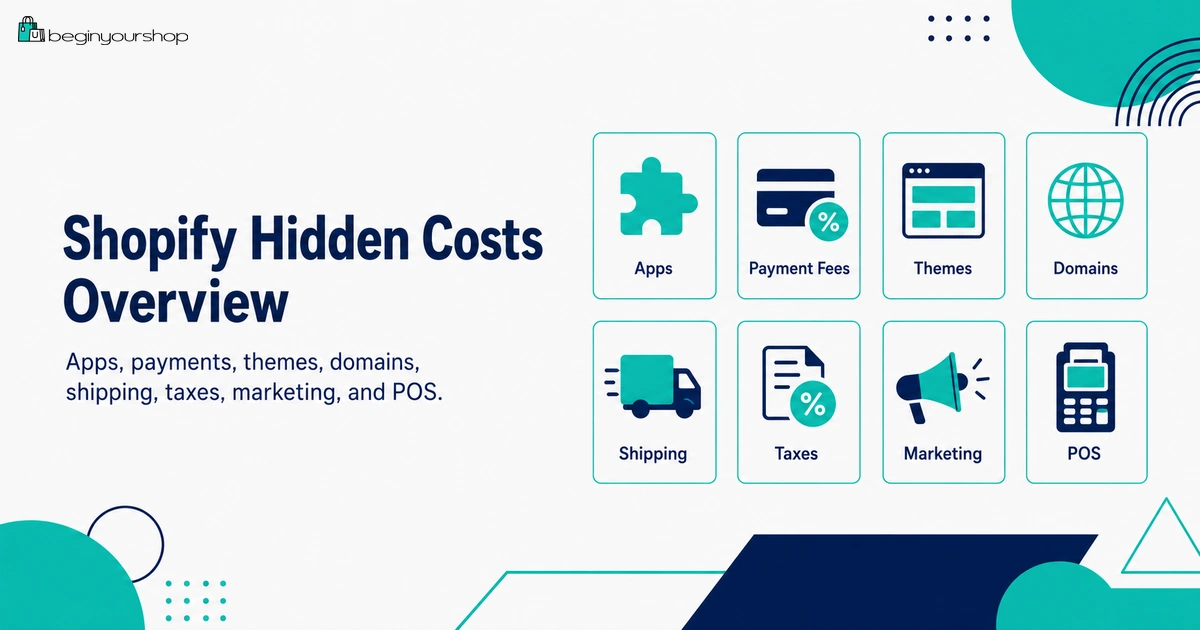
Shopify hidden costs are not secret fees, but beginners often miss them because they are separate from the monthly Shopify plan price. Apps, themes, domains, payment processing, third-party transaction fees, shipping labels, packaging, taxes, marketing, POS hardware, email tools, professional services, and refunds can all affect the real cost of running a Shopify store.
This beginner-friendly article explains the most common Shopify hidden costs, how to estimate them before launch, which costs are optional, which costs are unavoidable, and how to avoid overspending before your store has real traffic and sales.
When beginners ask how much Shopify costs, they usually start with the monthly plan price. That makes sense, but it is only one part of the real cost.
A Shopify store can also have payment fees, app charges, theme costs, domain renewals, shipping labels, packaging, taxes, marketing costs, POS hardware, email marketing charges, professional services, and refund-related costs. Some of these are optional. Some are unavoidable. Some depend on your business model. Some only appear after you start selling.
These are often called “hidden costs,” but they are not usually hidden in the sense of being secret. They are hidden because beginners do not know where to look or what to budget for.
The goal of this article is not to scare you away from Shopify. The goal is to help you build a realistic budget so you do not launch a store based on the plan price alone.
Last checked: October 16, 2026. Shopify plan pricing, app billing rules, theme prices, domain rules, payment fees, shipping label billing, tax tools, Shopify Messaging email pricing, POS costs, and other related charges can change. Always review Shopify’s official pricing page, Shopify Help Center, your Shopify admin, and the terms of any third-party apps or services before making budget decisions.

Quick Answer
The most common Shopify hidden costs are payment processing fees, third-party transaction fees, paid apps, paid themes, domain renewals, email hosting, shipping labels, packaging, return shipping, taxes, marketing, POS hardware, professional services, and chargebacks. The monthly Shopify plan is only the base cost. Beginners should estimate total monthly cost before launch and add paid tools only when they solve real business problems.
Not really hidden
Most costs are visible in Shopify or third-party tools, but beginners often do not know to look for them.
Biggest early risks
Apps, marketing, shipping losses, paid themes, and unclear payment fees can grow faster than expected.
Best beginner rule
Start lean, track every recurring cost, and upgrade only when real sales or operations justify it.
What Shopify Hidden Costs Mean
Shopify hidden costs are costs that are easy to miss when you only look at the monthly plan price.
They are usually not deceptive or secret. They are simply separate cost categories. Some are charged by Shopify. Some are charged by third-party apps. Some are charged by payment providers, domain providers, shipping carriers, ad platforms, creators, designers, accountants, or other services.
Examples of costs beginners often miss
- Credit card processing fees
- Third-party transaction fees
- Paid app subscriptions
- Usage-based app charges
- Paid theme purchases
- Domain registration and renewal
- Professional email hosting
- Shipping labels
- Packaging materials
- Return shipping
- Tax registration and filing help
- Marketing and ad spend
- Discounts and free shipping promotions
- POS hardware and POS Pro
- Professional design, development, accounting, or legal support
- Refunds, chargebacks, and lost test budgets
Understanding these costs early helps you avoid a store budget that looks affordable on paper but becomes uncomfortable after launch.
Shopify Hidden Cost Overview
The table below gives a beginner-level view of the main hidden cost categories.
| Cost category | Required or optional? | Why beginners miss it |
|---|---|---|
| Shopify plan | Required for selling | It is visible, but beginners may not understand what is not included. |
| Payment fees | Required when accepting payments | They are charged per transaction, not as a simple monthly line item. |
| App costs | Optional, but common | Several small subscriptions can add up quickly. |
| Theme costs | Optional | Paid themes feel like a one-time design shortcut, but custom work may still be needed. |
| Domain and email | Domain strongly recommended, email often needed | A domain is separate from Shopify plan cost, and email hosting is separate from the domain. |
| Shipping and packaging | Required for physical products | Customer-paid shipping may not match real label and packaging cost. |
| Taxes and compliance | Depends on location and business | Shopify can help calculate taxes, but filing and professional help can still cost money. |
| Marketing | Required in practice | Shopify does not automatically send traffic to a new store. |
| POS | Only for in-person selling | Hardware, locations, and POS Pro can add costs beyond the online store. |
| Professional services | Optional, sometimes necessary | Design, development, tax, legal, and accounting needs often appear after launch planning begins. |
The right budget depends on your business model. A digital product store has different costs from a physical product store, a print-on-demand store, a dropshipping store, a retail store, or a B2B store.
1. Shopify Plan Price Is Only the Base
Your Shopify plan is the foundation, but it is not your full store cost.
The plan gives you access to Shopify’s ecommerce platform, admin, storefront tools, checkout, orders, analytics, and plan-specific features. But many real business costs sit outside the plan.
The plan price does not automatically include:
- Payment processing fees
- Third-party transaction fees in applicable setups
- Paid apps
- Paid themes
- Custom domain registration
- Email hosting
- Shipping labels
- Packaging
- Marketing and ads
- Inventory or product samples
- Tax filing or accounting services
- Custom development
Beginner mistake
The most common budgeting mistake is comparing only Shopify’s monthly plan prices and ignoring everything else required to run the store.
A better question is:
What will this store cost per month after plan, apps, payment fees, domain, email, shipping, packaging, marketing, and support tools?
That number is more useful than the plan price alone.
2. Payment Processing and Transaction Fees
Payment fees are one of the first hidden costs a seller experiences after accepting orders.
There are two main concepts:
- Payment processing fees: fees for processing cards or other payment methods.
- Third-party transaction fees: Shopify fees that can apply when using external payment providers instead of Shopify Payments or in certain other payment-method scenarios.
Shopify Payments can reduce fee complexity
If Shopify Payments is available and suitable for your business, it can help you avoid many third-party transaction fees. But payment processing fees still apply.
Third-party providers can cost more than expected
If you use a third-party payment provider, you may pay:
- The provider’s own processing fee
- Shopify’s third-party transaction fee, where applicable
Payment fee questions to ask
- Is Shopify Payments available in my country?
- Is my business eligible for Shopify Payments?
- What card rates apply to my plan?
- Will I use PayPal or another provider?
- Will third-party transaction fees apply?
- Are international cards or currency conversion relevant?
- What happens to fees if I refund an order?
Payment fees affect margin on every order. Do not calculate profit without them.
3. Shopify App Costs
Apps can make Shopify more powerful, but they are one of the easiest ways to increase monthly cost.
Shopify apps can be free, have free plans, offer free trials, charge recurring subscriptions, charge usage-based fees, charge one-time fees, or bill externally outside Shopify.
Common app cost types
- Monthly recurring subscriptions
- Usage-based fees
- Per-order fees
- Per-email or per-message fees
- One-time setup fees
- External subscriptions outside Shopify
Apps that can become expensive quickly
- Email marketing apps
- SMS apps
- Review apps
- Loyalty apps
- Referral apps
- Subscription apps
- Upsell apps
- Page builders
- Shipping apps
- Analytics apps
- Translation apps
App cost control rule
Before installing an app, ask:
- Does Shopify already do this?
- Does my theme already do this?
- Is this problem real right now?
- Will this app increase revenue, improve operations, or reduce risk?
- What is the monthly cost after the free trial?
- Are there usage fees?
- Does uninstalling cancel all future charges?
- Does the app bill outside Shopify?
Beginners should install only necessary apps. A lean app stack is easier to manage, faster, and cheaper.
4. Theme and Design Costs
You can launch a Shopify store with a free Shopify theme. A paid theme is optional, and custom design work is optional unless your business needs it.
Paid themes can be useful if they solve a real product presentation, catalog, merchandising, or layout problem. But they can also become a premature cost if you buy one before adding real products and testing the store.
Theme-related costs can include:
- Paid theme purchase
- Custom design work
- Custom development
- Theme setup help
- Speed optimization
- Theme app compatibility work
- Future update or maintenance support
Paid theme caution
Paid theme purchases from the Shopify Theme Store are generally final sale and non-refundable. Test a paid theme with your real products, real images, real copy, and mobile layout before buying.
When a paid theme may be worth it
- Your free theme cannot present your product properly.
- You need stronger collection browsing or filtering.
- You need built-in features that replace paid apps.
- You need better editorial sections or product storytelling.
- You have enough products and content to use the theme well.
Do not buy a theme because the demo looks beautiful. Buy a theme because it improves your store’s real shopping experience.
5. Domain and Email Costs
A custom domain is strongly recommended for a serious store, but it is usually separate from your Shopify plan.
You can buy a domain through Shopify, connect a domain from a third-party provider, or transfer an eligible domain to Shopify. Each option has different billing and management implications.
Domain-related costs can include:
- Initial domain registration
- Annual renewal
- Transfer renewal fee
- Multiple domain variations
- Country-specific domains
- Domain privacy where not included
- DNS support if setup is complex
Email is separate
A domain does not automatically give you a professional email inbox. Shopify does not provide full email hosting. If you want addresses such as
Beginner recommendation
Buy or connect one strong primary domain first. Add extra defensive domains, country domains, or complex subdomains only when the business justifies them.
6. Shipping, Packaging, and Returns
Shipping costs can be one of the biggest surprises for physical product stores.
The shipping rate customers pay at checkout is not automatically the same as your real shipping cost. Your real cost can include label charges, packaging, handling, insurance, return labels, reshipments, damaged goods, and support time.
Shipping-related costs can include:
- Shipping labels
- Carrier fees
- Packaging materials
- Tape, labels, inserts, and protective materials
- Handling time
- Pickup or drop-off time
- Insurance
- Return shipping
- Replacement shipments
- International duties and delivery issues
- Shipping apps or fulfillment software
Free shipping is not free
Free shipping can improve conversion, but someone still pays for it. If the customer does not pay a shipping line item, then the cost comes from your margin, product price, or marketing budget.
Shipping cost control rule
Before launch, test a few realistic orders:
- Small domestic order
- Large domestic order
- Order near free shipping threshold
- Order to an expensive region
- International order if offered
- Return scenario
Then compare customer-paid shipping against real label and packaging cost.
7. Tax and Compliance Costs
Tax costs can be confusing because tax collected from customers is not the same as a normal business expense.
In many cases, tax collected from customers is money you may need to report and remit to tax authorities. Your real costs may come from tax setup, registration, filing, professional support, accounting, tax apps, and mistakes.
Tax-related costs can include:
- Sales tax, VAT, or GST setup
- Tax registration fees
- Accounting software
- Bookkeeping support
- Tax professional consultation
- Tax filing service fees
- Tax app subscriptions
- Shopify Tax fees where applicable
- Duties and import tax setup for international orders
- Penalties or interest if filings are late or incorrect
Beginner warning
Shopify can help calculate many taxes, but you are responsible for understanding where you need to collect tax, registering where required, filing returns, and remitting tax unless you use a qualifying automated filing service.
This is one area where professional advice can be worth the cost, especially if you sell across multiple states, countries, or product categories with special tax rules.
8. Marketing and Customer Acquisition Costs
Shopify does not automatically bring traffic to your store. Marketing is one of the most important real costs of running an online store.
Marketing costs can include:
- Paid ads
- Email marketing
- SMS marketing
- Influencer gifts
- Creator fees
- Affiliate commissions
- Discount codes
- Free shipping promotions
- Product photography
- Video production
- SEO content
- Marketing apps
- Analytics tools
- Agency or freelancer support
Marketing cost mistake
Beginners often budget for Shopify software but not for customer acquisition. A store can be technically live and still get no sales if no one visits it.
Start lean before spending heavily
Before running large paid campaigns, make sure:
- Product pages are clear.
- Product photos are strong.
- Shipping costs are understandable.
- Policies and contact information are visible.
- Email capture is set up.
- Checkout is tested.
- Tracking and analytics are working.
- You know your gross margin and acceptable acquisition cost.
Marketing budget should be spent to learn and scale, not to compensate for an unfinished store.
9. POS and In-Person Selling Costs
If you sell in person, Shopify POS can add another cost layer beyond your online store.
POS-related costs can include:
- POS hardware
- Card readers
- Receipt printers
- Cash drawers
- Barcode scanners
- Barcode printers
- Tablet stands
- POS Pro subscription if needed
- In-person payment processing fees
- Retail staff training
- Inventory management work
- Retail location costs
When POS costs matter
POS costs matter if you sell at:
- Retail stores
- Pop-up shops
- Markets
- Events
- Trade shows
- Local pickup counters
If you sell only online, you may not need POS hardware or POS Pro. Do not add retail costs until in-person selling is part of your actual business model.
10. Professional Services and Setup Help
Many beginners start alone, but professional help can become useful or necessary depending on the store.
Professional services can include:
- Store setup help
- Theme customization
- Shopify developer support
- Product photography
- Copywriting
- SEO strategy
- Paid ads management
- Email marketing setup
- Brand design
- Logo and visual identity
- Bookkeeping
- Tax consultation
- Legal document review
- Analytics tracking setup
When professional help is worth it
Professional help can be worth it when it:
- Prevents costly mistakes
- Saves significant time
- Solves a problem you cannot solve yourself
- Improves conversion or operations
- Handles tax, legal, or accounting issues that require expertise
When to delay professional help
Delay custom design or advanced development if your store idea is still unvalidated. You can spend a lot building a beautiful store before knowing whether customers want the product.
11. Refunds, Chargebacks, and Failed Experiments
Some costs only appear after you start selling or testing marketing.
Post-launch costs can include:
- Refunds
- Return shipping
- Replacement products
- Damaged shipments
- Lost packages
- Chargeback fees
- Payment disputes
- Unprofitable ad tests
- Unused app trials that convert to paid plans
- Product samples that do not sell
- Inventory that does not move
Why beginners should plan for failure
Not every campaign works. Not every product converts. Not every customer keeps the order. Not every app becomes useful.
A realistic budget includes a testing buffer. This helps you make decisions based on data instead of panic.
How to Estimate Your Real Shopify Cost
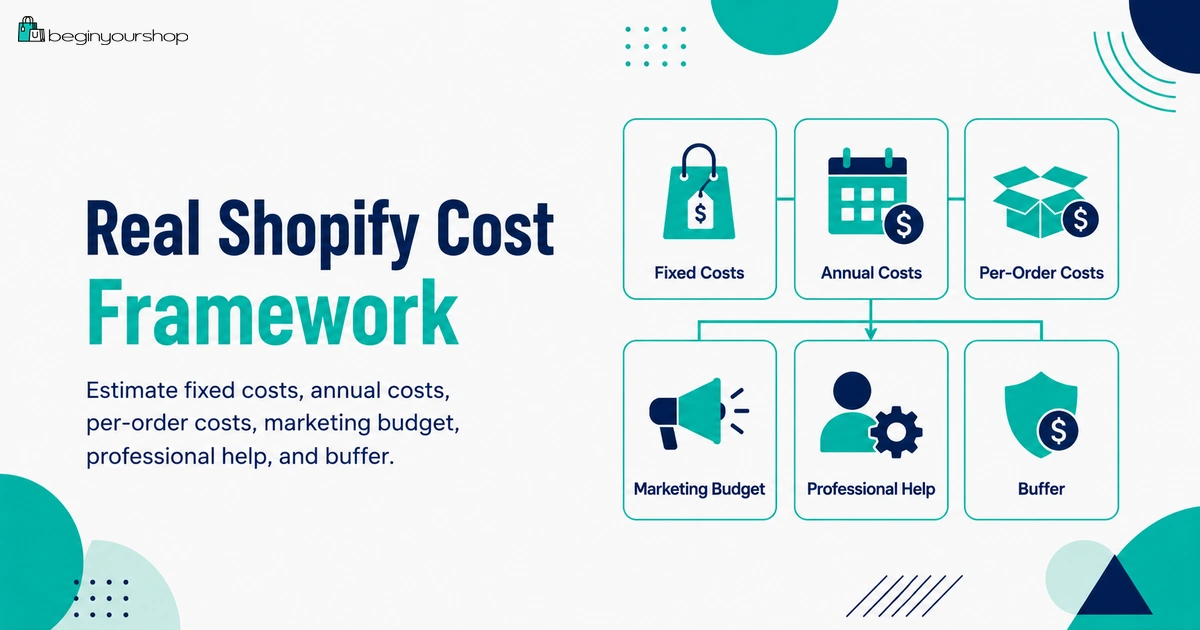
Use a simple monthly cost estimate before launch.
Step 1: Add fixed monthly costs
- Shopify plan
- Paid apps
- Email or SMS tools
- Accounting or bookkeeping tools
- Marketing tools
- POS Pro if used
Step 2: Add annual costs divided monthly
- Domain renewal
- Paid theme cost if you want to spread it across months
- Annual software subscriptions
- Business registration or required renewals
Step 3: Add per-order variable costs
- Product cost
- Payment processing fees
- Third-party transaction fees if applicable
- Shipping label cost
- Packaging
- Affiliate commission
- Discount cost
- Return allowance
Step 4: Add marketing test budget
- Ad spend
- Creator products
- Creative production
- SEO content
- Email list growth
Step 5: Add a buffer
Add a small buffer for unexpected costs such as app charges, extra samples, return shipping, support tools, or technical fixes.
| Budget area | What to enter |
|---|---|
| Fixed monthly software | Shopify plan + recurring apps + email/SMS tools |
| Annual tools divided monthly | Domain + theme + annual software |
| Per-order costs | Product + payment + shipping + packaging + discounts |
| Marketing budget | Ads + content + creators + creative production |
| Professional help | Design + development + tax + accounting + legal |
| Buffer | Unexpected fixes, app trials, returns, samples, and testing losses |
This simple estimate is often enough to reveal whether your store plan is realistic.
How to Avoid Overspending
Hidden costs are easier to control when you make cost decisions deliberately.
1. Start with the lowest suitable plan
Choose the plan that supports your current stage. Upgrade later when sales, staff, reporting, shipping, POS, or international needs justify it.
2. Use a free theme first
Test your products and layout with a free Shopify theme. Buy a paid theme only when it solves a real limitation.
3. Limit apps
Install only essential apps. Track trial end dates and uninstall unused apps before they create charges.
4. Know your real shipping cost
Do not offer free or cheap shipping until you estimate label, packaging, and return costs.
5. Avoid complex international selling too early
International sales can add shipping, tax, duties, returns, and support complexity. Start focused if you are unsure.
6. Use built-in tools first
Before paying for an app, check whether Shopify or your theme already provides the feature.
7. Track every recurring charge
Create a simple monthly cost tracker with:
- Tool name
- Purpose
- Monthly cost
- Billing date
- Owner/login
- Cancel link
- Whether it is still needed
8. Use small marketing tests
Do not scale ads before the store converts. Use small controlled tests and stop campaigns that show no useful signal.
9. Review Shopify bills monthly
Check plan charges, app charges, transaction fees, shipping label charges, taxes, and third-party charges.
10. Separate nice-to-have from required
Ask whether a cost is required for launch, useful after traffic, or only nice to have.
Beginner Launch Budget Framework
Use this framework to separate essential launch costs from delayed costs.
| Cost | Launch necessity | Beginner recommendation |
|---|---|---|
| Shopify plan | Required to sell publicly | Choose the lowest suitable plan for your launch needs. |
| Custom domain | Strongly recommended | Buy or connect one clear primary domain. |
| Free theme | Usually enough | Start free unless a paid theme solves a clear problem. |
| Paid apps | Only if needed | Install only business-model-critical apps at launch. |
| Email hosting | Recommended for professional communication | Use a simple branded email setup. |
| Shipping supplies | Required for physical products | Estimate packaging cost before launch. |
| Marketing | Required in practice | Start with lean content, email capture, and small tests. |
| Paid theme | Optional | Delay until product presentation needs justify it. |
| Advanced apps | Usually optional | Delay until there is traffic or sales data. |
| Custom development | Usually optional | Delay until the business model is validated. |
Shopify Hidden Cost Checklist
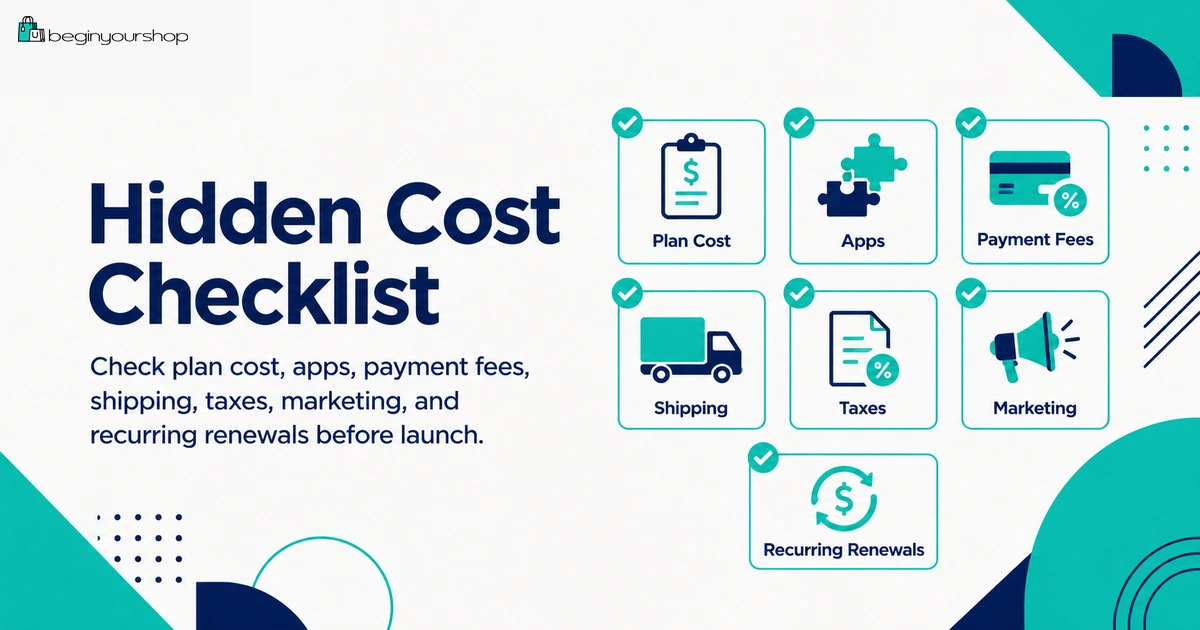
Use this checklist before launching your Shopify store.
| Question | Ready? |
|---|---|
| I know my monthly Shopify plan cost after any promotion ends. | Yes / No |
| I understand payment processing fees and possible third-party transaction fees. | Yes / No |
| I listed every app installed and its pricing model. | Yes / No |
| I know when every app free trial ends. | Yes / No |
| I know whether my theme is free, paid, or needs custom work. | Yes / No |
| I included domain renewal and email hosting costs. | Yes / No |
| I estimated shipping label, packaging, and return shipping costs. | Yes / No |
| I reviewed tax collection, filing, and accounting needs. | Yes / No |
| I created a marketing test budget and tracking plan. | Yes / No |
| I added a buffer for refunds, chargebacks, failed ad tests, and unexpected setup costs. | Yes / No |
Common Shopify Hidden Cost Mistakes
Mistake 1: Budgeting only for the Shopify plan
The plan is only the base cost. Apps, payments, shipping, marketing, domains, and services can matter just as much.
Mistake 2: Installing too many apps too early
Apps are useful only when they solve real problems. Too many paid apps can increase cost and slow down the store.
Mistake 3: Buying a paid theme before testing real products
A paid theme demo can look beautiful, but your real products and images might not fit it well.
Mistake 4: Offering free shipping without margin analysis
Free shipping can increase conversion, but it can also reduce profit if not priced correctly.
Mistake 5: Ignoring tax and accounting
Tax setup and filing responsibilities can create real costs. Do not wait until filing time to understand them.
Mistake 6: Spending on ads before the store is ready
Paid traffic will not fix unclear product pages, poor images, weak offers, or confusing shipping.
Mistake 7: Forgetting recurring renewals
Domains, apps, email hosting, and a