Shopify Starter Plan Explained for Beginners
The Shopify Starter plan is a lightweight paid plan for beginners who want to sell through product links, social media, messaging apps, and a simplified online store instead of building a full ecommerce website right away. It can be useful for creators, small tests, and simple offers, but it is not the right choice if you need collections, full storefront customization, advanced navigation, more pages, staff access, POS Pro, or a long-term SEO-driven store.
This beginner-friendly article explains what the Shopify Starter plan is, who it is best for, what it can and cannot do, how it compares with Basic, and when you should choose Starter versus moving to a full Shopify online store plan.
The Shopify Starter plan can be confusing because it is technically a Shopify plan, but it is not designed for the same use case as Basic, Grow, or Advanced.
If you want to build a full online store with a homepage, collections, custom pages, blog content, SEO structure, full navigation, and a more complete branded storefront, Starter is probably not the right long-term plan. But if you want a simple way to sell products through links, social media, direct messages, or a lightweight storefront, it may be worth understanding.
For beginners, the real question is not “Is Starter cheaper?” The better question is: “Does Starter match the way I plan to sell?”
This guide explains the Shopify Starter plan in practical terms so you can decide whether it is a useful first step or whether you should choose Basic instead.
Last checked: July 31, 2026. Shopify plan names, pricing, Starter availability, checkout access, online store features, staff access, templates, collections, POS features, and shipping features can change. Always review Shopify’s official pricing page and Help Center before choosing or changing a plan.

Quick Answer
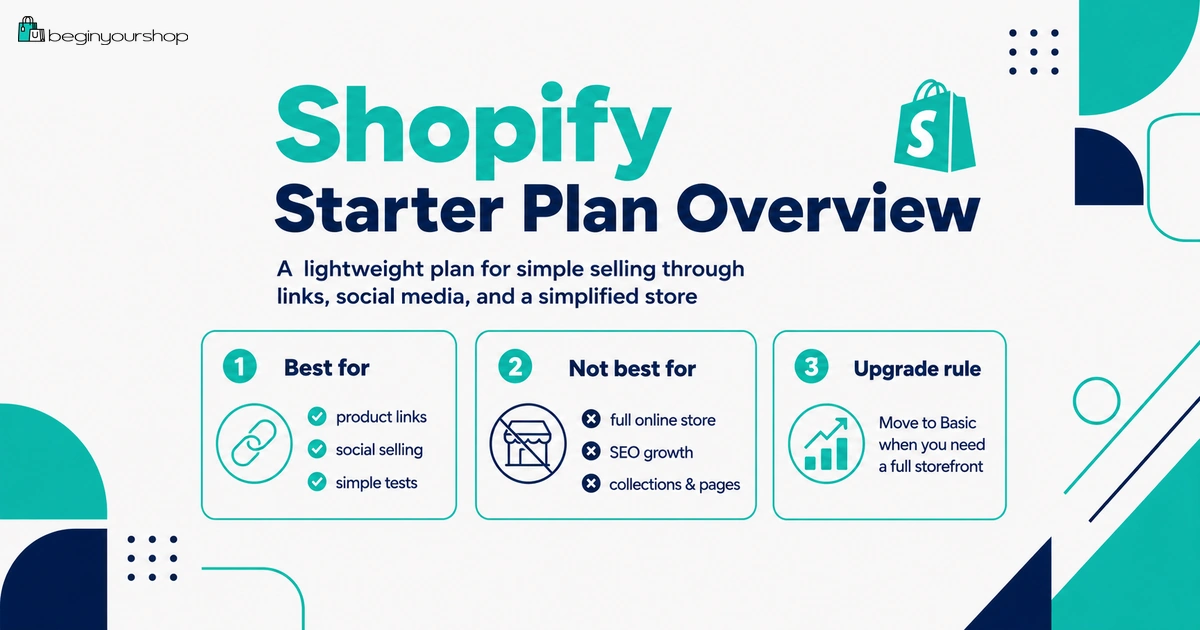
The Shopify Starter plan is best for beginners who want to sell through product links, social media platforms, messaging apps, or a simplified online store without building a full ecommerce website yet. It is usually not the best plan if you want a complete online store with collections, custom pages, blog content, SEO structure, staff access, POS Pro, advanced shipping, or stronger brand presentation. If you want a full store, compare Basic instead.
Best for
Simple product links, social selling, messaging-based selling, creators, and very small early product tests.
Not best for
Full online stores, SEO-driven sites, large catalogs, collections, custom pages, or serious brand building.
Upgrade rule
Move to Basic or higher when you need a complete storefront, collections, pages, better structure, or more growth features.
What Is the Shopify Starter Plan?
The Shopify Starter plan is a lightweight Shopify plan for merchants who are just starting out and want to sell through social media platforms or messaging apps with a simplified online store.
Instead of building a full ecommerce website, Starter lets you create product links that you can share in social posts, messages, profiles, and other places where you already communicate with customers.
In plain language, Starter is designed for simple selling, not full website building.
Starter plan in plain language
Starter is useful when you want:
- A simple way to list products
- Product links to share with an audience
- A checkout-powered selling flow
- A lightweight storefront
- A low-complexity way to start selling
- Less need for full site design
Starter is less useful when you want:
- A complete branded online store
- Collections and structured product categories
- Multiple custom pages
- Blog content and SEO content strategy
- Full theme customization
- More advanced shipping features
- Staff accounts
- POS Pro
For some beginners, Starter is enough. For others, it quickly becomes limiting.
Who Is Starter Best For?
Starter is best for merchants who already have a simple way to reach customers and do not need a full website yet.
Starter may be a good fit if:
- You sell through Instagram, TikTok, Facebook, YouTube, WhatsApp, email, or direct messages.
- You have only a few products.
- You are testing one product idea.
- You are a creator with an existing audience.
- You do not need product collections.
- You do not need custom informational pages.
- You do not need a blog or long-term SEO structure.
- You want to validate demand before building a full store.
Starter may not be a good fit if:
- You want your website itself to be the main sales channel.
- You want a homepage, collections, guides, blog posts, About page, and deeper navigation.
- You need a more complete brand experience.
- You have many products or categories.
- You need collections for browsing.
- You need staff accounts.
- You need third-party carrier-calculated shipping.
- You plan to build SEO traffic over time.
If your business depends on a complete online storefront, Starter may feel too limited very quickly.
What You Can Do on Starter
Starter can support several important early selling tasks, but it does them in a simplified way.
| Feature area | What Starter is useful for | Beginner note |
|---|---|---|
| Product links | Create product links that can be shared in posts, profiles, messages, and emails. | Best if you already have an audience or direct sales channel. |
| Social selling | Sell through social media and messaging-based workflows. | Useful for creators, small tests, and simple offers. |
| Simplified online store | Use a lightweight storefront rather than a full online store structure. | Good for simplicity, but limiting for brand and SEO growth. |
| Checkout | Use Shopify checkout once the plan and checkout are active. | Still requires proper payment, shipping, and checkout review. |
| Basic product setup | Add products, pricing, images, and basic details. | Enough for small tests, not ideal for complex catalogs. |
Starter is not weak because it is simple. It is only weak if you use it for the wrong job.
Product Links and Social Selling
The main value of Starter is that it lets you sell with product links instead of building a complete ecommerce site first.
Where product links can be useful
- Instagram profile or story links
- TikTok profile links
- YouTube video descriptions
- Facebook posts
- WhatsApp messages
- Email newsletters
- Direct messages
- Creator landing pages
- Community posts
Product links work best when:
- The product is easy to explain.
- The audience already trusts you.
- The buying path is simple.
- The product does not require deep browsing.
- You do not need many collections or categories.
- You have a clear traffic source outside Shopify.
If people already know you and only need a way to buy, Starter can be useful. If people need to discover, compare, read, browse, and build trust on your website, Basic is usually better.
Simplified Online Store
Starter includes a simplified online store experience. This can be enough for simple selling, but it is not the same as the full online store capabilities available on Basic or higher plans.
What a simplified store is good for
- Simple product presentation
- Small product tests
- Creator products
- Simple direct-to-checkout flows
- Low-complexity launch experiments
What a simplified store is not ideal for
- Large product catalogs
- Multiple product categories
- SEO-driven content sites
- Detailed buying guides
- Full brand storytelling
- Custom page structure
- Complex navigation
If the store itself needs to educate, rank, explain, and convert cold visitors, a simplified store may not be enough.
Checkout and Selling Readiness
Even on Starter, you still need to think carefully about checkout readiness.
Shopify’s Starter documentation says that to start selling, you activate checkout by choosing a paid plan or removing your storefront password. This means you should not think only about the plan name. You still need to make sure payments, shipping, taxes, and customer communication are set up properly.
Before accepting real orders, check:
- Product details are accurate.
- Product images are clear.
- Prices are correct.
- Inventory settings are correct.
- Payment provider setup is complete.
- Shipping rates and regions make sense.
- Taxes have been reviewed.
- Customer order emails are clear.
- Refund and return rules are defined.
- You understand fulfillment workflow.
A lightweight plan still needs serious operational setup if customers are paying real money.
Starter Plan Limitations
The Starter plan’s biggest strength is simplicity. Its biggest weakness is also simplicity.
Shopify’s Starter plan documentation says some features are unavailable on Starter, including staffing your Shopify store, grouping products into collections, creating new templates, activating third-party carrier-calculated shipping, and upgrading to POS Pro.
Starter limitations that matter most
- No staff access for your Shopify store
- No product grouping into collections
- No new custom templates
- Limited page structure compared with Basic or higher
- No third-party carrier-calculated shipping activation
- No POS Pro upgrade
- Less suitable for content and SEO strategy
- Less suitable for large catalogs
These limits are not necessarily a problem if you only need product links. They become a problem when your store needs structure, navigation, content, and growth features.
Collections, Pages, and Templates
One of the biggest practical limitations of Starter is product organization and page structure.
Shopify’s Starter documentation says grouping products into collections is unavailable on Starter. It also says the Starter plan does not let you create new templates, and that you have default templates such as a homepage, product page, contact page, 404 page, cart page, and checkout.
Why collections matter
Collections help customers browse products by category, use case, season, style, price range, or product type.
Collections are useful for:
- Category pages
- Best sellers
- New arrivals
- Gift guides
- Bundles
- Sale sections
- SEO landing pages
- Homepage product sections
If your store depends on product browsing, Starter can become limiting.
Why pages and templates matter
Pages and templates matter when your store needs to explain more than a simple product listing.
You may need custom pages for:
- About
- Shipping Policy
- Return and Refund Policy
- FAQ
- Size guide
- Buying guide
- Product education
- Brand story
- Wholesale
- Contact
If your site needs a real content structure, Basic or higher is usually the better plan to evaluate.
Staff, POS Pro, and Shipping Limits
Starter also has limits around staff access, retail functionality, and shipping features.
Staff access
If you are working alone, lack of staff access may not matter. But if you have a team member, assistant, agency, developer, fulfillment partner, or marketing person who needs admin access, Starter can be limiting.
POS Pro
Starter does not support upgrading to POS Pro. If in-person retail is central to your business, review Basic, Grow, Advanced, Retail, or Plus options instead.
Third-party carrier-calculated shipping
Starter does not support activating third-party carrier-calculated shipping. If your shipping depends on live third-party carrier rates, Starter may not fit.
For simple products with simple shipping, this may not matter. For complex shipping, it can be a blocker.
Shopify Starter vs Basic
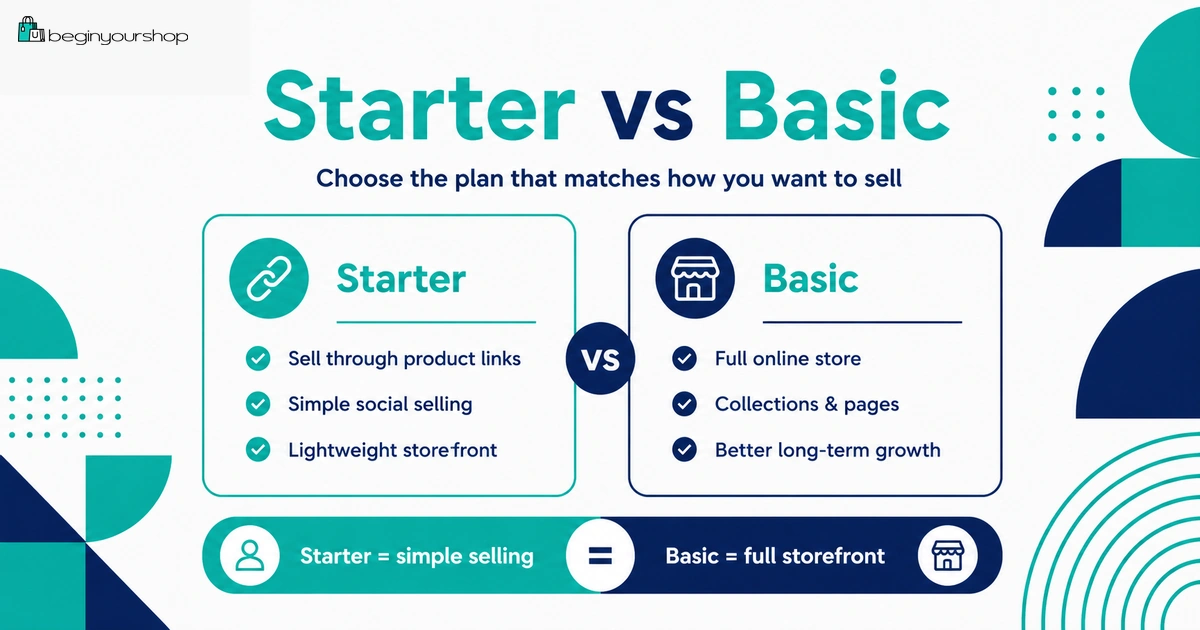
The most important comparison for beginners is usually Starter vs Basic.
| Question | Starter | Basic |
|---|---|---|
| Main purpose | Sell through product links, social media, messaging apps, and a simplified store. | Build a full online store with products, collections, pages, navigation, and theme customization. |
| Best for | Creators, social sellers, direct-message selling, and simple product tests. | New businesses ready to launch a complete online store. |
| Collections | Unavailable. | Available for organizing products. |
| Pages and templates | Limited default templates and no new templates. | Better for custom pages and full store structure. |
| SEO content strategy | Limited. | More appropriate for long-term website and content growth. |
| Brand presentation | Simplified. | Stronger for a branded ecommerce website. |
| Best decision rule | Choose if you mainly sell through external audience channels. | Choose if the website itself is a key sales and discovery channel. |
Choose Starter if:
- You want simple product links.
- You sell mainly through social media or messages.
- You have only a few products.
- You do not need collections.
- You do not need a full website yet.
- You are validating a simple offer.
Choose Basic if:
- You want a real online store.
- You need collections.
- You need more pages and structure.
- You want a stronger brand experience.
- You plan to build SEO or content over time.
- You have more products or product categories.
- You want a long-term ecommerce website foundation.
Costs Beyond the Starter Plan
Starter can reduce subscription cost compared with fuller plans, but it does not remove all business costs.
Costs to consider
- Starter plan subscription
- Payment processing fees
- Third-party transaction fees if applicable
- Domain or link-in-bio tool costs if used
- Product samples
- Inventory
- Packaging
- Shipping supplies
- Marketing content
- Creator tools
- Email tools
- Business, tax, or legal costs depending on your situation
Starter can be a lean way to test a simple offer, but you still need to understand your product cost, shipping cost, payment fees, and customer acquisition cost.
Starter cost mistake
The common mistake is thinking Starter makes the business cheap to run. It may lower the platform subscription cost, but if your product margin is weak or traffic costs are high, the business can still be expensive.
When to Choose Starter
Starter makes sense when the selling workflow is simple.
Choose Starter when:
- You sell mainly through social media, DMs, or creator content.
- You already have an audience outside your website.
- You want a simple way to share product links.
- You have a small product range.
- You do not need collections.
- You do not need a content-heavy website.
- You want to validate demand before building a full store.
Good Starter examples
- A creator selling one digital product through social links
- A coach selling a simple physical workbook
- A small handmade seller testing a few items
- A local seller sharing product links by message
- A micro-brand testing one product before building a full store
Starter works best when the customer already understands the offer before clicking.
When Not to Choose Starter
Starter is not ideal when your website needs to do more of the selling work.
Avoid Starter if:
- You need a full ecommerce website.
- You plan to publish blog posts, guides, and SEO content.
- You need product collections.
- You have many products or categories.
- You need custom templates.
- You need advanced navigation.
- You need staff access.
- You need POS Pro.
- You need third-party carrier-calculated shipping.
- You want the store to become your main brand hub.
If your goal is a long-term ecommerce site, Basic is usually the better starting point.
Decision Framework
Use this simple framework to decide whether Starter fits.
Step 1: Identify your main sales channel
If your main sales channel is social media, messages, email, or creator content, Starter may fit. If your main sales channel is a website, Basic is more likely to fit.
Step 2: Count your products
If you have one to a few simple products, Starter may be enough. If you have categories, collections, bundles, or many products, Basic is usually better.
Step 3: Decide whether customers need to browse
If customers only need a direct link to buy, Starter can work. If customers need to browse and compare products, Starter is limiting.
Step 4: Decide whether SEO matters
If you plan to build organic search traffic with content, collections, guides, and landing pages, Starter is not the best foundation.
Step 5: Consider your next six months
If you expect to build a full store soon anyway, starting with Basic can save migration and restructuring work.
Starter Plan Decision Checklist
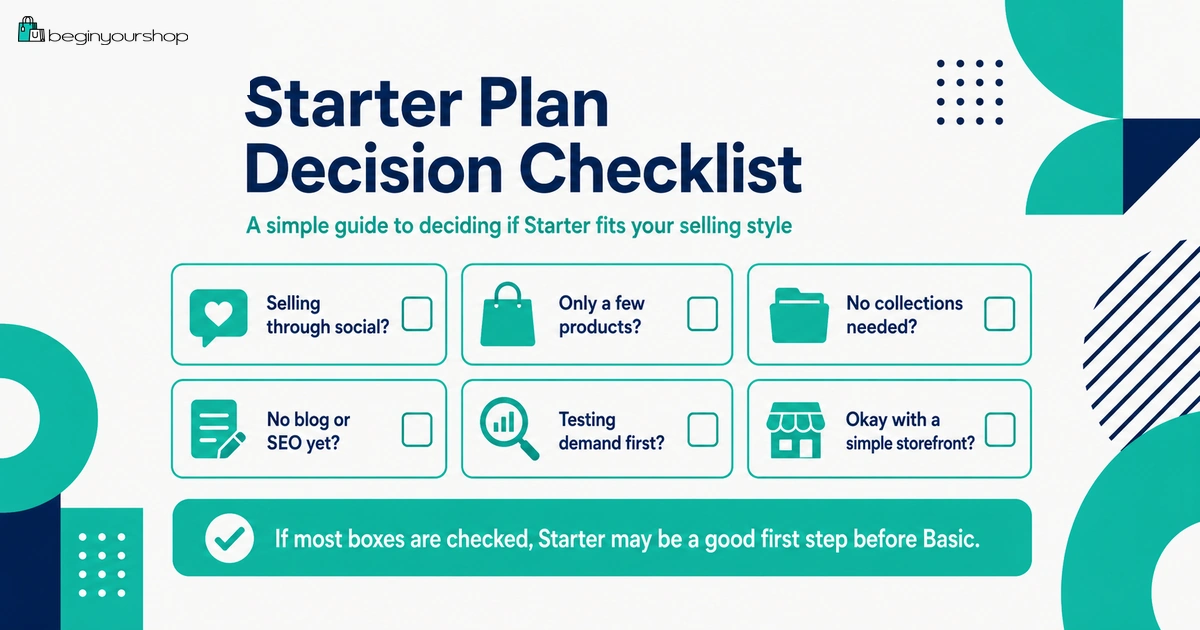
Use this checklist before choosing Starter.
| Question | Answer |
|---|---|
| I mainly want to sell through social media, messages, emails, or product links. | Yes / No |
| I do not need a full online store yet. | Yes / No |
| I have only a small number of products. | Yes / No |
| I do not need product collections. | Yes / No |
| I do not need custom pages or templates. | Yes / No |
| I do not need staff accounts. | Yes / No |
| I do not need POS Pro. | Yes / No |
| I do not need third-party carrier-calculated shipping. | Yes / No |
| I am not relying on SEO as the main growth channel right now. | Yes / No |
| I understand when I would upgrade to Basic or higher. | Yes / No |
If most answers are “yes,” Starter may be a reasonable fit. If many answers are “no,” review Basic instead.
When to Upgrade from Starter
Starter can be a useful beginning, but it is often not where a growing ecommerce business stays forever.
Upgrade when you need:
- A full online store
- Collections
- More pages
- Stronger theme customization
- Better navigation
- Blog or SEO content
- More complete brand storytelling
- Staff access
- More advanced shipping setup
- POS Pro or retail workflows
Upgrade timing rule
Upgrade when the website needs to become more than a payment link. If customers need to browse, learn, compare, trust, and return, a full online store plan is usually better.
Common Starter Plan Mistakes
Mistake 1: Choosing Starter only because it is cheaper
A lower subscription price does not help if the plan cannot support your store strategy.
Mistake 2: Expecting Starter to work like Basic
Starter is simplified. If you need a full online store, choose Basic or higher.
Mistake 3: Ignoring collections
If your customers need to browse categories, collections matter. Starter does not support grouping products into collections.
Mistake 4: Ignoring SEO growth
Starter is not ideal for a content-driven SEO strategy. If organic search is central, build a full store structure.
Mistake 5: Not planning the upgrade path
If you start on Starter, know what will trigger a move to Basic.
Mistake 6: Underestimating operational setup
Even simple selling still requires product accuracy, payment setup, shipping clarity, and customer support.
FAQ
What is the Shopify Starter plan?
The Shopify Starter plan is a lightweight plan for merchants who want to sell through social media platforms, messaging apps, and product links using a simplified online store.
Who should use Shopify Starter?
Starter is best for creators, social sellers, small product tests, and beginners who do not need a full online store yet.
Can I build a full online store on Shopify Starter?
No. Starter is designed for a simplified online store and product-link selling. If you want a full ecommerce website, compare Basic or higher.
Can I create collections on Shopify Starter?
No. Shopify’s Starter documentation says grouping products into collections is unavailable on the Starter plan.
Can I create custom templates on Shopify Starter?
No. Shopify’s Starter documentation says the plan does not let you create new templates. It uses default templates such as homepage, product page, contact page, 404 page, cart page, and checkout.
Can I add staff accounts on Shopify Starter?
No. Shopify’s Starter documentation says staffing your Shopify store is unavailable on the Starter plan.
Can I use POS Pro on Shopify Starter?
No. Shopify’s Starter documentation says you cannot upgrade to the POS Pro subscription on Starter. You need a higher plan such as Basic, Grow, Advanced, or Shopify Plus.
Does Starter support third-party carrier-calculated shipping?
No. Shopify’s Starter documentation says activating third-party carrier-calculated shipping is unavailable on Starter.
Should I choose Starter or Basic?
Choose Starter if you mainly need product links and social selling. Choose Basic if you need a full online store, collections, pages, stronger navigation, and a long-term ecommerce website foundation.
Can I upgrade from Starter later?
Yes. You can move to a higher plan when you need a full online store, collections, more pages, staff access, advanced shipping, POS Pro, or stronger ecommerce features.
Final Thoughts
The Shopify Starter plan can be a useful entry point, but only for the right type of seller.
If you want to sell a few products through social media, messaging apps, email, or product links, Starter may be enough to begin. It keeps things simple and lets you test demand without building a full ecommerce website immediately.
If your goal is to create a serious online store with collections, pages, SEO content, brand storytelling, advanced navigation, and long-term growth, Starter is probably too limited. In that case, Basic is usually the better plan to evaluate after your free trial.
Choose Starter when your sales process is simple. Choose Basic or higher when your store needs to become a real ecommerce website.
Next recommended guide: Shopify Pricing Explained