Shopify Free Trial Mistakes to Avoid
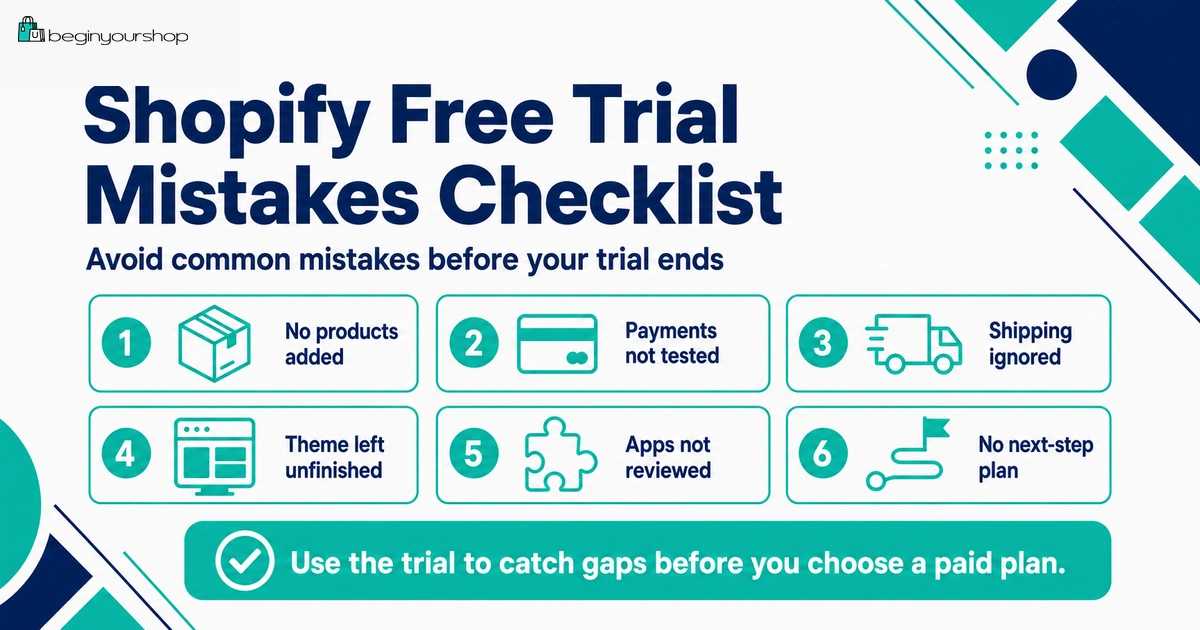
The Shopify free trial can help you test whether Shopify is right for your store, but many beginners waste it by starting without products, spending too much time on design, installing too many apps, ignoring payment and shipping setup, or choosing a paid plan before the store is ready.
This beginner-friendly article explains the most common Shopify free trial mistakes to avoid, what to do instead, and how to use the trial as a practical setup and decision period before moving to a paid plan.
The Shopify free trial is useful, but it is not unlimited preparation time. It begins when you sign up, and if you do not use it intentionally, you can reach the end of the trial with a store that still has no clear products, no shipping plan, no payment decision, no policies, and no launch direction.
Most Shopify trial mistakes are not technical. They are priority mistakes. Beginners often spend time on the parts that feel exciting, such as colors, logos, apps, and homepage design, while delaying the parts that determine whether the store can actually work: products, payments, shipping, checkout, policies, costs, and traffic.
This guide explains the most common mistakes beginners make during the Shopify free trial and what to do instead.
Last checked: June 26, 2026. Shopify free trial rules, promotional pricing, checkout activation, payment testing, app billing, password behavior, and plan requirements can change. Always confirm current details on Shopify’s official free trial page and inside your Shopify admin before making billing or launch decisions.

Quick Answer
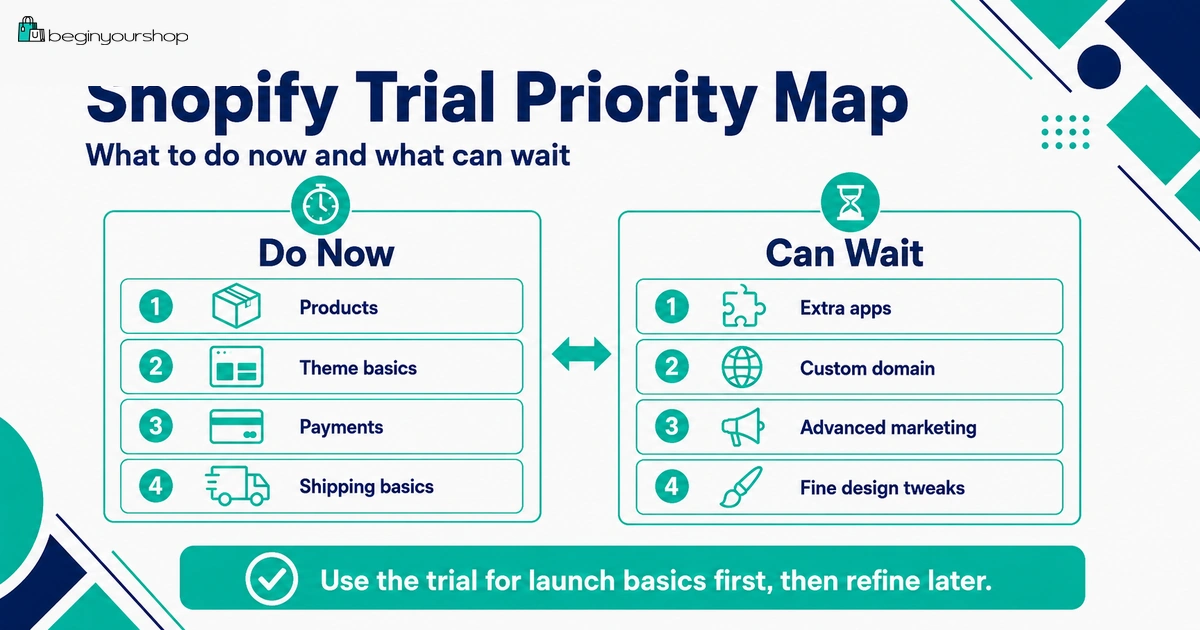
The biggest Shopify free trial mistakes are starting without preparation, not adding real products, spending too much time on design, installing too many apps, ignoring payments and shipping, assuming checkout is fully available without a paid plan, and choosing a paid plan before the store is ready. Use the free trial to test your products, theme, payments, shipping, policies, costs, and launch plan.
Best trial mindset
Treat the trial as a setup and decision period, not just a design playground.
Most common waste
Changing colors and testing apps before adding real products and reviewing core settings.
Best outcome
By the end of the trial, you should know whether Shopify fits your product, budget, operations, and launch plan.
1. Starting the Trial Before You Are Prepared
A common mistake is signing up for the Shopify free trial before you have anything ready. Then the first few days disappear while you are still thinking about store names, product ideas, product images, pricing, and shipping.
Because the free trial begins when you sign up, not when you begin building, preparation matters.
What this mistake looks like
- You start the trial without knowing what you will sell.
- You have no product images or product details.
- You have no pricing idea.
- You do not know where you will ship.
- You spend the trial researching basic business ideas instead of testing Shopify.
What to do instead
Before starting the trial, prepare a small setup kit:
- Store name or working brand name
- One-sentence store description
- One to five real products
- Product titles and prices
- Product images or realistic temporary images
- Variant options, such as size, color, material, or format
- Basic shipping idea
- Support email address
- Domain name idea
You do not need a perfect business plan before starting the trial, but you need enough information to test Shopify with a real store concept.
2. Waiting Several Days Before Working
Some beginners sign up for the trial and then wait. They plan to work on the store “later,” but the trial clock is already running.
This is one of the easiest mistakes to avoid. If you sign up today, start setup today.
What to do on the first day
- Open the Shopify admin and review the main menu.
- Add one real product.
- Try one free theme.
- Create a basic collection.
- Review Settings, especially payments and shipping.
- Write down what information is missing.
The first day does not need to be perfect. It needs to create momentum.
Better first-day goal
By the end of Day 1, you should have at least one real product in your store, one theme previewed with real content, and a list of the operational settings you still need to review.
3. Using Demo Content Instead of Real Products
Shopify themes can look polished in demos because the demo content is carefully selected. But your store will not use demo products, demo photos, or demo copy.
If you test Shopify only with sample content, you will not know whether the platform works for your real product pages.
Why real products matter
Real product content helps you test:
- Product title length
- Product image quality and cropping
- Description layout
- Variant display
- Price display
- Collection layout
- Mobile product pages
- Product SEO fields
Your theme may look excellent with demo images and weak with your own images. It is better to discover that during the trial than after paying for a plan or buying a paid theme.
What to do instead
Add at least three realistic products if possible. For each product, include:
- Clear title
- Useful description
- Price
- Images
- Variants if needed
- Inventory behavior
- Shipping weight if relevant
- Collection assignment
Product pages are the core of your store. Test them early.
4. Spending Too Much Time on Theme Design
Theme design is important, but it should not consume the entire free trial. Beginners often spend hours changing colors, fonts, spacing, buttons, banners, and homepage sections before checking whether products, payments, shipping, and checkout are ready.
A beautiful unfinished store is still unfinished.
Design tasks that can wait
- Perfect logo refinements
- Advanced animations
- Complex homepage sections
- Micro-adjustments to spacing
- Multiple banner variations
- Testing every available theme
- Buying a paid theme before testing real products
Design tasks that matter early
- Product page readability
- Mobile layout
- Clear navigation
- Visible add-to-cart button
- Readable product descriptions
- Footer links to policies and contact page
- Homepage message clarity
During the trial, choose a clean theme that makes products easy to understand. You can improve design after the store foundation is working.
5. Installing Too Many Apps
The Shopify App Store is useful, but it can also distract beginners. Apps can add features, but they can also add monthly cost, storefront scripts, setup complexity, permissions, and possible theme conflicts.
Shopify’s free trial documentation notes that if you add apps during the free trial, app-related charges are included on your next invoice. That means app decisions during the trial can affect future costs.
Apps that may make sense during the trial
- Print-on-demand app if your product model depends on it
- Dropshipping supplier app if you need to test product import or fulfillment
- Digital delivery app if you sell digital products
- Product options app if Shopify’s native variants are not enough
- Subscription app if your business model requires subscriptions
- Email capture app if you are building a pre-launch list
Apps to delay
- Advanced upsell apps
- Loyalty programs
- Referral programs
- Heatmaps
- A/B testing tools
- Advanced analytics
- Multiple popup tools
- Complex personalization apps
App decision rule
Install an app only if it helps you test a required business function. If it is only “nice to have,” wait until after launch or after real traffic proves the need.
6. Ignoring Payment Requirements
Payment setup is not something to leave until the last day. If your preferred payment provider is unavailable, requires verification, has specific business restrictions, or affects fees, you need to know early.
During the trial, you should review payment options even if full payment gateway testing requires a paid plan.
Payment questions to answer
- Is Shopify Payments available in your country or region?
- Is your business type eligible?
- Do you need PayPal or another third-party provider?
- What payment methods do your customers expect?
- What card processing fees apply?
- Will third-party transaction fees apply?
- What verification information is required?
- How long do payouts take?
Do not enter fake or inaccurate information to speed up setup. Payment providers may verify identity, business details, bank information, and other requirements.
7. Ignoring Shipping Setup
Shipping is one of the most common causes of launch problems. If shipping zones, rates, product weights, or fulfillment locations are wrong, customers may not be able to complete checkout or your margins may be damaged.
Common shipping mistakes during the trial
- Not deciding where you ship
- Not setting shipping zones
- Forgetting product weights
- Offering free shipping without calculating cost
- Not understanding fulfillment locations
- Ignoring return shipping
- Not drafting shipping policy language
- Not considering international duties, taxes, or restrictions
Shipping checklist
| Shipping item | What to confirm |
|---|---|
| Shipping regions | Where you will sell and where you will not sell. |
| Shipping rates | Flat rate, free shipping, calculated rates, or local delivery. |
| Product weights | Physical products have accurate weights where required. |
| Packaging | Boxes, mailers, labels, inserts, and protection are planned. |
| Processing time | How long it takes before an order ships. |
| Returns | Who pays return shipping and which products are returnable. |
Do not send visitors to a store until you know shipping can work.
8. Assuming You Can Fully Sell Without a Paid Plan
Some beginners assume they can use the free trial as a fully functioning selling period. That is usually not the right expectation.
Shopify’s free trial documentation says that when you open a store on a free trial, the store initially has either a storefront password or an inactive checkout. To allow customers to purchase products, you can remove the storefront password or activate online store checkout by choosing a paid plan.
What this means in practice
- Use the trial to build and evaluate.
- Choose a paid plan when you are ready to activate checkout and sell properly.
- Do not rely on workarounds for real customer orders.
- Test checkout after choosing a paid plan.
Trying to avoid a paid plan while accepting real orders can create poor customer experience, payment confusion, inventory issues, and operational risk.
9. Not Planning for App Charges
App costs can surprise beginners. Even if your Shopify subscription is low during a promotional period, apps can add recurring charges.
During the trial, review each app carefully:
- Is there a free plan?
- When does the free plan become limited?
- Is there a free trial?
- Is pricing based on orders, subscribers, usage, revenue, or page views?
- Does the app charge through Shopify or directly?
- What happens after uninstalling?
If an app is not required for launch, delay it. A lean store is easier to manage and cheaper to test.
10. Choosing a Paid Plan Too Early
Choosing a paid plan can be the right next step when the store is ready. But choosing one too early can lead to paying for a store that still has no clear product, no payment plan, no shipping plan, and no traffic strategy.
Choose a paid plan if:
- You have added real products.
- Your theme works with your products.
- You understand payment options.
- You understand shipping rates and fulfillment.
- You have drafted essential pages and policies.
- You are ready to test checkout.
- You know your first traffic channel.
Wait if:
- You are unsure what to sell.
- Your product pages are incomplete.
- Payment setup is unclear.
- Shipping costs may make the business unprofitable.
- You need many paid apps before proving demand.
- You are choosing a plan only because the trial is ending.
Shopify says if you do not select a monthly plan at the end of your free trial, your store is paused until you choose a paid plan. That can be inconvenient, but it is better than paying before you know what you are building.
11. Forgetting Policies and Contact Details
New stores need trust. If visitors cannot find contact information, shipping expectations, return rules, privacy information, or terms, the store may feel unfinished.
Pages to draft during the trial
- About page
- Contact page
- Shipping Policy
- Return and Refund Policy
- Privacy Policy
- Terms of Service
What these pages should do
| Page | Customer question it answers |
|---|---|
| About | Who is behind this store, and why should I care? |
| Contact | How do I get help if I have a question or problem? |
| Shipping Policy | Where do you ship, how long does it take, and what should I expect? |
| Return and Refund Policy | Can I return this item, and how does the refund process work? |
| Privacy Policy | How is my information collected and used? |
| Terms of Service | What rules apply when using the site or buying from the store? |
Do not publish generic policy text without checking whether it matches your real store operations.
12. Skipping Mobile Review
Your store might look acceptable on a desktop monitor but awkward on a phone. Many ecommerce visitors browse from mobile devices, so mobile review is not optional.
Mobile items to check
- Homepage hero section
- Main menu
- Collection pages
- Product images
- Product descriptions
- Variant selectors
- Add-to-cart button
- Cart drawer or cart page
- Footer links
- Contact form
- Policy pages
If your mobile product page is hard to use, fix that before worrying about advanced marketing.
13. Having No Traffic Plan
Shopify gives you a store, not automatic traffic. A common mistake is reaching the end of the trial and thinking sales will appear once the store is published.
Before choosing a paid plan, have at least one realistic traffic plan.
Possible beginner traffic channels
- SEO content
- Blog posts and buying guides
- TikTok
- YouTube
- Email list building
- Influencer seeding
- Paid search ads
- Paid social ads
- Marketplace support channel
- Offline audience or existing community
Do not try every channel at once. Choose one or two channels that fit your product and customer.
Free Trial Mistake-Prevention Checklist
Use this checklist before the trial ends.
| Question | Ready? |
|---|---|
| I prepared basic product information before or immediately after signup. | Yes / No |
| I added real products instead of relying only on demo content. | Yes / No |
| I tested a theme with my real product images and descriptions. | Yes / No |
| I reviewed payment provider availability, fees, and verification requirements. | Yes / No |
| I reviewed shipping zones, rates, product weights, and fulfillment basics. | Yes / No |
| I installed only necessary apps and reviewed possible app charges. | Yes / No |
| I drafted About, Contact, Shipping, Return, Privacy, and Terms pages. | Yes / No |
| I checked the store on mobile. | Yes / No |
| I understand what requires a paid plan. | Yes / No |
| I know my first traffic channel after launch. | Yes / No |
A Better Shopify Free Trial Plan
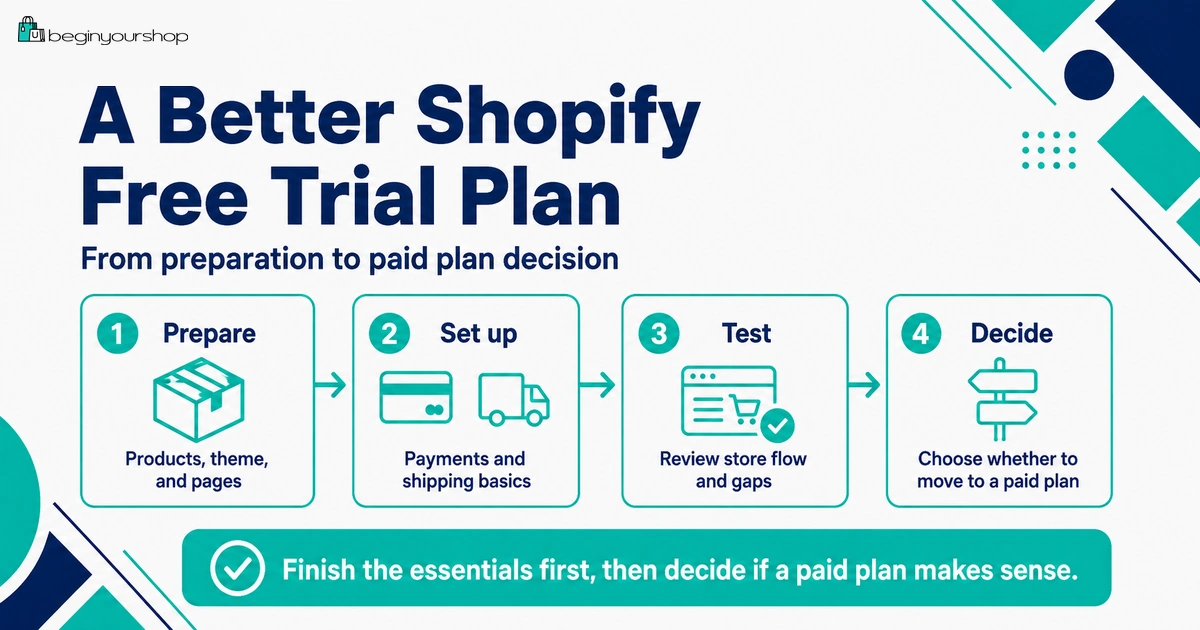
If you want to avoid these mistakes, use this simple trial plan.
| Stage | Focus | What to do |
|---|---|---|
| Before signup | Preparation | Prepare products, prices, images, shipping idea, store name, and support email. |
| First day | Foundation | Add products, test a theme, review admin settings, and create one collection. |
| Middle of trial | Store clarity | Improve product pages, homepage, navigation, essential pages, and mobile layout. |
| Late trial | Operations | Review payments, shipping, apps, costs, and plan requirements. |
| End of trial | Decision | Choose a paid plan if ready, or pause and fix unclear parts before paying. |
FAQ
What is the biggest mistake beginners make during the Shopify free trial?
The biggest mistake is using the trial for low-priority design and app browsing while ignoring products, payments, shipping, policies, checkout readiness, and traffic planning.
Should I start the Shopify free trial before I know what to sell?
You can, but it is not ideal. The trial is more useful if you already have at least one to five products or a clear product idea to test.
When does the Shopify free trial start?
Shopify says the free trial begins when you first sign up, not when you start working on your store.
Can I sell during the Shopify free trial?
Shopify’s free trial documentation says that to allow customers to purchase products, you can remove the storefront password or activate online store checkout by choosing a paid plan.
Can I test payments during the free trial?
Shopify’s test order documentation says you can test a payment gateway only after choosing a paid plan.
Should I install apps during the trial?
Install only apps that are necessary to test your business model. Delay advanced upsell, loyalty, referral, heatmap, and analytics apps until you have traffic or sales.
Should I buy a paid theme during the trial?
Most beginners should start with a free theme. Buy a paid theme only if it solves a specific product page, catalog, navigation, or design problem.
What happens if the trial ends and I do not choose a plan?
Shopify says that if you do not select a monthly plan at the end of the free trial, your store is paused until you choose a paid plan.
What should I check before choosing a paid plan?
Check products, theme fit, payment options, shipping rates, app costs, policy pages, mobile layout, domain plan, checkout testing requirements, and traffic strategy.
Is it bad to pause instead of choosing a plan?
No. If your product idea, shipping model, payment setup, or traffic plan is unclear, pausing can be better than paying for a store that is not ready.
Final Thoughts
The Shopify free trial is valuable when you use it with clear priorities. It should help you decide whether Shopify fits your product, budget, payment needs, shipping model, and launch plan.
Avoid the common mistakes: starting unprepared, waiting too long, relying on demo content, obsessing over design, installing too many apps, ignoring payments and shipping, assuming full selling is available without a paid plan, and choosing a plan before the store is ready.
Use the trial to build a realistic store draft. Then choose a paid plan only when the store is ready for checkout testing, launch preparation, and real customer traffic.
Next recommended guide: Shopify Free Trial Explained for Beginners