How to Choose the Right Shopify Plan After the Free Trial
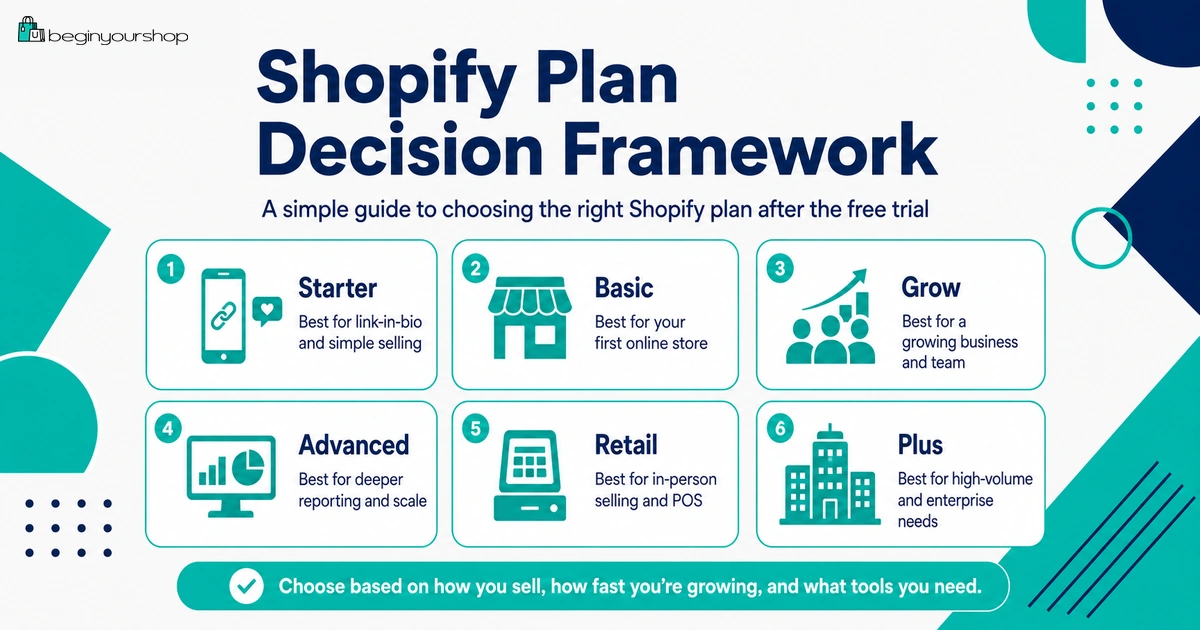
Choosing a Shopify plan after the free trial should not be based only on the monthly price. The right plan depends on whether you need a full online store, how close you are to launch, which payment provider you will use, how many staff members need access, whether you need advanced reports, whether you sell in person, and how much transaction or payment processing cost matters to your business.
This beginner-friendly article explains how to choose a Shopify plan after the free trial, what to check before paying, when Basic is usually enough, when a higher plan may make sense, and why you should not upgrade before your store is ready.
At the end of the Shopify free trial, you need to make a practical decision: which Shopify plan should you choose?
Many beginners look only at the monthly price and choose the cheapest option. Others choose a higher plan because it feels more professional. Both approaches can be wrong if they ignore what the store actually needs.
The better approach is to choose a Shopify plan based on your current stage, product type, checkout needs, payment setup, staff requirements, reporting needs, in-person selling plans, international selling needs, and expected order volume.
For a new store, the right plan is usually the simplest plan that supports the store you are actually ready to run. You can upgrade later when your sales volume, team, reporting, or operations justify it.
Last checked: July 3, 2026. Shopify plan names, pricing, card rates, third-party transaction fees, available features, and promotional pricing can change. Always review Shopify’s official pricing page and your Shopify admin before choosing or changing a plan.

Quick Answer
Most beginners should choose the lowest Shopify plan that supports the store they are ready to launch. If you are building a normal online store with products, checkout, theme customization, and standard ecommerce needs, Basic is often the starting point to evaluate. Higher plans may make sense later if you need lower transaction rates, more advanced reporting, more staff access, more complex operations, or stronger international and growth features.
Best beginner rule
Start with the simplest plan that supports your launch, then upgrade when real business needs justify it.
Do not choose by price alone
Also compare payment fees, transaction fees, staff needs, reporting, POS, and selling features.
Do not upgrade too early
A higher plan does not fix weak products, poor images, unclear shipping, or no traffic plan.
Before Choosing a Shopify Plan
Before selecting a plan, make sure you are not paying just because the free trial is ending. Choose a plan because you know what you need next.
Check these before paying
- You have added real products.
- Your product pages are understandable.
- Your theme works with your product images and catalog size.
- You understand your shipping setup.
- You understand payment provider options.
- You know whether third-party transaction fees could apply.
- You have drafted essential pages and policies.
- You know which apps are truly required.
- You know your first traffic channel.
- You understand what the store will cost after any promotional period.
If these items are still unclear, your first problem is not plan selection. Your first problem is store readiness.
Practical rule: Choose a Shopify plan when the plan unlocks a clear next step, such as checkout testing, password removal, payment setup, launch preparation, or real selling.
Shopify Plan Types: Beginner Overview
Shopify’s plan lineup can include options such as Starter, Basic, Grow, Advanced, Retail, and Plus, depending on your region, eligibility, and current Shopify offerings. Shopify says its free trial lets merchants test various plans, including Starter, Basic, Grow, Advanced, and Shopify Retail.
For most beginners building a standard online store, the main decision is usually between starting with Basic or choosing a higher plan only if specific needs justify it.
| Plan type | Typical fit | Beginner caution |
|---|---|---|
| Starter | Simple selling through links, social media, or lightweight selling workflows. | May not fit if you want a full online store experience with deeper storefront customization. |
| Basic | New businesses ready to launch an online store and start selling. | Often the most practical starting point, but check features and fees for your region. |
| Grow | Growing stores that need more features, better rates, or stronger operational capability. | Upgrade only when the added value outweighs the higher monthly cost. |
| Advanced | Businesses needing more advanced reporting, operations, or scaling features. | Usually unnecessary for a new store unless you already know why you need it. |
| Retail | Merchants focused on in-person retail selling and POS workflows. | Review hardware, POS features, locations, and retail operations before choosing. |
| Plus | Larger or enterprise-level businesses with complex needs. | Not a typical beginner plan. Contact Shopify for Plus pricing and suitability. |
Because plan details can change, use this table as a decision framework, not as a substitute for checking Shopify’s current pricing page.
When Starter Might Fit
Starter can be useful for simple selling situations where you do not need a full ecommerce website immediately.
Starter might fit if:
- You want to sell through product links.
- You already have an audience on social media or messaging platforms.
- You need a lightweight way to accept orders.
- You are not yet building a full branded online store.
- You are testing a very small offer.
Starter might not fit if:
- You want a complete online store with full navigation and pages.
- You need a stronger branded storefront.
- You want to build SEO content around your store.
- You need more theme customization.
- You want a long-term ecommerce site structure.
Starter can be useful for a narrow use case. But if your goal is to build a full online store, Basic or higher is usually the more relevant plan category to evaluate.
When Basic Is Usually Enough
For many new Shopify stores, Basic is the practical starting point. Shopify’s plan guidance describes Basic as best for new businesses that are ready to launch an online store and start making sales.
Basic is often enough if:
- You are launching your first online store.
- You have a small team or are working alone.
- You need a normal online store with products, collections, pages, and checkout.
- You do not need advanced reports yet.
- You do not have high sales volume yet.
- You want to keep monthly fixed costs lower while validating demand.
Basic is not a shortcut
Choosing Basic does not mean your store is automatically ready. You still need:
- Strong product pages
- Clear shipping settings
- Working payment setup
- Policy pages
- Mobile-friendly theme setup
- Checkout testing
- A traffic plan
For a beginner, Basic is usually less about “cheap” and more about “appropriate for the current stage.”
When Grow Might Make Sense
A higher plan such as Grow can make sense when your store has outgrown the limitations or economics of Basic. The decision should be based on real needs, not guesswork.
Grow might make sense if:
- You have enough order volume that lower rates could offset the higher monthly cost.
- You need more staff access or operational flexibility.
- You need reports or features that are not available on your current plan.
- You are investing seriously in growth and need better business visibility.
- Your store is no longer in early validation mode.
How to evaluate Grow
Compare the total cost, not just the subscription price:
- Monthly plan price difference
- Payment processing fees
- Third-party transaction fees if applicable
- Staff and operational needs
- Reporting needs
- Feature value
If you cannot clearly explain why Grow saves money or improves operations, stay on the simpler plan until the need is real.
When Advanced Might Make Sense
Advanced is generally for stores with more sophisticated reporting, scaling, or operational needs. It is not usually the right starting point for a new beginner store unless you already have clear business reasons.
Advanced might make sense if:
- You already have meaningful sales volume.
- You need advanced reporting to make business decisions.
- You have a more complex team or operational process.
- You sell across more complicated regions or markets.
- You have enough transaction volume for fee differences to matter.
- Your business is already validated and scaling.
Advanced is usually unnecessary if:
- You have not launched yet.
- You do not have consistent traffic.
- You do not have sales data.
- You are still testing your product idea.
- You are choosing a higher plan only because it feels safer.
Do not buy complexity before you have a business that needs it.
Retail and Plus Considerations
Some merchants need a plan or setup that supports in-person retail or larger operations.
Retail-focused stores
If you sell in person, evaluate Shopify POS needs carefully. Consider:
- POS app functionality
- Hardware needs
- Inventory syncing between online and offline sales
- Staff permissions
- Locations
- Receipts
- Returns and exchanges
- In-person payment rates
Shopify Plus
Shopify Plus is designed for larger or more complex businesses. It is not usually relevant for a beginner affiliate-style or first-store launch. Shopify’s Help Center says to contact Shopify for Plus plan pricing.
If you are just starting, focus on learning the core store setup before thinking about enterprise-level plans.
Cost Factors Beyond the Monthly Plan
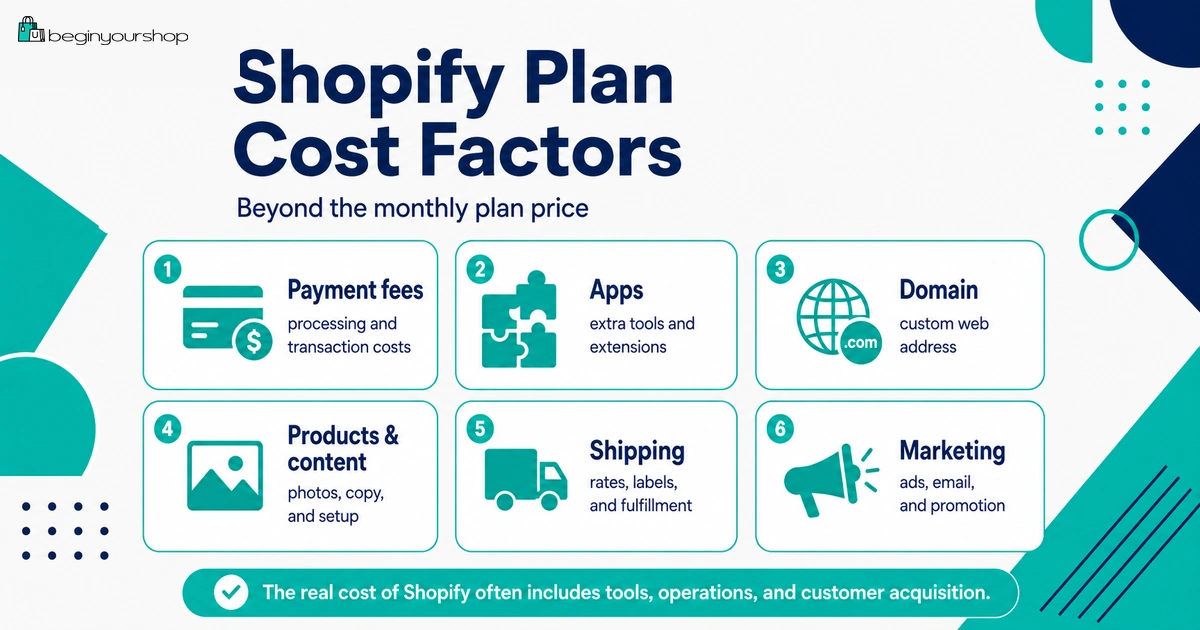
The monthly plan price is only part of the cost. Your real Shopify cost can include several other components.
| Cost factor | Why it matters |
|---|---|
| Monthly plan fee | Your recurring subscription charge for using Shopify. |
| Payment processing fees | Fees charged when customers pay by card or other payment methods. |
| Third-party transaction fees | Can apply when using external payment providers, depending on plan and setup. |
| Apps | Monthly, usage-based, or order-based app costs can add up quickly. |
| Theme | Free themes can work for many beginners; paid themes are optional unless needed. |
| Domain | A custom domain is strongly recommended for a serious store. |
| Products and inventory | Samples, inventory, and product costs often exceed software costs. |
| Marketing | Shopify does not automatically send traffic. Customer acquisition needs time or budget. |
Before choosing a higher plan, estimate your total monthly cost. A higher subscription may be justified later, but app, marketing, product, and payment costs often matter more at the beginning.
Payment Fees and Third-Party Transaction Fees
Shopify’s pricing and billing documentation explains that Basic, Grow, and Advanced plans have multiple rates and fees, including monthly price, credit card rates, and third-party transaction fees.
This is one of the reasons plan choice is not only about monthly subscription cost. A higher monthly plan may have different rates that matter if your store has enough order volume.
Two fee types to understand
| Fee type | Meaning | Beginner note |
|---|---|---|
| Payment processing fee | The cost of processing customer payments. | Usually applies to card or digital payment transactions. |
| Third-party transaction fee | A Shopify fee that can apply when using external payment providers. | Varies by plan and payment setup. Review this before choosing a provider. |
When fee differences matter
Fee differences matter more when your store has real sales volume. If you are just launching and have no traffic yet, a higher plan may not save enough to justify the increased monthly cost. If you already have strong sales, calculate whether lower rates or extra features offset the plan upgrade.
Staff, Reports, and Operations
Another reason to choose a higher plan is operational need. Beginners often work alone, but growing stores may need staff access, reporting, permissions, and more advanced workflow support.
Ask these questions
- How many people need access to the Shopify admin?
- Do you need to limit staff permissions?
- Do you need more detailed reports?
- Do you need deeper analytics for marketing decisions?
- Do you manage multiple sales channels?
- Do you have a fulfillment team or support team?
- Do you need more advanced inventory or operations workflows?
If you are working alone and have no sales yet, you probably do not need a plan mainly for advanced operational features. If your team and order volume are growing, those features can become more valuable.
Online Store vs POS Selling
Your selling channel affects plan choice. A pure online store has different needs from a store that also sells in person.
If you sell only online
Focus on:
- Online store features
- Theme and product pages
- Checkout
- Payment provider
- Shipping setup
- SEO and content
- Email and marketing tools
If you sell in person
Also evaluate:
- Shopify POS requirements
- Hardware compatibility
- Card reader availability
- Retail staff permissions
- Store locations
- In-person inventory syncing
- Receipts and returns
Do not choose a plan for POS features unless in-person selling is actually part of your business model.
Decision Framework
Use this framework to choose your plan after the free trial.
Step 1: Decide whether you need a full online store
If you only need simple product links, Starter might be enough. If you want a full online store with pages, collections, navigation, and stronger branding, evaluate Basic or higher.
Step 2: Decide whether you are ready to launch
If you are not ready to launch, do not choose a plan just because the trial ends. If you are ready to test checkout and prepare for real customers, choosing a plan makes more sense.
Step 3: Compare fees, not just subscription price
Look at monthly plan fee, payment processing fees, third-party transaction fees, app costs, theme costs, domain costs, and marketing budget.
Step 4: Match plan to operational needs
Consider staff, reporting, POS, markets, inventory, and fulfillment. Choose a higher plan only when those features matter now.
Step 5: Start simple unless the numbers say otherwise
If you are uncertain, start with the lowest plan that supports your store properly. Upgrade when real data shows it is worth it.
Plan Choice Table
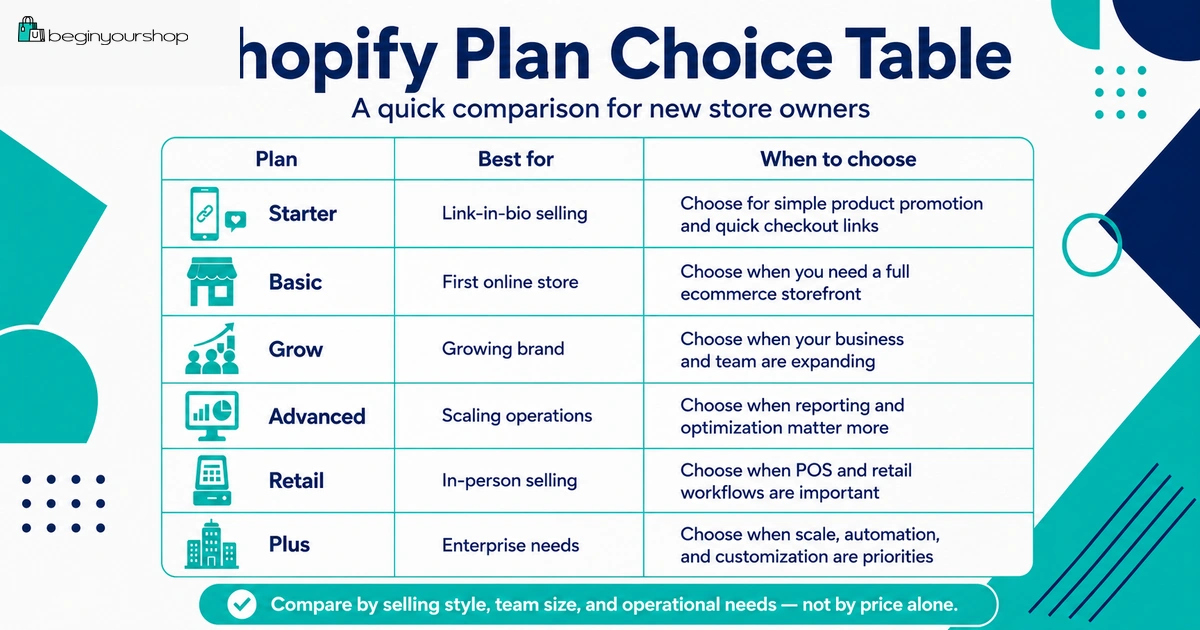
| Your situation | Likely direction |
|---|---|
| You want simple selling through social links and are not building a full store yet. | Review Starter. |
| You are launching your first normal online store. | Review Basic first. |
| You have meaningful sales volume and need better economics or more features. | Compare Basic vs Grow with real numbers. |
| You need more advanced reporting or scaling operations. | Compare Grow vs Advanced. |
| You sell heavily in person and need retail workflows. | Review Shopify Retail / POS-related needs. |
| You run a large business with complex requirements. | Discuss Shopify Plus with Shopify. |
When to Upgrade Later
You do not need to choose the perfect plan forever. Shopify says you can upgrade your plan to add new features and functionality to your store.
Upgrade later if:
- Your sales volume makes fee differences meaningful.
- You need better reports.
- You need more staff access.
- Your operations become more complex.
- You expand into retail selling.
- You need features unavailable on your current plan.
- Your business is validated and growth justifies the higher cost.
Do not upgrade just because:
- You hope a higher plan will create sales.
- You think customers can see your plan.
- You are worried Basic looks unprofessional.
- You have not launched yet.
- You have no sales data.
- You have not fixed product pages or traffic.
Plan upgrades should follow business growth, not replace business strategy.
Common Plan Selection Mistakes
Mistake 1: Choosing only by monthly price
Monthly price matters, but payment fees, transaction fees, staff needs, reports, apps, and selling channels also matter.
Mistake 2: Choosing a higher plan too early
A higher plan does not make a weak store stronger. Fix products, shipping, checkout, and traffic first.
Mistake 3: Ignoring third-party transaction fees
If you use an external payment provider, understand whether third-party transaction fees apply and how they vary by plan.
Mistake 4: Forgetting app costs
Several small app subscriptions can cost more than the plan difference. Review every app before choosing a plan.
Mistake 5: Choosing a plan before testing readiness
If products, theme, shipping, payments, and policies are not ready, plan choice is not the main problem yet.
Mistake 6: Not planning for standard pricing after promotion
If you start with promotional pricing, know what your subscription will cost after the promotion ends.
Shopify Plan Decision Checklist
Use this checklist before choosing a plan after the free trial.
| Question | Ready? |
|---|---|
| I know whether I need a full online store or only simple selling links. | Yes / No |
| I have reviewed Basic, Grow, Advanced, and other relevant plans on the current pricing page. | Yes / No |
| I understand payment processing fees for my plan and region. | Yes / No |
| I understand whether third-party transaction fees could apply. | Yes / No |
| I know which apps are required and what they cost. | Yes / No |
| I know whether I need staff access, reports, POS, or advanced features. | Yes / No |
| I know what happens after any promotional pricing ends. | Yes / No |
| I am ready to test checkout after choosing a paid plan. | Yes / No |
| I have estimated my total monthly store cost. | Yes / No |
| I know when I would upgrade later. | Yes / No |
FAQ
Which Shopify plan should beginners choose after the free trial?
Most beginners should start with the lowest plan that supports the store they are ready to launch. For a standard online store, Basic is often the first plan to evaluate. Check current features and pricing before choosing.
Is Shopify Basic enough for a new store?
Often, yes. Basic is commonly suitable for new businesses that are ready to launch an online store and start making sales. Upgrade later if your sales volume, staff needs, reports, or operations justify it.
Should I choose Grow instead of Basic?
Choose Grow only if the added features, lower fees, reporting, staff access, or operational benefits justify the higher monthly cost. Use real numbers if possible.
Should I choose Advanced as a beginner?
Usually no. Advanced is generally more relevant for stores with stronger sales volume, advanced reporting needs, or more complex operations.
What is the difference between payment fees and third-party transaction fees?
Payment processing fees are charged for processing payments. Third-party transaction fees are Shopify fees that can apply when using external payment providers, depending on your plan and setup.
Can I change my Shopify plan later?
Yes. Shopify says you can upgrade your plan to add new features and functionality. Review billing implications before changing plans.
Should I choose a plan before my store is ready?
Not usually. Choose a plan when you are ready for the next stage, such as checkout testing, password removal, payment activation, or launch preparation.
Does a higher Shopify plan improve SEO?
A higher plan does not automatically improve SEO. SEO depends more on product pages, collection structure, content, metadata, internal links, site performance, and authority.
Do customers know which Shopify plan I use?
No. Customers care about product quality, trust, design, checkout, shipping, and support. They do not choose based on your Shopify subscription level.
What should I compare before choosing a plan?
Compare monthly subscription price, payment fees, third-party transaction fees, staff needs, reporting, POS needs, apps, theme, domain, and your expected sales volume.
Final Thoughts
Choosing a Shopify plan after the free trial is a business decision, not just a billing decision.
For most beginners, the best move is to start with the simplest plan that supports a real launch, then upgrade when sales volume, reporting needs, staff requirements, or operational complexity justify it.
Do not choose a higher plan to compensate for weak product pages, unclear shipping, poor images, missing policies, or no traffic plan. Fix the store first, choose the right plan for the current stage, and upgrade when the business earns the need.
Next recommended guide: Shopify Pricing Explained