Shopify Basic Plan Explained for Beginners
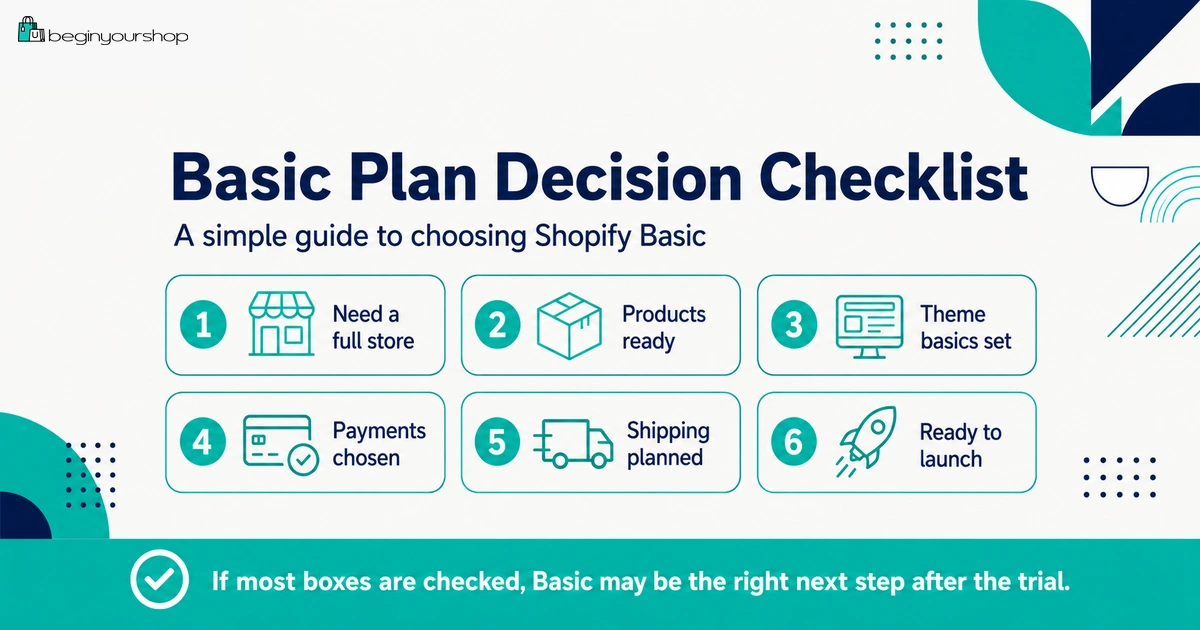
The Shopify Basic plan is often the first paid plan beginners should evaluate after the free trial if they want to build a full online store. It can support a standard ecommerce website with products, collections, pages, theme customization, checkout, and basic selling tools, but it is not always the right plan for every business.
This beginner-friendly article explains what the Shopify Basic plan is, who it is best for, what beginners should check before choosing it, how it compares with Starter and higher plans, what costs to consider, and when it may make sense to upgrade later.
After your Shopify free trial, the Basic plan is often the plan beginners look at first. That makes sense: many new store owners want a real online store, but they also want to keep monthly fixed costs under control while they are still testing products and learning ecommerce.
However, choosing Basic should not be automatic. The right question is not “Is Basic the cheapest full-store plan?” The better question is: “Does Basic support the store I am actually ready to launch?”
For many beginners, the answer is yes. Basic can be enough for a first online store if you are working alone, have a simple catalog, do not need advanced reports, do not need many staff users, and are still validating the business. But Basic can feel limiting if your store already has a team, complex shipping needs, higher sales volume, or more advanced reporting requirements.
This article explains the Shopify Basic plan from a beginner’s perspective so you can choose it for the right reasons.
Last checked: July 10, 2026. Shopify plan names, pricing, card rates, transaction fees, staff features, reporting features, shipping features, and promotional offers can change. Always review Shopify’s official pricing page and Shopify Help Center before choosing or changing a plan.

Quick Answer
The Shopify Basic plan is usually a practical starting point for beginners who want to launch a full online store with products, collections, pages, theme customization, and checkout. It is often enough if you are working alone, starting with a simple catalog, and do not yet need advanced reports, multiple staff users, or advanced shipping features. Choose Basic when it supports your actual launch needs, not just because it is the lowest-cost full-store option.
Best for
New online stores that need a real storefront, checkout, product pages, collections, and basic ecommerce tools.
Not ideal for
Stores that already need advanced reports, multiple staff users, advanced shipping rates, or scaling economics.
Upgrade rule
Upgrade later when real sales volume, operations, reports, staff, or fee savings justify the higher monthly cost.
What Is the Shopify Basic Plan?
The Shopify Basic plan is a paid Shopify plan designed for merchants who are ready to launch an online store and start selling. Shopify’s plan guidance describes Basic as best for new businesses that are ready to launch an online store and start making sales.
For beginners, the key point is that Basic is usually the first plan to evaluate if you want a real ecommerce website rather than only simple product links or lightweight selling.
Basic plan in plain language
Basic gives you the foundation for a standard online store:
- Online storefront
- Theme customization
- Product pages
- Collections
- Pages such as About and Contact
- Checkout
- Payment setup
- Shipping settings
- Discounts
- Order management
- Basic reports and analytics
It is not the most advanced plan, but a beginner store usually does not need the most advanced plan on day one.
Who Is Shopify Basic Best For?
Shopify Basic is usually best for beginners who want to build and operate a standard online store without paying for features they do not need yet.
Basic is a good fit if:
- You are launching your first Shopify store.
- You want a real online store, not only social selling links.
- You are working alone or with a very small setup.
- Your catalog is simple or moderate.
- You do not need advanced reports yet.
- You do not need multiple staff users yet.
- You want to keep fixed costs controlled while validating demand.
- You are still learning what customers respond to.
Basic may not be enough if:
- You already have a team that needs separate admin access.
- You need advanced reporting for business decisions.
- You need carrier-calculated shipping from third-party carriers.
- You already have enough sales volume that lower fees on a higher plan could save money.
- You need more advanced international, retail, or operational features.
- Your business is already scaling, not just launching.
The Basic plan is not “small” in a bad way. It is often the right plan for a store that is still proving its offer.
What the Basic Plan Can Support
The Basic plan can support the core building blocks of a Shopify store. For beginners, that usually matters more than advanced features.
| Store area | What Basic can support | Beginner note |
|---|---|---|
| Storefront | Create and customize an online store. | Good for building a real branded website. |
| Products | Add products, descriptions, images, variants, inventory, and pricing. | Enough for most first-store catalogs. |
| Collections | Organize products into customer-facing groups. | Useful for product discovery and navigation. |
| Checkout | Use Shopify checkout after paid plan and payment setup. | Test checkout before public launch. |
| Payments | Use Shopify Payments where available or eligible third-party providers. | Review fees and availability before launch. |
| Orders | Manage orders, fulfillment, customer notifications, and basic workflows. | Enough for early operations if fulfillment is simple. |
| Reports | Access basic performance information. | Advanced reporting needs may require a higher plan. |
Online Store Features
One of the main reasons beginners choose Basic is to build a full online store. Shopify’s Basic plan documentation explains that with Basic or higher, you can create and customize an online store for your products and manage it from the Shopify admin.
Online store areas to build
- Homepage
- Product pages
- Collection pages
- Cart
- Checkout
- About page
- Contact page
- Policy pages
- Blog or content pages if needed
- Main menu and footer navigation
If your goal is a full branded store that customers can browse and buy from, Basic is usually more relevant than a lightweight selling plan.
What to test before choosing Basic
Before choosing Basic, test your store draft during the free trial:
- Does your theme work with your product images?
- Do product pages look clear on mobile?
- Can customers understand the homepage quickly?
- Are collections organized logically?
- Are policy and contact pages ready?
Basic gives you the online store tools, but you still need to build a clear store experience.
Products, Collections, and Pages
Basic can work well for new stores because the most important beginner tasks are usually content and setup tasks, not advanced enterprise features.
Product setup checklist
- Product title
- Product description
- Product images and media
- Price and compare-at price if used
- Cost per item if tracking margin
- Variants
- Inventory tracking
- Shipping weight for physical products
- Product category, type, vendor, collections, and tags
- Search engine listing
Collection setup checklist
- Clear collection name
- Useful collection description
- Relevant products assigned
- Collection image if useful
- SEO title and meta description for important collections
- Navigation link from menu or homepage
For most beginners, improving product pages and collections will matter more than choosing a higher Shopify plan.
Payments, Card Rates, and Transaction Fees
When choosing Basic, you need to understand payment costs. Shopify’s pricing and billing overview explains that Basic, Grow, and Advanced plans have multiple rates and fees, such as monthly price, credit card rates, and third-party transaction fees.
Shopify also explains that when you use Shopify Payments as your processor, there are no third-party transaction fees for orders processed through Shopify Payments, although payment processing fees still apply.
Two fee types to understand
| Fee type | Meaning | Why it matters |
|---|---|---|
| Credit card or payment processing fee | The cost to process customer payments. | This affects margin on every order. |
| Third-party transaction fee | A Shopify fee that can apply when using outside payment providers. | This can make external payment providers more expensive than expected. |
Payment questions before choosing Basic
- Is Shopify Payments available in your country or region?
- Is your business type eligible for Shopify Payments?
- What card rates apply to the Basic plan in your region?
- Will you use a third-party payment provider?
- If using a third-party provider, what transaction fees apply?
- What payout timing should you expect?
- What verification information is required?
If your store has no sales yet, Basic often makes sense because lower fixed cost matters. If you already have meaningful sales volume, compare whether a higher plan’s rates could save enough money to justify the upgrade.
Staff and Permissions
Staff access matters when more than one person needs to work inside Shopify. Beginners often overlook this because they start alone.
Shopify’s general checklist currently states that the Basic plan allows no additional staff, the Grow plan allows 5, the Advanced plan allows 15, and Shopify Plus allows unlimited staff. Shopify’s Basic plan documentation also says staffing your Shopify store is unavailable with Basic.
Basic is usually fine if:
- You are working alone.
- You do not need separate admin accounts for a team.
- You can manage products, orders, content, and settings yourself.
- You use external contractors without giving them long-term admin access.
Basic may be limiting if:
- You have a team member managing products.
- You have someone handling fulfillment.
- You have a marketer managing campaigns or content.
- You want separate permissions for different roles.
- You need agency or developer access often.
Do not upgrade just because you may hire someone someday. Upgrade when team access becomes a real operational need.
Reports and Analytics
Basic gives beginners enough information to start understanding store performance, but it is not designed for stores that need more advanced reporting.
Early metrics beginners should watch
- Sessions
- Traffic sources
- Top landing pages
- Product page views
- Add-to-cart activity
- Checkout activity
- Conversion rate
- Average order value
- Returning customer behavior over time
For a new store, the problem is often not a lack of advanced reports. The problem is a lack of traffic and sales data. Advanced reporting becomes more useful after you have enough activity to analyze.
Consider a higher plan later if:
- You need deeper reporting for decisions.
- You have consistent sales volume.
- You need better forecasting or business visibility.
- You manage multiple channels or more complex operations.
- Reporting limitations are slowing decision-making.
Shipping and Carrier-Calculated Rates
Shipping is another area where Basic can be enough for many beginners but limiting for some stores.
Shopify’s Basic plan documentation says that activating third-party carrier-calculated shipping features is unavailable with the Basic plan. Advanced plan documentation describes carrier-calculated shipping as a feature that lets you integrate with a third-party shipping service to provide customers with up-to-date shipping rates and options at checkout.
Basic may be enough if:
- You use simple flat-rate shipping.
- You use free shipping with clear margin calculations.
- You ship to a limited set of regions.
- Your products have predictable packaging and shipping costs.
- You are still testing demand with a small catalog.
Basic may feel limiting if:
- You need third-party carrier-calculated rates.
- You sell products with very different shipping dimensions or weights.
- You ship internationally with complex rules.
- You need advanced shipping workflows.
- Your shipping costs vary too much for simple flat rates.
Before choosing Basic, map your shipping model clearly. Many beginner stores can start with simple shipping rules, but stores with complex shipping may need a higher plan, app, or more careful setup.
Basic vs Starter
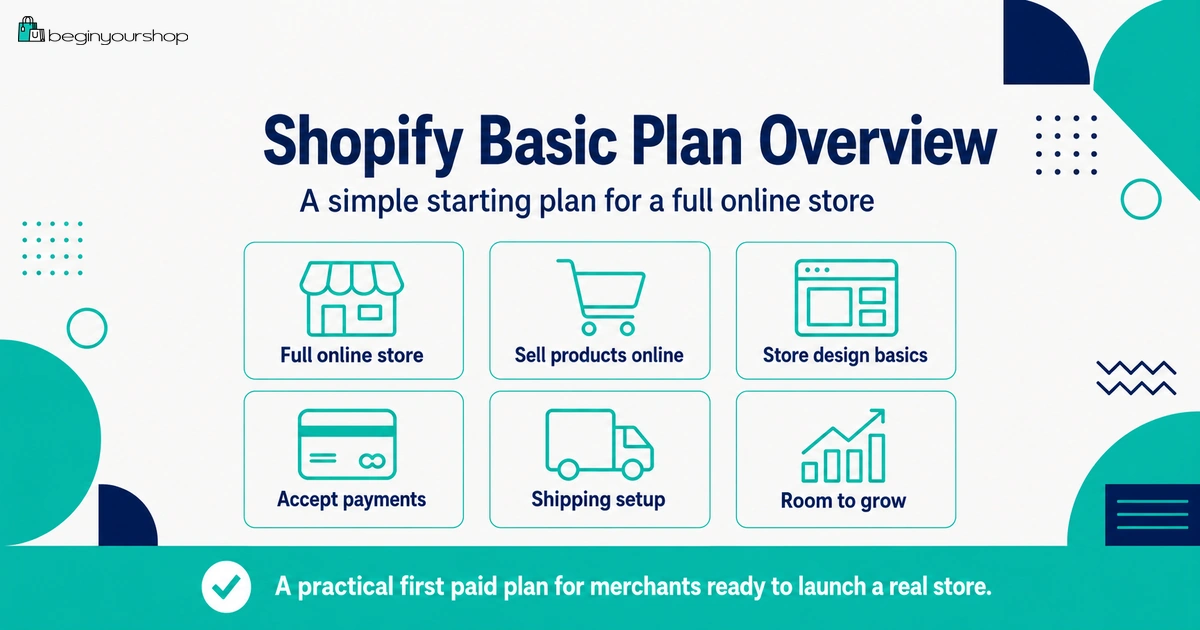
Basic and Starter serve different needs. Starter can be useful for lightweight selling, while Basic is generally the better fit when you want a full online store.
| Question | Starter | Basic |
|---|---|---|
| Main use case | Simple selling through links, social channels, or lightweight setup. | Full online store with products, collections, pages, and checkout. |
| Best for | Creators or sellers testing a small offer without a full website. | New businesses ready to launch an online store. |
| Storefront depth | Limited compared with a full online store setup. | Better for a branded ecommerce website. |
| SEO and content structure | Less suitable for a content-driven store. | Better if you want pages, collections, and long-term SEO structure. |
If your goal is to build a serious branded ecommerce site, Basic is usually the plan category to evaluate. If you only need simple product links, Starter may be enough.
Basic vs Grow
The decision between Basic and Grow is usually about whether your store has enough real need to justify the higher plan.
Stay on Basic if:
- You are launching your first store.
- You do not have consistent sales yet.
- You are working alone.
- You do not need advanced reports.
- You do not yet know which products will sell.
- You want to keep fixed costs lower while testing demand.
Consider Grow if:
- You need staff accounts.
- You need more reporting or business visibility.
- You have enough sales volume for fee differences to matter.
- You are investing seriously in growth.
- Your operations have become more complex.
Shopify’s choosing-a-plan documentation notes that the point where upgrading to Grow saves money depends on your location and whether you use Shopify Payments. This means you should use real numbers, not guesswork.
Costs Beyond the Basic Plan
The Basic subscription is only one part of your store budget. A beginner store can still have other costs.
Common costs to include
- Domain name
- Payment processing fees
- Third-party transaction fees if using external providers
- Paid apps
- Paid theme if used
- Product samples
- Inventory
- Packaging
- Shipping supplies
- Email marketing tools
- Product photography
- Marketing and traffic
- Business registration, tax, or accounting costs where relevant
Do not judge Basic only by its monthly subscription price. Calculate the total cost of operating your store.
Beginner cost-control tips
- Start with a free theme if it works.
- Install only necessary apps.
- Order samples before buying large inventory.
- Use simple shipping rules if practical.
- Choose one traffic channel first.
- Upgrade only when data justifies it.
Basic Plan Decision Checklist
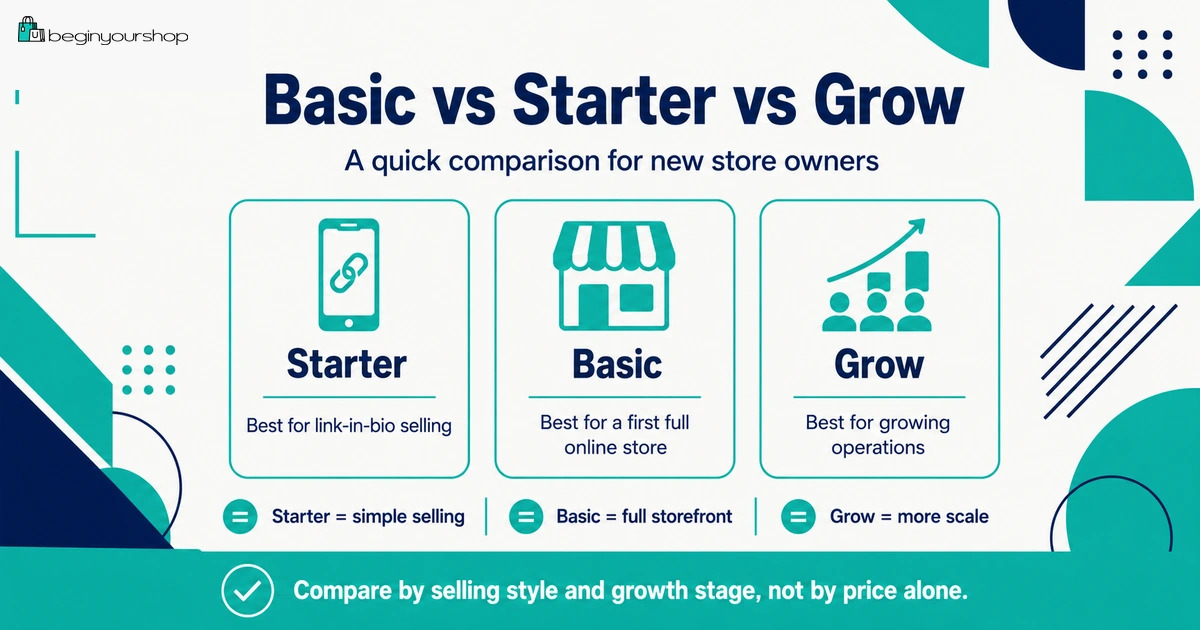
Use this checklist before choosing Basic after the free trial.
| Question | Answer |
|---|---|
| I want a full online store, not only simple product links. | Yes / No |
| I am launching a new store or early-stage business. | Yes / No |
| I have added real products and tested them in a theme. | Yes / No |
| I do not currently need additional staff users. | Yes / No |
| I do not currently need advanced reports. | Yes / No |
| My shipping setup can work without third-party carrier-calculated shipping. | Yes / No |
| I understand payment processing fees and possible third-party transaction fees. | Yes / No |
| I know which apps are truly required for launch. | Yes / No |
| I am ready to test checkout after choosing a paid plan. | Yes / No |
| I know what would cause me to upgrade later. | Yes / No |
If most answers are “yes,” Basic may be a sensible starting point. If several answers are “no,” review Starter, Grow, or your store readiness before choosing.
When to Upgrade from Basic
Basic does not need to be your forever plan. Shopify says you can upgrade your plan to add new features and functionality to your store.
Upgrade when:
- You need staff accounts.
- You need more advanced reports.
- Your sales volume makes lower fees valuable.
- Your shipping setup needs features unavailable on Basic.
- Your business has moved from testing to growth.
- Your operations are becoming more complex.
- You have enough data to justify the higher monthly cost.
Do not upgrade because:
- You think customers will know your Shopify plan.
- You hope a higher plan will create sales.
- You have not fixed product pages.
- You have no traffic plan.
- You have no sales data.
- You are trying to feel more serious without changing the business fundamentals.
Plan upgrades should follow business needs. They should not replace product, marketing, or operational work.
Common Basic Plan Mistakes
Mistake 1: Choosing Basic before the store is ready
Basic can be the right plan, but you should still have products, theme, payment review, shipping plan, policies, and a launch path before paying.
Mistake 2: Assuming Basic has every feature
Basic supports a real online store, but some features such as additional staff or third-party carrier-calculated shipping may require higher plans or different solutions.
Mistake 3: Ignoring payment fees
Payment processing fees and third-party transaction fees can affect margins. Review them before launch.
Mistake 4: Installing too many apps on Basic
If you keep the plan cost low but add many paid apps, your monthly cost can still become high.
Mistake 5: Upgrading too soon
A higher plan is not a shortcut to sales. Upgrade when real needs justify it.
Mistake 6: Not testing checkout after choosing a plan
After choosing a paid plan, test checkout, shipping rates, taxes, payment behavior, order emails, and inventory updates before launching.
FAQ
Is Shopify Basic enough for beginners?
Yes, Shopify Basic is often enough for beginners who want to launch a standard online store and do not yet need advanced reports, additional staff users, or advanced shipping features.
What is the Shopify Basic plan best for?
Shopify’s plan guidance describes Basic as best for new businesses that are ready to launch an online store and start making sales.
Can I build a full online store on Shopify Basic?
Yes. Shopify’s Basic plan documentation says that with Basic or higher, you can create and customize an online store for your products and manage it from the Shopify admin.
Does Shopify Basic include checkout?
Basic is a paid Shopify plan that supports online store selling and checkout setup. Before launching, complete payment setup and place a test order where appropriate.
Does Shopify Basic allow staff accounts?
Shopify’s current general checklist says the Basic plan allows no additional staff, while Grow and Advanced allow more staff. Check current Shopify plan details before choosing.
Does Shopify Basic support advanced reports?
Basic includes basic reporting and store analytics, but more advanced reporting needs can require a higher plan. Choose based on the reports you actually need.
Does Shopify Basic have third-party transaction fees?
Third-party transaction fees can apply when using external payment providers. Shopify says when you use Shopify Payments as your processor, there are no third-party transaction fees for Shopify Payments orders. Always review current fees for your plan and region.
Should I choose Basic or Starter?
Choose Basic if you want a full online store with products, collections, pages, and stronger storefront structure. Starter may fit if you only need simple selling through links or social channels.
Should I choose Basic or Grow?
Start with Basic if you are launching a new store and do not need Grow features yet. Consider Grow when staff needs, reports, sales volume, or fee savings justify the higher plan.
Can I upgrade from Basic later?
Yes. Shopify says you can upgrade your plan to add new features and functionality to your store. Upgrade when your business needs justify the additional cost.
Final Thoughts
The Shopify Basic plan is often the most sensible starting point for beginners who want a real online store after the free trial. It can support the core pieces of an ecommerce site: products, collections, pages, theme customization, checkout, payments, shipping, and order management.
But Basic is not right for everyone. If you only need simple selling links, Starter may be enough. If you already need staff access, advanced reports, lower fee economics, or advanced shipping features, a higher plan may be worth comparing.
For most new stores, the best path is simple: start with the lowest plan that supports your real launch needs, keep costs lean, test checkout carefully, and upgrade only when real business growth justifies it.
Next recommended guide: Shopify Pricing Explained