Is Shopify Worth It for Beginners in 2026?
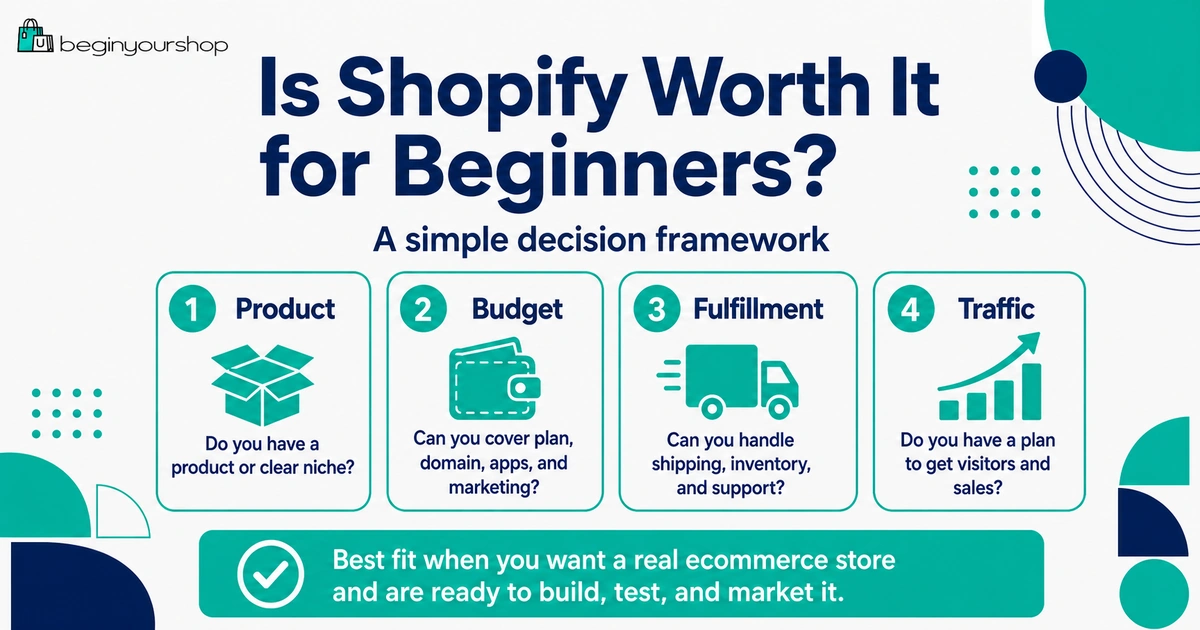
Shopify can be worth it for beginners if you want a hosted ecommerce platform that helps you build an online store, accept payments, manage products, organize orders, use themes, connect apps, and launch without building everything from scratch. But it is not worth it for every beginner, especially if you do not yet have a product idea, a realistic budget, or a plan to get customers.
This beginner-friendly article explains when Shopify is worth it, when it may not be the right choice, what costs to consider, what beginners should test during the trial, and how to decide before committing to a paid plan.
“Is Shopify worth it?” is one of the most common questions beginners ask before starting an online store. It is also easy to answer badly.
Shopify is not automatically worth it just because it is popular. It is worth it when its strengths match your situation: you want to sell products online, you want a hosted ecommerce platform, you do not want to manage your own hosting and checkout infrastructure, and you are willing to invest time into products, store setup, customer trust, and marketing.
Shopify is less likely to be worth it if you only want a simple website, do not know what you want to sell, are not ready to handle fulfillment or support, or expect the platform to bring traffic automatically.
This article gives you a practical beginner decision framework. The goal is not to convince every person to use Shopify. The goal is to help you decide whether Shopify fits your first store.
Last checked: May 8, 2026. Shopify pricing, trial offers, plan names, payment fees, features, app costs, and platform policies can change. Always confirm current details on Shopify’s official pricing page and Help Center before choosing a plan.

Quick Answer
Shopify is worth it for beginners who want to build a real ecommerce store and are ready to work on products, product pages, payments, shipping, customer trust, and marketing. It is usually not worth it if you only need a basic website, have no product idea, or expect Shopify to create traffic and sales by itself.
Worth it if...
You want a hosted ecommerce platform with products, checkout, payments, themes, apps, and order management in one place.
Not worth it if...
You only want a simple brochure site, have no product plan, or are not ready to handle fulfillment and support.
Best test
Use the trial to add real products, test a theme, review costs, set up payments, check shipping, and test checkout.
What “Worth It” Really Means
“Worth it” does not mean “cheapest.” It also does not mean “perfect.” For a beginner, Shopify is worth it when the value you get from the platform is greater than the time, money, and effort required to use it.
That value can include:
- Faster store setup
- Hosted ecommerce infrastructure
- Built-in checkout
- Payment options
- Theme customization
- Product and inventory management
- Order management
- App ecosystem
- Sales channel integrations
- Support resources and tutorials
The cost is not only the monthly plan. The cost includes apps, themes, payment fees, domain, marketing, product sourcing, inventory, shipping, packaging, time, and learning curve.
Beginner takeaway: Shopify is worth it when you use it as a serious ecommerce platform. It is not worth it if you treat it like a magic sales machine.
When Shopify Is Worth It
Shopify is usually worth considering when your goal is to build a product-focused online store.
Shopify is a good fit when:
- You want to sell physical or digital products online.
- You want a hosted platform instead of managing ecommerce hosting yourself.
- You want a built-in checkout and ecommerce admin.
- You want to start with a theme instead of custom web design.
- You want access to apps for reviews, email, shipping, subscriptions, print-on-demand, dropshipping, SEO, and more.
- You want a platform that can start small and grow later.
- You are willing to learn product setup, shipping, payments, policies, and basic marketing.
Shopify is especially useful for beginners who want to move from idea to working store quickly without building the ecommerce system from scratch.
Good beginner use cases
| Use case | Why Shopify can be worth it |
|---|---|
| First product brand | You can build a branded store with product pages, checkout, and customer communication in one system. |
| Small business selling online | You can add ecommerce without managing a custom ecommerce backend. |
| Print-on-demand store | Shopify integrates with print-on-demand apps that can create and fulfill products. |
| Dropshipping store | The app ecosystem and tutorials make it easier to test supplier-based products, though execution still matters. |
| Digital product store | You can sell digital products with the right setup or delivery app. |
| Growing marketplace seller | You can build your own branded store instead of relying only on a marketplace. |
When Shopify May Not Be Worth It
Shopify is not the right tool for every beginner.
Shopify may not be worth it if:
- You only need a simple personal website.
- You do not plan to sell products.
- You want only a blog or portfolio.
- You have no product idea and are not ready to research one.
- You cannot afford basic monthly costs and business expenses.
- You do not want to learn shipping, payments, returns, and customer support.
- You expect traffic and sales to appear automatically.
- Your product category may be restricted by Shopify, payment providers, or law.
In those cases, another option may be more practical. A simple website builder, marketplace, landing page tool, or content platform may be enough until you are ready for a full ecommerce store.
What Shopify Really Costs
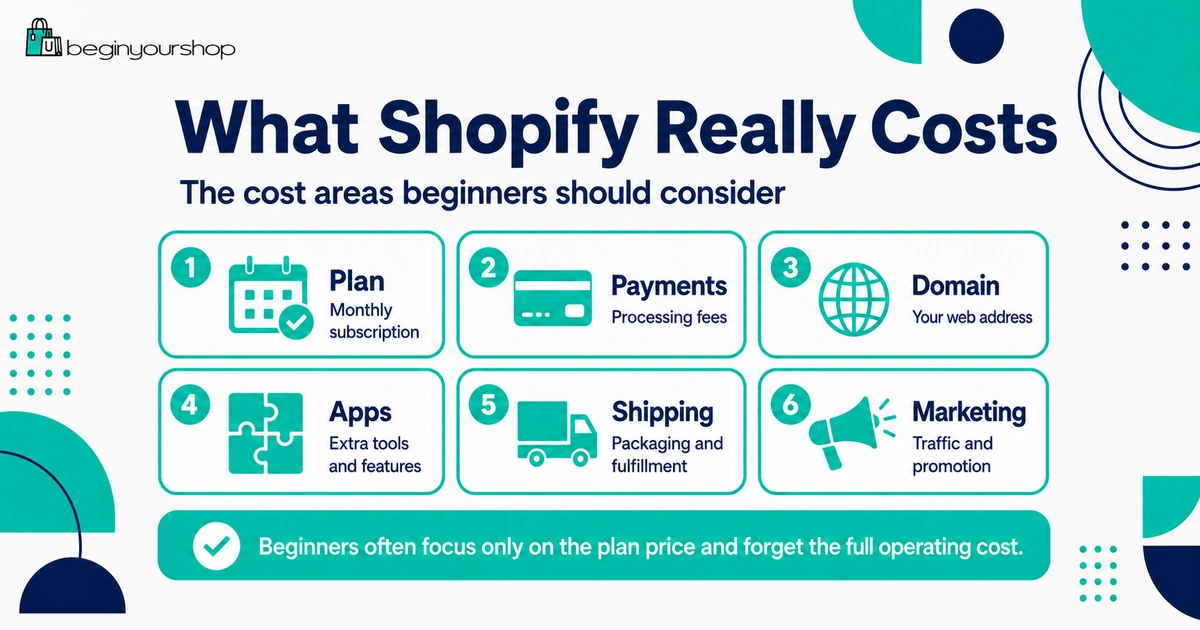
Beginners often ask whether Shopify is worth the monthly plan price, but the plan is only one part of the real cost.
Your Shopify cost can include:
- Shopify subscription plan
- Payment processing fees
- Third-party transaction fees if using certain outside payment providers
- Domain name
- Paid apps
- Premium theme if you choose one
- Email marketing tools
- Product samples
- Inventory
- Packaging
- Shipping and fulfillment
- Returns and refunds
- Marketing and advertising
Cost areas beginners often forget
| Cost area | Why it matters |
|---|---|
| Apps | Several small monthly app fees can become expensive quickly. |
| Payment fees | Every card transaction usually has a processing cost. |
| Shipping | Free shipping is not free for the merchant; it must be built into pricing or margin. |
| Product samples | You may need samples before selling products confidently. |
| Returns | Returns, refunds, and replacement shipments can affect profit. |
| Marketing | A store without traffic needs a plan to attract visitors. |
For a detailed cost breakdown, read: Shopify Pricing Explained.
What You Get with Shopify
Shopify gives you the tools to build and manage an online store from one admin area.
Depending on your plan, country, setup, and apps, Shopify can support:
- Online storefront
- Product pages
- Collections
- Cart and checkout
- Payment processing options
- Order management
- Customer records
- Inventory tools
- Shipping settings
- Discounts
- Themes
- Apps
- Analytics
- Sales channels
- Basic SEO settings
- Blog and pages
This is why Shopify can be worth it even when cheaper tools exist. It is not only a website builder. It is an ecommerce operating system for small and growing stores.
Why Beginners Like Shopify
Shopify is popular with beginners because it reduces technical friction.
1. You do not need to manage hosting
Shopify is hosted. You do not need to install ecommerce software on your own server or manage hosting infrastructure for the store.
2. The admin is ecommerce-focused
The Shopify admin is built around products, orders, customers, payments, shipping, discounts, analytics, and storefront setup. Beginners are not trying to turn a general website system into ecommerce from scratch.
3. Themes make design easier
You can start with a Shopify theme and customize sections instead of designing every page manually.
4. Apps extend the store
The app ecosystem can add features when you need them, such as reviews, subscriptions, product options, print-on-demand, dropshipping, email, analytics, and customer support.
5. There is a large support ecosystem
Because Shopify is widely used, it is easier to find tutorials, examples, agencies, developers, apps, and community discussions.
The Trade-Offs
Shopify has strengths, but beginners should understand the trade-offs before committing.
| Trade-off | What it means | How beginners should handle it |
|---|---|---|
| Monthly subscription | You pay for the platform even before the store is profitable. | Keep early costs low and use the trial to test fit. |
| App dependence | Some features require apps, which can add costs and complexity. | Install only apps that solve real problems. |
| Platform rules | You need to follow Shopify, payment provider, app, and legal requirements. | Check product eligibility and payment rules before building. |
| Theme constraints | The theme controls much of the storefront structure. | Choose a theme that fits your catalog and product type. |
| Marketing still required | Shopify does not automatically generate customers. | Create a realistic traffic plan before launch. |
Shopify vs Other Starting Options
Shopify is not the only way to start selling online. The right choice depends on your goal.
| Option | Best for | Main limitation |
|---|---|---|
| Shopify | Beginners who want their own ecommerce store with checkout, products, orders, themes, and apps. | Requires subscription, setup work, and traffic strategy. |
| Marketplace | Sellers who want access to an existing marketplace audience. | Less control over brand, customer relationship, and platform rules. |
| Simple website builder | People who need a basic website or portfolio with light selling needs. | May be weaker for serious ecommerce operations. |
| WooCommerce | WordPress users who want more control and are comfortable managing hosting and plugins. | More technical maintenance for many beginners. |
| Social selling only | Testing demand through content or community before building a full store. | Less control over the buying experience and customer data. |
If your goal is to build a long-term branded store, Shopify is often more suitable than relying only on a marketplace or social profile. If your goal is to test a few handmade products with minimal setup, a marketplace may be easier at the beginning.
What to Test During the Trial
The Shopify trial is valuable only if you use it to test real setup tasks. Do not spend the entire trial changing colors.
Test these areas during the trial
- Add at least one real product.
- Write a real product description.
- Upload realistic product images.
- Choose a simple theme and preview product pages.
- Create one collection.
- Build a basic homepage.
- Check payment provider availability.
- Review shipping zones and rates.
- Create About, Contact, Shipping, Return, Privacy, and Terms pages.
- Check the mobile storefront.
- Review total costs after apps, domain, payment fees, and marketing.
Before paying for a plan, you should know whether Shopify can support your product type, store structure, payment needs, shipping workflow, and launch plan.
Beginner Decision Framework
Use this framework before deciding whether Shopify is worth it for you.
| Question | If yes | If no |
|---|---|---|
| Do you have a product or product category in mind? | Shopify may be worth testing. | Research products before committing to a store platform. |
| Do you want your own branded online store? | Shopify is a strong fit. | A marketplace or simple landing page may be enough. |
| Can you afford startup and monthly costs? | Proceed with a lean setup. | Reduce costs or validate demand first. |
| Are you willing to learn ecommerce basics? | Shopify can help you build efficiently. | Any ecommerce platform will feel difficult. |
| Do you have a traffic plan? | You are more likely to get value from Shopify. | Create a marketing plan before launch. |
| Can your product be fulfilled reliably? | You can build a stronger customer experience. | Fix sourcing, inventory, shipping, or delivery first. |
Example Scenarios
Here are practical examples of when Shopify is or is not worth it.
Scenario 1: You have a focused product idea
You want to sell handmade candles with clear product categories, photos, and shipping rules. Shopify is likely worth testing because you need product pages, checkout, shipping, and a branded store.
Scenario 2: You only want a personal blog
If you only want to publish articles and do not plan to sell products, Shopify is probably not the best fit. A content-focused platform may be more appropriate.
Scenario 3: You want to test print-on-demand products
Shopify can be worth it because it integrates with print-on-demand apps. But success still depends on design quality, audience fit, product presentation, and marketing.
Scenario 4: You have no product and no budget
Shopify may not be worth paying for yet. Spend time validating a product idea, building an audience, or researching fulfillment before committing to monthly costs.
Scenario 5: You sell on a marketplace and want more control
Shopify may be worth it if you want a branded store, more control over customer experience, and a long-term home for your business outside a marketplace.
Mistakes That Make Shopify Feel Not Worth It
Sometimes Shopify feels “not worth it” because the beginner uses it in the wrong way.
Mistake 1: Spending too much time on design
A beautiful homepage does not help if product pages are weak, checkout is untested, or shipping is unclear.
Mistake 2: Installing too many apps
Too many apps can raise costs and complexity before the store has sales.
Mistake 3: Not testing checkout
If customers cannot complete checkout, the store is not ready. Always test the buying flow before launch.
Mistake 4: Ignoring traffic
Shopify does not bring customers automatically. You need SEO, content, social media, ads, partnerships, email, or another traffic strategy.
Mistake 5: Choosing products casually
A weak product idea will not become strong just because it is placed on Shopify.
Mistake 6: Misunderstanding cost
Monthly plan price is only one part of the business cost. Apps, payment fees, shipping, packaging, returns, and marketing also matter.
Is Shopify Worth It? Beginner Checklist
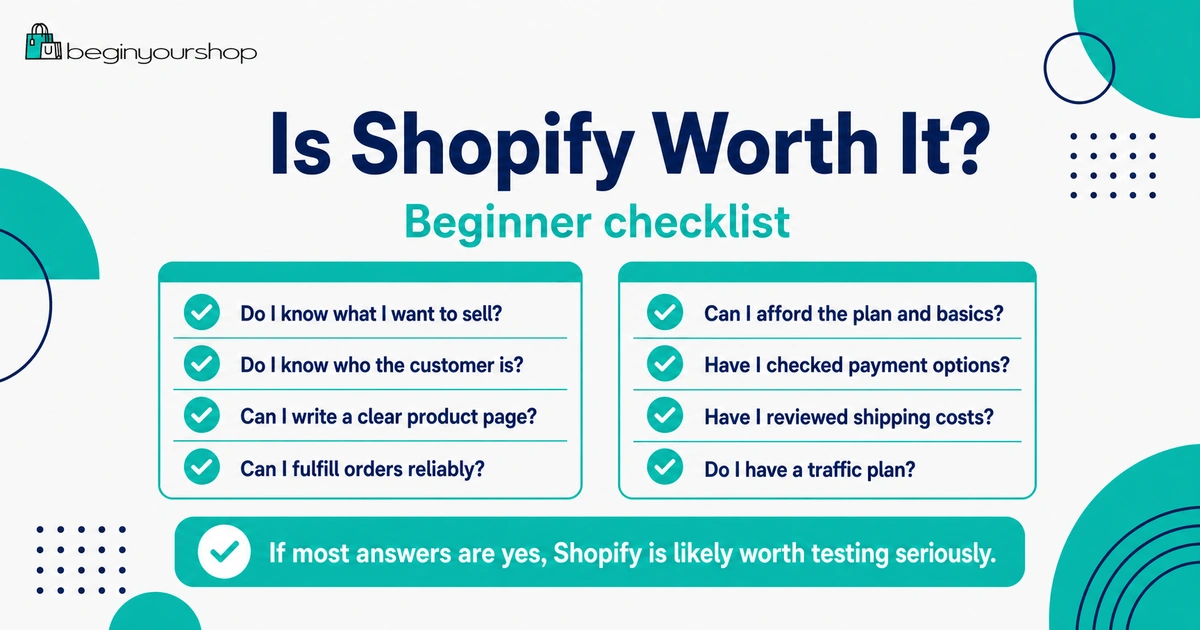
Use this checklist before choosing a paid Shopify plan.
| Question | Your answer |
|---|---|
| Do I know what product or product category I want to sell? | Yes / No |
| Do I know who the customer is? | Yes / No |
| Can I write a clear product page? | Yes / No |
| Can I fulfill orders reliably? | Yes / No |
| Can I afford the monthly plan and basic business costs? | Yes / No |
| Have I checked payment provider availability? | Yes / No |
| Have I reviewed shipping rules and costs? | Yes / No |
| Do I need my own branded store rather than only a marketplace listing? | Yes / No |
| Do I have a plan to get traffic? | Yes / No |
| Did the trial show that Shopify fits my workflow? | Yes / No |
If most answers are yes, Shopify is likely worth testing seriously. If many answers are no, pause and fix the weak areas before committing.
FAQ
Is Shopify worth it for beginners?
Shopify can be worth it for beginners who want to build a real ecommerce store and are ready to learn product setup, payments, shipping, checkout, customer support, and marketing. It is not worth it if you only need a basic website or have no product plan.
Is Shopify worth it if I have no sales yet?
It can be worth testing during the trial if you have a product idea and want to build a store. But you should keep early costs low and avoid paid apps until you understand what the store actually needs.
Is Shopify too expensive for beginners?
Shopify can feel expensive if you are not using it to build a real ecommerce business. The subscription is only one cost. Apps, payment fees, domain, shipping, inventory, and marketing can also add up. Beginners should start lean.
Does Shopify bring customers automatically?
No. Shopify gives you the ecommerce platform, but you still need a traffic strategy. SEO, content, social media, ads, email, influencers, partnerships, and marketplaces are all possible channels depending on your business.
Should I use Shopify or a marketplace first?
Use Shopify if you want your own branded store and more control. Use a marketplace if you mainly want to test products with an existing marketplace audience and are comfortable with marketplace rules and fees.
Can I use Shopify for digital products?
Yes, with the right setup or app. Digital product stores should clearly explain file type, delivery method, access rules, refund policy, and customer support.
Is Shopify worth it for dropshipping?
Shopify can be useful for dropshipping because of its app ecosystem, but dropshipping is not automatically easy. Supplier quality, shipping times, product selection, customer support, and marketing still matter.
Is Shopify worth it for print-on-demand?
Shopify can be a strong option for print-on-demand stores because it integrates with print-on-demand providers. However, design quality, product selection, margins, shipping expectations, and audience building are still important.
Should I start with a free theme?
Most beginners should start with a clean free theme unless a paid theme solves a specific product page, catalog, or design problem. A paid theme is not required to validate a store idea.
How do I know if Shopify is the right platform?
Use the trial to add real products, test theme fit, review payments and shipping, create key pages, check mobile layout, and estimate total costs. If Shopify supports your workflow and business model, it may be the right platform.
Final Thoughts
Shopify is worth it for beginners when it is used for the right job: building a real product-focused online store. It gives you ecommerce infrastructure, themes, checkout, payments, order tools, apps, and room to grow.
It is not worth it if you expect it to do the business work for you. You still need a product, a customer, clear product pages, reliable fulfillment, policies, support, and a traffic plan.
The best way to decide is to use the trial seriously. Add real products, test a theme, review costs, check payments and shipping, and decide based on your actual store workflow rather than assumptions.
Next recommended article: What to Do During Your First 3 Days on Shopify