How Much Does It Cost to Start a Shopify Store?
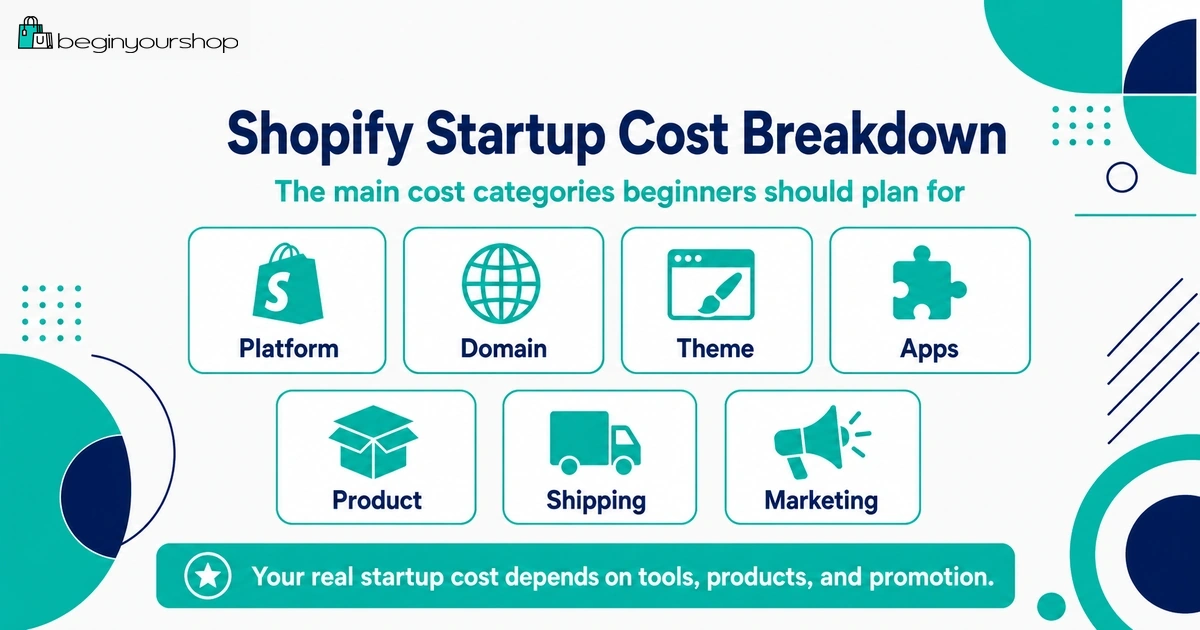
Starting a Shopify store is not just about paying for a Shopify plan. Your real startup cost can also include a domain, theme, apps, payment processing fees, product samples, inventory, packaging, shipping supplies, email tools, marketing, and basic business expenses.
This beginner-friendly cost breakdown explains how much it can cost to start a Shopify store in 2026, what expenses are required, what can wait, and how to keep your first-store budget realistic.
One of the most common beginner questions is simple: how much does it actually cost to start a Shopify store?
The honest answer is that Shopify has a clear subscription price, but your real startup budget depends on your business model. A print-on-demand store can start with a much smaller budget than a store that buys inventory upfront. A digital product store has different costs from a fashion brand. A dropshipping store has different risks from a handmade product store.
For beginners, the mistake is usually not underestimating the Shopify plan itself. The bigger mistake is forgetting the other costs: domain, product samples, apps, payment fees, product photography, packaging, shipping supplies, returns, email tools, and marketing.
This guide breaks down the real cost categories so you can plan a practical first-store budget without overspending too early.
Last checked: May 15, 2026. Shopify plan prices, card rates, third-party transaction fees, app pricing, domain prices, and payment rules can change. Always confirm current costs on Shopify’s official pricing page and inside your Shopify admin before making a purchase decision.

Quick Answer
A beginner Shopify store can often start with a lean budget if you use a free theme, avoid unnecessary apps, start with a small product range, and do not buy too much inventory upfront. However, a realistic startup budget should include more than the monthly Shopify plan. You should also budget for a domain, payment fees, products or samples, packaging, shipping, basic marketing, and any apps that are truly required for your business model.
Lowest-risk approach
Use the trial to test the admin, products, theme, payments, shipping, and checkout before committing to higher costs.
Best beginner budget rule
Spend first on product clarity, checkout readiness, and traffic learning — not on too many apps or a premium theme.
Biggest hidden cost
Marketing and product testing often cost more than beginners expect, especially if paid ads are involved.
If you want a simple rule: start lean, validate demand, and increase spending only after you understand what customers respond to.
Main Shopify Startup Cost Categories
When planning your budget, separate required costs from optional costs.
| Cost category | Required at launch? | Beginner note |
|---|---|---|
| Shopify plan | Yes, when you are ready to run the store beyond the trial and accept real orders. | Choose the lowest plan that fits your needs at the beginning. |
| Domain name | Strongly recommended | A custom domain improves trust and branding. |
| Theme | No, if a free theme works | Most beginners can start with a free theme. |
| Apps | Only if needed | Install only apps required for fulfillment, delivery, product options, reviews, email, or support. |
| Payment processing | Yes, when orders happen | Card processing fees are part of ecommerce. |
| Products or samples | Usually yes | Costs vary greatly by business model. |
| Packaging and shipping supplies | For physical products | Plan this before your first real order. |
| Marketing | Practically yes | Shopify gives you a store, not automatic traffic. |
| Legal, tax, and admin | Depends on location and business model | Rules vary, so check local requirements. |
1. Shopify Plan Cost
Your Shopify subscription is the most obvious cost. Shopify’s official pricing page lists several plans, including Basic, Grow, Advanced, and Plus. The right plan depends on your store size, staff needs, reporting needs, checkout and platform requirements, and whether you need more advanced features.
Most beginners should usually start with the lowest plan that supports the store they are trying to launch. You can upgrade later if your order volume, reporting needs, staff requirements, or business complexity justify it.
Beginner plan decision rule
Start with the simplest plan that lets you sell properly. Do not choose a higher plan only because it feels more professional. Upgrade when the features or lower rates clearly justify the higher monthly cost.
What to check before choosing a plan
- Monthly or annual subscription price
- Online card rates
- In-person card rates if you sell in person
- Third-party transaction fees if you do not use Shopify Payments
- Staff account needs
- Reporting needs
- International selling needs
- Checkout, B2B, or enterprise requirements
For a first store, you usually do not need enterprise-level features. Focus on launching correctly before optimizing plan economics.
2. Domain Name Cost
A custom domain is not always technically required, but it is strongly recommended for a serious store. A domain makes your store look more professional and easier to remember.
You can buy a domain through Shopify or connect a domain from a third-party provider. If you buy through Shopify, Shopify manages the domain from your Shopify admin. Shopify states that domain purchases are non-refundable, and Shopify does not provide email hosting, although you can connect a Shopify-managed domain to a third-party email hosting service.
Domain costs to consider
- Annual domain registration
- Annual renewal
- Premium domain pricing if the name is expensive
- Email hosting if you want a branded inbox
- Domain privacy or related services depending on provider and domain type
For beginners, a simple brandable domain is usually enough. Do not spend a large amount on a premium domain before validating the business.
3. Shopify Theme Cost
Your theme controls the appearance and layout of your online store. Shopify offers free themes and paid themes.
A paid theme can be useful if it solves a real problem: better product pages, better filters, better navigation, stronger promotional sections, color swatches, lookbooks, or more built-in features that reduce app dependency.
But many beginners should start with a free theme.
Use a free theme if:
- You are launching your first store.
- Your catalog is small.
- You are still validating your product idea.
- You do not need advanced filters or custom layouts.
- Your budget is limited.
Consider a paid theme if:
- Your product category needs more advanced presentation.
- Your catalog needs stronger navigation or filtering.
- The theme includes features that would otherwise require multiple paid apps.
- You have already validated the product idea.
- The theme fits your product pages better than free options.
Do not buy a theme just because the demo looks beautiful. Theme demos use ideal photos and polished copy. Test the theme with your own products before deciding.
4. Shopify Apps Cost
Apps can add important features, but they can also become one of the fastest-growing monthly costs for beginners.
Some apps have free plans. Others use monthly billing, usage-based pricing, order-based pricing, subscriber-based pricing, or feature limits. Shopify’s Help Center notes that most app charges are billed through Shopify, while some third-party apps may charge directly outside Shopify.
Apps beginners may actually need
- Print-on-demand fulfillment app
- Dropshipping supplier app
- Digital delivery app
- Product options or personalization app
- Email marketing app
- Review app
- Customer support or FAQ app
- Shipping or delivery app if Shopify’s built-in settings are not enough
Apps beginners can often delay
- Advanced upsells
- Loyalty programs
- Referral programs
- Heatmaps
- A/B testing
- Advanced analytics
- Complex personalization
- Multiple popup tools
Before installing a paid app, ask whether it helps customers buy, helps you fulfill orders, saves meaningful time, or supports a clear marketing plan. If not, wait.
5. Payment Processing and Transaction Fees
Payment fees are part of ecommerce. Shopify Payments and third-party payment providers have different fee structures, and the details can vary by country, plan, payment method, and transaction type.
Shopify’s pricing and billing documentation explains that Basic, Grow, and Advanced plans have multiple rates and fees, including monthly price, credit card rates, and third-party transaction fees. Shopify also explains that when you use Shopify Payments, you are not charged third-party transaction fees for orders processed using Shopify Payments and certain related methods, but card processing fees still apply.
Understand these two fee types
| Fee type | What it means | Beginner note |
|---|---|---|
| Payment processing fee | The fee charged to process a card or payment method. | This applies when customers pay online. |
| Third-party transaction fee | A Shopify platform fee that can apply when using outside payment providers. | This is separate from the provider’s own processing fee. |
Why this matters
If you use Shopify Payments and are eligible, your payment setup may be simpler and you can avoid many third-party transaction fees on Shopify Payments orders. If you use an outside payment provider, compare the full cost: the provider’s processing fee plus Shopify’s third-party transaction fee where applicable.
Do not choose a payment provider only because it is familiar. Compare eligibility, fees, payout timing, supported countries, chargeback rules, and checkout experience.
6. Product, Sample, and Inventory Costs
Your product cost depends heavily on your business model.
| Business model | Typical product cost pattern | Beginner risk |
|---|---|---|
| Print-on-demand | No large inventory purchase, but sample orders and per-unit costs matter. | Margins can be thinner than expected after production, shipping, and marketing. |
| Dropshipping | No upfront inventory, but samples and supplier testing are important. | Shipping times, product quality, and supplier reliability can create problems. |
| Handmade products | Materials, tools, packaging, and production time matter. | Beginners often underprice their labor and time. |
| Inventory-based store | Upfront stock purchase can be significant. | Cash can be trapped in unsold inventory. |
| Digital products | Low fulfillment cost, but creation time, tools, and support matter. | Customers need clear previews, delivery instructions, and refund rules. |
Product costs to budget for
- Product samples
- Inventory
- Materials
- Manufacturing
- Print-on-demand sample orders
- Supplier testing
- Packaging
- Returns or replacement products
- Damaged or lost shipments
Do not skip product samples if you are selling physical products from a supplier. You should know what the customer will actually receive.
7. Shipping and Packaging Costs
Shipping is both a customer experience issue and a cost issue.
Beginners sometimes offer free shipping without calculating whether the product margin can support it. Others charge shipping but forget packaging, labels, returns, and carrier rate differences.
Shipping and packaging costs can include:
- Boxes, mailers, envelopes, or tubes
- Protective packaging
- Labels and label printer supplies
- Carrier postage
- Shipping insurance
- Tracking
- Returns and exchanges
- Replacement shipments
- International customs or duties communication
Beginner shipping rule
Before launch, test checkout with real shipping scenarios. Confirm that rates appear for the regions you plan to serve and that your product weights or shipping profiles are not causing errors.
Shipping mistakes can block checkout or create unexpected losses, so review them before sending traffic.
8. Product Photos, Copy, and Design
Your store needs clear product content. This does not always require a professional agency, but it does require time or budget.
Possible content and design costs
- Product photography
- Image editing
- Logo design
- Brand assets
- Product copywriting
- Homepage copy
- Policy writing or review
- Instructional images or videos
- UGC or creator content
If your budget is limited, prioritize product clarity first. Good product photos and helpful descriptions usually matter more than a complex logo or advanced homepage animation.
9. Marketing and Traffic Costs
Marketing is the cost many beginners underestimate. Shopify gives you the store, but it does not automatically bring customers.
You can start with low-cost channels such as SEO, content, organic social, communities, and email list building. Paid ads can work, but they require testing budget and a clear understanding of margins.
Marketing costs can include:
- Paid ads
- Influencer or creator samples
- Product giveaways
- Email marketing tools
- Content creation
- SEO tools
- Photography and video
- Affiliate commissions
- Discounts or launch offers
Beginner marketing budget advice
If you have a small budget, avoid spreading it across every channel. Pick one or two channels that fit your product.
| Product type | Possible first channels |
|---|---|
| Visual lifestyle products | Instagram, TikTok, Pinterest, influencer seeding |
| Problem-solving products | SEO, comparison content, search ads, YouTube |
| Handmade or creative products | Pinterest, Instagram, Etsy as an additional channel, email |
| Consumable products | Email, subscriptions, samples, social ads, content |
| Digital products | SEO, tutorials, YouTube, newsletters, communities |
Your first marketing goal is not to scale immediately. It is to learn which visitors care about your product and why.
10. Legal, Tax, and Admin Costs
Legal, tax, and admin requirements vary by location, product type, business structure, and where you sell. Shopify provides tools and settings, but you are responsible for understanding your obligations.
Possible admin costs
- Business registration
- Tax registration
- Accounting software
- Bookkeeping help
- Legal templates or legal review
- Privacy or compliance tools
- Product liability insurance
- Licenses or permits
Do not assume every beginner store needs the same setup. A digital template store, food product business, cosmetics store, and imported-goods store can have very different requirements.
For legal and tax questions, use a qualified professional in your jurisdiction.
Example Shopify Startup Budgets
These are not fixed numbers. They are planning examples to show how different store types can require different budgets.
Lean Shopify startup budget
This is for a beginner who wants to test carefully before spending much.
| Cost area | Lean approach |
|---|---|
| Shopify plan | Start with the lowest suitable plan after the trial. |
| Domain | Buy a standard domain, not a premium domain. |
| Theme | Use a free Shopify theme. |
| Apps | Use only required apps. |
| Products | Order samples or start with a small product range. |
| Marketing | Start with organic content, small tests, or one focused paid channel. |
Moderate Shopify startup budget
This is for someone who has a clearer product idea and wants a more polished launch.
- Paid plan after trial
- Custom domain
- Free or paid theme depending on need
- Several carefully chosen apps
- Product samples or small inventory batch
- Basic product photography
- Email setup
- Initial marketing tests
Higher-risk startup budget
This is where beginners need caution:
- Large inventory order before demand is tested
- Expensive premium theme
- Many paid apps
- Large ad spend before product pages are proven
- Custom development before store basics work
- Professional branding before product-market fit is clear
Higher spending is not automatically wrong, but it should be based on evidence, not excitement.
What You Can Delay
One of the easiest ways to control startup cost is to delay nonessential spending.
Usually safe to delay
- Premium theme
- Advanced upsell apps
- Loyalty programs
- Referral programs
- Custom development
- Professional brand system
- Advanced analytics tools
- Large inventory purchases
- Multiple paid advertising channels
Do not delay
- Product clarity
- Payment setup
- Shipping setup
- Checkout testing
- Clear policies
- Contact method
- Mobile usability
- Basic analytics
Spend early on the parts that make the store functional and trustworthy. Delay the parts that only matter after you have traffic and customers.
Shopify Cost Checklist for Beginners
Use this checklist before committing to your first paid month.
| Question | Why it matters |
|---|---|
| Which Shopify plan do I actually need? | A higher plan should be justified by features, rates, or business needs. |
| Do I have a custom domain? | A domain improves trust and branding. |
| Can I start with a free theme? | A free theme can reduce early costs. |
| Which apps are truly required? | Apps can become a recurring cost quickly. |
| What are my payment fees? | Fees affect margin on every order. |
| Do third-party transaction fees apply? | Using outside payment providers can add platform fees. |
| Have I ordered product samples? | You need to understand quality before customers do. |
| Have I calculated packaging and shipping costs? | Shipping can reduce or erase margin. |
| What is my first traffic channel? | A store without traffic will not generate sales. |
| Do I understand local tax and business requirements? | Compliance requirements vary by location and product type. |
Simple Shopify Budget Template
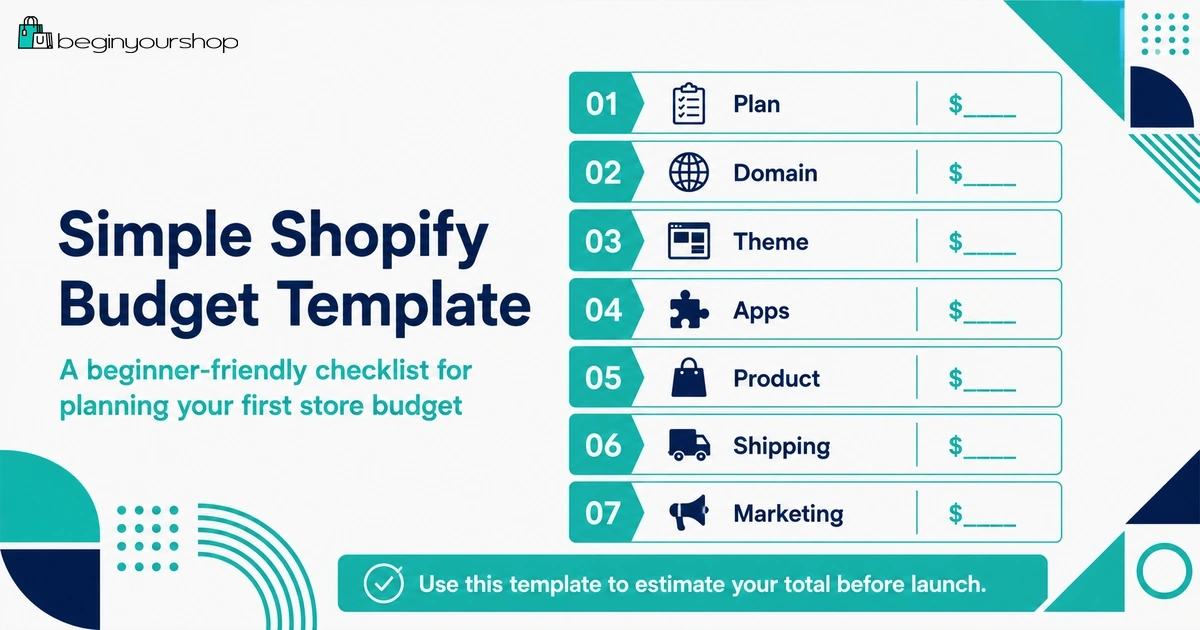
You can copy this structure into a spreadsheet or planning document.
| Cost | Estimated amount | One-time or monthly? | Required now? |
|---|---|---|---|
| Shopify plan | Your estimate | Monthly or annual | Yes after trial |
| Domain | Your estimate | Annual | Recommended |
| Theme | Your estimate | One-time or free | Only if needed |
| Apps | Your estimate | Monthly or usage-based | Only if needed |
| Samples | Your estimate | One-time or recurring | Usually yes |
| Inventory | Your estimate | One-time or recurring | Depends on model |
| Packaging | Your estimate | Recurring | For physical products |
| Marketing | Your estimate | Recurring | Practically yes |
| Admin, legal, tax, accounting | Your estimate | Varies | Depends on location and product |
Common Shopify Cost Mistakes
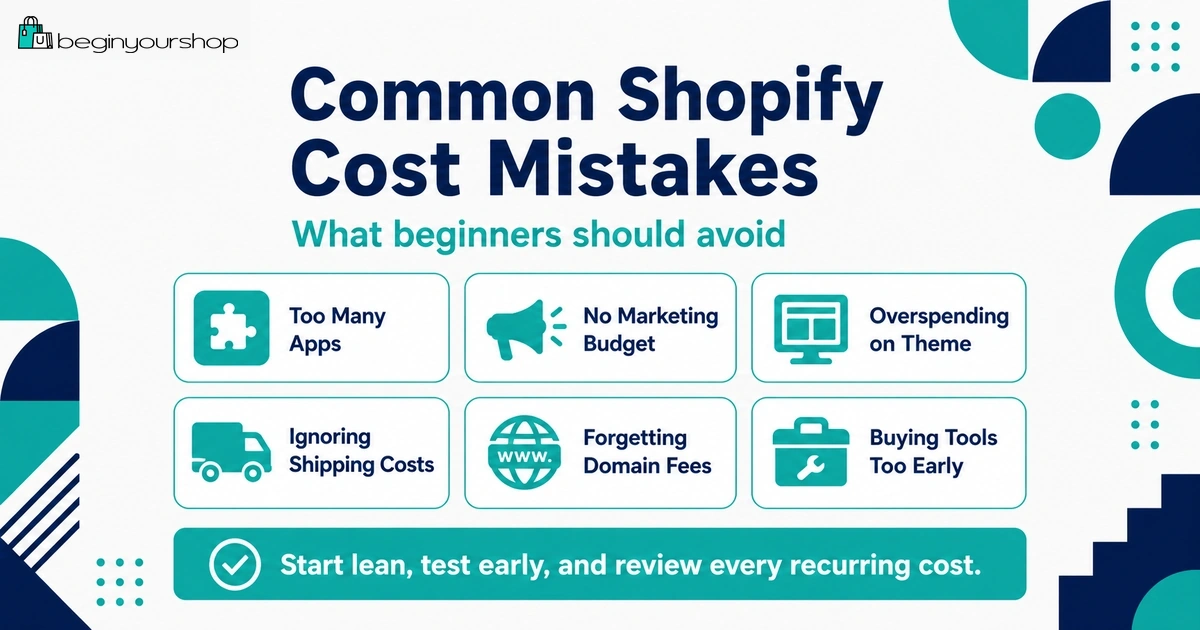
Mistake 1: Spending too much before validating demand
Do not buy large inventory, custom development, or a full app stack before you know customers want the product.
Mistake 2: Ignoring payment fees
Payment fees affect every sale. Include them in your margin calculations.
Mistake 3: Treating app costs as small
Several small app subscriptions can quickly become more expensive than the Shopify plan itself.
Mistake 4: Underestimating marketing costs
Traffic does not arrive automatically. Budget time or money for customer acquisition.
Mistake 5: Offering free shipping without calculation
Free shipping can work, but only if product margin, pricing, and average order value support it.
Mistake 6: Buying a premium theme too early
A premium theme does not fix weak product pages, unclear positioning, or poor images.
Mistake 7: Forgetting returns and replacements
Returns, refunds, damaged products, and replacement shipments are real costs.
FAQ
How much does it cost to start a Shopify store?
The cost depends on your Shopify plan, domain, theme, apps, products, inventory, packaging, shipping setup, payment fees, marketing, and business requirements. A lean store can start with a lower budget, while an inventory-heavy or heavily advertised store needs more capital.
Can I start a Shopify store with a very small budget?
Yes, if you start lean. Use a free theme, avoid unnecessary apps, choose a small product range, test carefully, and use low-cost traffic channels. Your business model matters: digital products and print-on-demand can often require less upfront inventory than traditional product businesses.
Is Shopify free to use?
Shopify may offer a free trial or introductory promotion, but running a real store normally requires a paid plan. You should check the current official offer before starting.
Do I need a paid theme?
No. Most beginners can start with a free Shopify theme. A paid theme can be useful if it solves a real design, product page, filtering, navigation, or feature problem.
How much should beginners spend on apps?
Beginners should keep app costs low and install only required apps. Apps should solve real problems such as fulfillment, product options, email capture, reviews, shipping, digital delivery, or support.
Do payment fees apply to Shopify stores?
Yes. Card processing fees apply when customers pay online. Third-party transaction fees may also apply when using outside payment providers. The exact fees depend on your plan, country, provider, and payment method.
Do I need to buy inventory before starting Shopify?
Not always. Inventory needs depend on the business model. Print-on-demand, dropshipping, digital products, and made-to-order products can reduce upfront inventory requirements, but you should still test product quality and fulfillment.
Should I spend money on ads immediately?
Not unless your product pages, checkout, shipping, payments, and basic analytics are ready. Paid ads can waste money if the store is not prepared to convert visitors.
What is the biggest hidden Shopify cost?
For many beginners, the biggest hidden costs are marketing, product testing, app subscriptions, packaging, shipping, and returns. These can matter more than the plan price alone.
What should I pay for first?
Prioritize the essentials: a suitable Shopify plan after the trial, custom domain, product samples, clear product content, payment setup, shipping readiness, and one realistic traffic channel.
Final Thoughts
The real cost of starting a Shopify store is not just the monthly Shopify plan. A realistic budget includes the store platform, domain, payment fees, products, samples, packaging, shipping, apps, marketing, and business administration.
Beginners should start lean. Use a free theme if it fits, install only necessary apps, avoid large inventory commitments before validation, test products and checkout carefully, and choose one realistic traffic channel.
Your first goal is not to build an expensive store. It is to build a clear, functional, trustworthy store that helps you learn whether customers want what you sell.
Next recommended guide: Shopify Pricing Explained
Shopify Basics, Free Trial, Store Setup, Pricing