What Can You Do During the Shopify Free Trial?
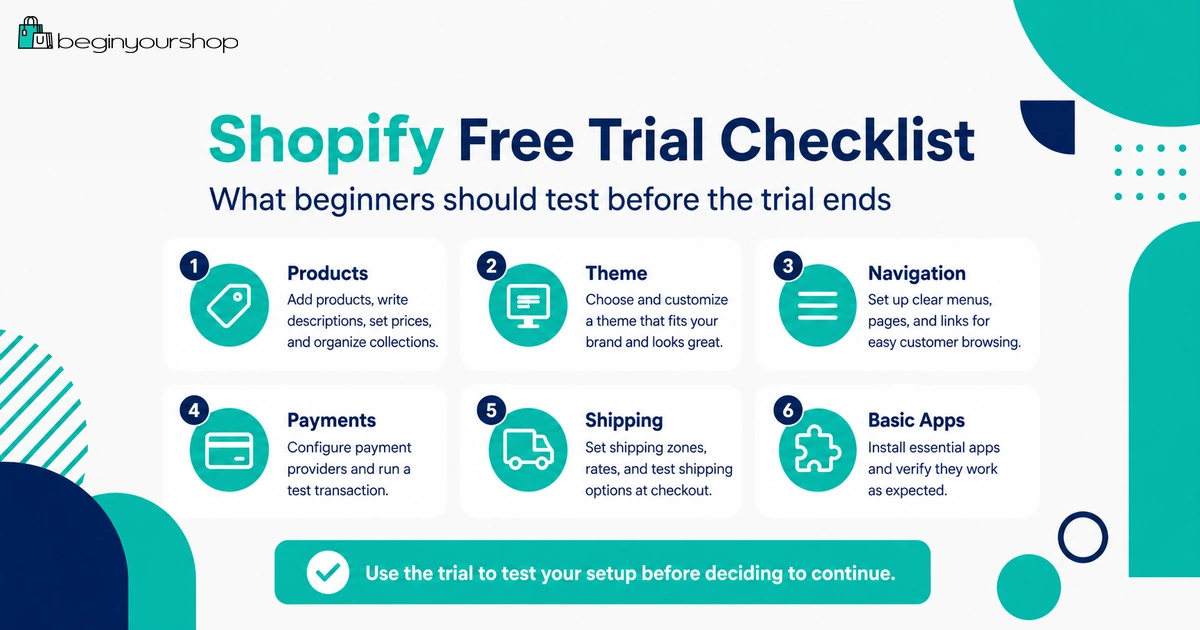
The Shopify free trial is not just a chance to click around the admin. Used properly, it is a short testing window to decide whether Shopify fits your store idea, product type, budget, payment setup, shipping needs, theme requirements, and launch plan.
This beginner-friendly article explains what you should do during the Shopify free trial, what you can realistically test before paying, what usually requires a paid plan, and how to decide whether to continue with Shopify after the trial.
A Shopify free trial can be useful, but only if you use it with a plan. Many beginners waste the trial by changing colors, browsing themes, installing apps, or watching random tutorials without building a real store foundation.
The better approach is to treat the trial as a decision period. You are not trying to build a perfect store immediately. You are trying to answer practical questions:
- Can I add my products properly?
- Does Shopify fit my business model?
- Can I create a clear storefront with a theme?
- Can I configure payments in my country or region?
- Can I set up shipping rules that make sense?
- What plan and extra costs will I need after the trial?
- Am I ready to launch, or do I need more preparation?
This guide explains what to test during the Shopify free trial so you can make a confident decision before choosing a paid plan.
Last checked: May 22, 2026. Shopify trial length, promotional pricing, available plans, checkout limitations, payment testing rules, and launch requirements can change. Always confirm the current offer and requirements on Shopify’s official free trial page and inside your Shopify admin.

Quick Answer
During the Shopify free trial, you should test the store-building workflow before committing to a paid plan. Add real products, try themes, organize collections, draft essential pages, review payments, review shipping, estimate costs, test necessary apps, and decide whether Shopify fits your store idea. Do not spend the whole trial on design details before checking products, payments, shipping, and launch readiness.
Best use of the trial
Build a realistic store draft with real products, not a perfect storefront with empty demo content.
Most important question
Can Shopify support your product, checkout, payment, shipping, and customer experience requirements?
What to avoid
Do not waste the trial installing too many apps or endlessly changing theme colors before testing core setup.
What the Shopify Free Trial Is Really For
The Shopify free trial is best understood as a research and setup period. It lets you explore Shopify before committing to an active monthly plan.
Shopify says the free trial begins when you first sign up, not when you start working on your store. That matters because waiting several days before doing real setup can waste the trial period.
The trial is useful for:
- Learning the Shopify admin
- Adding products
- Trying themes
- Drafting store pages
- Testing store structure
- Reviewing payments and shipping settings
- Estimating costs
- Deciding which plan might fit
- Preparing for launch
The free trial is not a guarantee that your store is ready to sell. To sell publicly and fully activate checkout or remove the storefront password, you normally need to choose a paid plan according to Shopify’s trial documentation.
Beginner takeaway: Use the trial to test whether Shopify is a good fit. Use a paid plan when you are ready to activate the store for real customers.
Before Starting the Trial
Before you start the trial, prepare basic store information. This helps you use the trial period efficiently.
Prepare these items
- Store name or working brand name
- Short description of what you plan to sell
- One to five sample products
- Product prices
- Product images or realistic placeholder images
- Variant options such as size, color, material, format, or bundle size
- Basic shipping idea
- Support email address
- Domain name idea
- Expected first marketing channel
You do not need everything finalized. But you should have enough real information to test Shopify with your actual store idea instead of only using demo content.
Set a trial goal
Choose one goal for your trial:
- Validation goal: Decide whether Shopify fits your product and business model.
- Setup goal: Build a basic store draft before choosing a plan.
- Launch goal: Prepare the store so you can choose a plan and launch soon.
A clear goal prevents you from wasting the trial on low-priority decisions.
1. Test Product Setup
Products are the most important thing to test first. If you cannot present your products clearly in Shopify, the rest of the store will not matter much.
During the trial, add at least one real product. Ideally, add three to five products so you can test collections, variants, product images, and navigation more realistically.
Product fields to test
- Product title
- Product description
- Product images and media
- Price
- Compare-at price if using real discounts
- Cost per item if tracking margin
- SKU or barcode if needed
- Inventory tracking
- Variants
- Product weight
- Product category, type, vendor, collections, and tags
- Search engine listing
Questions to answer
| Question | Why it matters |
|---|---|
| Can I add my product clearly? | Product clarity affects customer trust and conversion. |
| Do variants work for my product? | Size, color, material, format, or bundle options need to display correctly. |
| Do product images look good in the theme? | Your theme demo may look different with your real images. |
| Can I track inventory the way I need? | Inventory setup affects fulfillment and overselling risk. |
| Does the product page answer customer questions? | Weak product pages reduce buying confidence. |
If product setup feels difficult, do not ignore that signal. It may mean you need clearer product information, a different product structure, or a product options app.
2. Test Themes and Store Design
Shopify recommends trying themes to decide which one displays your products best. During the trial, do this with your real products, not only with the theme demo content.
If you are still in the free trial, Shopify’s getting-started guidance recommends choosing a free theme to avoid paying extra charges during that stage.
Theme areas to test
- Homepage layout
- Product page layout
- Collection page layout
- Image cropping
- Header and menu
- Footer
- Cart drawer or cart page
- Mobile layout
- Variant selector display
- Trust sections and FAQ sections
Do not choose based only on the homepage
The product page and mobile experience are often more important than the homepage. Customers may enter your store through a product page, collection page, ad landing page, or blog post.
Before choosing a theme, preview:
- One product page
- One collection page
- The cart experience
- The mobile menu
- The footer and policy links
A simple theme that makes products easy to understand is usually better than a complex theme that looks impressive but distracts customers.
3. Test Navigation and Store Structure
Your store structure helps customers find products and helps search engines understand your site. During the trial, create a simple structure instead of overbuilding menus.
Simple beginner navigation
For a small store, your main menu might include:
- Home
- Shop
- Best Sellers
- About
- Contact
Your footer can include:
- Shipping Policy
- Return and Refund Policy
- Privacy Policy
- Terms of Service
- Contact
Collections to test
Collections are product groups. Use them to organize products in a way customers understand.
Common collection types include:
- New Arrivals
- Best Sellers
- Gift Ideas
- Accessories
- Bundles
- Sale
- Product category collections
Do not create too many collections during the trial. Start with the few collections that make product discovery easier.
4. Draft Essential Store Pages
A store with no About page, Contact page, or policies can feel unfinished. During the free trial, draft your essential pages even if you refine them later.
Pages to draft
| Page | What to include |
|---|---|
| About | Who the store is for, what you sell, and why the store exists. |
| Contact | Support email, contact form, response expectations, and basic customer support information. |
| Shipping Policy | Where you ship, processing time, delivery estimates, tracking, delays, and restrictions. |
| Return and Refund Policy | Return window, eligibility, condition requirements, refund timing, and return shipping rules. |
| Privacy Policy | How customer data is collected, used, and shared. |
| Terms of Service | General terms for using the site and purchasing from the store. |
These pages do not need to be perfect on day one, but they should match your real store operations. Generic policies that do not match your shipping, products, or return rules can create customer confusion later.
5. Review Payment Options
Payment setup is one of the most important things to review during the trial. Do not wait until launch day to discover that your preferred payment method is unavailable or that you need verification documents.
Payment questions to answer
- Is Shopify Payments available in my country or region?
- Is my business type eligible?
- What payment methods can customers use?
- What card rates and payment processing fees apply?
- Will third-party transaction fees apply if I use an outside payment provider?
- What verification information will I need?
- How long will payouts take?
- Can I test payment settings before launch?
Shopify’s documentation notes that payment gateway testing requires choosing a paid plan. This means the free trial is useful for reviewing payment options and requirements, but full payment testing may not be available until you choose a paid plan.
What to prepare
- Legal name or business name
- Business address
- Bank account information
- Tax details if required
- Identity or business verification documents if required
- Understanding of payment fees and payout timing
Do not use inaccurate details in payment setup. Payment providers may verify identity, business, address, and bank information.
6. Review Shipping and Delivery Setup
Shipping setup can make or break launch readiness. During the trial, review whether Shopify’s shipping settings fit your business model.
Shipping questions to answer
- Where will I ship?
- Will I use flat-rate shipping, calculated rates, free shipping, or local delivery?
- Do product weights need to be entered?
- Do I need multiple shipping profiles?
- How long will processing take?
- Who fulfills the order?
- How will tracking be sent?
- What happens with returns or exchanges?
Shipping costs to think about
- Postage or carrier cost
- Packaging
- Shipping labels
- Tracking
- Returns
- Replacements
- International duties or taxes communication
If your store sells physical products, use the trial to check whether your shipping idea is realistic. Free shipping can be attractive, but it still needs to be paid for through product margin, pricing, order value, or business strategy.
7. Estimate Your Real Startup Cost
The free trial is a good time to estimate what the store will cost after the trial ends.
Do not look only at the Shopify plan. Your real cost can include:
- Shopify plan
- Domain
- Theme
- Apps
- Payment processing fees
- Third-party transaction fees if applicable
- Product samples
- Inventory
- Packaging
- Shipping supplies
- Email marketing tools
- Product photography
- Marketing
- Legal, tax, or admin costs
Use the trial to decide what you actually need now and what can wait.
Trial cost decision table
| Expense | Need during trial? | Need before launch? |
|---|---|---|
| Paid plan | No, unless you are ready to activate paid features | Yes, to run a real store publicly |
| Custom domain | Optional | Strongly recommended |
| Paid theme | Usually no | Only if it solves a real problem |
| Paid apps | Only if required for testing | Only if required for launch or operations |
| Product samples | Recommended for physical products | Yes, before serious selling |
| Marketing spend | Usually no | Yes, once store is ready for traffic |
8. Test Only Necessary Apps
Shopify apps can help, but the trial is not the time to install every app that looks interesting.
Install an app during the trial only if it helps you test something essential:
- Print-on-demand product creation
- Dropshipping supplier connection
- Digital product delivery
- Custom product options
- Subscriptions if your model requires them
- Basic reviews if you are preparing review collection
- Email capture if you plan to build a pre-launch list
Delay apps such as loyalty programs, advanced upsells, referral programs, complex analytics, heatmaps, and A/B testing until you have traffic and sales data.
App testing checklist
- Does the app solve a real problem?
- Does Shopify or the theme already do this?
- What does the app cost after the trial?
- Does it affect storefront speed?
- Does it request sensitive permissions?
- Does it work on mobile?
- Can it be removed cleanly?
A lean store with a few necessary apps is usually better than a store overloaded with tools you do not understand.
What Usually Requires a Paid Plan
It is important to understand the difference between building a store during the trial and launching a fully functional store.
Shopify’s trial documentation explains that to allow customers to purchase products, you can remove the storefront password or activate online store checkout by choosing a paid plan. Shopify’s test order documentation also states that you can test a payment gateway only after choosing a paid plan.
Expect to choose a paid plan before:
- Removing the storefront password for a public launch
- Allowing customers to purchase through your online store checkout
- Testing a payment gateway through Shopify checkout
- Using the store as a real selling channel
This does not make the trial useless. It means the trial is best for preparation, evaluation, and store setup. Use it to decide whether you are ready to pay, not to avoid paying for a live business.
Practical point: If your store is not ready after the trial, do not choose a plan just because time is running out. Fix the basics first: products, theme, shipping, payments, policies, checkout readiness, and traffic plan.
Shopify Free Trial Checklist
Use this checklist during your trial.
| Task | Why it matters | Status |
|---|---|---|
| Add real products | Tests whether Shopify can represent your products clearly. | To review |
| Try a free theme | Tests product pages, homepage, collections, cart, and mobile layout. | To review |
| Create basic collections | Tests how customers will browse your store. | To review |
| Draft About and Contact pages | Helps the store feel more trustworthy. | To review |
| Draft store policies | Clarifies shipping, returns, privacy, and terms. | To review |
| Review payment options | Confirms whether your preferred payment setup is possible. | To review |
| Review shipping setup | Confirms whether customers can receive products realistically. | To review |
| Estimate startup cost | Prevents surprise costs after the trial. | To review |
| Test mobile layout | Many customers browse and buy from phones. | To review |
| Choose next step | Decide whether to continue, pause, or rebuild your plan. | To review |
How to Decide After the Trial
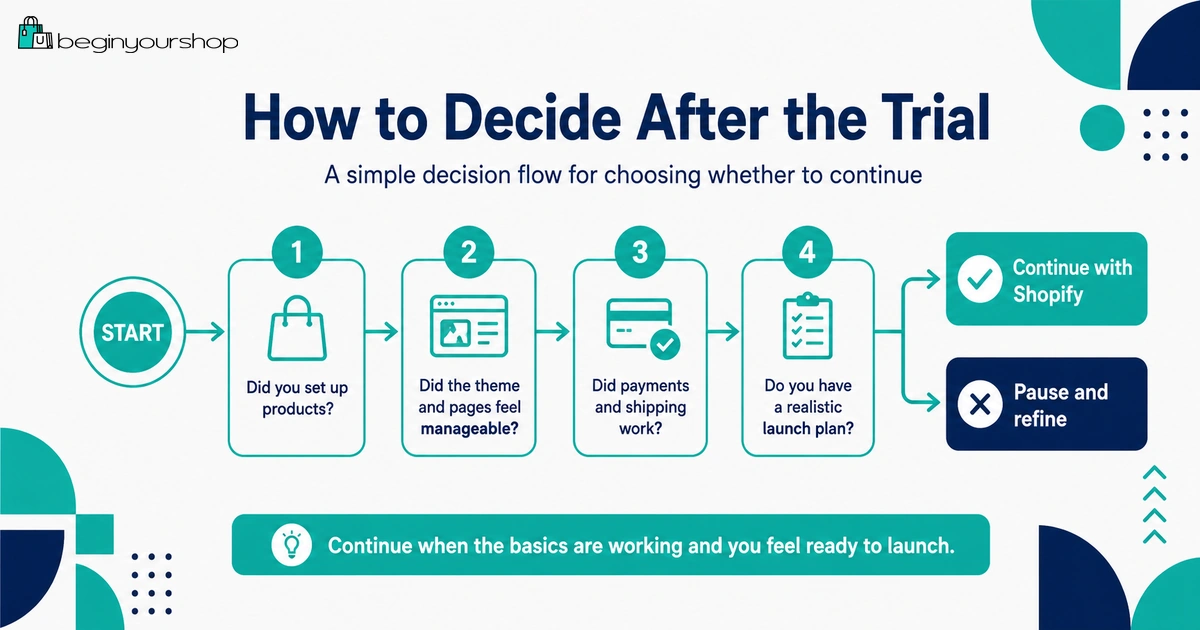
At the end of the Shopify free trial, do not decide based only on whether the store looks nice. Decide based on whether Shopify fits your business needs.
Continue with Shopify if:
- You can add and organize your products clearly.
- The theme can support your store design without excessive custom work.
- Payment options work for your country and business model.
- Shipping setup is realistic.
- The total cost makes sense.
- You understand which plan you need.
- You have a path to get traffic.
- You are ready to test checkout and prepare for launch.
Pause or rethink if:
- You are not sure what you are selling.
- Your product pages feel weak or incomplete.
- Your payment provider options are unclear.
- Shipping costs make the business model difficult.
- You need too many paid apps before the store is proven.
- You have no traffic plan.
- You are choosing a paid plan only because the trial is ending.
There is nothing wrong with pausing if the business plan needs more work. Paying for Shopify before the store is ready will not fix unclear products or weak positioning.
Common Free Trial Mistakes
Mistake 1: Waiting too long to start setup
The free trial begins when you sign up, not when you begin working. Start testing immediately.
Mistake 2: Spending all your time on design
Design matters, but products, payments, shipping, policies, and checkout readiness matter more.
Mistake 3: Not adding real products
A theme demo can look great with sample content. You need to test the store with your actual products and images.
Mistake 4: Installing too many apps
Apps can create costs and complexity. Install only what you need to test your business model.
Mistake 5: Ignoring payment eligibility
Review payment provider availability and requirements before launch.
Mistake 6: Ignoring shipping costs
Shipping can affect checkout, margin, delivery expectations, and customer satisfaction.
Mistake 7: Choosing a paid plan without a launch plan
Choose a plan when you understand the store’s needs and are ready to move toward a real launch.
A Simple Shopify Free Trial Schedule
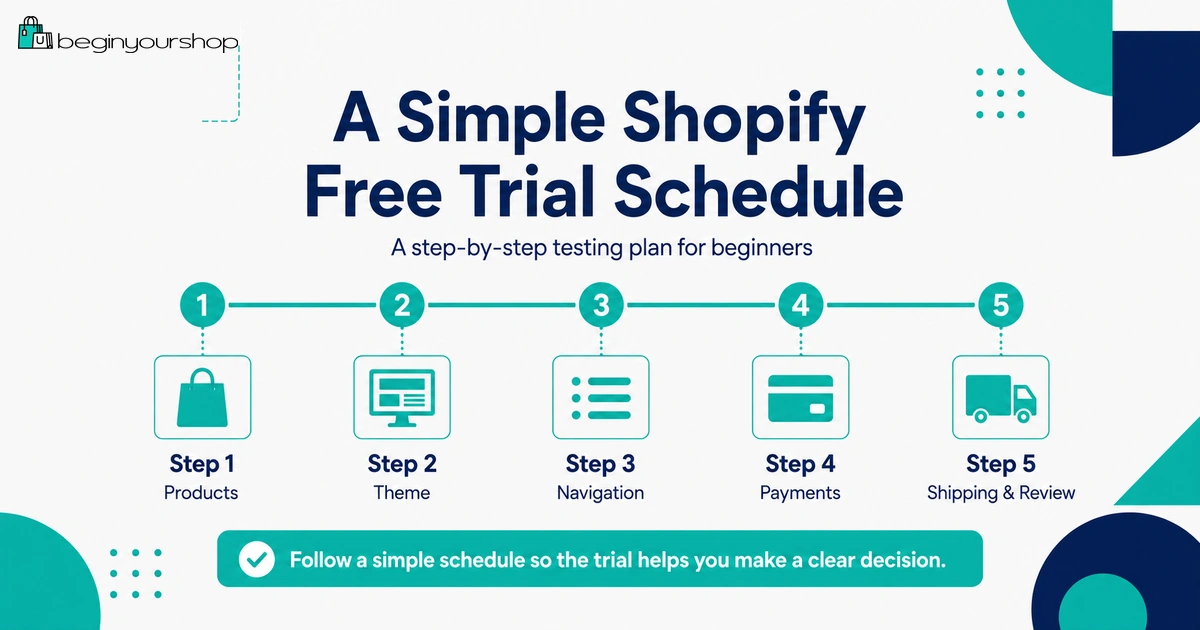
Use this schedule if you want a structured trial.
| Stage | Focus | Tasks |
|---|---|---|
| Start | Orientation | Review admin, settings, products, themes, and store structure. |
| Early trial | Products | Add products, variants, images, descriptions, and collections. |
| Middle trial | Storefront | Test themes, homepage, product pages, navigation, and mobile layout. |
| Later trial | Operations | Review payments, shipping, taxes, pages, policies, and apps. |
| End of trial | Decision | Estimate costs, choose plan if ready, or pause and improve the business plan. |
FAQ
What can I do during the Shopify free trial?
You can explore Shopify, add products, try themes, draft store pages, organize collections, review settings, explore available plans, and prepare your store before choosing a paid plan.
When does the Shopify free trial start?
Shopify says the free trial begins when you first sign up, not when you start working on your store.
Can customers buy from my store during the free trial?
To allow customers to purchase products through the online store checkout, Shopify’s trial documentation says you need to choose a paid plan. Trial terms and checkout availability can change, so confirm current requirements in your Shopify admin.
Can I remove the storefront password during the free trial?
Shopify’s trial documentation says you need to choose a paid plan to remove the storefront password and open the store for customers to purchase products.
Can I test payments during the free trial?
Shopify’s test order documentation says you can test a payment gateway only after choosing a paid plan. During the trial, you can still review payment options and prepare the information you will need.
Should I buy a paid theme during the trial?
Most beginners should start with a free theme during the trial. Buy a paid theme only if it solves a specific product page, catalog, navigation, or design problem.
Should I install apps during the trial?
Install only apps that are necessary to test your business model, such as print-on-demand, digital delivery, product options, or subscriptions. Avoid app overload during the trial.
What should I test first?
Start with products. Add real products, images, descriptions, prices, variants, and collections. Then test theme layout, navigation, pages, payments, shipping, and costs.
What happens if I do not choose a paid plan?
Shopify’s free trial documentation says that if you end your account within the free trial period without choosing a paid plan, then no additional actions are required.
How do I know if Shopify is worth continuing after the trial?
Continue if Shopify can support your products, theme needs, payment setup, shipping model, budget, and launch plan. Pause if your product idea, costs, or operations are still unclear.
Final Thoughts
The Shopify free trial is most valuable when you use it as a focused testing period. Do not waste it on endless design changes or app browsing.
Add real products, try a suitable theme, organize your store, draft essential pages, review payments, review shipping, estimate total costs, and decide whether Shopify fits your business model.
If the trial shows that Shopify works for your products and operations, choosing a paid plan can be the next step toward launch. If the trial reveals major gaps, fix those before paying for a store that is not ready.
Next recommended guide: Shopify Free Trial Explained for Beginners