Can You Sell on Shopify During the Free Trial?
Can you sell on Shopify during the free trial? In most cases, the practical answer is that you can build and prepare your store during the trial, but to let customers purchase products through your online store checkout or remove the storefront password, Shopify requires you to choose a paid plan.
This beginner-friendly article explains what you can and cannot do during the Shopify free trial, what changes after choosing a paid plan, how checkout and test orders work, and how to prepare your store before accepting real customer orders.
Many beginners start Shopify with one urgent question: can I sell products during the free trial?
The question makes sense. If you are testing Shopify, you may want to know whether you can publish the store, accept real orders, test checkout, and start earning before committing to a paid plan.
The answer needs some nuance. During the Shopify free trial, you can build your store, add products, try themes, draft pages, organize navigation, review payments, and prepare for launch. But if you want customers to purchase products through your online store checkout, or if you want to remove the storefront password and open the store publicly, Shopify requires you to choose a paid plan.
This guide explains the difference between building during the trial and selling through a live Shopify store.
Last checked: June 5, 2026. Shopify free trial rules, plan requirements, checkout access, storefront password behavior, payment testing, and trial offers can change. Always confirm current details on Shopify’s official free trial page and inside your Shopify admin before planning a launch.

Quick Answer
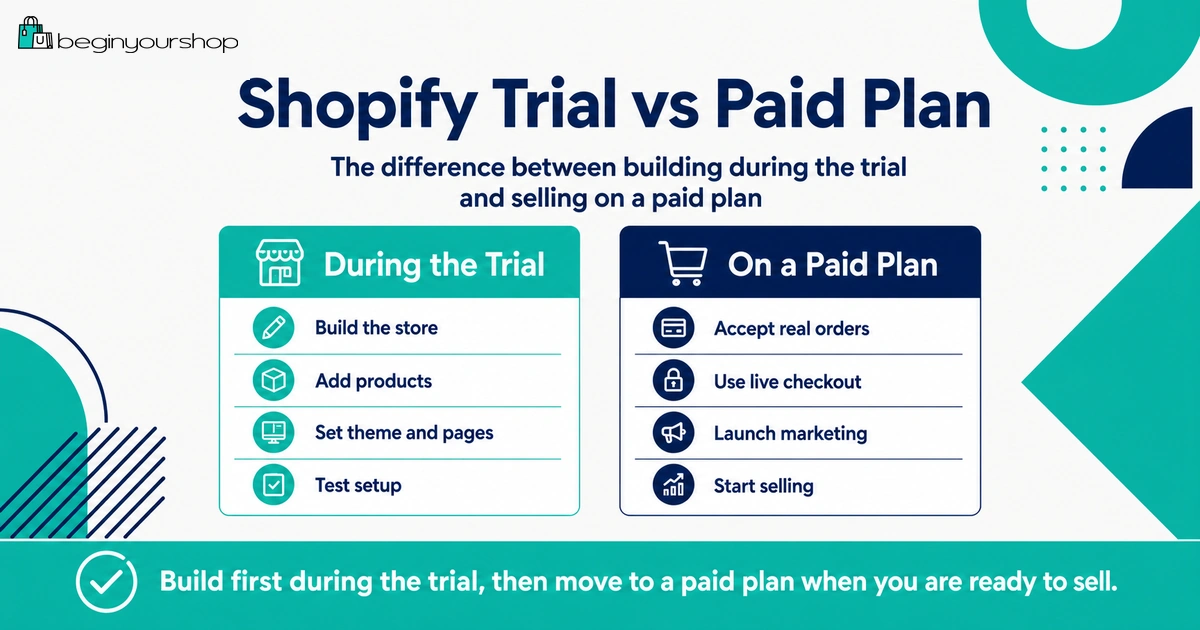
You can build and prepare a Shopify store during the free trial, but you generally need to choose a paid plan before customers can purchase products through your online store checkout. Shopify’s free trial documentation explains that to allow customers to purchase products, you can remove the storefront password or activate online store checkout by choosing a paid plan. Shopify’s test order documentation also says you can test a payment gateway only after choosing a paid plan.
During the trial
Build the store, add products, try themes, draft pages, review settings, and prepare your launch checklist.
Before real selling
Choose a paid plan, complete payment setup, test checkout, review shipping, and remove the password when ready.
Best rule
Use the free trial to prepare. Use the paid plan when you are ready to accept real customers and real orders.
What You Can Do During the Free Trial
The Shopify free trial is useful because you can build a realistic store draft before paying for a plan. You should use this time to test whether Shopify fits your product, budget, and launch plan.
Useful tasks during the trial
- Add products
- Write product descriptions
- Upload product images
- Create product variants
- Organize products into collections
- Try free themes
- Customize homepage sections
- Create About and Contact pages
- Draft shipping, refund, privacy, and terms pages
- Set up basic navigation
- Review payment provider options
- Review shipping settings
- Estimate app, theme, domain, and marketing costs
- Prepare a launch checklist
These tasks help you decide whether Shopify is worth continuing before you commit to a plan.
What the trial is best for
The trial is best for preparation, not full public selling. It helps you answer questions such as:
- Can Shopify display my products properly?
- Does the theme work with my real product images?
- Can I structure the store in a way customers understand?
- Are Shopify Payments or other payment providers suitable for me?
- Can I configure shipping realistically?
- What will the store cost after the trial?
If you use the trial only to browse themes and apps, you may reach the end without knowing whether the store can actually work.
What You Usually Cannot Do Without a Paid Plan
Shopify’s free trial lets you explore the platform, but some selling functions normally require a paid plan.
Without choosing a paid plan, you should not assume that you can:
- Open the store fully to public customers for purchases
- Remove password protection from the online store
- Activate online store checkout for customer purchases
- Test a payment gateway through checkout
- Run the store as a normal live ecommerce business
This is why the free trial should be treated as a setup and evaluation period. When you are ready for real selling, choose a plan and complete the launch checks.
Important distinction: Building a Shopify store during the trial is not the same as launching a Shopify store for customers to buy from.
Checkout During the Free Trial
Checkout is the key difference between a store draft and a real store. Customers can browse a storefront only if it is accessible, but they can buy only if checkout is active and payment settings work.
Shopify’s free trial documentation states that to allow customers to purchase products, you can remove the storefront password or activate online store checkout by choosing a paid plan.
Why checkout matters
Checkout connects several critical parts of the business:
- Cart
- Customer information
- Shipping address
- Shipping rates
- Taxes
- Discount codes
- Payment method
- Order confirmation
- Inventory changes
- Email notifications
Until checkout is active and tested, the store is not operationally ready for real customers.
What to review before activating checkout
- Payment provider availability
- Payment verification requirements
- Shipping zones and rates
- Product weights if needed for shipping
- Tax settings
- Discount settings
- Customer email notifications
- Order processing workflow
Do not send real traffic to a store before checkout is tested.
Storefront Password and Public Access
During setup, your Shopify storefront can be protected by a password page. This lets you preview and build the store without exposing unfinished pages to the public.
Shopify’s launch preparation documentation explains that if you are ready to launch during your free trial, then you need to choose a subscription plan to remove your online store password.
What password protection means
Password protection means most visitors cannot browse the full store unless they have the password. This is useful while you are still building.
The password page can be useful for:
- Keeping unfinished pages private
- Creating a pre-launch message
- Collecting interest before launch if configured appropriately
- Preventing customers from trying to buy before setup is ready
Before removing password protection
Check:
- Homepage is clear
- Products are complete enough
- Navigation works
- Policy pages are published
- Contact page works
- Payments are ready
- Shipping rates appear correctly
- Checkout is tested
- Mobile layout is usable
- Domain is connected if using one
Removing the password should be a launch decision, not an accident.
Can You Place Test Orders During the Trial?
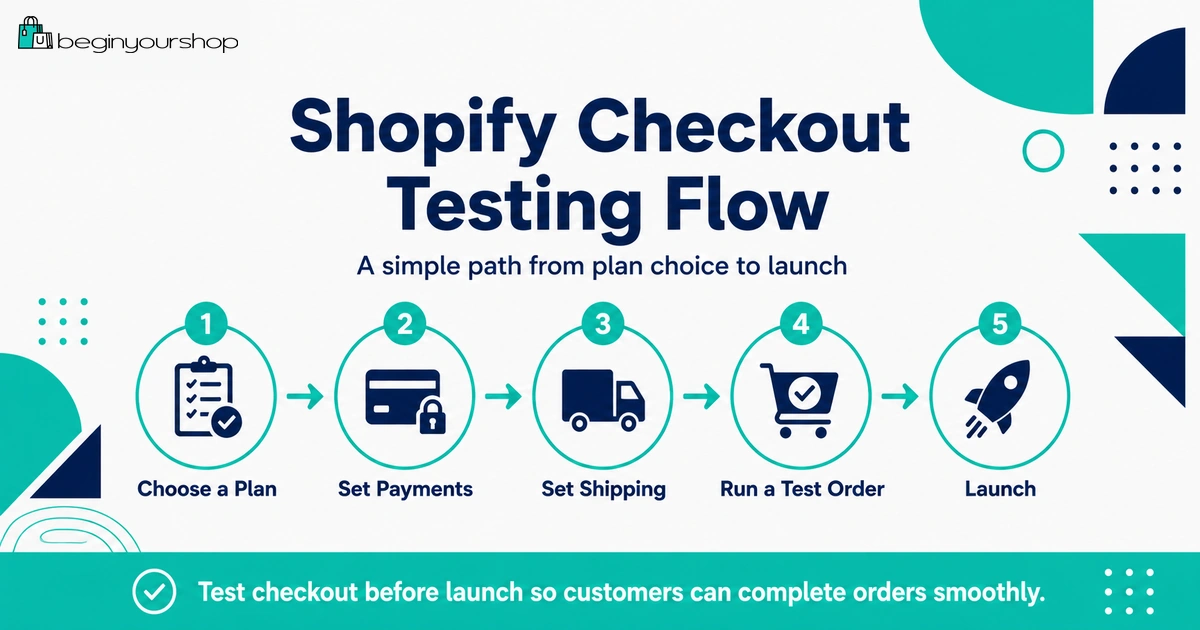
Shopify’s test order documentation says you can test a payment gateway only after choosing a paid plan. It also recommends placing at least one test order during store setup or whenever payment settings change.
This means you can prepare many parts of the store during the trial, but proper checkout testing usually belongs to the paid-plan stage.
What a test order helps confirm
- Checkout flow
- Payment settings
- Shipping rates
- Tax display
- Discount codes
- Order processing
- Inventory behavior
- Email notifications
- Refund or cancellation workflow
When to place a test order
Place a test order after choosing a paid plan and before public launch. Also place another test order if you change payment settings, shipping rules, discount logic, checkout-related apps, or important product variant settings.
Payment Setup During the Trial
During the trial, you should review payment options even if you cannot fully test payment gateway behavior yet.
Payment questions to answer during the trial
- Is Shopify Payments available in my country or region?
- Is my business type eligible?
- What information will I need for verification?
- What card rates apply to the plan I am considering?
- Will third-party transaction fees apply if I use another provider?
- How long do payouts take?
- Which payment methods will customers expect?
- Are there local payment methods I need?
Payment setup can involve verification. Use accurate business, personal, tax, and banking information. Do not enter fake information just to move quickly.
Payment readiness checklist
- Choose the likely payment provider
- Review availability and eligibility
- Prepare required identity or business details
- Review payment fees
- Review payout timing
- Review chargeback and refund rules
- Plan a test order after choosing a paid plan
What About In-Person Sales or POS?
If you plan to sell in person with Shopify POS, the free trial can still help you explore Shopify’s general settings, products, and admin structure.
Shopify’s free trial documentation says that to allow customers to purchase products, you can remove the storefront password or activate online store checkout, and POS in-person sales if applicable, by choosing a paid plan.
If in-person selling matters to your business, review:
- POS plan requirements
- Payment hardware availability
- Inventory syncing
- Locations
- Taxes
- Receipts
- Staff permissions
- Returns and exchanges
Do not assume online setup and in-person selling have identical requirements.
Draft Orders, Manual Payments, and Workarounds
Some beginners look for ways to accept orders without choosing a paid plan. This is usually the wrong focus.
Even if you can create drafts, collect interest, message customers, or manually coordinate sales outside the normal storefront checkout, that is not the same as running a live Shopify store. Workarounds can create confusion, payment risk, inventory issues, tax issues, and poor customer experience.
Better approach
Use the free trial to prepare properly:
- Add products
- Improve product pages
- Review payment options
- Review shipping costs
- Create policy pages
- Test theme and mobile layout
- Estimate total costs
- Choose a plan when ready
If your store is ready to sell, choosing a paid plan is usually cleaner and safer than trying to work around checkout limitations.
What to Prepare Before Choosing a Plan
Before choosing a paid plan, make sure you are not paying only because the trial is ending. Pay because you know what the next stage is.
Prepare these before choosing a plan
- At least one complete product page
- Basic collection structure
- Theme selected
- Homepage draft
- Main menu and footer menu
- About page
- Contact page
- Shipping policy draft
- Return and refund policy draft
- Payment provider decision
- Shipping rate plan
- Domain plan
- First traffic channel idea
When these basics are ready, choosing a paid plan has a purpose: moving from preparation to testing and launch.
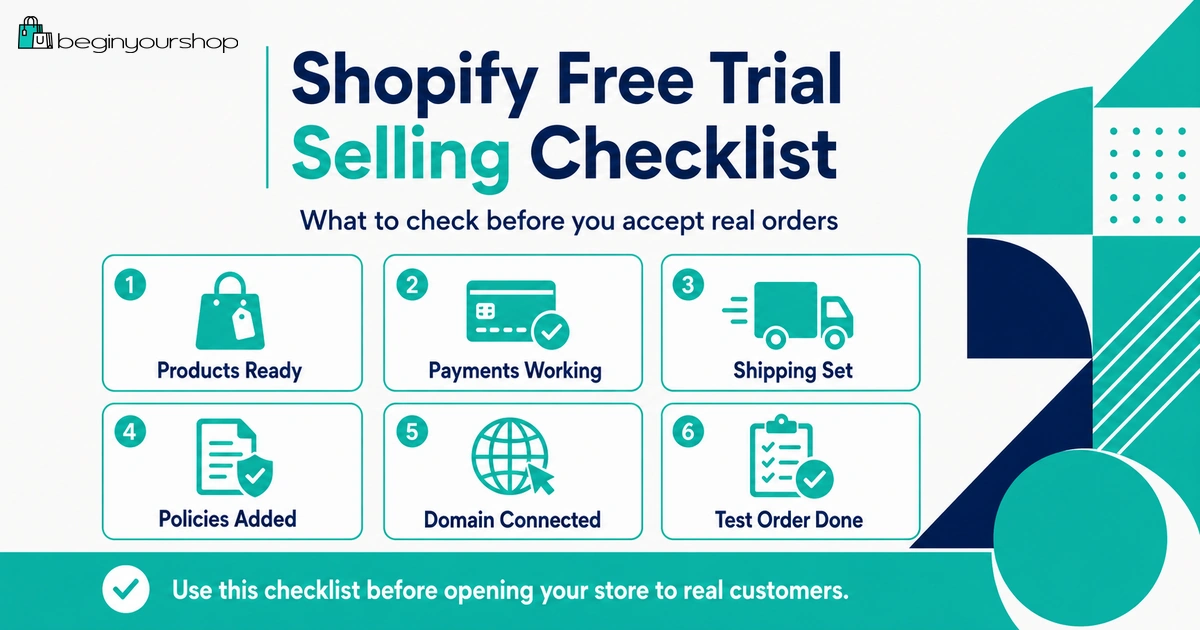
Checklist Before Accepting Real Orders
Use this checklist before you open the store to real customers.
| Area | What to confirm | Status |
|---|---|---|
| Plan | You selected a paid plan that fits your current needs. | To review |
| Products | Titles, descriptions, images, prices, variants, and inventory are correct. | To review |
| Payments | Payment provider is active, verified where needed, and ready for real orders. | To review |
| Test order | Checkout has been tested with an appropriate test method. | To review |
| Shipping | Shipping zones, rates, weights, fulfillment locations, and policies are reviewed. | To review |
| Taxes | Tax settings have been reviewed for your products and regions. | To review |
| Policies | Shipping, returns, refunds, privacy, terms, and contact pages are published. | To review |
| Mobile | Homepage, menu, product pages, cart, and checkout work on mobile. | To review |
| Domain | Custom domain is connected and set as primary if used. | To review |
| Password | Storefront password is removed only when the store is ready. | To review |
Should You Rush to Sell During the Trial?
No. Most beginners should not rush to sell during the trial. The better goal is to use the trial to determine whether the store can be made ready.
Do not rush if:
- You have not added real products
- Product pages are unfinished
- Shipping costs are unclear
- Payment setup is unresolved
- Policies are missing
- Mobile layout is untested
- You do not know how to fulfill orders
- You have no traffic plan
Move forward if:
- Products are clear
- Payment setup is understood
- Shipping is realistic
- Policies are published
- Theme works on mobile
- Checkout can be tested after choosing a plan
- You know your first traffic channel
The goal is not to sell as fast as possible. The goal is to avoid launching a store that creates preventable customer problems.
Decision Table
Use this table to decide what to do next.
| Your situation | Recommended next step |
|---|---|
| You are still exploring Shopify and have not added products. | Use the trial to add products before thinking about selling. |
| Your products and theme are mostly ready, but payments and shipping are not reviewed. | Review payment and shipping setup before choosing a plan. |
| Your store is ready for checkout testing. | Choose a suitable paid plan, test checkout, and prepare for launch. |
| You want to remove the password and launch publicly. | Choose a paid plan, complete launch checklist, then remove password. |
| You are trying to avoid paying but want real customers to buy. | Do not use workarounds. Choose a plan when the store is ready to sell. |
| You are unsure whether the business idea works. | Pause and clarify product, customer, shipping, and marketing assumptions. |
Common Mistakes
Mistake 1: Thinking the free trial is for full selling
The trial is mainly for exploring and preparing the store. Full customer purchasing through online checkout normally requires a paid plan.
Mistake 2: Waiting until the last trial day
Shopify says the trial begins when you sign up, not when you start working. Use the trial from day one.
Mistake 3: Not testing product pages with real products
A theme demo does not prove your real store will work. Test with your products, images, descriptions, and variants.
Mistake 4: Choosing a plan before reviewing payments
Review payment provider availability, verification requirements, fees, and payout timing before launch.
Mistake 5: Removing password protection too early
Do not open the store publicly until products, policies, payments, shipping, checkout, and mobile layout are ready.
Mistake 6: Skipping test orders
After choosing a plan, place a test order before launching. This helps catch checkout, shipping, tax, inventory, and notification issues.
Mistake 7: Sending traffic before the store works
Advertising or sharing the store too early can waste attention and money if checkout or product pages are not ready.
FAQ
Can I sell on Shopify during the free trial?
You can build and prepare your store during the free trial, but to let customers purchase products through online store checkout or remove the storefront password, Shopify requires you to choose a paid plan.
Can customers check out during the Shopify free trial?
Shopify’s free trial documentation says that to allow customers to purchase products, you can remove the storefront password or activate online store checkout by choosing a paid plan.
Can I remove the storefront password during the free trial?
Shopify’s launch preparation documentation says that if you are ready to launch during your free trial, you need to choose a subscription plan to remove your online store password.
Can I test Shopify Payments during the free trial?
Shopify’s test order documentation says you can test a payment gateway only after choosing a paid plan. Shopify Payments test mode also requires a paid plan.
What can I do during the Shopify free trial?
You can add products, try themes, create pages, draft policies, organize navigation, review payments, review shipping, estimate costs, and prepare your launch checklist.
Can I collect emails during the free trial?
You can prepare a password page or signup approach depending on your theme and tools, but make sure any email collection follows privacy and consent requirements for your audience and location.
Can I use Shopify POS during the free trial?
You can explore Shopify and POS-related setup during the trial, but Shopify says POS in-person sales, if applicable, require choosing a paid plan to activate.
Should I choose a paid plan immediately?
Choose a paid plan when you are ready to move toward real selling, checkout testing, and launch. Do not choose a plan only because the trial is ending if the store is not ready.
What should I do before accepting real orders?
Complete product pages, payment setup, shipping settings, tax review, policies, mobile testing, domain setup if needed, and at least one test order.
Is the Shopify free trial still useful if I cannot fully sell yet?
Yes. It is useful for deciding whether Shopify fits your product, store structure, theme needs, payment setup, shipping model, and budget before you commit to a paid plan.
Final Thoughts
The Shopify free trial is best used for preparation. You can build a real store draft, add products, test themes, draft pages, review settings, and decide whether Shopify fits your business idea.
But real selling requires more than a trial account. Before accepting customer orders, you need a paid plan, working payments, tested checkout, realistic shipping, clear policies, good product pages, and a store that works on mobile.
Use the trial to get ready. Choose a paid plan when the store is ready to move from setup to selling.
Next recommended guide: Shopify Free Trial Explained for Beginners